1. Киришүү
This user manual provides essential information for the safe and efficient operation of your Strong 24-inch HD TV, model SRT24HE4023C. Please read this manual thoroughly before using the product and retain it for future reference.
The Strong SRT24HE4023C is a compact and versatile 24-inch (60 cm) HD Ready television, specifically designed for portability with its 12V power input, making it ideal for use in caravans, campers, or other mobile environments. It features a triple tuner for various signal receptions and multiple connectivity options.
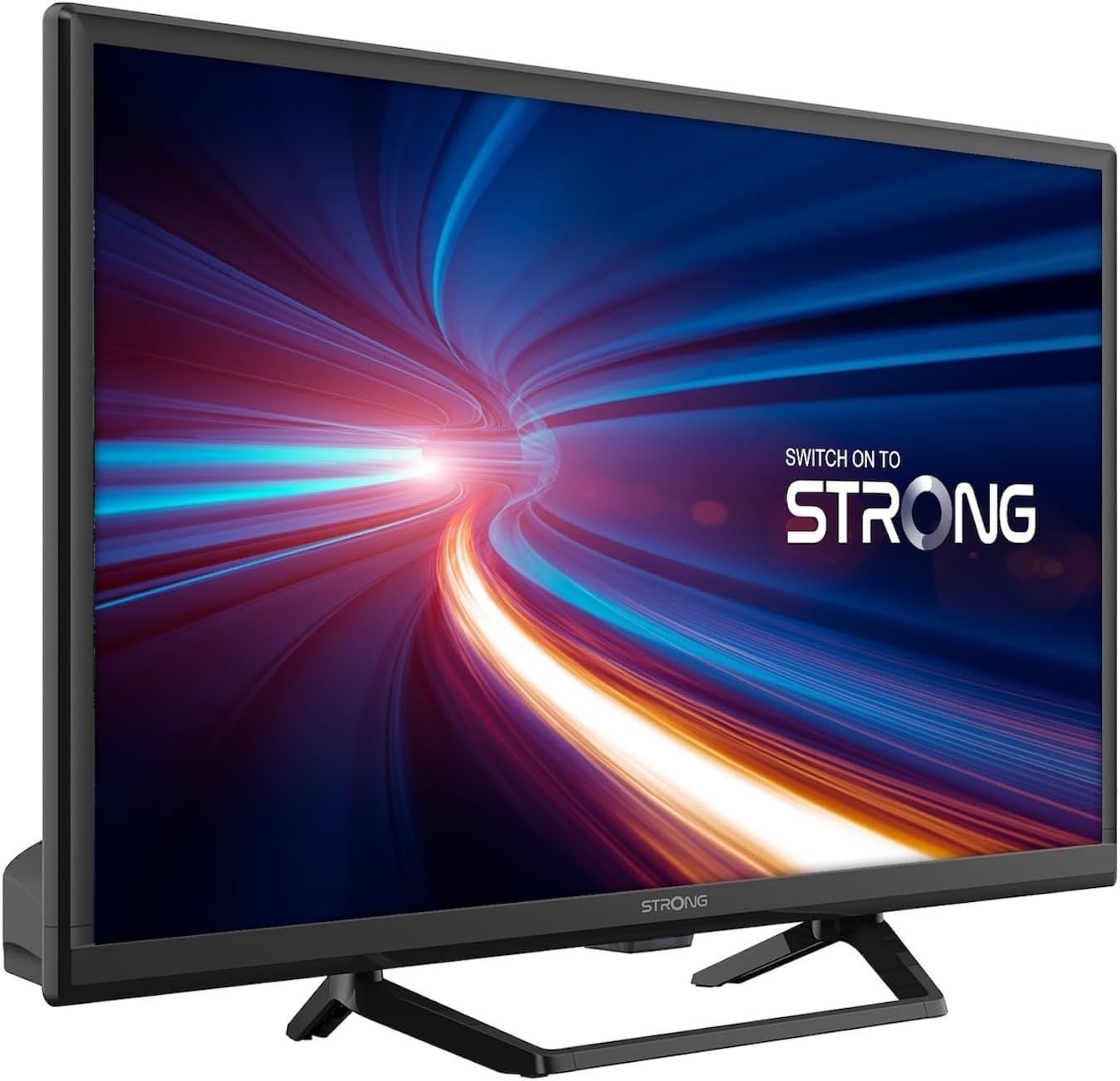
Сүрөт 1.1: Алдыңкы view of the Strong 24-inch HD TV.
2. Пакеттин мазмуну
Upon unpacking, please ensure all items listed below are present and in good condition. If any items are missing or damaged, contact your retailer immediately.
- Strong 24-inch HD TV (SRT24HE4023C)
- Телевизордук стенд
- Алыстан башкаруу пульту (2 AAA батарейка талап кылынат, комплектте бар)
- Колдонуучунун Колдонмосу (бул документ)
3. Орнотуу
3.1. Стендди чогултуу
Carefully place the TV screen-down on a soft, clean surface to prevent scratches. Attach the provided stand to the base of the TV using the designated screws. Ensure the stand is securely fastened before placing the TV upright.
3.2. Power Connection
This TV operates on a 12V DC power supply, making it suitable for mobile applications. Connect the 12V power adapter to the TV's power input port and then to a compatible 12V power source. Ensure the power source can provide sufficient current for the TV's operation.
3.3. Тышкы түзмөктөрдү туташтыруу
Сыналгы ар кандай байланыш параметрлерин сунуш кылат:
- HDMI порттору (x2): Connect Blu-ray players, game consoles, or other HDMI-enabled devices. One port supports ARC (Audio Return Channel).
- USB порт (x1): Мультимедиа ойнотуу үчүн fileUSB сактагыч түзмөктөрүнөн.
- Мини AV киргизүү: Композиттик видео жана стерео аудио чыгуулары бар эски түзмөктөрдү туташтыруу үчүн.
- Antenna Input (ANT in): Connect a terrestrial antenna for DVB-T/T2 reception.
- Satellite Input (SAT in): Connect a satellite dish for DVB-S/S2 reception.
- CI Slot: Шифрленген каналдар үчүн Common Interface модулун киргизиңиз.
- SPDIF чыгаруу: For digital audio output to an external sound system.
- Гарнитура уячасы: Жеке угуу үчүн.

3.1-сүрөт: Арткы view showing various connectivity ports.
4. Иштөө нускамалары
4.1. Биринчи жолу орнотуу
When you power on the TV for the first time, a setup wizard will guide you through initial settings such as language, country, and channel scanning. Follow the on-screen prompts to complete the setup.
4.2. Каналды сканерлөө
The TV features a triple tuner (DVB-T/T2, DVB-C, DVB-S/S2) for receiving digital terrestrial, cable, and satellite broadcasts. To scan for channels:
- басыңыз МЕНЮ пультуңуздагы баскыч.
- дегенге өтүңүз Канал or Орнотуу меню.
- Тандоо Auto Scan or Кол менен сканерлөө depending on your preference and connection type.
- Follow the on-screen instructions to start the scan.
4.3. Using the Electronic Program Guide (EPG)
The EPG provides a schedule of current and upcoming TV programs. To access the EPG, press the EPG button on your remote control. You can browse programs, view details, and set reminders.
4.4. Multimedia Playback via USB
Insert a USB storage device into the USB port. The TV will typically prompt you to open the media browser. You can play various multimedia files, including videos, photos, and music.
4.5. Parental Control and Hotel Mode
The TV includes parental control features to restrict access to certain channels or programs based on age ratings. Hotel mode provides advanced settings for managing TV functions in a multi-unit environment.
5. Техникалык тейлөө
5.1. Телевизорду тазалоо
Before cleaning, always unplug the TV from the power source. Use a soft, dry cloth to wipe the screen and cabinet. For stubborn marks, lightly dampкездемени суу же жумшак, абразивдүү эмес экран тазалагыч менен сүртүңүз. Эч качан суюктукту телевизорго түз чачпаңыз.
5.2. Алыстан башкаруунун батареясын алмаштыруу
The remote control uses two AAA batteries. If the remote control's range decreases or it stops responding, replace both batteries with new ones, ensuring correct polarity.
6. Кыйынчылыктарды
Эгер сыналгыңызда көйгөйлөргө туш болсоңуз, кардарларды колдоо кызматына кайрылуудан мурун төмөнкү жалпы көйгөйлөрдү жана аларды чечүү жолдорун караңыз.
| Көйгөй | Мүмкүн себеп | Чечим |
|---|---|---|
| Күч жок | Power cable disconnected; no power from source. | Check power cable connection. Ensure 12V power source is active. |
| Сүрөт жок, бирок үн бар | Incorrect input source selected; loose cable connection. | басыңыз БУЛАК button to select the correct input. Check HDMI/AV cable connections. |
| Үн жок, бирок сүрөт бар | Volume too low or muted; audio settings incorrect. | Increase volume. Check mute status. Adjust audio output settings in the menu. |
| Сүрөттүн сапаты начар | Weak signal; incorrect resolution. | Check antenna/satellite connection. Perform a channel scan. Adjust picture settings. |
| Пульт иштебей жатат | Батареялар түгөндү же туура эмес орнотулган. | Replace batteries, ensuring correct polarity. Ensure no obstructions between remote and TV. |
7. Техникалык шарттар
| Өзгөчөлүк | Деталь |
|---|---|
| Модел | SRT24HE4023C |
| Screen Size | 24 дюйм (60 см) |
| Дисплей технологиясы | LED, IPS панели |
| Резолюция | 1366 x 768p (HD форматында даяр) |
| Аспект катышы | 16:9 |
| Жаңыртуу ылдамдыгы | 60 Гц |
| Жооп убактысы | 5 Миллисекунд |
| Түнерлер | DVB-T/T2, DVB-C, DVB-S/S2 |
| Video Codec | HEVC 265 10-bit |
| HDMI порттору | 2 (1 with ARC support) |
| USB порттору | 1 |
| Башка киргизүүлөр/чыгыштар | Mini AV In, CI Slot, SPDIF Out, Headphone Jack |
| Аудионун декоддоосу | DTS |
| Электр камсыздоо | 12 Вольт DC |
| Өлчөмдөрү (W x Y x D) | 55.29 x 36.6 x 14.78 см (стенд менен) |
| Салмагы | 2.5 кг |
| VESA дубалга орнотуу | Колдоого алынган |
| Энергия эффективдүүлүгү классы | E (View EPREL details) |
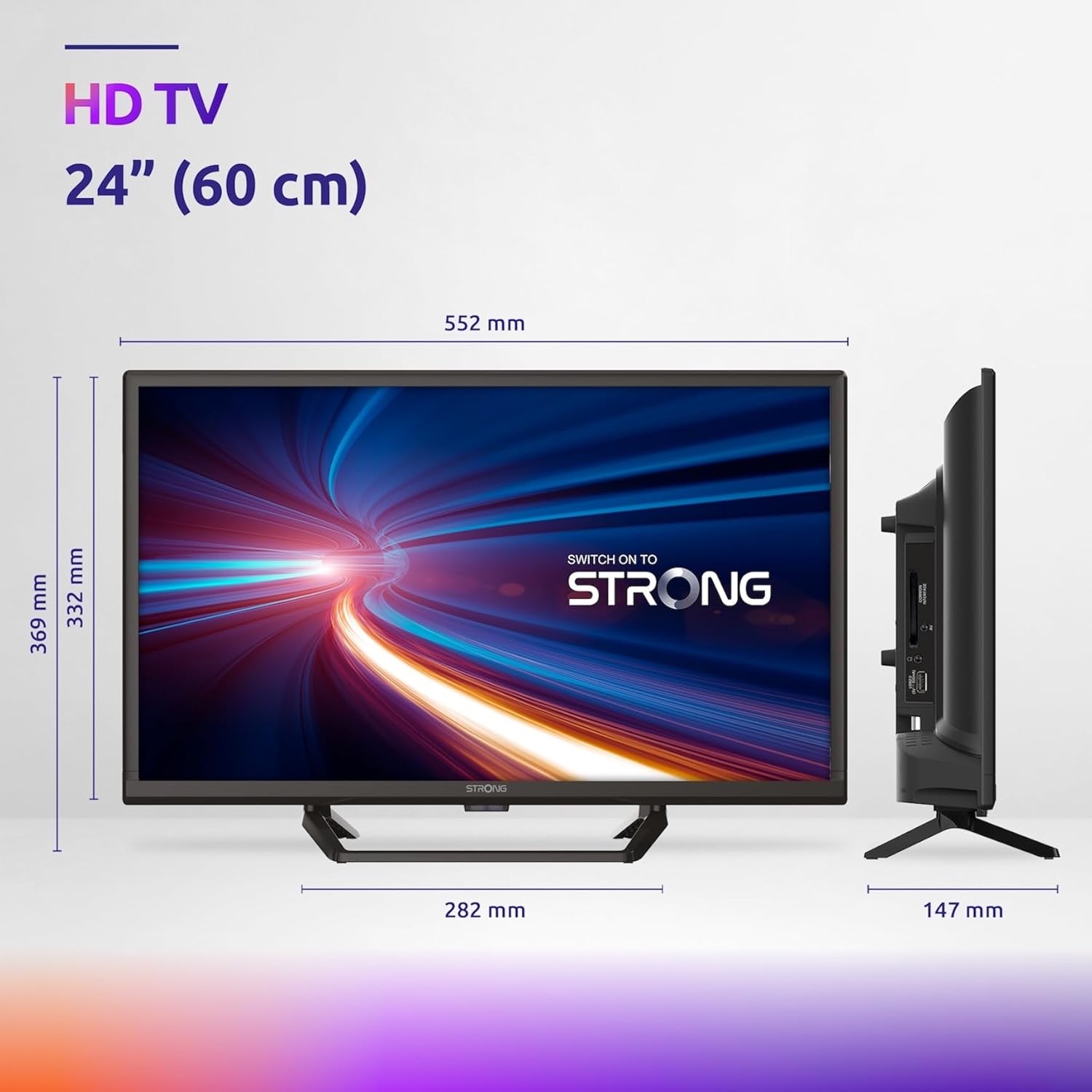
Figure 7.1: Product dimensions of the Strong 24-inch HD TV.

Figure 7.2: Energy efficiency label for the Strong SRT24HE4023C TV.
8. Кепилдик жана колдоо
Strong products are designed for reliability and performance. For warranty information and technical support, please refer to the warranty card included with your product or visit the official Strong webсайт. Сатып алуу квитанциясын кепилдик дооматтары үчүн сатып алуунун далили катары сактаңыз.
Кошумча жардам алуу үчүн, сиз да кайрыла аласыз Amazon'догу күчтүү бренд дүкөнү кошумча продукт маалымат жана ресурстар үчүн.


