1. Киришүү
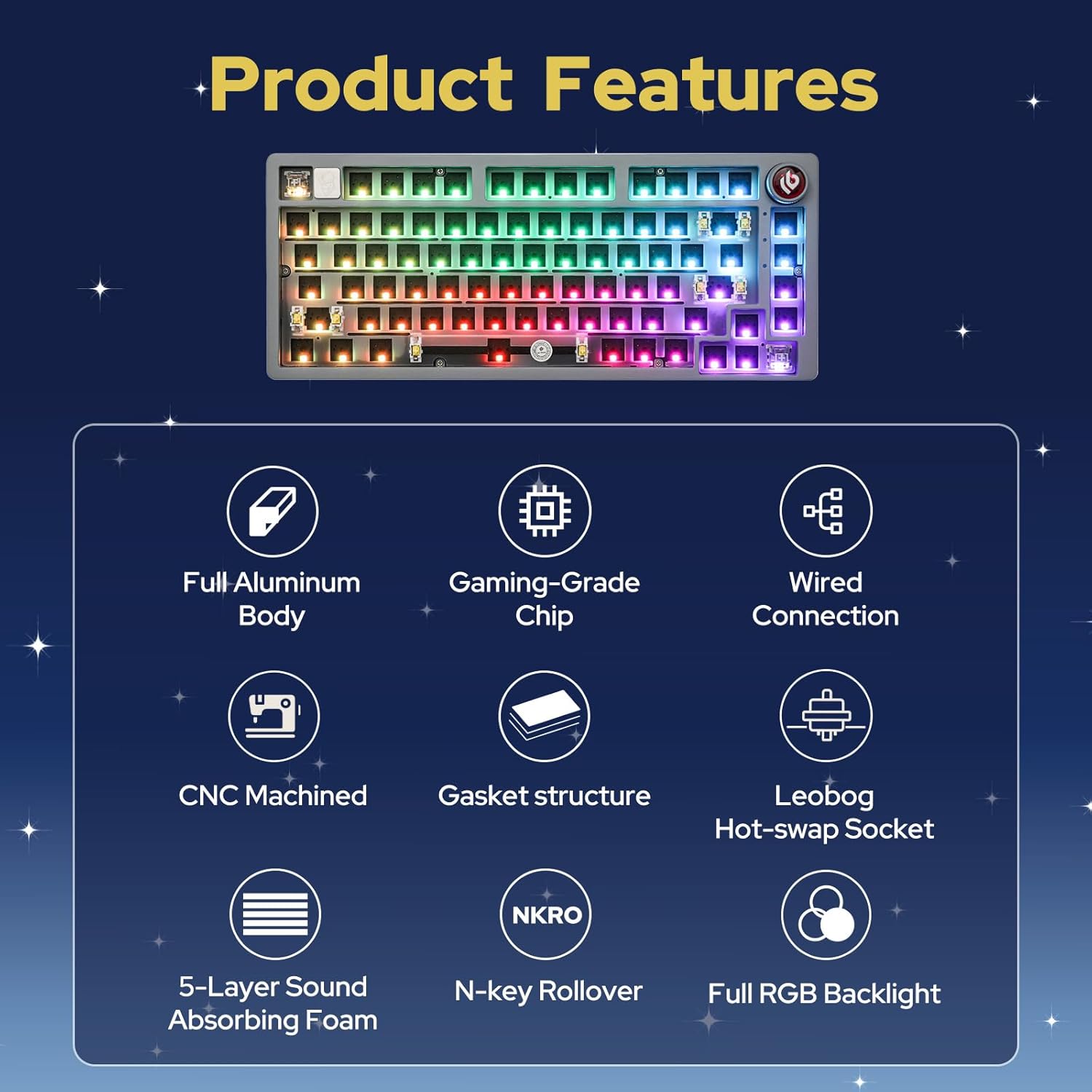
The EPOMAKER x LEOBOG Hi75 is an aluminum alloy wired mechanical keyboard barebones kit designed for customization and high performance. It features a 75% layout with 81 keys, a gasket-mounted structure for enhanced typing feel, and a programmable mode-switching knob. This kit allows users to personalize their typing experience by choosing and installing their preferred switches and keycaps.
Негизги өзгөчөлүктөрү:
- Aluminum Alloy Build: Durable and premium chassis.
- 75% жайгашуу: Compact yet functional with 81 keys.
- Gasket-Mounted Structure: Minimizes cavity sound and enhances typing feel.
- Mode-Switching Knob: Intuitive control for work/gaming modes, volume, and lighting.
- Full Key Hot-Swap Capability: Compatible with most 3/5-pin switches for easy customization.
- Advanced Gaming-Grade Chip: Ensures rapid and responsive keystroke registration.
- RGB жарыктандыруу: Equipped with approximately 16 million colors, 17 lighting modes, and 10 music rhythm lighting effects.
- Зымдуу туташуу: Reliable USB-C connection.
2. Орнотуу жана чогултуу
This section guides you through the initial setup and assembly of your Hi75 barebones keyboard kit.
2.1 Пакеттин мазмуну
- EPOMAKER x LEOBOG Hi75 Barebones Keyboard Kit
- USB-C Cable
- Баскыч капкагын тарткыч
- Switch Puller
- User Manual
- Additional Keycaps (e.g., for Mac compatibility)
- Additional Switches (sampле)

2.2 Коммутаторлорду орнотуу
- Align the pins of your chosen 3-pin or 5-pin mechanical switch with the hot-swap socket on the PCB.
- Gently press the switch down until it clicks into place. Ensure the pins are straight to avoid bending.
- Бардык каалаган баскычтар үчүн кайталаңыз.

Note: Use caution when inserting switches to prevent bending the pins. If a switch is not registering, remove it and check for bent pins.
2.3 Installing Keycaps
- Place your desired keycap over the installed switch stem.
- Баскычтын капкагы бекем бекитилгенге чейин бекем басыңыз.
- Бардык баскычтар үчүн кайталаңыз.
Video 1: Demonstration of installing keycaps on a mechanical keyboard. This process is similar for the Hi75 kit.
2.4 Баскычтопту туташтыруу
The Hi75 supports wired connectivity via USB-C.
- Берилген USB-C кабелин клавиатурадагы портко туташтырыңыз.
- Кабелдин экинчи учун компьютериңиздеги жеткиликтүү USB портуна туташтырыңыз.
- Баскычтоп сиздин операциялык тутумуңуз тарабынан автоматтык түрдө таанылышы керек.

Video 2: Unboxing and initial setup of the HI75 Gaming Keyboard Kit by EPOMAKER.
3. Иштөө нускамалары
3.1 Mode-Switching Knob
The innovative knob on the Hi75 allows for quick transitions between different modes and controls:
- Кыска басуу: Mute/unmute the device.
- Саат жебеси боюнча айлантуу: Increase volume or adjust lighting/mode settings.
- Сааттын жебесине каршы айландыруу: Decrease volume or adjust lighting/mode settings.
- Которуу режими: Pressing the knob can switch between Work Mode (constant RGB glow) and Gaming Mode (dynamic RGB flashing).

3.2 RGB арткы жарыктандыруу
The Hi75 features full RGB backlighting with multiple effects. Use the knob or specific key combinations (refer to the included manual for detailed shortcuts) to cycle through 17 lighting modes and 10 music rhythm lighting effects.

3.3 OLED Screen Customization
The integrated OLED screen can display various information such as date, battery level, time, connection mode, keyboard system, pictures, or GIFs. Refer to the included manual for specific key combinations to navigate and customize the OLED screen content.
Video 3: A demonstration of a 75% keyboard kit with a custom screen, similar to the OLED screen functionality on the Hi75.
3.4 Программалык камсыздоону ыңгайлаштыруу
The Hi75 supports proprietary software for advanced customization of key assignments, macros, and lighting effects. This software is typically available for Windows operating systems. Please visit the official EPOMAKER webпрограммалык камсыздоону жүктөп алуу жана нускамалар үчүн сайт.

4. Техникалык тейлөө
Туура тейлөө клавиатураңыздын узак мөөнөттүү жана оптималдуу иштешин камсыз кылат.
4.1 Тазалоо
- Баскыч капкактары: Use the provided keycap puller to remove keycaps. Clean them with a mild soap solution and a soft cloth, then air dry completely before reattaching.
- Которгучтар: Use compressed air to remove dust and debris from around the switches. Avoid spraying directly into the switch mechanism.
- Иш: Wipe the aluminum alloy case with a soft, damp кездеме. Финишке зыян келтирүүчү абразивдүү тазалагычтардан алыс болуңуз.
4.2 Сактоо
When not in use, store the keyboard in a dry, dust-free environment. The included dust cover can help protect the keyboard from dust accumulation.
5. Кыйынчылыктарды
If you encounter any issues with your Hi75 keyboard, refer to the following common solutions:
- Баскычтоп таанылган жок:
- USB-C кабели клавиатурага жана компьютерге бекем туташып турганын текшериңиз.
- Компьютериңиздеги башка USB портун колдонуп көрүңүз.
- Мүмкүн болсо, башка USB-C кабели менен сынап көрүңүз.
- Ачкычтар жооп бербейт:
- Remove the keycap and switch for the non-responsive key.
- Check if the switch pins are bent. Gently straighten them with tweezers if necessary.
- Reinsert the switch firmly. If the issue persists, try replacing the switch with a spare.
- Ensure the keyboard is in the correct operating mode (e.g., Windows mode if using a Windows PC). Refer to the manual for mode switching shortcuts (e.g., Fn + W for Windows mode).
- RGB жарыктандыруу маселелери:
- Check the keyboard's manual for RGB lighting control shortcuts.
- Ensure the keyboard software is installed and updated for advanced lighting customization.
6. Техникалык шарттар
| Продукциянын өлчөмдөрү | 12.99 x 5.51 x 1.77 дюйм |
| Элемент Салмагы | 2.86 фунт |
| Өндүрүүчү | EPOMAKER |
| Элемент моделинин номери | Hi75 |
| Байланыш технологиясы | USB-C |
| Keyboard Description | Оюндар |
| Өзгөчөлүктөр | Backlit, Gasket-mounted, Hot-Swappable, NKRO, Wired |
| Баскычтоптун арткы жарыгы | RGB |
| Шайкеш түзмөктөр | PC |
7. Кепилдик жана колдоо
For detailed warranty information and technical support, please refer to the official EPOMAKER webсайтка же түздөн-түз кардарларды тейлөөгө кайрылыңыз. Кепилдик дооматтар үчүн сатып алганыңыздын далилин сактаңыз.
- Официалдуу Webсайт: www.epomaker.com
- Кардарларды тейлөө: караңыз webбайланыш маалыматы үчүн сайт.


