Introduction
This manual provides essential information for setting up, operating, and maintaining your HP 17.3 Inch Laptop. Designed for productivity and entertainment, this laptop features a 13th Gen Intel Core i7 processor, a vibrant 17.3-inch HD+ touchscreen, 36GB RAM, and a 1TB SSD, running on Windows 11 Pro.
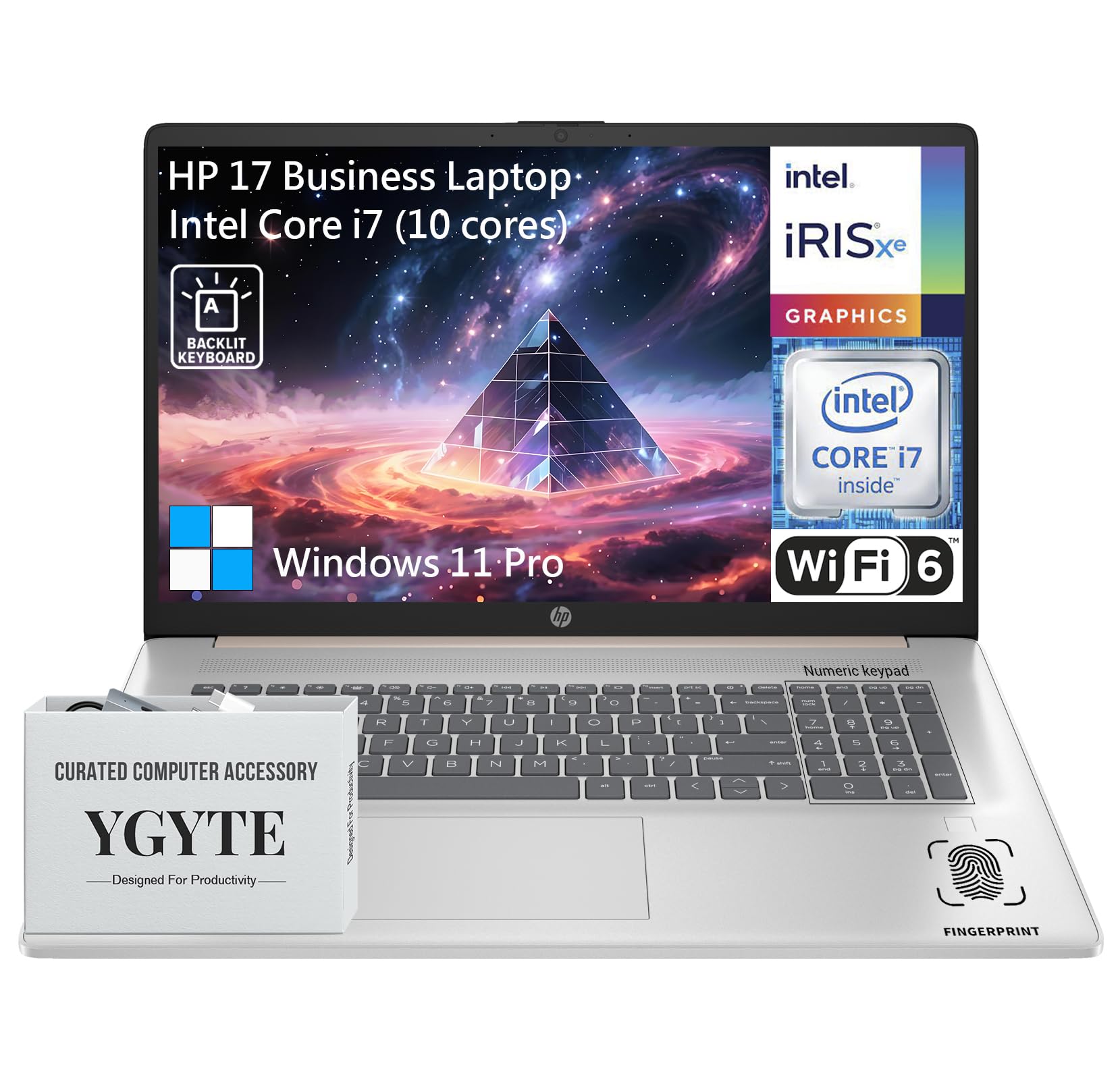
А генерал view of the HP 17.3 Inch Laptop, showcasing its design and large display.

Бүттүview of the HP 17.3 Inch Laptop, highlighting its core components: Intel Core i7 processor, Intel Iris Xe Graphics, and Windows 11 Pro operating system.
Кутуда эмне бар
Upon unpacking your HP 17.3 Inch Laptop, ensure all the following items are present:
- HP 17.3 дюймдук ноутбук
- AC кубат адаптери
- Документтер (Ыкчам баштоо колдонмосу, Кепилдик маалыматы)
Жайгашуу
1. Баштапкы күйгүзүү жана заряддоо
- Кубат адаптерин туташтыруу: Plug the AC power adapter into the laptop's power port and then into a wall outlet.
- Батареяны заряддоо: Алгачкы колдонуудан мурун, же батарейка индикатору жетиштүү зарядды көрсөткөнгө чейин ноутбукту жок дегенде 30 мүнөт кубаттоого уруксат бериңиз.
- Күйгүзүү: Ноутбуктун капкагын ачып, адатта баскычтоптун палубасында жайгашкан кубат баскычын басыңыз.
2. Windows 11 Pro орнотуулары
Follow the on-screen instructions to complete the Windows 11 Pro setup process. This includes:
- Аймагыңызды жана клавиатураңызды тандоо.
- Wi-Fi тармагына туташууда.
- Microsoft аккаунту менен кирүү же түзүү.
- PIN же сырсөз орнотуу.
- Купуялык жөндөөлөрү конфигурацияланууда.
3. Тармакка кошулуу
Your laptop supports Wi-Fi 6 for fast wireless connectivity. During Windows setup, you will be prompted to connect to a Wi-Fi network. If you need to connect later:
- Тапшырмалар тилкесиндеги Wi-Fi сөлөкөтүн чыкылдатыңыз.
- Тизмеден каалаган тармакты тандаңыз.
- Суралган болсо, тармактын коопсуздук ачкычын (сырсөз) киргизиңиз.
- Click Туташуу.
Ноутбугуңузду иштетүү
Дисплей
The HP 17.3 Inch Laptop features a 17.3-inch HD+ (1600 x 900) BrightView Touchscreen. This display offers crisp details and vibrant colors, providing ampкөп тапшырмалуулук жана иммерсивдүүлүк үчүн мейкиндик viewтажрыйбаларды.

The 17.3-inch HD+ touchscreen display offers a resolution of 1600x900 pixels with BrightView technology for enhanced visual clarity.
Performance
Your laptop is equipped with a 13th Gen Intel Core i7 processor (10 cores, 12 threads, up to 5.0GHz) and Intel Iris Xe Graphics. This configuration provides robust performance for demanding applications, multitasking, and immersive entertainment.

Details of the Intel Core i7-1355U processor, including its 10 cores, 12 threads, 12MB cache, and a maximum turbo frequency of 5.0 GHz, designed for fast response and processing speed.
Storage and Multitasking
With 36GB of high-bandwidth DDR4 RAM, the laptop allows for seamless switching between applications. The 1TB high-speed SSD provides rapid boot times, quick application loading, and ampсиздин үчүн сактагыч files.

The laptop features 36GB DDR4 RAM for swift multitasking efficiency, a 1TB SSD for fast access and ample storage, and Wi-Fi 6 for faster wireless connectivity.
Байланыш
The HP 17.3 Inch Laptop offers a range of ports and wireless technologies to keep you connected:
- USB-C: SuperSpeed USB-C (5Gbps signaling rate) for data transfer and power delivery.
- USB-A: Two SuperSpeed USB-A ports (5Gbps signaling rate).
- HDMI 1.4b: Тышкы дисплейлерге туташуу үчүн.
- Wi-Fi 6: Advanced wireless networking for faster and more reliable internet.
- Bluetooth: Зымсыз перифериялык түзүлүштөрдү туташтыруу үчүн.
- Наушник/микрофон айкалыштырылган уяча: Аудио киргизүү жана чыгаруу үчүн.
- Кондиционердин акылдуу төөнөгүчү: Кубат адаптерин туташтыруу үчүн.

Side profile of the HP 17.3 Inch Laptop illustrating the placement of USB Type-A, HDMI 1.4b, headphone/microphone combo, USB Type-C, and AC smart pin ports, along with its dimensions and weight.
Аудио жана камера
Engage in clear video calls and enjoy immersive audio with the integrated features:
- HP Wide Vision 720p HD Camera: Provides clear visuals for video conferencing.
- Dual Array Digital Microphones: Ensures your voice is captured clearly.
- B&O Dual Speakers: Delivers rich, authentic audio tuned by Bang & Olufsen.

The HP 17.3 Inch Laptop features an HP True Vision 720p HD camera, dual array digital microphones, and B&O dual speakers for enhanced communication and audio experience.
Баскычтоп жана сенсордук такта
The full-size backlit keyboard includes a 10-key number pad for comfortable and efficient typing. The larger trackpad provides precise navigation.
Манжа изин окугуч
For enhanced security and quick login, utilize the integrated fingerprint reader. You can set this up through Windows Hello in your laptop's settings.
Техникалык тейлөө
Proper maintenance ensures the longevity and optimal performance of your HP laptop:
- Тазалоо: Экранды жана сыртты тазалоо үчүн жумшак, түксүз чүпүрөктү колдонуңуз. Кежир тактар үчүн, гampчүпүрөккө суу же экран тазалоочу каражат. Катуу химиялык заттардан алыс болуңуз.
- Программалык камсыздоо жаңыртуулары: Системанын туруктуулугун жана коопсуздугун камсыз кылуу үчүн Windows жаңыртууларын жана HP драйверинин жаңыртууларын дайыма текшерип, орнотуп алыңыз.
- Батареяга кам көрүү: To prolong battery life, avoid extreme temperatures. If storing the laptop for an extended period, charge the battery to about 50-70%.
- Вентиляция: Ашыкча ысып кетүүнүн алдын алуу үчүн ноутбуктун желдеткичтери тоскоол болбогонун текшериңиз. Ноутбукту катуу, тегиз жерде колдонуңуз.
- Маалыматтын камдык көчүрмөсү: Дайыма маалыматтын жоголушун алдын алуу үчүн тышкы дискке же булут сактагычка маанилүү маалыматтардын камдык көчүрмөсүн сактоо.
Проблемаларды чечүү
Бул жерде кээ бир жалпы маселелер жана алардын чечимдери болуп саналат:
| Маселе | Чечим |
|---|---|
| Ноутбук күйбөйт. | Ensure the power adapter is securely connected to both the laptop and a working power outlet. Check if the power outlet is functional. Try a different outlet. |
| Экран бош же кара. | Press the power button to ensure the laptop is on. Connect an external monitor to check if the display output is working. Adjust screen brightness using function keys. |
| Wi-Fi туташуу маселелери. | Ensure Wi-Fi is enabled in Windows settings. Restart your router and modem. Check for updated Wi-Fi drivers. Try connecting to a different network if available. |
| Жай аткаруу. | Close unnecessary applications. Check for background processes consuming high resources (Task Manager). Ensure Windows and drivers are up to date. Run a disk cleanup. |
| Баскычтоп же сенсордук панел жооп бербей жатат. | Restart the laptop. Check for any physical obstructions. Ensure drivers are updated. |
Техникалык шарттар
| Өзгөчөлүк | Деталь |
|---|---|
| Бренд | HP |
| Модель аты | Essential 17 (HP 17) |
| Screen Size | 17.3 дюйм |
| Screen Resolution | 1600 x 900 пиксел (HD+) |
| Процессор | 13th Gen Intel Core i7 (10 Cores, up to 5.0 GHz) |
| RAM | 36 ГБ DDR4 |
| Сактагыч | 1 TB SSD (PCIe x 16 interface) |
| Графикалык сопроцессор | Intel Iris Xe графикасы (интегралдык) |
| Операция системасы | Windows 11 Pro |
| Зымсыз түрү | 802.11ax (Wi-Fi 6) |
| Байланыш | USB-C (5Gbps), 2x USB-A (5Gbps), HDMI 1.4b, Headphone/Microphone Combo |
| Өзгөчөлүктөр | Backlit Keyboard, Fingerprint Reader, Touchscreen |
| Элемент Салмагы | 4.61 фунт |
| Продукциянын өлчөмдөрү (LxWxH) | 15.78 x 10.15 x 0.78 дюйм |
| Түс | Rose Gold |
| Батареялар | 1 литий-иондук батарейка (кошулган) |
Кепилдик жана колдоо
Your HP 17.3 Inch Laptop comes with a standard manufacturer's warranty. For detailed warranty terms and conditions, please refer to the documentation included with your product or visit the official HP support webсайт.
Техникалык жардам, драйверди жүктөө же кошумча колдоо үчүн, расмий HP колдоо бөлүмүнө баш багыңыз webсайт:
You may also find helpful resources and community forums on the HP webсайт.