1. Киришүү
The Alogic Matrix Ultimate 3-in-1 Wireless Charger is a versatile charging solution designed to power your iPhone, Apple Watch, and AirPods simultaneously. It features a detachable 5,000mAh MagSafe Power Bank and a detachable USB-C Apple Watch Fast Charger, offering flexibility for both home and on-the-go charging. This manual provides essential information for setting up, operating, and maintaining your device.

Figure 1: The Alogic Matrix Ultimate 3-in-1 Wireless Charger in use, charging an iPhone, Apple Watch, and AirPods simultaneously.
2. Кутуда эмне бар
Сураныч, бардык төмөнкү компоненттер пакетиңизге камтылганын текшериңиз:
- Matrix Ultimate 3-бирде бүктөлүүчү стенд
- Matrix Ultimate 5,000mAh MagSafe Power Bank
- Matrix Ultimate USB-C Apple Watch тез кубаттагыч
- USB-C заряддоо кабели
- 30 Вт дубал кубат адаптери
- Quick Start Guide
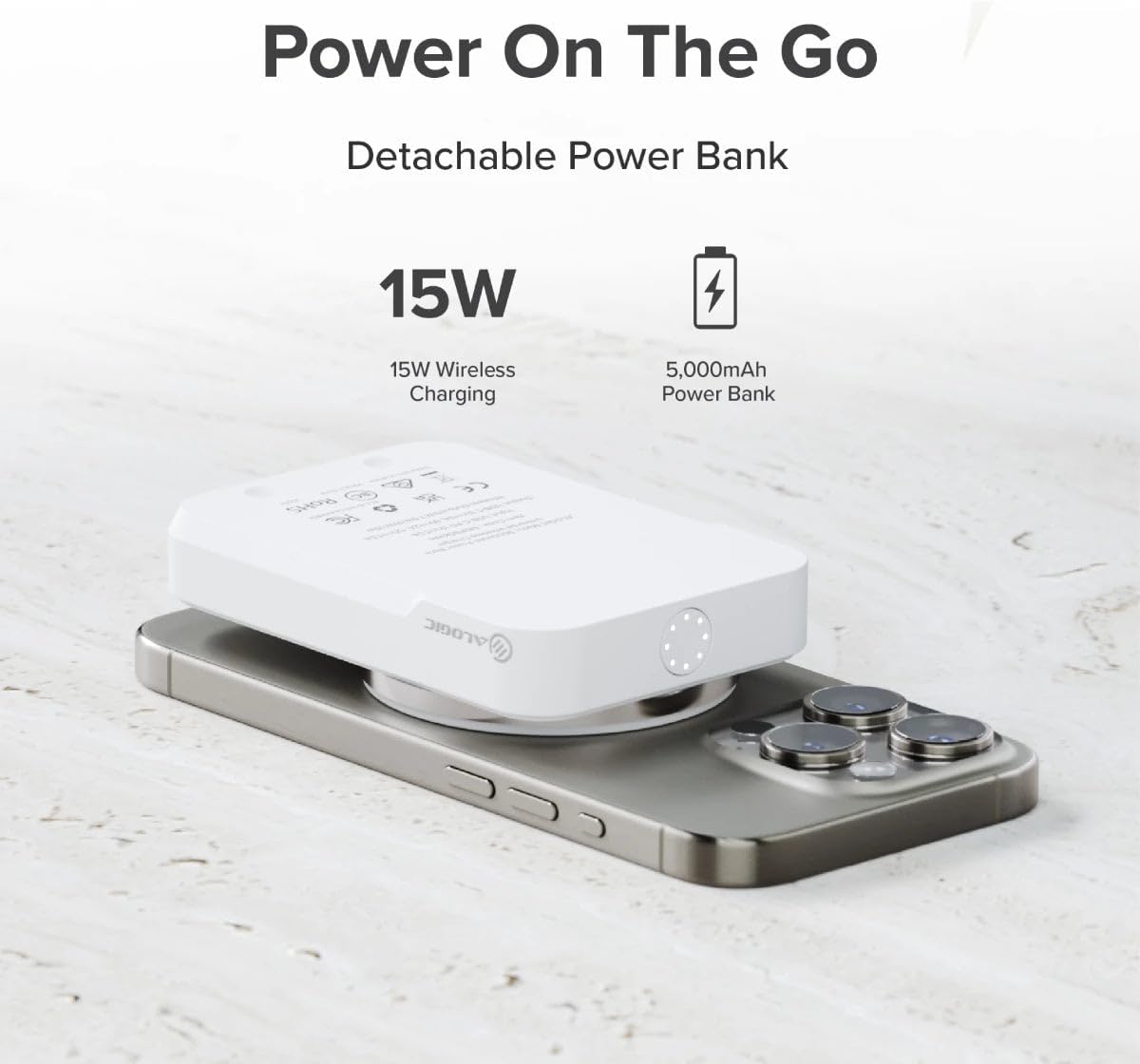
Figure 2: All components included in the Alogic Matrix Ultimate 3-in-1 Wireless Charger package, including the stand, power bank, Apple Watch charger, cables, and adapter.
3. Орнотуу
Follow these steps to set up your Alogic Matrix Ultimate 3-in-1 Wireless Charger:
- Таңылганын ачуу: Бардык компоненттерди таңгактан кылдаттык менен алып салыңыз.
- Туташуу кубаты: Connect the provided USB-C Charging Cable to the USB-C port on the rear of the 3-in-1 Fold Stand. Plug the other end of the cable into the 30W Wall Power Adapter, and then plug the adapter into a wall outlet.
- Attach Power Bank: Align the Matrix Ultimate 5,000mAh MagSafe Power Bank with the magnetic charging area on the upright arm of the Fold Stand. It will snap into place magnetically.
- Attach Apple Watch Charger: Insert the Matrix Ultimate USB-C Apple Watch Fast Charger into the dedicated USB-C port located on the side of the upright arm of the Fold Stand.

Figure 3: A diagram illustrating the modular design of the charger, highlighting the detachable MagSafe power bank and the USB-C Apple Watch fast charger.
4. Иштөө нускамалары
The Alogic Matrix Ultimate offers multiple charging functionalities:
4.1 Charging with the 3-in-1 Fold Stand
- iPhone (MagSafe): Place your MagSafe-compatible iPhone onto the magnetic charging area on the upright arm of the stand. The iPhone can be charged in both portrait and landscape orientations.
- Apple Watch: Place your Apple Watch onto the detachable USB-C Apple Watch Fast Charger. Ensure it aligns correctly for charging.
- AirPods/Qi-compatible Earbuds: Place your AirPods (with Wireless/MagSafe Case) or other Qi-compatible earbuds onto the wireless charging pad located at the base of the stand.

Figure 4: The 3-in-1 charging station actively charging an iPhone, Apple Watch, and AirPods on a desk, showcasing анын интеграцияланган дизайны.
4.2 Using the Detachable MagSafe Power Bank
The 5,000mAh MagSafe Power Bank can be detached from the stand for portable charging:
- Portable iPhone Charging: Simply detach the power bank and magnetically attach it to the back of your MagSafe-compatible iPhone for on-the-go wireless charging.
- Power банкты кайра заряддоо: When the power bank's battery is low, slot it back into the 3-in-1 Fold Stand to wirelessly recharge it.

Figure 5: The detachable 5,000mAh MagSafe power bank magnetically attached to an iPhone, demonstrating its portable charging capability.
4.3 Using the Detachable Apple Watch Fast Charger
The USB-C Apple Watch Fast Charger can be used independently:
- Standalone Charging: Detach the Apple Watch charger and plug its USB-C connector into any compatible USB-C port, such as a laptop, the Matrix Power Bank, or even your phone's USB-C port, to charge your Apple Watch.
4.4 Standby Mode and Travel
- Күтүү режиминде: The stand supports charging your phone in landscape orientation, ideal for using your device in standby mode to display time or notifications.
- Саякат: The 3-in-1 Fold Stand is designed to fold compactly for easy transport, making it an excellent travel companion.
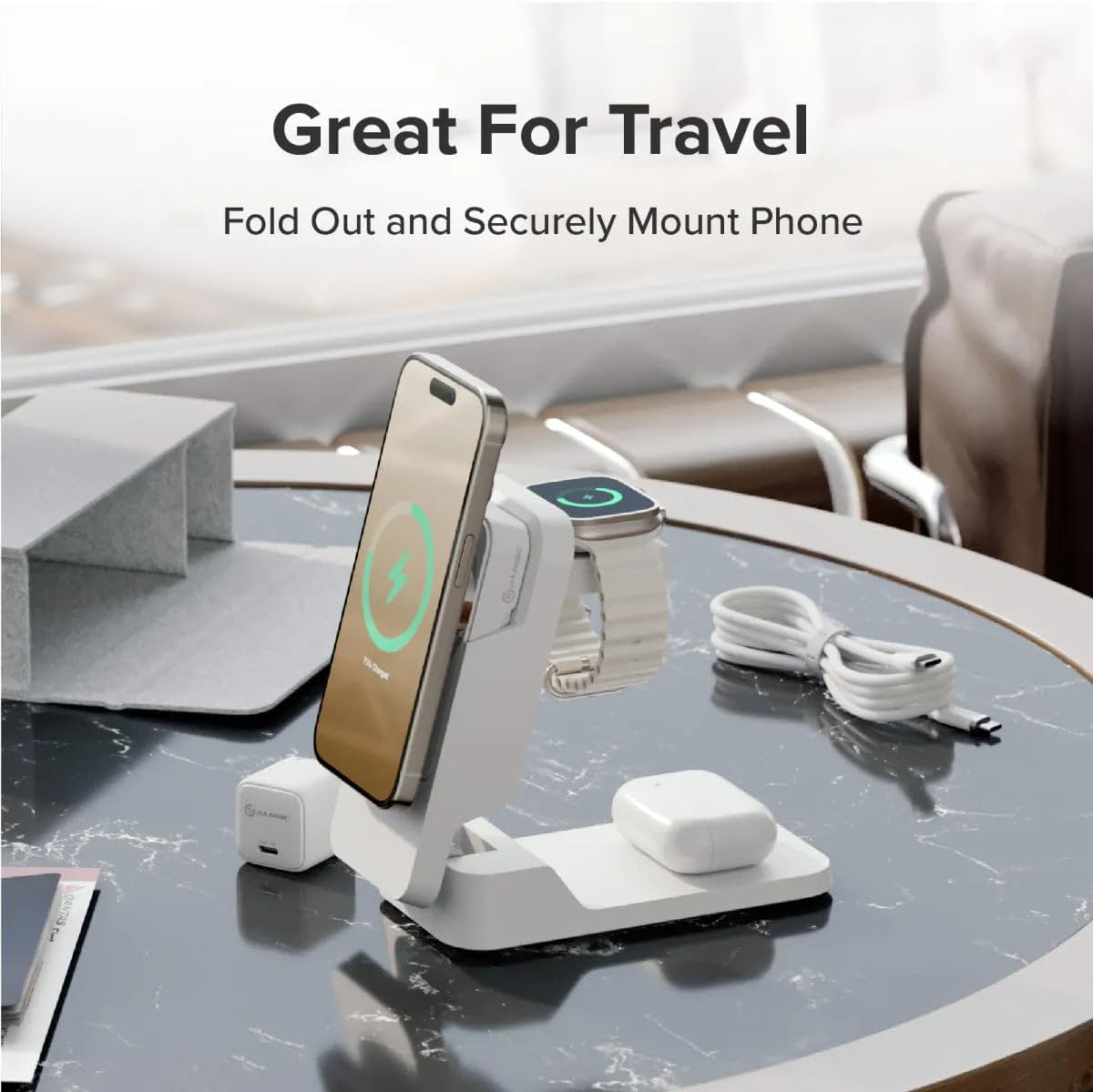
Figure 6: The charging station with an iPhone in landscape orientation, demonstrating its use in standby mode on a bedside table.

Figure 7: The Alogic Matrix Ultimate 3-in-1 Wireless Charger folded into a compact form, highlighting its portability for travel.
4.5 Продукт бүттүview Video
Video 1: An official product video from ALOGIC USA demonstrating the features and functionality of the Matrix Ultimate 3-in-1 Wireless Charger, including its modular design and charging capabilities.
5. Техникалык тейлөө
To ensure the longevity and optimal performance of your Alogic Matrix Ultimate charger, follow these maintenance guidelines:
- Тазалоо: Use a soft, dry, lint-free cloth to clean the surface of the charger. Do not use abrasive cleaners, solvents, or aerosol sprays.
- Суюктуктардан алыс болуңуз: Keep the device away from water and other liquids. If it comes into contact with liquid, disconnect it immediately and allow it to dry completely before reuse.
- Сактагыч: Store the charger in a cool, dry place when not in use. Avoid extreme temperatures and direct sunlight.
- Этияттык менен мамиле кылуу: Avoid dropping or subjecting the device to strong impacts, as this can damage internal components.
6. Кыйынчылыктарды
If you encounter issues with your Alogic Matrix Ultimate charger, try the following solutions:
| Көйгөй | Мүмкүн чечим |
|---|---|
| Түзмөк заряддалбай жатат | Ensure the power adapter is securely plugged into a working wall outlet and the USB-C cable is firmly connected to the stand. Verify that your device (phone, watch, earbuds) is correctly aligned on its respective charging area. Remove any thick cases from your phone that might interfere with wireless charging. |
| Жай кубаттоо | Ensure you are using the provided 30W wall adapter and USB-C cable. Third-party cables or adapters may not provide sufficient power. Close background apps on your device. |
| Power банк заряддалбай жатат | Ensure the power bank is correctly seated in its slot on the 3-in-1 Fold Stand and the stand is powered. Check the indicator lights on the power bank to confirm charging status. |
| Apple Watch charger not working | Ensure the detachable Apple Watch Fast Charger is fully inserted into the USB-C port on the stand or the external USB-C port you are using. Check for any debris in the USB-C port. |
If the issue persists after trying these steps, please contact ALOGIC customer support for further assistance.
7. Техникалык шарттар
| Өзгөчөлүк | Деталь |
|---|---|
| Пакеттин өлчөмдөрү | 9.37 x 5.79 x 3.11 дюйм |
| Элемент Салмагы | 2.05 фунт |
| ASIN | B0CSFPFZ6Y |
| Элемент моделинин номери | MFPB5KM |
| Өндүрүүчү | Alogic |
| Бренд | ALOGIC |
| Байланыш технологиясы | USB |
| Туташтыргыч түрү | USB түрү C |
| Шайкеш түзмөктөр | Headphones, Smartphone, Smartwatches |
| Шайкеш телефон моделдери | MagSafe iPhones (12-15), Qi Wireless Charging Earbuds (e.g., AirPods with Wireless/MagSafe Case, AirPods Pro, Samsung Galaxy Buds, Google Pixel Buds), Apple Watch 1-8, SE and Ultra, USB-C Charging Devices |
| Өзгөчө өзгөчөлүк | Зымсыз заряддоо |
| Түс | Кара |
| Монтаж түрү | Столдун үстү |
| Ampөчүрүү | 3 Amps |
8. Кепилдик жана колдоо
For information regarding warranty coverage, product support, or to purchase additional protection plans, please refer to the official ALOGIC website or contact their customer service directly. You can visit the ALOGIC Store on Amazon for more details and contact options:


