Introduction
This manual provides essential information for setting up, operating, and maintaining your TCL 605 smartphone. Please read this guide thoroughly to ensure optimal performance and longevity of your device.
Кутуда эмне бар
Продукцияңыздын таңгагында бардык элементтер бар экенин текшериңиз:
- TCL 605 смартфону
- USB кабели
- Cell Phone Cover
- 10W заряддагыч
- SIM лоток чыгаруучу курал
- Screen Protector
Түзмөк бүттүview
Familiarize yourself with the physical components of your TCL 605 smartphone.

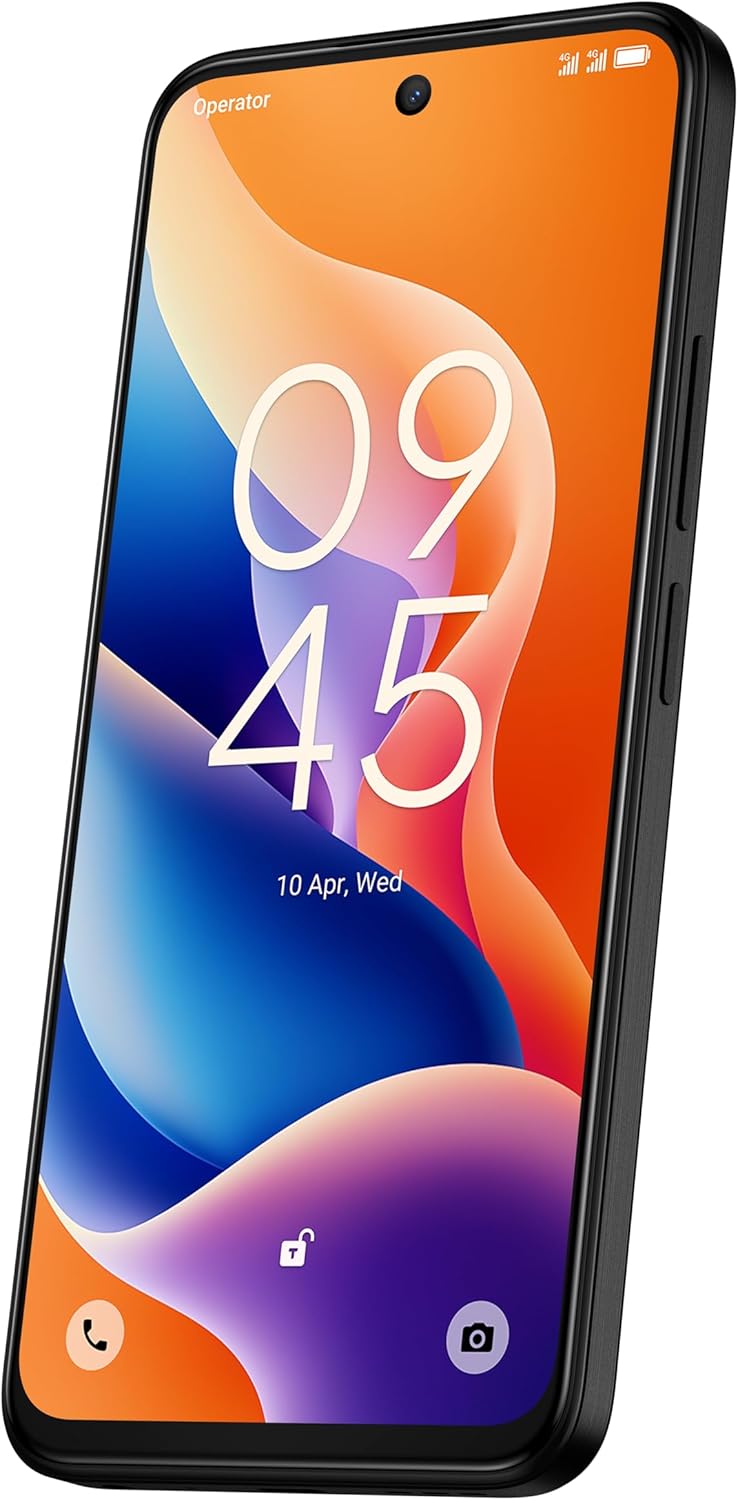
Сүрөт: алдыңкы view of the TCL 605 smartphone, highlighting its 6.7-inch HD+ display and front camera.

Сүрөт: каптал view of the TCL 605 smartphone, illustrating the placement of the power button and volume controls.
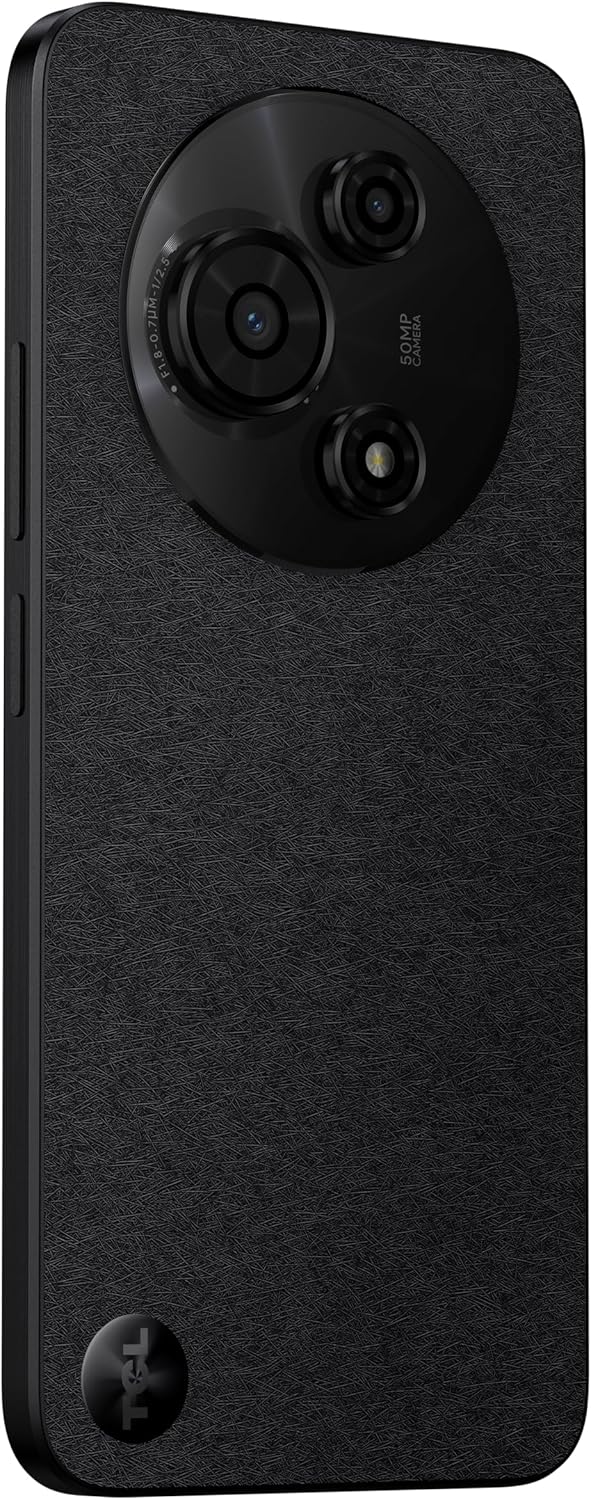
Сүрөт: Артка view of the TCL 605 smartphone, showcasing the distinctive circular camera module housing the 50MP main camera.
Жайгашуу
1. SIM картаны салуу
- Түзмөгүңүздүн капталындагы SIM карта салгычын табыңыз.
- SIM лоток чыгаруучу куралды лотоктун жанындагы кичинекей тешикке салып, лоток чыгып кеткенче акырын басыңыз.
- Nano-SIM картаңызды(ларыңызды) жана/же microSD картаңызды алтын контакттары ылдый каратып салгычка салыңыз. Алардын туура отурганын текшериңиз.
- Аспапка лотокту кылдаттык менен кайра салыңыз.
2. Баштапкы күйгүзүү
- TCL логотиби пайда болгонго чейин Кубат баскычын (капталында жайгашкан) басып, кармап туруңуз.
- Тил тандоо, Wi-Fi туташуусу жана Google каттоо эсебин орнотуу сыяктуу баштапкы орнотууну аяктоо үчүн экрандагы нускамаларды аткарыңыз.
3. Батареяны заряддоо
Before first use, it is recommended to fully charge your device. Connect the USB cable to the phone's charging port and the other end to the 10W charger. Plug the charger into a power outlet.
Түзмөгүңүздү иштетүү
Дисплей жана навигация
The TCL 605 features a 6.7-inch HD+ display with a 90Hz refresh rate for smooth scrolling and improved visual fluidity.
- Тийүү жаңсоолору: Use standard Android gestures such as tap, swipe, pinch-to-zoom, and long-press for navigation and interaction.
- Башкы экран: Виджеттер, колдонмонун жарлыктары жана тушкагаздар менен үй экраныңызды ыңгайлаштырыңыз.
- Эскертмелер: Эскертме панелине жана тез жөндөөлөргө жетүү үчүн экрандын өйдө жагынан ылдый сүрүңүз.
Аткаруу жана сактоо
Your TCL 605 is equipped with an Octa-Core processor and 4GB RAM, expandable up to 14GB with RAM Boost technology, ensuring seamless performance for multitasking. It offers 256GB of internal storage, capable of storing over 100,000 photos.

Image: The TCL 605 smartphone showcasing its 6.7-inch display with a dynamic lock screen, indicating the time and date.
Камеранын өзгөчөлүктөрү
The TCL 605 features a 50MP hybrid rear camera (main + macro) and a 5MP front camera. It supports HDR mode for vibrant colors.
Сүрөткө жана видеого тартуу
- Камера тиркемесин ачыңыз.
- Каалаган режимиңизди тандаңыз (фото, видео, портрет, макро, ж.б.).
- Сүрөткө тартуу же видео жаздырууну баштоо/токтотуу үчүн Жапкыч баскычын басыңыз.
- Чоңойтууну тууралоо үчүн экрандагы масштабдоо башкаруу элементтерин колдонуңуз.
Камера режимдери
- 50MP Негизги камера: Captures high-resolution images with clarity.
- Макро режими: Allows for detailed close-up shots of small objects.
- HDR режими: Enhances dynamic range for more vibrant and balanced photos in challenging lighting conditions.
- 5MP алдыңкы камера: Селфи жана видео чалуулар үчүн идеалдуу.
Сүрөт: деталдуу view of the TCL 605's circular camera module, emphasizing the 50MP main lens and its surrounding sensors.
Батарея башкаруу
The TCL 605 is equipped with a 5200mAh battery, designed for up to 2 days of usage. It supports 18W fast charging.
Батареянын иштөө мөөнөтүн узартуу боюнча кеңештер
- Экран жарыктыгын азайтыңыз.
- Колдонулбаган учурда Wi-Fi, Bluetooth жана GPSти өчүрүңүз.
- Фондук колдонмолорду жабуу.
- Батареяны үнөмдөө режимин иштетүү.
Байланыш
Сиздин аппаратыңыз ар кандай туташуу опцияларын колдойт:
- Wi-Fi: Интернетке кирүү үчүн зымсыз тармактарга туташыңыз.
- Bluetooth: Pair with wireless headphones, speakers, and other compatible devices.
- NFC (Near Field Communication): Use for contactless payments and quick data transfer with compatible devices.
- USB: Connect to a computer for data transfer or use with a USB-C accessory.
- GPS: Жайгашкан жерди аныктоо кызматтары жана навигация үчүн интеграцияланган GPS.
Туруктуу
The TCL 605 features enhanced IP54 durability, proven by a 3-minute water-wash test. This provides protection against dust and splashing water. Note: The phone is not professionally water-resistant but is splash-proof, water-repellent, and dust-proof for everyday use. It has passed a 3-minute water-wash test under specific lab conditions. These features may degrade with daily use. Do not charge the phone in humid conditions. The warranty excludes water damage, including damage from immersion in liquids such as seawater, chlorinated water, or drinks. IP54 rating conditions differ from lab tests.
Продукт өзгөчөлүктөрү бүттүview
Видео: Бүттүview of the TCL 605 smartphone's key features, including its display, storage capacity, seamless performance, camera capabilities, battery life, fast charging, and IP54 durability.
Техникалык шарттар
| Өзгөчөлүк | Деталь |
|---|---|
| Модел | TCL 605 (T517J) |
| Операция системасы | Android 15 |
| Дисплей | 6.7-inch HD+ 90Hz (720x1600 resolution) |
| Процессор | Octa-Core (MediaTek Helio, 2 GHz) |
| RAM | 4GB (expandable to 14GB with RAM Boost) |
| Ички сактагыч | 256 ГБ |
| Арткы камера | 50MP (Main & Macro) + 0.08MP |
| Алдыңкы камера | 5MP |
| Батарея сыйымдуулугу | 10 000 мАч (5010 Миллиamp Саат) |
| Заряддоо | 10W Charger included, supports 18W fast charging |
| Байланыш | Bluetooth, NFC, USB, Wi-Fi, GPS |
| SIM түрү | Кош SIM |
| Өлчөмдөр | 0.83 x 7.62 x 16.56 см |
| Салмагы | 380 г |
| Сертификация | АНАТЕЛ: 01679250760 |
Проблемаларды чечүү
Жалпы маселелер жана чечимдер
- Түзмөк күйбөй жатат: Батарея заряддалганын текшериңиз. Заряддагычты туташтырыңыз жана кайра күйгүзүү аракетинен мурун бир нече мүнөт күтүңүз.
- Экран жооп бербейт: Кубат баскычын болжол менен 10-15 секунд кармап туруу менен аппаратты өчүрүп күйгүзүп көрүңүз.
- Колдонмолор бузулуп жатат: Көйгөйлүү колдонмонун кэшин тазалаңыз (Орнотуулар > Колдонмолор > [Колдонмонун аталышы] > Сактагыч > Кэшти тазалоо). Эгер көйгөй чечилбесе, колдонмону кайра орнотуңуз.
- Батареянын иштөө мөөнөтү начар: Refer to the "Battery Management" section for tips to optimize battery usage.
- Туташуу көйгөйлөрү (Wi-Fi/Bluetooth): Toggle Wi-Fi or Bluetooth off and on. Restart your device and/or the router/paired device.
Татаал маселелер боюнча расмий TCL колдоо кызматына кайрылыңыз webсайтка же кардарларды тейлөөгө кайрылыңыз.
Кепилдик жана колдоо
Your TCL 605 smartphone comes with a standard manufacturer's warranty. Please refer to the warranty card included in your package for specific terms and conditions.
For technical support, service, or additional information, please visit the official TCL webсайтына же кардарларды колдоо каналдарына кайрылыңыз.
To consult product homologation, visit: sistemas.anatel.gov.br/sch


