Introduction
This user manual provides detailed instructions for the safe and efficient operation of your Dolphin SP-1270RBT Dual 12-Inch Premium Party Bluetooth Speaker. Please read this manual thoroughly before using the product and retain it for future reference.
Коопсуздук маалыматы
Коопсуз иштөөнү камсыз кылуу жана зыян келтирбөө үчүн төмөнкү сактык чараларын сактаңыз:
- Динамикти сууга, нымдуулукка же экстремалдык температурага дуушар кылбаңыз.
- Желдетүүчү тешиктерди жаппаңыз.
- Аппарат менен кошо берилген кубат адаптерин гана колдонуңуз.
- Do not attempt to repair or modify the speaker yourself. Refer all servicing to qualified personnel.
- Динамикти жылуулук булактарынан жана түз күн нурунан алыс кармаңыз.
- Чыгылышын алдын алуу үчүн туруктуу жайгаштырууну камсыз кылыңыз.
Пакеттин мазмуну
Пакетте бардык буюмдар бар экенин текшериңиз:
- Dolphin SP-1270RBT Speaker Unit
- Алыстан башкаруу
- Зымсыз микрофон
- AC кубат кабели
- Тышкы батарея кабели
- Колдонуучунун Колдонмосу (бул документ)
Продукт бүттүview

Сүрөт 1: Алдыңкы view of the Dolphin SP-1270RBT speaker, showcasing the dual 12-inch woofers with vibrant LED ring lights.
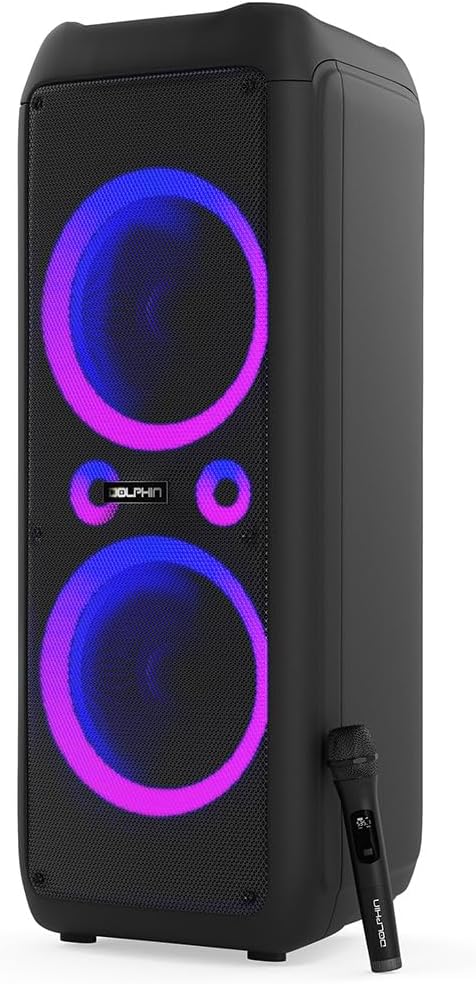
Figure 2: The Dolphin SP-1270RBT speaker shown with its included wireless microphone, highlighting its karaoke capabilities.
Башкаруу панели

3-сүрөт: Детальдуу view of the speaker's top control panel, featuring various input options, volume controls, and the 5-band equalizer.
The control panel provides access to all speaker functions, including power, volume, input selection, equalizer settings, and microphone controls.
Туташуу параметрлери

Figure 4: Visual representation of the speaker's multiple connectivity options, including Bluetooth 5.0, USB, SD/TF card, FM radio, and AUX input.
The SP-1270RBT offers versatile connectivity for various audio sources:
- Bluetooth 5.0: Смартфондорго, планшеттерге жана башка Bluetooth иштетилген түзмөктөргө зымсыз туташуу үчүн.
- USB порт: Аудио ойнотуу үчүн fileUSB флэш-дисктеринен.
- SD/TF карта уячасы: Аудио ойнотуу үчүн files directly from SD or TF memory cards.
- FM радиосу: Built-in tuner for listening to FM broadcasts.
- AUX киргизүү (3.5 мм уяча): For wired connection to external audio devices.
- Microphone Input (1/4" Jack): For connecting the included wireless microphone or other wired microphones.
- Guitar Input (1/4" Jack): For connecting a guitar or other instruments.
Жайгашуу
1. Пакеттен чыгаруу жана жайгаштыруу
Carefully remove the speaker from its packaging. Place the speaker on a stable, flat surface. Ensure there is adequate space around the unit for proper ventilation.
The speaker is equipped with wheels and a handle for easier transportation. When stationary, ensure the speaker is stable.
2. Күйгүзүү/өчүрүү жана заряддоо
The SP-1270RBT operates on a built-in rechargeable 12V battery. It can also be powered directly via the AC cable.
- Күйгүзүү/өчүрүү: Locate the Power button on the control panel. Press and hold to turn the speaker on or off.
- Заряддоо: Connect the supplied AC power cable to the speaker's AC input and then to a standard wall outlet. The charging indicator light will illuminate. The battery provides up to 7 hours of playback time on a full charge.
- Тышкы батарея: Use the external battery cable to connect to an external 12V battery for extended playback (external battery not included).
Иштөө нускамалары
1. Bluetooth Жупташтыруу
- Turn on the SP-1270RBT speaker. The LED display will show "Bluetooth" or a similar indicator, and you may hear an audible prompt.
- Мобилдик түзмөгүңүздө (смартфон, планшет ж.б.) Bluetooth иштетип, жеткиликтүү түзмөктөрдү издеңиз.
- Select "Dolphin SP-1270RBT" from the list of devices. Once paired, the speaker will confirm the connection.
- You can now play audio from your device through the speaker. The effective Bluetooth range is approximately 10 meters (33 feet).
2. Чыныгы зымсыз стерео (TWS) жупташтыруу
The WaveSync technology allows you to pair two SP-1270RBT speakers for a true stereo sound experience.
- Ensure both SP-1270RBT speakers are powered on and not connected to any Bluetooth device.
- On one speaker (this will be the primary speaker), press and hold the TWS button (refer to the control panel for exact button). The speaker will enter TWS pairing mode.
- The second speaker will automatically detect and pair with the primary speaker. A confirmation sound will indicate successful TWS pairing.
- Эми, "Bluetooth жупташтыруу" бөлүмүндө сүрөттөлгөндөй, Bluetooth түзмөгүңүздү негизги динамикке туташтырыңыз. Аудио эки динамик аркылуу тең стерео режиминде ойнотулат.
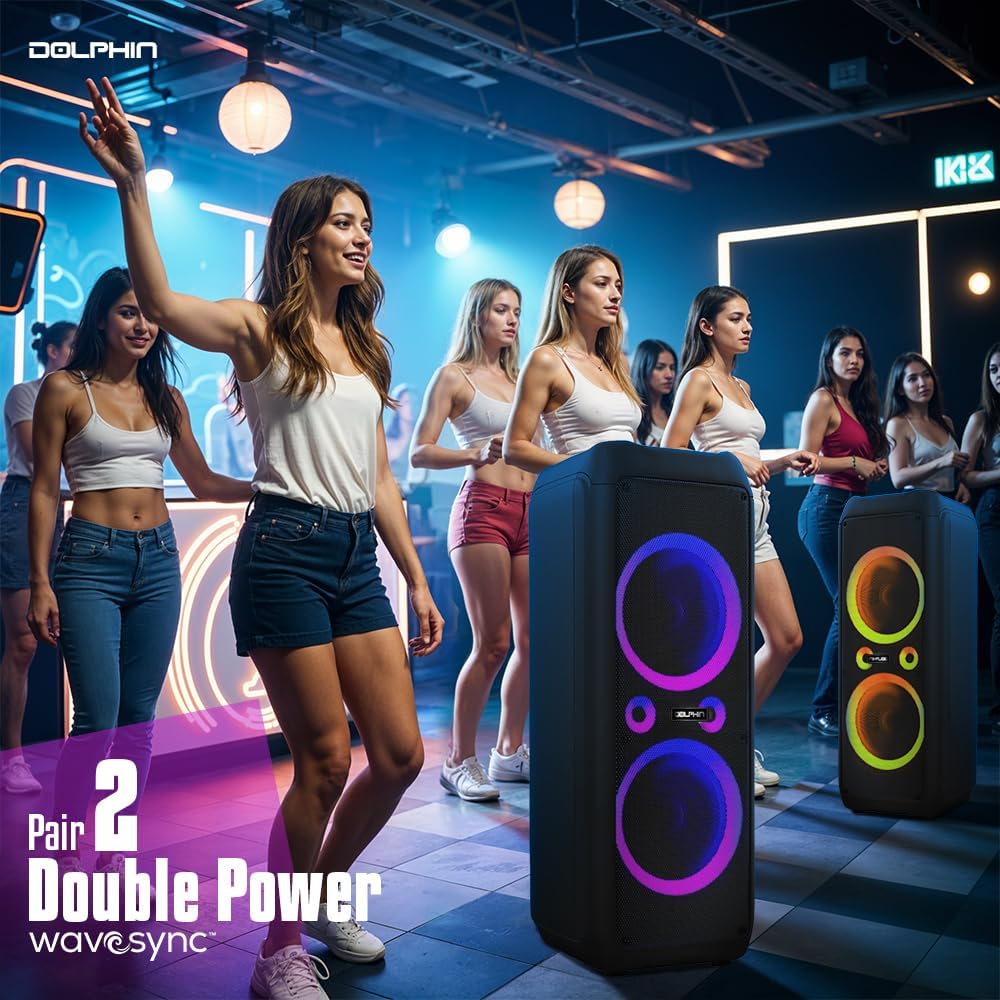
Figure 5: Two Dolphin SP-1270RBT speakers wirelessly connected via WaveSync technology for an enhanced stereo audio experience.
3. USB/SD/TF Card Playback
- Insert a USB flash drive or an SD/TF card (with audio fileс) башкаруу панелиндеги тиешелүү уячага.
- The speaker will automatically switch to USB/SD/TF mode and begin playing the audio files. If not, press the "Mode" button to select the correct input.
- Use the Play/Pause, Next, and Previous buttons to control playback.
4. FM радиосунун иштеши
- Press the "Mode" button to switch to FM Radio mode.
- Press the "Play/Pause" button to initiate an automatic scan for available radio stations. The speaker will save detected stations.
- Use the "Next" and "Previous" buttons to navigate through the saved stations.
5. AUX киргизүү
Connect an external audio device (e.g., MP3 player, laptop) to the speaker's 3.5mm AUX input jack using a 3.5mm audio cable (not included). Press the "Mode" button to select AUX input.
6. Microphone and Guitar Usage
- Зымсыз микрофон: The included wireless microphone is pre-paired. Simply turn it on and adjust the "MIC VOL" knob on the speaker's control panel to control its volume.
- Wired Microphone/Guitar: Connect a wired microphone or guitar to the respective 1/4" input jacks. Adjust their volume using the dedicated knobs on the control panel.
- Эхо башкаруу: Use the "ECHO" knob to add an echo effect to the microphone input.
7. Audio Controls and LED Lighting
- Негизги том: Use the large "VOLUME" knob to adjust the overall speaker volume.
- X-бас: Activate the X-Bass feature for enhanced deep bass response. This can be toggled via a switch or button on the control panel.
- 5 тилкелүү эквалайзер: Use the sliders on the 5-band equalizer to fine-tune the audio frequencies (bass, mid-range, treble) to your preference.
- LED жарыктандыруу: The speaker features sound-activated quad-style ring lights. Use the dedicated "LED" switch or button to turn the lights on/off or cycle through modes.
Техникалык тейлөө
- Тазалоо: Динамиктин сыртын жумшак, кургак чүпүрөк менен сүртүңүз. Абразивдүү тазалагычтарды же эриткичтерди колдонбоңуз.
- Сактагыч: Узак мөөнөткө колдонулбаганда, динамикти салкын, кургак жерде, тике күн нурунан жана экстремалдык температурадан алыс сактаңыз.
- Батареяга кам көрүү: To prolong battery life, fully charge the speaker before storing it for long periods. Recharge the battery every 3-6 months if not in regular use.
Проблемаларды чечүү
| Көйгөй | Мүмкүн себеп | Чечим |
|---|---|---|
| Күч жок | Батарея түгөндү; Кубат кабели туура эмес туташтырылган. | Charge the speaker; Ensure AC cable is securely connected to both speaker and power outlet. |
| Үн жок | Volume too low; Incorrect input mode selected; Device not paired (Bluetooth); Audio cable not connected (AUX). | Increase volume; Press "Mode" button to select correct input; Re-pair Bluetooth device; Check AUX cable connection. |
| Bluetooth байланышы туруксуз | Device too far from speaker; Obstructions between devices; Interference. | Move device closer to speaker (within 10m); Remove obstructions; Avoid placing near other wireless devices. |
| Микрофон иштебей жатат | Microphone not turned on; MIC VOL knob too low; Microphone battery low. | Ensure microphone is powered on; Increase MIC VOL; Replace microphone batteries (if applicable). |
| LED жарыктары иштебейт | LED өчүргүч өчүк. | Toggle the "LED" switch/button to turn lights on. |
Техникалык шарттар
| Модель аты | SP-1270RBT |
| Динамик түрү | Вуфер |
| Монтаж түрү | Кабат туруктуу |
| Динамик өлчөмү | 12 дюйм (Кош) |
| Динамиктин максималдуу чыгаруу күчү | 80 RMS Watts / 4500 Peak Watts |
| Frequency Response | 80 Гц (Төмөнкү чеги, типтүү) |
| Байланыш технологиясы | Bluetooth 5.0, USB, SD/TF, FM, AUX |
| Зымсыз байланыш технологиясы | Bluetooth |
| Bluetooth диапазону | 10 метрге чейин (33 фут) |
| Power Source | Батарея менен иштейт (кайра заряддалуучу) |
| Батарея түрү | 1 x 12V батарейка (киргизилген) |
| Батарея сыйымдуулугу | 9000 миллионamp Саат |
| Батареянын иштөө мөөнөтү | 7 саатка чейин |
| Продукциянын өлчөмдөрү (D x W x Y) | 17"D x 14.5"W x 40"H |
| Элемент Салмагы | 49 фунт |
| Камтылган компоненттер | Remote Control, Wireless Mic, AC Cable, Ext. Battery Cable |
| UPC | 810059431911 |
| Өндүрүүчү | General Sound Co |
Кепилдик жана колдоо
For warranty information and technical support, please refer to the contact details provided with your purchase or visit the official Dolphin webсайт. Кепилдик дооматтар үчүн сатып алганыңыздын далилин сактаңыз.


