Introduction
This manual provides detailed instructions for setting up, operating, and maintaining your BSIMB W215D 21.5 Inch FHD WiFi Digital Picture Frame. Please read this manual thoroughly before using the product to ensure proper function and longevity.
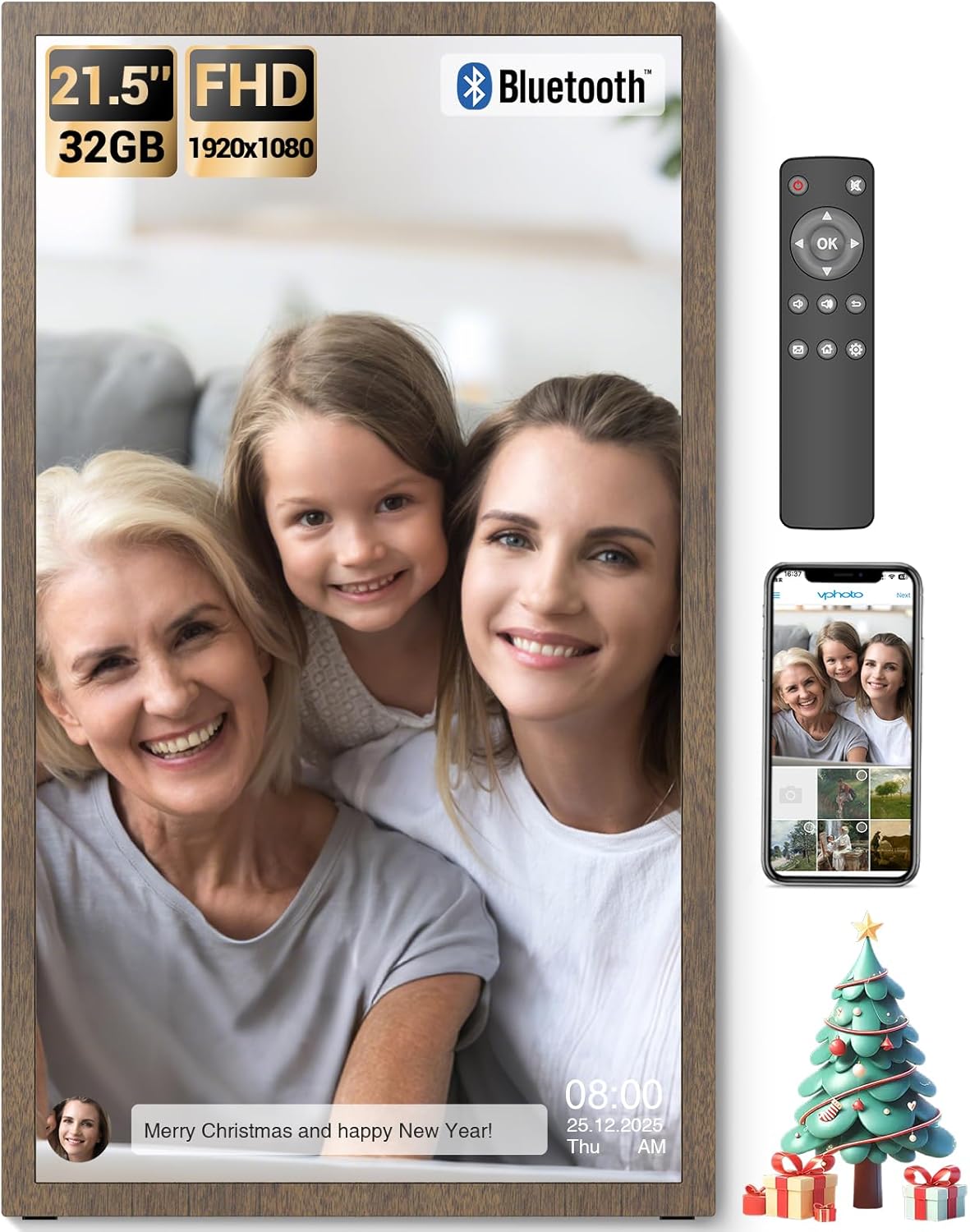
Image: The BSIMB 21.5-inch digital picture frame showcasing a family photo, accompanied by its remote control and a smartphone displaying the companion app interface.
Пакеттин мазмуну
Сураныч, төмөнкү нерселер үчүн кутучаны белгилеңиз:
- BSIMB W215D Digital Picture Frame
- Remote Control (AAA+ batteries not included)
- Wall Adapter with US Plug
- User Manual
- Quick Start Guide
- Screws & Wall Anchors
- Тур
- USB Flash Drive (32GB)

Image: An illustration detailing the contents of the product package, including the digital frame, remote control, power adapter, user manuals, stand, wall mounting accessories, and a USB flash drive.
Продукт бүттүview
Familiarize yourself with the components of your digital picture frame.

Сүрөт: жарылган view diagram of the digital picture frame, highlighting key features such as the non-touch anti-glare FHD display, power button, USB ports, Micro SD slot, DC power input, VESA mounting holes, and speakers.
Негизги өзгөчөлүктөрү:
- 21.5 Inch FHD Matte Screen: 1920x1080 resolution IPS display with a 16:9 aspect ratio for clear image presentation.
- 32 ГБ ички сактагыч: Capable of holding over 80,000 pictures.
- Кеңейтүүчү сактагыч: Supports Micro SD Card (TF Card) and USB drives.
- WiFi байланышы: For sharing photos and videos via the VPhoto app and email.
- Алыстан башкаруу: Ыңгайлуу иштөө үчүн.
- Smart Light Sensor: Automatically adjusts brightness based on ambient light.
- Уйку режими: Schedule on/off times for energy saving.
- Дубалга орнотулган дизайн: Allows for flexible placement (swivel wall mount not included).
Орнотуу колдонмосу
1. Баштапкы күйгүзүү
- Connect the power adapter to the DC IN port on the back of the frame and plug it into a power outlet.
- Press the Power Button on the back of the frame to turn it on.
- Follow the on-screen prompts to select your language and time zone.
2. Wi-Fiга туташуу
- Негизги менюдан, төмөнкүгө өтүңүз Орнотуулар.
- Тандоо Wi-Fi and choose your network from the list.
- Enter your Wi-Fi password and confirm. The frame will connect to the internet.
3. VPhoto App Installation and Pairing
- жүктөп алыңыз VPhoto app from the App Store (iOS) or Google Play Store (Android) on your smartphone.
- Open the VPhoto app and create an account.
- On your digital frame, navigate to the Түзмөктү байлоо section to find your unique Frame ID or QR code.
- In the VPhoto app, select "Add Device" and enter the Frame ID or scan the QR code to pair your smartphone with the frame.
- Once paired, you can start sharing photos and videos directly from your phone to the frame.

Image: A visual guide illustrating the three main steps for initial setup: downloading the VPhoto app, connecting the frame via its unique ID, and uploading media.
4. Монтаждоо параметрлери
The frame can be placed on a flat surface using the included stand or mounted on a wall using the provided screws and wall anchors. The frame supports auto-rotation for both landscape and portrait orientations.

Image: The digital frame positioned on a stand, illustrating its ability to automatically adjust image orientation when rotated between landscape and portrait views.
Иштөө нускамалары
1. Алыстан башкарууну колдонуу
The included remote control allows for easy navigation and setting adjustments. Insert two AAA+ batteries (not included) into the remote before use.
- Чабыттоо баскычтары: Use the arrow keys to move through menus and select options.
- OK баскычы: Тандоолорду ырастайт.
- Артка баскычы: Мурунку экранга кайтат.
- Меню баскычы: Accesses main settings and options.
- Үн баскычтары: Аудио чыгарууну тууралайт.
2. Сүрөттөрдү жана видеолорду жүктөө
You can upload media to your frame using several methods:
- VPhoto App: After pairing, use the VPhoto app on your smartphone to send photos and videos directly to the frame. You can also invite friends and family to share.
- Электрондук почта: The frame has a unique email address. Send photos and short videos (up to 15 seconds) to this address, and they will appear on your frame.
- USB Drive / Micro SD Card: Insert a USB drive or Micro SD card into the respective ports on the frame. Navigate to the Files or Сактагыч section to browse and import media.

Image: A visual representation of the frame's storage capabilities, with multiple images and video thumbnails surrounding the frame, emphasizing its capacity for a large number of media files.
3. Слайдшоунун жөндөөлөрү
Customize your photo display experience:
- багыттоо Settings > Slideshow.
- Adjust parameters such as display interval, transition effects, and playback order.
- Enable or disable photo captions, weather, and clock display.
4. Smart Light Sensor
The frame features a smart light sensor that automatically adjusts screen brightness according to the ambient light in the room. This feature can be enabled or disabled in the Орнотуулар меню.

Image: A visual representation of the frame's smart light sensor, illustrating how the screen brightness dynamically adapts to changes in room lighting conditions.
5. Уйку режими
To conserve energy, you can schedule the frame to automatically turn off and on at specific times. Access this feature in Settings > Sleep Mode.
6. Bluetooth аудио
Connect Bluetooth speakers or headphones to enjoy audio with your videos or music files. Navigate to Орнотуулар > Bluetooth to pair devices.

Image: The digital frame displaying an image, with a smartphone showing a Bluetooth connection to the frame, indicating the ability to play music or audio through connected Bluetooth devices.
Техникалык тейлөө
1. Рамканы тазалоо
- Ensure the frame is powered off and unplugged before cleaning.
- Экранды жана алкакты акырын сүртүү үчүн жумшак, кургак, түксүз чүпүрөктү колдонуңуз.
- өжөр белгилери үчүн, жеңил гampчүпүрөктү суу же экранга коопсуз тазалоо эритмеси менен жабыңыз. Катуу химиялык заттардан же абразивдүү материалдардан алыс болуңуз.
2. Программалык камсыздоону жаңыртуу
Periodically check for software updates in Settings > About > Check for Updates to ensure your frame has the latest features and performance improvements. A stable internet connection is required for updates.
Проблемаларды чечүү
| Көйгөй | Мүмкүн болгон себеп / Чечим |
|---|---|
| Рамка күйбөйт. |
|
| Wi-Fi'га туташпай жатат. |
|
| VPhoto app cannot connect to the frame. |
|
| Images are not displaying correctly or are blurry. |
|
| Пульт иштебей жатат. |
|
Техникалык шарттар
| Өзгөчөлүк | Деталь |
|---|---|
| Модель номери | W215D |
| Screen Size | 21.5 дюйм |
| Резолюция | 1920x1080 (FHD) |
| Аспект катышы | 16:9 |
| Дисплей түрү | IPS Matte Display (Non-Touch) |
| Ички сактагыч | 32 ГБ |
| Тышкы сактагыч | Micro SD Card (TF Card), USB Drive |
| Байланыш | WiFi, Bluetooth |
| Башкаруу ыкмасы | Remote Control, VPhoto App |
| Продукциянын өлчөмдөрү | 19.91 x 11.7 x 0.99 дюйм |
| Элемент Салмагы | 8.98 фунт |
Кепилдик жана колдоо
Кепилдик маалымат
Your BSIMB Digital Picture Frame comes with a:
- 30 күндүк акчаны кайтаруу кепилдиги
- 1 жылдык кепилдик
Кепилдик дооматтары үчүн сатып алганыңыздын далилин сактап коюңуз.
Кардарларды колдоо
If you encounter any issues or have questions not covered in this manual, please contact our customer service team. We are committed to ensuring your satisfaction with our products.
For support, visit the official BSIMB webсайтына же Ыкчам баштоо колдонмоңузда берилген байланыш маалыматына кайрылыңыз.


