1. Киришүү
This manual provides essential information for setting up, operating, and maintaining your Minifire 24-inch 180Hz Gaming Monitor (Model MFG24F4). This monitor features a Full HD (1920x1080p) display, a rapid 180Hz refresh rate, and a 1ms MPRT response time, designed for an immersive gaming experience. It supports AdaptiveSync, HDR10, and includes eye-care technologies like Low Blue Light. Connectivity options include HDMI 2.0 and DisplayPort 1.4.
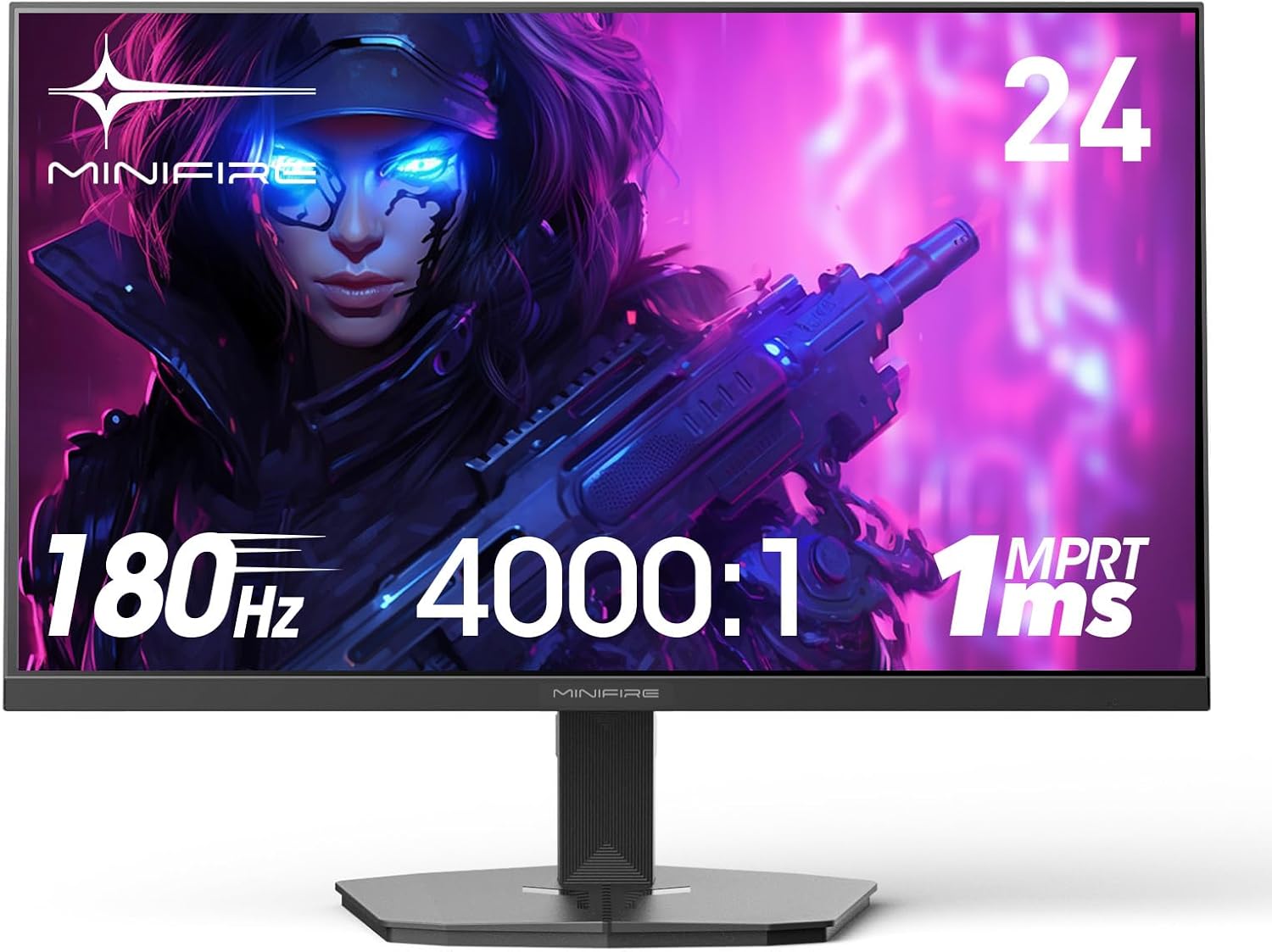
Сүрөт 1.1: Алдыңкы view of the Minifire 24-inch 180Hz Gaming Monitor.
2. Пакеттин мазмуну
Please verify that all items listed below are included in your package. If any accessories are missing or damaged, please contact customer support.
- Minifire 24-inch 180Hz Gaming Monitor
- Монитор стенд (негизги жана моюн)
- Электр кабели
- HDMI кабели
- Ыкчам орнотуу колдонмосу
- Кепилдик картасы

Image 2.1: Illustration of package contents including power cord, warranty card, HDMI cable, and quick installation guide, along with monitor dimensions.
3. Орнотуу
3.1 Стендди чогултуу
The monitor stand is designed for tool-free installation. Follow these steps to attach the stand to the monitor:
- Чийилбеш үчүн мониторду кылдаттык менен жумшак, таза бетке ылдый каратып коюңуз.
- Монитордун артындагы монтаждоо оюгу менен стенд мойнуна тууралаңыз.
- Secure the stand neck to the monitor.
- Attach the stand base to the stand neck and tighten the captive screw by hand.
The monitor also supports VESA wall mounting (75x75mm) for alternative installation options. The stand allows for a tilt adjustment of -5 to 15 degrees.

Image 3.1: Visual guide for tool-free stand assembly, VESA mount compatibility (75x75mm), and tilt adjustment range (-5 to 15 degrees).
3.2 Мониторду туташтыруу
Connect the monitor to your computer or gaming console using the provided HDMI cable or a DisplayPort cable (not included). Ensure the cables are securely connected to both the monitor and your device.
- HDMI туташуу: Use an HDMI 2.0 cable for resolutions up to 1080p at 180Hz.
- DisplayPort туташуу: Use a DisplayPort 1.4 cable for resolutions up to 1080p at 180Hz.
The monitor supports various devices including PCs, gaming consoles (PS5, Xbox for 120 FPS), and other compatible display sources.

Image 3.2: Diagram illustrating connectivity options for various devices (Computer, PC, Television, GPU, Xbox, Switch) via HDMI 1.4 and DP 1.2, supporting up to 180Hz.

Сүрөт 3.3: Арткы view of the monitor showing the joystick control and input ports, including HDMI and DisplayPort.
4. Мониторду иштетүү
4.1 Экрандык менюнун навигациясы
The monitor features a convenient joystick control located on the back for navigating the On-Screen Display (OSD) menu. This allows for quick adjustments to settings without multiple buttons.
- Жогорку/Жарыктык: Push the joystick up to adjust brightness.
- Меню/Тандоо: Push the joystick in to open the OSD menu or confirm a selection.
- Exit/Input Menu: Push the joystick right to exit a menu or access input source selection.
- Үнүн төмөндөтүү/Акырындоо: Push the joystick down to adjust volume (if external speakers are connected via headphone jack).
- Standby/Power Off/On: Press the power button to turn the monitor on/off or put it into standby.

Image 4.1: Diagram detailing the joystick control functions for OSD menu navigation and quick adjustments.
4.2 Негизги өзгөчөлүктөрү
The Minifire MFG24F4 monitor is equipped with several features to enhance your viewоюн жана оюн тажрыйбасы:
- 180Гц жаңыртуу жыштыгы жана 1мс MPRT жооп берүү убактысы: Experience ultra-smooth motion and minimal input lag, crucial for fast-paced gaming.
- Адаптивдүү синхрондоштуруу: Synchronizes the monitor's refresh rate with your GPU's frame rate to eliminate screen tearing and stuttering, providing a fluid visual experience.
- HDR 10 колдоосу: Delivers enhanced contrast and color accuracy for more vibrant and realistic images.
- Low Blue Light & Anti-Flicker Technology: Reduces eye strain during extended use by minimizing harmful blue light emissions and screen flickering.
- Game Assist Features: Includes a customizable crosshair for improved aiming and Black Level Adjust to enhance visibility in dark in-game areas.

Сүрөт 4.2: Бүттүview of key monitor features including 1ms OD, HDR, 300 NITS brightness, 180Hz refresh rate, sRGB110%+8BIT color, Adaptive Sync, Gameplay Assist, 24-inch VA Panel, and Low Blue Light.

Image 4.3: Visual comparison demonstrating the smoothness of 180Hz/1ms response time versus 75Hz/5ms.

Image 4.4: Illustration of Adaptive Synchronization eliminating screen tearing and ghosting for a smoother image.

Image 4.5: Depiction of the monitor's built-in crosshair feature for precise aiming in games.

Image 4.6: Explanation of the Black Level Adjust feature, allowing users to optimize visibility in dark scenes.

Image 4.7: Information on Eye Care Technologies, including Anti-Flicker and Low Blue Light, for reduced eye strain.

Image 4.8: Display modes for various usage scenarios (Daily, Gaming) and indication of a Power Saving Mode.
5. Техникалык тейлөө
To ensure the longevity and optimal performance of your Minifire monitor, follow these maintenance guidelines:
- Экранды тазалоо: Экранды жумшак, түксүз чүпүрөк менен акырын сүртүңүз. өжөр тактар үчүн, жеңил гampчүпүрөккө суу же атайын экран тазалоочу каражат. Катуу химиялык заттарды, спиртти же абразивдүү материалдарды колдонуудан алыс болуңуз.
- Тазалоо Casing: Мониторду тазалоо үчүн жумшак, кургак чүпүрөктү колдонуңуз casing.
- Вентиляция: Ашыкча ысып кетүүнүн алдын алуу үчүн монитордун желдетүү тешиктери жабылбагандыгын текшериңиз.
- Сактагыч: Узак мөөнөткө колдонулбаганда, мониторду салкын, кургак жерде, эң жакшысы баштапкы таңгагында сактаңыз.
6. Кыйынчылыктарды
Эгерде сиз мониторуңузда көйгөйлөргө туш болсоңуз, төмөнкү жалпы көйгөйлөрдү чечүү кадамдарын караңыз:
| Көйгөй | Мүмкүн себеп | Чечим |
|---|---|---|
| Экранда сүрөт жок | Power cable disconnected, video cable disconnected, incorrect input source. | Check power and video cable connections. Select the correct input source using the OSD joystick. |
| Сүрөт бүлбүлдөгөн же туруксуз | Loose video cable, refresh rate mismatch, interference. | Ensure video cable is secure. Adjust refresh rate in your device's display settings. Check for nearby electronic devices causing interference. |
| Түстөр туура эмес көрүнөт | Color settings in OSD, faulty video cable. | Adjust color settings in the OSD menu. Try a different video cable. |
| Монитор күйбөйт | Электр кабели ажыратылган, розетка маселеси. | Verify power cable is connected to both monitor and a working power outlet. |
Эгерде бул кадамдарды жасагандан кийин көйгөй чечилбесе, Minifire кардарларды колдоо кызматына кайрылыңыз.
7. Техникалык шарттар
Detailed technical specifications for the Minifire 24-inch 180Hz Gaming Monitor (MFG24F4):
| Өзгөчөлүк | Спецификация |
|---|---|
| Бренд | Мини-от |
| Модел/серия | MFG24F4 |
| Дисплей өлчөмү | 24 дюйм |
| Панел түрү | VA панели |
| Резолюция | 1920 x 1080 (FHD 1080p) |
| Жаңыртуу ылдамдыгы | 180 Гц |
| Жооп убактысы | 1 миллисекунд (MPRT) |
| Контраст катышы | 4000:1 |
| Жарыктык | 300 cd/m² (Nits) |
| Түс гаммасы | 120% sRGB |
| Байланыш | 2 x HDMI 2.0, 1 x DisplayPort 1.4 |
| Өзгөчөлүктөр | Adaptive Sync, Anti-reflection screen, Eye Care, Blue Light Filter, HDR 10, Crosshair, Blacklevel Adjust |
| VESA тоосу | 75 x 75 мм |
| Тит бурч | -5 градустан 15 градуска чейин |
| Продукциянын өлчөмдөрү | 61.29 x 40.2 x 13.6 см |
| Элемент Салмагы | 4.03 килограмм |
8. Кепилдик жана колдоо
Minifire is committed to providing excellent customer service and product support.
- Кепилдик: Бул продукт сатып алынган күндөн тартып 24 айлык кепилдик менен келет.
- Акчаны кайтарып берүү кепилдиги: A 14-day money-back or return guarantee is offered.
- Техникалык колдоо: Enjoy lifetime free technical support for your Minifire monitor.
- Кардарларды тейлөө: Professional customer service is available to assist you with any inquiries or issues.
For support, please refer to the contact information provided on your warranty card or visit the official Minifire webсайт.

Сүрөт 8.1: Бүттүview of Minifire's customer service, lifetime technical support, 24-month warranty, and 14-day money-back guarantee.


