
Introduction
Ozobot Evo Entry Kit колдонмосуна кош келиңиз. Бул колдонмо Ozobot Evo интерактивдүү коддоо роботуңузду орнотуу, иштетүү жана тейлөө боюнча маанилүү маалыматтарды берет. Evo Entry Kit колдонуучуларды экрансыз түс коддору жана Ozobot Blockly менен онлайн программалоо аркылуу коддоо жана STEAM (илим, технология, инженерия, искусство, математика) түшүнүктөрү менен тааныштыруу үчүн иштелип чыккан.
Ozobot Evo менен туура колдонууну камсыз кылуу жана окуу тажрыйбаңызды максималдуу түрдө жогорулатуу үчүн бул колдонмону кылдаттык менен окуп чыгыңыз.
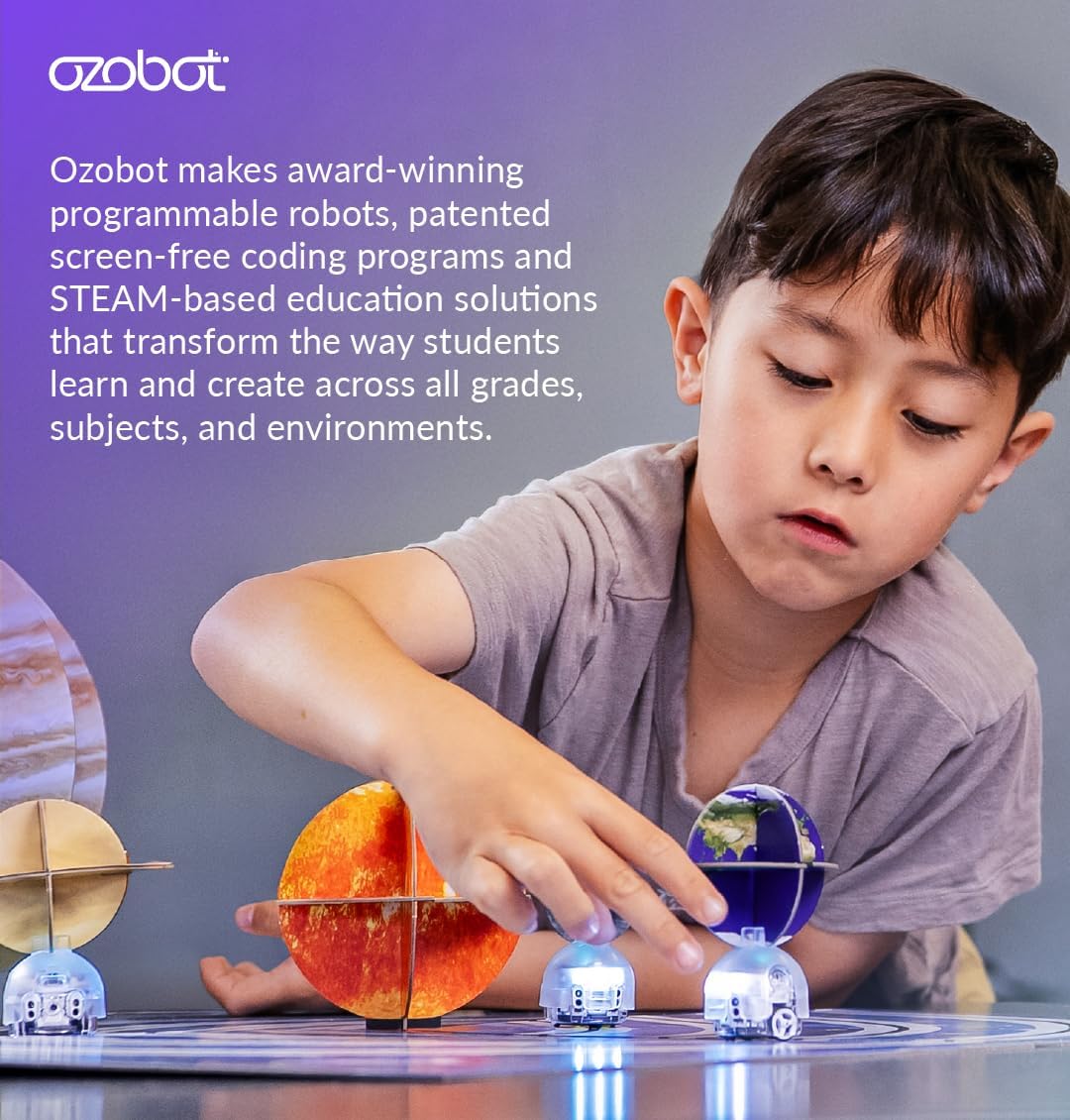
1-сүрөт: Окуу жайында Ozobot Evo роботтору менен алектенип жаткан бала.
Эмне камтылган
Ozobot Evo Entry Kit төмөнкү компоненттерди камтыйт:
- 1 Ozobot Evo роботу
- 1 Кубаттоочу кабель
- 5 кош учтуу түстүү код маркерлери
- Сактоо үчүн 1 сыдырмалуу куту
- Иш-аракеттерди баштоо боюнча колдонмо
- STEAM, CS жана негизги сабактарды камтыган 700дөн ашык акысыз сабактарга мүмкүнчүлүк

2-сүрөт: Ozobot Evo кирүү комплектинин ичиндегилер сыдырма кутучасында тыкан жайгаштырылган.
Жайгашуу
1. Evo роботун кубаттоо
Биринчи жолу колдонуудан мурун, Ozobot Evo роботуңузду толугу менен кубаттаңыз.
- Кубаттоочу кабелдин кичинекей учун Evo роботундагы кубаттоо портуна туташтырыңыз.
- Кубаттоочу кабелдин USB учун USB кубат адаптерине (кошулмада жок) же компьютердин USB портуна туташтырыңыз.
- Evo'нун LED жарыктары кубаттоо абалын көрсөтүп турат. Толук кубаттоо, адатта, болжол менен 60 мүнөткө созулат.
- Толук заряддалгандан кийин, кабелди ажыратыңыз.
2. Баштапкы калибрлөө
Evo калибрлөөсү сызыктарды так аткарууну жана түс кодун таанууну камсыздайт.
- Evo роботун күйгүзүү үчүн кубат баскычын басыңыз.
- Эвону ак бетке же "Баштоо" тапшырмаларында берилген калибрлөө картасына коюңуз.
- Ийгиликтүү калибрлөөнү көрсөткөн жарыктары күйүп-өчкөнгө чейин Evo түз кармап туруңуз.

3-сүрөт: Ozobot Evo роботу баштапкы орнотууга же ойнотууга даяр бойдон кармалууда.
Иштөө нускамалары
1. Түстүү коддор менен экрансыз коддоо
Ozobot Evo берилген маркерлер менен тартылган белгилүү бир түс ырааттуулугун колдонуп программаланышы мүмкүн.
- Ак бетке сызыктарды жана түс коддорун чийүү үчүн кош учтуу түс коду маркерлерин колдонуңуз.
- Evo сенсорлору аныктай тургандай сызыктардын калыңдыгын текшериңиз (болжол менен 1/4 дюйм же 6 мм).
- Эвону чийилген сызыкка коюңуз. Робот сызыкты ээрчип, кездешкен түс коддоруна негизделген буйруктарды аткарат.
- Эво ылдамдыкты өзгөртүү, бурулуштар жана атайын кыймылдар сыяктуу ар кандай аракеттерди аткарышы үчүн ар кандай түс коддорунун ырааттуулугу менен эксперимент жүргүзүңүз. Түс коддорунун тизмеси үчүн "Баштоо" колдонмосун караңыз.

4-сүрөт: Ozobot Evo роботу түстүү код маркерлери менен чийилген жолдо багыт алууда.
2. Ozobot Blockly менен онлайн коддоо
Өркүндөтүлгөн программалоо үчүн, Evo түзмөгүңүздү Ozobot Blockly'ге шайкеш келген түзмөк (планшет же компьютер) аркылуу туташтырыңыз.
- Ozobot Evo колдонмосун жүктөп алыңыз же Ozobot Blockly сайтына кириңиз webтүзмөгүңүздөгү сайт.
- Evo роботуңуз кубатталганын жана күйүп турганын текшериңиз.
- Evo түзмөгүңүздү Bluetooth аркылуу түзмөккө жупташтыруу үчүн экрандагы көрсөтмөлөрдү аткарыңыз.
- Evo үчүн программаларды түзүү үчүн сүйрөп таштоо блокко негизделген коддоо интерфейсин колдонуңуз. Ozobot Blockly башталгычтан мастерге чейин беш көндүм деңгээлин сунуштайт.
- Кодуңузду Evo'го жүктөп, анын аракеттерин байкаңыз.

5-сүрөт: Ozobot Evo коддоонун эки негизги ыкмасын көрсөтүү: түстүү коддор менен экрансыз жана Ozobot Blockly менен онлайн режиминде.

6-сүрөт: Ozobot Classroom интерфейси, билим берүү сабактарынын жана иш-аракеттеринин кеңири чөйрөсүнө мүмкүнчүлүк берет.
Өзгөчөлүктөрү
Ozobot Evo роботу коддоо жана ойноо тажрыйбасын жакшыртуу үчүн бир нече функциялар менен жабдылган:
- Оптикалык сенсорлор: Төмөн жагында жайгашкан бул сенсорлор сызыктарды жана түс коддорун окуйт.
- Жакындык сенсорлору: Эвого объектилерди аныктоого жана айлана-чөйрөсүнө реакция кылууга уруксат бериңиз.
- Камтылган динамик: Аудио кайтарым байланыш жана үндөрдү камсыз кылат.
- LED жарыктары: Визуалдык пикир жана билдирүү үчүн ыңгайлаштырылуучу жарыктар.
- Bluetooth байланышы: Ozobot Blockly программалоо үчүн шайкеш келген түзмөктөргө зымсыз туташууну иштетет (30 футка чейин).
- Бекем поликарбонат кабыгы: Узак мөөнөттүү колдонуу үчүн бышык конструкция.
- Кайра заряддалуучу LiPo батареясы: Иштөө үчүн кубаттуулукту камсыз кылат.

7-сүрөт: Деталдаштырылган view Ozobot Evoнун ички жана тышкы өзгөчөлүктөрү.
Техникалык тейлөө
Ozobot Evoңуздун узак мөөнөттүү иштешин жана оптималдуу иштешин камсыз кылуу үчүн:
- Тазалоо: Evoнун сыртын кургак, жумшак чүпүрөк менен акырын сүртүңүз. Суюктуктарды же абразивдүү тазалоочу каражаттарды колдонуудан алыс болуңуз. Сызыктарды так аныктоо үчүн түбүндөгү оптикалык сенсорлордун таза экенине ынаныңыз.
- Сактагыч: Evo роботун жана аксессуарларын колдонулбай турган учурда чаңдан жана бузулуудан коргоо үчүн берилген сыдырма кутучада сактаңыз.
- Батареяга кам көрүү: Батареяны үзгүлтүксүз заряддап туруңуз. Батареяны узак убакыт бою толугу менен бошотуп албаңыз. Эгер узак убакытка сактасаңыз, сактоодон мурун аны болжол менен 50% заряддаңыз.
- Маркерге кам көрүү: Түс коду маркерлеринин капкактарын колдонбогондо, кургап калбашы үчүн сактап коюңуз.
- Программалык камсыздоо жаңыртуулары: Ozobot Evo колдонмосу же Ozobot Blockly аркылуу Evo роботуңуз үчүн микропрограмма жаңыртууларын мезгил-мезгили менен текшерип туруңуз. webакыркы функцияларды жана жакшыртууларды камсыз кылуу үчүн сайт.
Проблемаларды чечүү
| Көйгөй | Мүмкүн себеп | Чечим |
|---|---|---|
| Эво күйбөйт. | Батарея аз же түгөнүп калган. | Evo роботун берилген кубаттоочу кабель менен кубаттаңыз. |
| Эво сызыктарды ээрчибей жатат же түс коддорун туура окубай жатат. |
|
|
| Evo Bluetooth аркылуу туташпай жатат. |
|
|
| Түс коду маркерлери кургак. | Баш тамгалар калтырылган же маркерлер эски. | Капкактарды колдонгондон кийин дайыма алмаштырып туруңуз. Эгерде маркерлер кургап калса, аларды алмаштырыңыз. |
Техникалык шарттар
- Продукциянын өлчөмдөрү: 8.5 x 6.5 x 1.8 дюйм
- Элемент Салмагы: 15.5 унция
- Сунушталган жаш: 5 жаш жана андан жогору
- Батарея: 1 литий-иондук батарея (кайра заряддалуучу)
- Байланыш: Bluetooth (30 фут аралыкта)
- Сенсорлор: Оптикалык, жакындык
- Shell Материал: Күчтүү поликарбонат
Колдоо жана кепилдик
Кошумча колдоо, ресурстар жана көп берилүүчү суроолор үчүн, расмий Ozobot сайтына кириңиз webсайт.
Продукциянын кепилдиги жөнүндө маалыматты, адатта, өндүрүүчүнүн расмий тактасынан тапса болот webсайтында же продуктунун таңгагынын ичинде. Кепилдик талаптары үчүн сатып алганыңызды тастыктаган документти сактап коюңуз.