1. Продукт бүтүп калдыview
The Vandlion V15Pro is a compact and powerful digital voice recorder designed for high-quality audio capture in various settings, including meetings, classes, and interviews. Featuring a durable metal casing and a large 128GB internal memory, it offers extended recording capabilities and ease of use.
Key features include one-touch recording, long battery life for up to 35 hours of continuous recording, and Voice Activated Recording (VOR) for efficient memory and battery usage. Its lightweight and portable design makes it an ideal tool for professionals and students alike.

Image: The Vandlion V15Pro Dictaphone, a small, black, rectangular device, held between a thumb and forefinger, highlighting its portability. A black lanyard is attached to the device.
2. Пакеттин мазмуну
Сураныч, төмөнкү нерселер үчүн кутучаны белгилеңиз:
- Vandlion V15Pro Digital Dictaphone
- USB-A to USB-C Charging/Data Cable
- USB-Aдан USB-C адаптерге чейин
- Зымдуу алыстан башкаруу
- Headphones (3.5mm jack)
- Билек боо
- Колдонуучунун Колдонмосу (бул документ)
3. Түзмөктүн жайгашуусу жана өлчөмдөрү
Familiarize yourself with the physical features of your Vandlion V15Pro dictaphone.

Image: A detailed diagram of the Vandlion V15Pro Dictaphone, illustrating its compact dimensions (approximately 5.33 cm length, 3.18 cm width, 0.58 cm thickness) and highlighting its metal body, noise reduction chip, Voice Activated Recording (VOR) capability, and lightweight design (21g).
The device features a simple ON/OFF slide switch for recording, a USB-C port for charging and data transfer, and a small indicator light. The microphone is integrated into the device's body.
4. Баштапкы орнотуу
4.1 Аппаратты заряддоо
Before first use, fully charge the dictaphone. A full charge takes approximately 2 hours.
- Connect the provided USB-C cable to the dictaphone's USB-C port.
- Кабелдин экинчи учун USB кубат адаптерине (кошумча эмес) же компьютердин USB портуна туташтырыңыз.
- During charging, the red indicator light will flash. Once fully charged, the blue light will illuminate.
- If recording while charging, the indicator light may not illuminate, which is normal.
4.2 Дата менен убакытты орнотуу
Так убакытты камсыз кылуу үчүнamps for your recordings, set the device's date and time:
- Connect the dictaphone to a computer using the USB-C cable.
- Locate the 'SetTime' application or a text file (e.g., 'time.txt') on the device's storage.
- Follow the instructions within the application or edit the text file to synchronize the device's time with your computer's system time.
- Маанилүү: It is recommended to back up the original 'SetTime' file же текст file on your computer before making any changes.
5. Иштөө нускамалары
5.1 Негизги жаздыруу
The Vandlion V15Pro features simple one-touch recording:
- Жаздырууну баштоо үчүн, КҮЙГҮЗҮҮ/ӨЧҮРҮҮ которгучун төмөнкүгө жылдырыңыз ON position. The indicator light will briefly illuminate and then turn off, indicating that recording has begun discreetly.
- To save the recording and stop, slide the ON/OFF switch to the ӨЧҮРҮҮ position. The device will automatically save the current recording file.
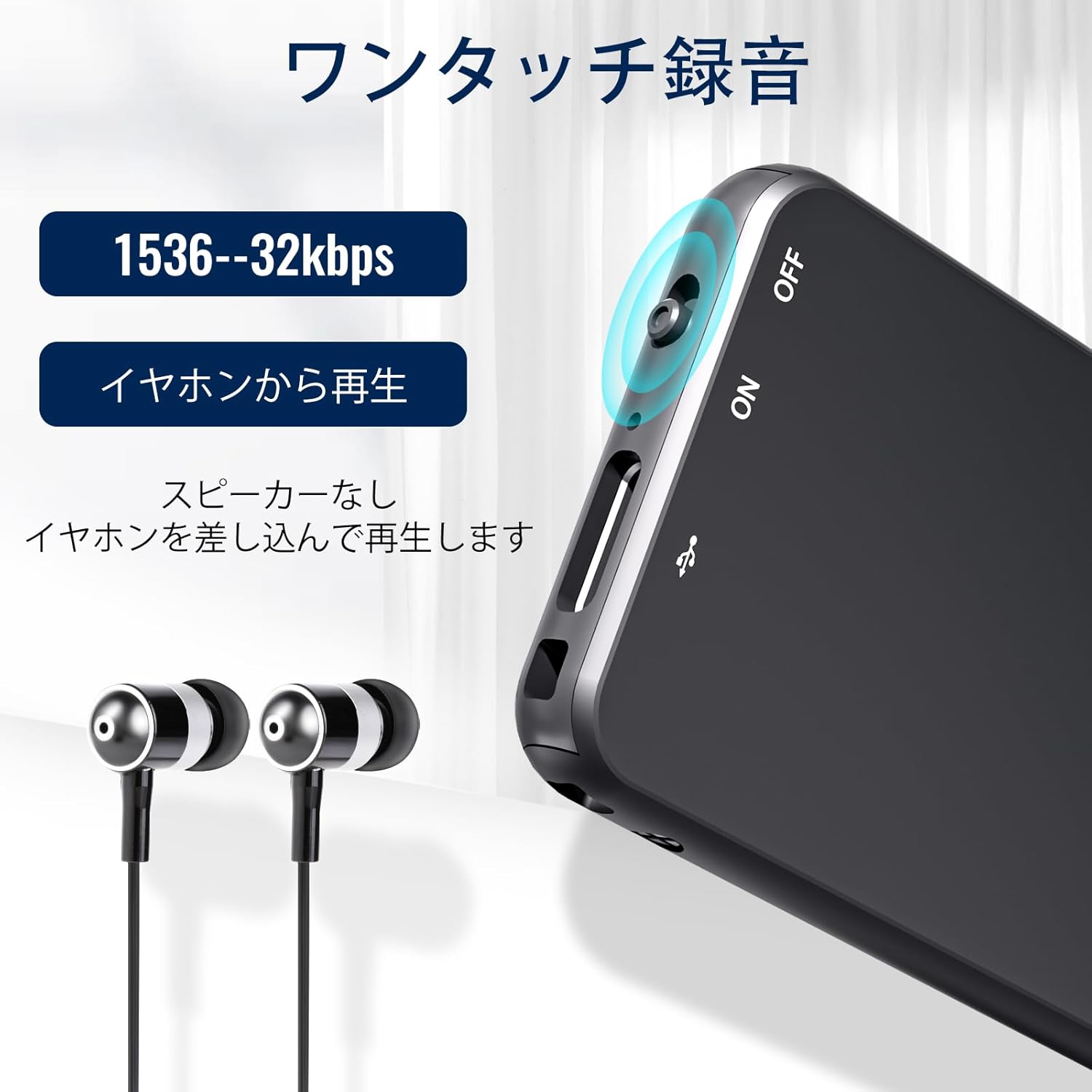
Сүрөт: жакын план view of the Vandlion V15Pro Dictaphone, highlighting the ON/OFF slide switch on the side and the USB-C port. This illustrates the one-touch recording functionality.
5.2 Ойнотуу
You can listen to your recordings directly from the device or by transferring them to a computer.
- Direct Playback: Connect the provided headphones to the device via the remote control. Use the remote control to navigate and play back recordings.
- Компьютерде ойнотуу: Connect the dictaphone to your computer. The device will appear as a removable drive. Navigate to the 'RECORD' folder to access and play your MP3 audio files.
5.3 Үн менен активдештирилген жаздыруу (VOR)
The V15Pro supports Voice Activated Recording, which automatically starts recording when sound is detected and pauses when there is silence. This feature helps conserve memory and battery life.
- The VOR function can be configured via the device's settings file when connected to a computer. Refer to the 'SetTime' or configuration text file for detailed instructions on adjusting VOR sensitivity.
- When VOR is active, the device will enter standby mode when no sound is detected, resuming recording automatically when sound returns.
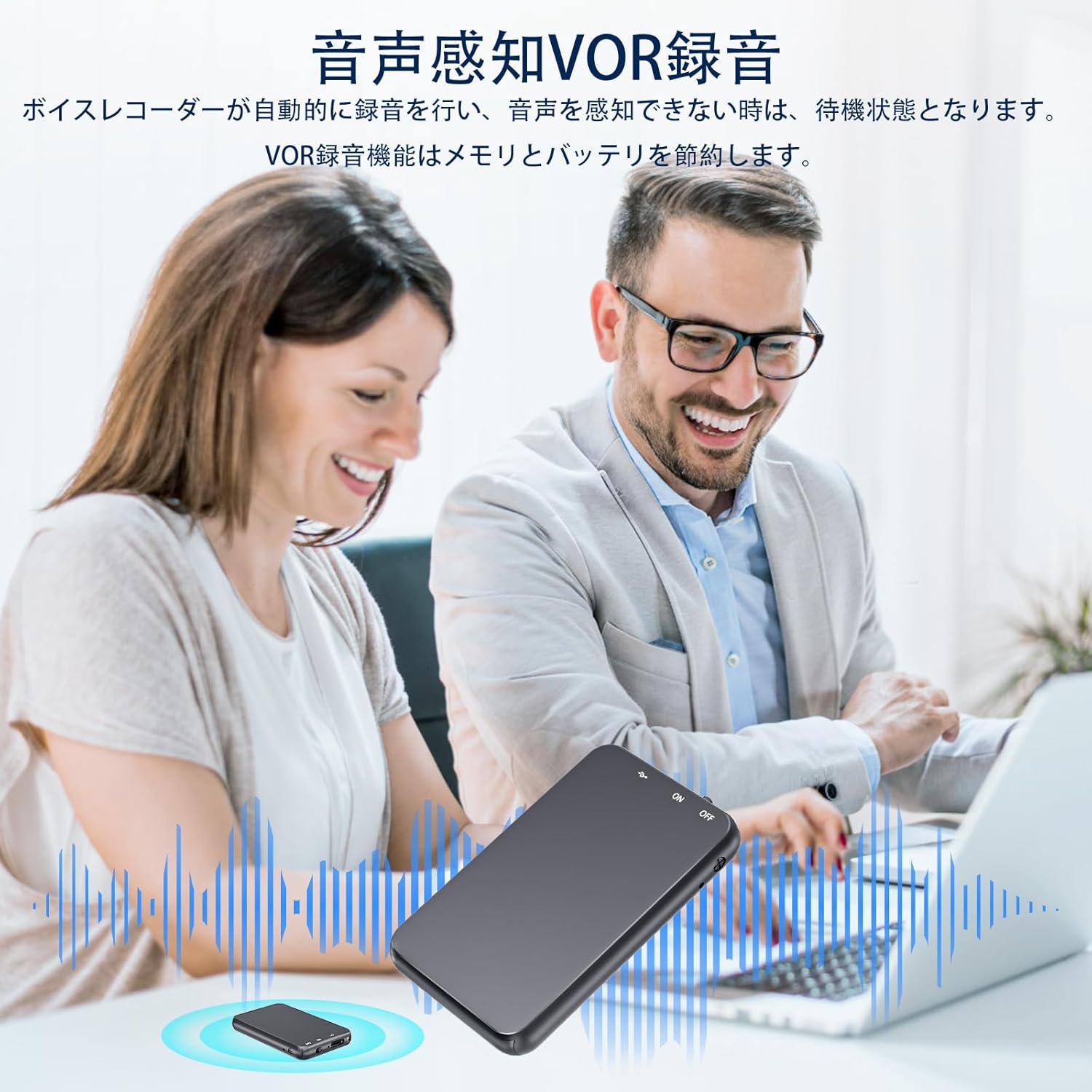
Image: An illustration depicting the Voice Activated Recording (VOR) feature, showing the dictaphone on a table during a meeting with two individuals. Sound waves emanate from the device, indicating active recording when voices are present, and silence when they are not, demonstrating how VOR saves memory and battery.
5.4 Компьютерге туташуу
өткөрүп берүү үчүн files or configure settings, connect your dictaphone to a computer:
- Ensure the dictaphone is turned ӨЧҮРҮҮ туташтыруудан мурун.
- Connect the dictaphone to your computer using the provided USB-C cable.
- Wait 20-30 seconds for the computer to recognize the device, especially with large memory capacities.
- The dictaphone will appear as a removable disk drive. You can then drag and drop fileтүзмөккө жана андан.
- Mac колдонуучулары үчүн: You may need to use a USB-C adapter for proper connection.
- Айдоочу маселелери: If the computer does not recognize the device, it may lack necessary drivers. Search online for "download computer drivers" or contact support.
5.5 Connecting to an Android Phone (with OTG)
You can connect the dictaphone to an Android phone that supports OTG (On-The-Go) functionality:
- Ensure the dictaphone is turned ӨЧҮРҮҮ туташтыруудан мурун.
- Verify that OTG function is enabled on your Android phone (usually found in Settings by searching for "OTG" or "USB").
- Use an appropriate OTG adapter or cable to connect the dictaphone to your phone.
- The phone should recognize the dictaphone as external storage, allowing you to manage files.
6. Техникалык тейлөө
Proper care will extend the life of your dictaphone:
- Тазалоо: Түзмөктү жумшак, кургак чүпүрөк менен сүртүңүз. Суюк тазалоочу каражаттарды же эриткичтерди колдонбоңуз.
- Сактагыч: Аппаратты түз күндүн нурунан, өтө температурадан жана нымдуулуктан алыс салкын, кургак жерде сактаңыз.
- Батареяга кам көрүү: Батареянын иштөө мөөнөтүн сактоо үчүн, батареяны тез-тез толук зарядсыздандырбаңыз. Түзмөктү көпкө чейин колдонулбаса дагы, үзгүлтүксүз кубаттап туруңуз.
- Физикалык зыянды болтурбоо: Металл сasing provides durability, but avoid dropping the device or exposing it to strong impacts.
7. Кыйынчылыктарды
If you encounter issues with your Vandlion V15Pro dictaphone, refer to the following common problems and solutions:
| Көйгөй | Чечим |
|---|---|
| Cannot record or recording breaks. |
|
| SetTime software displays errors or viruses. |
|
| Indicator light does not turn on during charging. |
|
| Digital dictaphone cannot connect to a computer or Android phone. |
|
| How to reduce recording noise. |
|
8. Техникалык шарттар
| Бренд | Vandlion |
| Модель номери | Vandlion-V15Pro |
| Эстутум сактоо сыйымдуулугу | 128 ГБ |
| Жазуу форматы | MP3 аудио |
| Батарея түрү | 1 Lithium-ion (included), Rechargeable |
| Үзгүлтүксүз жаздыруу убактысы | Up to 35 hours (after 2-hour charge) |
| Заряддоо интерфейси | USB түрү C |
| Наушник уясы | 3.5 мм |
| Микрофон форма фактору | Интеграцияланган |
| Элемент Салмагы | 19 грамм |
| Түс | Кара |
| Шайкеш түзмөктөр | Computers, Android Phones (with OTG) |
9. Кепилдик жана колдоо
Vandlion products are manufactured to high-quality standards. For warranty information or technical support, please refer to the contact details provided with your purchase documentation or visit the official Vandlion webсайт. Кепилдик дооматтары үчүн сатып алганыңыздын далилин сактап коюңуз.


