1. Киришүү
This manual provides essential information for the safe and efficient operation of your SYLVOX 15.6" Under Cabinet Smart TV. Please read these instructions thoroughly before installation and use, and retain them for future reference. This television is designed for space-saving installation under cabinets, offering smart TV functionalities with Google TV.
2. Коопсуздук маалыматы
- Электр коопсуздугу: Ensure the power supply matches the TV's requirements (AC 100-240V, DC12V, 9-32V). Do not expose the TV to rain or moisture. Disconnect power during lightning storms or when unused for long periods.
- Монтаждоо: The TV must be securely mounted to a sturdy surface capable of supporting its weight. Follow all installation instructions carefully to prevent injury or damage.
- Вентиляция: Ensure adequate ventilation around the TV. Do not block ventilation openings. Overheating can lead to malfunction.
- Тазалоо: Always unplug the TV before cleaning. Use a soft, dry cloth. Avoid liquid cleaners or aerosols.
- Балдар: Кичинекей бөлүктөрүн жана таңгактоочу материалдарды муунуп калуу коркунучун болтурбоо үчүн балдардан алыс кармаңыз.
3. Пакеттин мазмуну
Төмөндө тизмеленген нерселердин баары пакетиңизге камтылганын текшериңиз:
- SYLVOX 15.6" Under Cabinet Smart TV
- Алыстан башкаруу
- Көрсөтмө (бул документ)
- Power Adapter (AC 100-240V to DC12V)
- Алыстан башкаруу базасы
- Кронштейн орнотуу
- Бурамалар (KA4.0x8MM)
- AAA Batteries (2, for remote control)
- Кепилдик картасы

Image 3.1: Included accessories and components.
4. Продукт бүтүп калдыview
The SYLVOX 15.6" Under Cabinet Smart TV is designed for versatile viewing and space efficiency. It features a 15.6-inch Full HD (1080p) LED display with a 16:9 aspect ratio and a 60Hz refresh rate, offering a 178° horizontal and 178° vertical ultra-wide viewбурч.
4.1 Негизги өзгөчөлүктөрү
- Flip-Down Screen: The screen can be vertically flipped down 0-90 degrees for optimal viewing and folded up for storage.
- 360° айлануу: The entire unit can rotate 360 degrees horizontally for flexible positioning.
- Акылдуу Google TV: Integrated Google TV system with 1.5G RAM and 8G storage, supporting various streaming applications.
- Байланыш: Built-in Wi-Fi (5G support) and Wireless Connection (Bluetooth 5.0).
- Колдонуучу интерфейси: Touch buttons on the unit and a full-function remote control.
- Кошумча функциялар: LED clock display and timer alarm clock functionality.

Сүрөт 4.1: Алдыңкы view of the SYLVOX Under Cabinet Smart TV.
4.2 Порттор жана туташуулар
The TV includes the following ports for various connections:
- DC 12V Power Input
- RJ45 (Ethernet)
- SPDIF ЧЫГУУ
- Line (L/R) Out
- HDMI (2 ports, with CEC & ARC support)
- RF (Antenna Input)
- USB (2 ports)
- Mini AV In
- Кулакчын Чыгуу

Image 4.2: Rear panel with connection ports.
4.3 Screen Movement
The TV offers flexible screen positioning:
- Оозеки оодаруу: The screen can be pulled down up to 90 degrees from its stored position.
- Айлануу: The entire TV unit can rotate 360 degrees horizontally when extended.

Image 4.3: Screen rotation and flip-down capabilities.
5. Орнотуу жана орнотуу
Careful installation is crucial for the stability and functionality of your TV.
5.1 Орнотуу жайын эске алуу
- Choose a sturdy under-cabinet location that can safely support the TV's weight (approximately 7.7 lbs).
- Ensure there is sufficient clearance for the TV to rotate and flip down. The center point of the TV bracket should be at least 10.4 inches from any wall or obstruction to allow full rotation.
- Avoid locations near heat sources or direct sunlight.

Image 5.1: Mounting clearance and VESA dimensions.
5.2 Монтаждоо кадамдары
- Бетти даярдоо: If your cabinet has a recessed bottom, you may need to add a piece of wood (e.g., MDF) to create a flush mounting surface. Ensure this piece is securely attached to the cabinet.
- Монтаждык кронштейнди тиркөө: Position the mounting bracket (VESA 40x40mm) on the chosen under-cabinet location. Mark the screw holes.
- Бургулоочу тешиктер: Drill pilot holes into the cabinet surface at the marked locations.
- Коопсуз кашаа: Use the provided screws (KA4.0x8MM) to firmly attach the mounting bracket to the cabinet.
- Attach TV to Bracket: Carefully align the TV with the mounted bracket and secure it according to the instructions provided with the bracket. Ensure the single screw for rotation is properly engaged but allows movement.
5.3 Кубат туташтыруу
Connect the power adapter to the DC 12V input port on the TV, then plug the adapter into a standard electrical outlet. The TV supports 9-32V wide voltage protection, making it suitable for various power sources, including RVs (12V car power cable not included).
5.4 Баштапкы орнотуу
- Күйгүзүү: Телевизордогу же пульттагы кубат баскычын басыңыз.
- Тил тандоо: Каалаган тилиңизди тандоо үчүн экрандагы көрсөтмөлөрдү аткарыңыз.
- Тармак туташуусу: Connect the TV to your Wi-Fi network or via an Ethernet cable (RJ45). Enter your Wi-Fi password if prompted.
- Google аккаунту: Google TV функцияларына кирүү, колдонмолорду жүктөп алуу жана тажрыйбаңызды жекелештирүү үчүн Google аккаунтуңуз менен кириңиз.
- Channel Scan (Optional): If connecting an antenna, follow the on-screen instructions to scan for available channels.
6. Иштөө нускамалары
This section details how to use your SYLVOX Smart TV.
6.1 Remote Control and Touch Buttons
The TV can be operated using the included remote control or the touch-sensitive buttons located on the front panel of the unit.
- Күч: Телевизорду күйгүзөт же өчүрөт.
- Булак: Selects input sources (HDMI, AV, ATV/DTV).
- Меню: Accesses TV settings and options.
- CH+/CH-: Changes channels or navigates menus.
- VOL+/VOL-: Үн көлөмүн тууралайт.
- SET/ENTER: Тандоолорду ырастайт.
- TIME MINUS/TIME PLUS: Таймердин жөндөөлөрүн тууралайт.
6.2 Google TV интерфейси
After initial setup, the Google TV home screen will display. This interface provides access to streaming apps, live TV, and personalized recommendations.

Image 6.1: Google TV home screen.
6.3 Колдонмолорду колдонуу
You can download and use various applications from the Google Play Store. Pre-certified apps include Netflix, YouTube, Twitter, Facebook, AccuWeather, Mirracast, Vudu, Pandora, and HTML5.
- Navigate to the 'Apps' section on the home screen.
- Select the Google Play Store icon to browse and download new applications.
- Select an installed app to launch it.
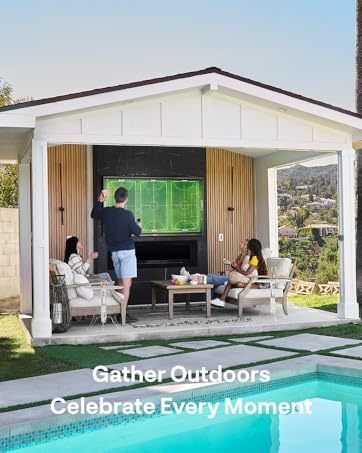
Image 6.2: Accessing the Google Play Store.
6.4 Wireless Connectivity and Screen Casting
- Wi-Fi: Connect to your home Wi-Fi network via the settings menu for internet access.
- Wireless Connection (Bluetooth 5.0): Pair Bluetooth devices like headphones or speakers through the TV's settings.
- Экранды чыгаруу: The TV supports screencasting from compatible phones and devices, allowing you to display content from your mobile device directly on the TV screen.
6.5 Таймер функциясы
The TV includes a timing function (15-60 minutes optional) which can be used as a cooking timer or for other purposes. Use the 'TIME MINUS' and 'TIME PLUS' buttons on the control panel or remote to set the desired duration.
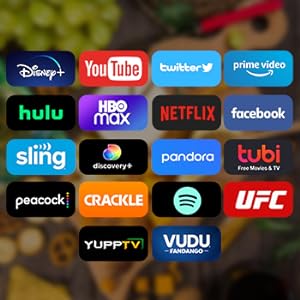
Image 6.3: Using the timing function.
7. Техникалык тейлөө
Proper maintenance ensures the longevity and performance of your TV.
- Экранды тазалоо: Экранды жумшак, түксүз чүпүрөк менен акырын сүртүңүз. өжөр белгилери үчүн, бир аз гampкездемени суу же экранга арналган тазалоочу эритме менен сүртүңүз (экранга түз чачпаңыз).
- Тышкы тазалоо: Телевизордун тырмактарын аарчуу үчүн жумшак, кургак чүпүрөктү колдонуңузasinг. Абразивдүү тазалагычтардан же эриткичтерден качыңыз.
- Вентиляция: Periodically check that the ventilation openings are free from dust and debris.
- Сактагыч: When not in use, fold the TV screen up into its storage position to protect it from dust and potential damage.

Image 7.1: TV folded for storage, freeing up space.
8. Кыйынчылыктарды
Телевизоруңузда көйгөйлөргө туш болсоңуз, төмөнкү жалпы көйгөйлөрдү жана аларды чечүү жолдорун караңыз:
| Көйгөй | Мүмкүн себеп | Чечим |
|---|---|---|
| Күч жок | Power cable disconnected; outlet malfunction; remote batteries dead. | Электр кабелинин туташуусун текшериңиз; розетканы башка түзмөк менен текшериңиз; пульттун батарейкаларын алмаштырыңыз. |
| Сүрөт жок, бирок Үн бар | Туура эмес киргизүү булагы тандалды; тышкы түзмөк маселеси. | Press 'Source' button to cycle through inputs; check external device connections. |
| Үн жок, бирок Сүрөт бар | Үндүн үнү өчүрүлгөн же өтө төмөн; тышкы аудио системасынын маселеси. | Үнүн чыгарыңыз же үнүн катуулатыңыз; тышкы түзмөктөргө аудио туташууларын текшериңиз. |
| Wi-Fi туташуу маселелери | Туура эмес сырсөз; роутер маселеси; Телевизор роутерден өтө алыс. | Re-enter Wi-Fi password; restart router; move TV closer to router or use Ethernet. |
| Пульт иштебейт | Өлгөн батареялар; пульт менен телевизордун ортосундагы тоскоолдук. | Replace batteries; remove obstructions; ensure remote is pointed at the TV's sensor. |
| Slow Performance / App Crashes | Too many apps running; low memory. | Close unused apps; restart the TV; clear cache for problematic apps in settings. |
Эгерде бул чечимдерди колдонуп көргөндөн кийин да көйгөй чечилбесе, SYLVOX кардарларды колдоо кызматына кайрылыңыз.
9. Техникалык шарттар
| Өзгөчөлүк | Деталь |
|---|---|
| Модель номери | KT16A0KHGA |
| Screen Size | 15.6 дюйм |
| Дисплей технологиясы | LED |
| Резолюция | 1080p (Full HD) |
| Жаңыртуу ылдамдыгы | 60Hz |
| Аспект катышы | 16:9 |
| Viewбурч (H/V) | 178° / 178° |
| Операция системасы | Google TV |
| Эстутум (RAM + Сактагыч) | 1.5G + 8G |
| Зымсыз байланыш | Wi-Fi (5G колдоосу), Bluetooth 5.0 |
| Video Inputs | ATV/DTV, Mini AV, HDMI (x2) |
| Network Input | RJ45 |
| Башка порттор | SPDIF OUT, Line (L/R) Out, RF, Earphone, USB (x2) |
| Power Input | AC 100-240V, DC12V, 9-32V |
| Продукциянын өлчөмдөрү (стендсиз) | 373.35 x 226.85 x 9.5 mm (0.4"D x 14.7"W x 8.9"H) |
| Элемент Салмагы | 7.7 фунт (3.5 кг) |
| Иштөө температурасы | -20°Cден 45°Cге чейин (-4°Fтен 113°Fге чейин) |
10. Кепилдик жана колдоо
SYLVOX is committed to providing quality products and customer satisfaction.
- Кепилдик: Your SYLVOX TV comes with a 12-month free defect protection.
- Кайтаруулар: Free returns are offered for quality issues. A 30-day hassle-free return policy is available, requiring original packaging.
- Кардарларды колдоо: For technical assistance, warranty claims, or any other inquiries, please refer to the contact information provided on your warranty card or visit the official SYLVOX webсайт.


