1. Киришүү
Thank you for choosing the iSinbox A30 Smart Projector. This manual provides essential information for setting up, operating, and maintaining your device. The iSinbox A30 offers a high-brightness 1000 ANSI lumen display, native 1080P resolution with 4K support, and advanced features like auto focus and auto keystone correction. Enjoy seamless streaming with built-in Wi-Fi 6 and versatile connectivity options including Bluetooth 5.3.
2. Кутуда эмне бар
Upon opening your iSinbox A30 Smart Projector package, please verify that all the following items are included:
- iSinbox A30 Smart Projector
- Алыстан башкаруу
- Электр кабели
- HDMI кабели
- AV Cable
- User Manual
- Жөнгө салынуучу Бут

2.1-сүрөт: The iSinbox A30 Smart Projector shown with its included accessories, including the remote control, various cables, and the user manual.
3. Баштапкы орнотуу
3.1 Кубат туташтыруу
- Электр кабелин проектордун кубат киргизүү портуна туташтырыңыз.
- Электр кабелинин экинчи учун стандарттуу электр розеткасына сайыңыз.
- Аппаратты күйгүзүү үчүн проектордун же пульттун кубат баскычын басыңыз.
3.2 Жайгаштыруу жана проекциялоо
Position the projector on a stable surface. The iSinbox A30 supports various projection methods:
- Алдыңкы проекция: Place the projector in front of the screen.
- Арткы проекция: Проекторду тунук экрандын артына коюңуз.
- Шыпка проекциясы: Mount the projector upside down on the ceiling.
- Үстөл үстүндөгү проекция: Place the projector on a table.

3.1-сүрөт: Illustration of different projection setups, including tabletop, stand, and ceiling mounting, demonstrating the projector's versatility.
3.3 Automatic Focus and Keystone Correction
The iSinbox A30 features automatic focus and keystone correction for a clear and rectangular image. After powering on or moving the projector, the system will automatically adjust the image. If manual adjustment is needed, navigate to the 'Focus' or 'Keystone' settings in the menu.

3.2-сүрөт: Visual representation of the auto-focus and auto-keystone correction features, ensuring a sharp and perfectly shaped image without manual intervention.
4. Иштөө нускамалары
4.1 Тармакка туташуу (Wi-Fi)
To access online streaming services and browser functions, connect your projector to a Wi-Fi network:
- Башкы экрандан төмөнкүгө өтүңүз: Орнотуулар.
- Тандоо Байланыш or Network.
- Тандоо Wi-Fi жана аны буруңуз On.
- Тизмеден каалаган Wi-Fi тармагын тандаңыз.
- Суралса, сырсөздү киргизип, ырастаңыз.
The iSinbox A30 supports Wi-Fi 6 for a stable and high-speed connection, ideal for streaming and gaming.

4.1-сүрөт: Depiction of the projector utilizing Wi-Fi 6 for seamless content delivery, highlighting its capability for smooth gaming and video playback.
4.2 Adjusting Focus and Keystone Manually
While the projector offers automatic adjustments, you can fine-tune the focus and keystone manually:
- Башкы экрандан төмөнкүгө өтүңүз: Орнотуулар.
- Тандоо Фокус to adjust image sharpness. Use the remote control's navigation buttons to achieve optimal clarity.
- Тандоо Keystone for image shape correction. Choose Four-Point Correction for precise adjustments to each corner of the projected image.
4.3 Using Streaming Applications and Browser
The iSinbox A30 comes with pre-installed streaming applications like Netflix, YouTube, and Prime Video. You can also use the built-in browser to access other online content.
- From the home screen, select the icon for the desired application (e.g., Netflix, YouTube).
- үчүн web browsing, select the Браузерди ачуу сөлөкөтү.
4.4 Аудио чыгаруу
The projector features a built-in 10W HiFi speaker with Dolby Audio and DTS-HD Master Audio support for an immersive sound experience. You can also connect external audio devices via Bluetooth 5.3.
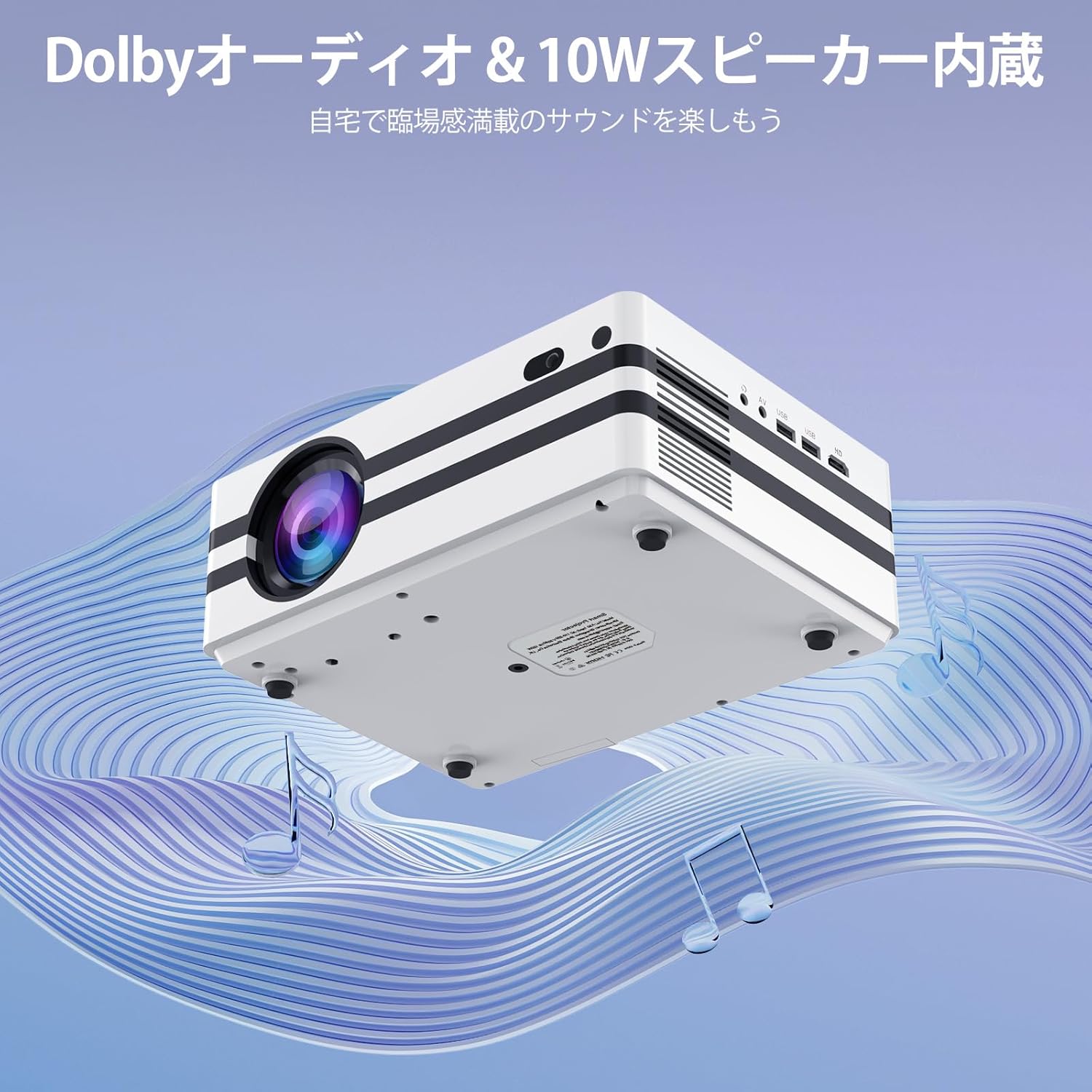
4.2-сүрөт: The projector's integrated 10W speaker system, featuring Dolby Audio, designed to deliver rich and clear sound directly from the device.
4.5 Тышкы түзмөктүн туташуусу
The iSinbox A30 offers multiple ports for connecting various external devices:
- HDMI: Connect laptops, gaming consoles (PS3, PS4), TV sticks, and other HDMI-enabled devices.
- USB (x2): Connect USB drives for media playback or external keyboards/mice.
- OF: Connect older devices using the provided AV cable.
- Bluetooth 5.3 (Bidirectional): Connect to Bluetooth speakers/headphones (BT-OUT) or use your smartphone/tablet as a source (BT-IN).

4.3-сүрөт: Бүттүview of the projector's various input and output ports, including HDMI, USB, and AV, illustrating how different devices can be connected.
5. Техникалык тейлөө
5.1 Чаң чыпкасын тазалоо
To ensure optimal performance and longevity of your projector, it is recommended to regularly clean the internal dust filter. A clean filter helps maintain proper airflow and prevents overheating.
- Locate the dust filter cover on the side or bottom of the projector.
- Этияттык менен капкакты алып салыңыз.
- Gently remove the dust filter.
- Use a soft, dry cloth or a small brush to remove any accumulated dust. Do not use water or liquid cleaners.
- Таза фильтрди кайра салып, капкакты бекем орнотуңуз.

5.1-сүрөт: Diagram illustrating the location and recommended method for cleaning the projector's internal dust filter to maintain performance.
6. Кыйынчылыктарды
This section addresses common issues you might encounter with your iSinbox A30 projector.
| Көйгөй | Мүмкүн себеп | Чечим |
|---|---|---|
| Күч жок | Электр кабели туташкан эмес; Электр розеткасынын маселеси. | Ensure power cable is securely connected to both projector and outlet. Test outlet with another device. |
| бүдөмүк сүрөт | Фокус туураланган эмес; Проектор экрандан өтө алыс/жакын. | Use auto-focus or manually adjust focus via settings. Adjust projection distance. |
| Бурмаланган сүрөт (трапеция) | Keystone not corrected; Projector not perpendicular to screen. | Use auto-keystone or manually adjust keystone via settings. Reposition projector. |
| Үн жок | Үнү өтө төмөн; Үнсүз; Тышкы аудио түзмөк туура туташкан эмес. | Increase volume. Check if muted. Ensure external speakers are connected and powered on. |
| Wi-Fi туташуусу жок | Incorrect password; Router issue; Out of range. | Verify Wi-Fi password. Restart router. Move projector closer to router. |
7. Техникалык шарттар
Key technical specifications for the iSinbox A30 Smart Projector:
| Өзгөчөлүк | Спецификация |
|---|---|
| Бренд | iSinbox |
| Модель аты | A30 |
| Жарыктык | 1000 ANSI челинин |
| Native Resolution | 1080P (Supports 4K) |
| Дисплей технологиясы | Мини LED |
| Screen Size | 300 дюймга чейин |
| Аспект катышы | 16:9 |
| Байланыш | Wi-Fi 6, Bluetooth 5.3 (Bidirectional), HDMI, USB (x2), AV |
| Өзгөчөлүктөр | Auto Focus, Auto Keystone Correction, Short Throw |
| Баяндамачы | 10W HiFi Built-in Speaker, Dolby Audio & DTS-HD Master Audio compatible |
| Операция системасы | Android |
| Колдоого алынган агым кызматтары | Amazon Prime Video, YouTube, Netflix |
| Продукт Салмагы | 2.52 кг |
| Өлчөмдөрү (пакет) | 29.6 x 26.1 x 17.4 см |
8. Кепилдик жана колдоо
The iSinbox A30 Smart Projector comes with a standard manufacturer's warranty. For detailed warranty information, including coverage period and terms, please refer to the warranty card included in your product packaging or visit the official iSinbox webсайт.
If you encounter any issues or require technical assistance, please contact iSinbox customer support through the contact information provided on the official website or your purchase platform. Please have your product model (A30) and purchase details ready when contacting support.


