Introduction
This manual provides essential information for the safe and efficient use of your YEELIGHT W4 Smart Bulb. Please read these instructions carefully before installation and operation. Keep this manual for future reference.
The YEELIGHT W4 Smart Bulb is an E27 base LED bulb featuring dimmable functionality, color changing capabilities, and connectivity via Wi-Fi and Bluetooth for smart control.
Коопсуздук маалыматы
- Лампаны орнотуудан же алып салуудан мурун электр энергиясы өчүрүлгөнүн текшериңиз.
- Do not use with standard dimmers. This bulb is designed for smart dimming via the app or compatible smart home systems.
- Кургак жерлерге гана ылайыктуу. Сууга же нымдуулукка тийгизбеңиз.
- Do not disassemble the bulb. This will void the warranty.
- Белгиленген көлөмдүн чегинде иштеңизtage диапазону (230 Вольт).
Пакеттин мазмуну
Пакетиңизде бардык буюмдар бар экенин текшериңиз:
- YEELIGHT W4 Smart Bulb (4 units)
- Колдонуучунун Колдонмосу (бул документ)
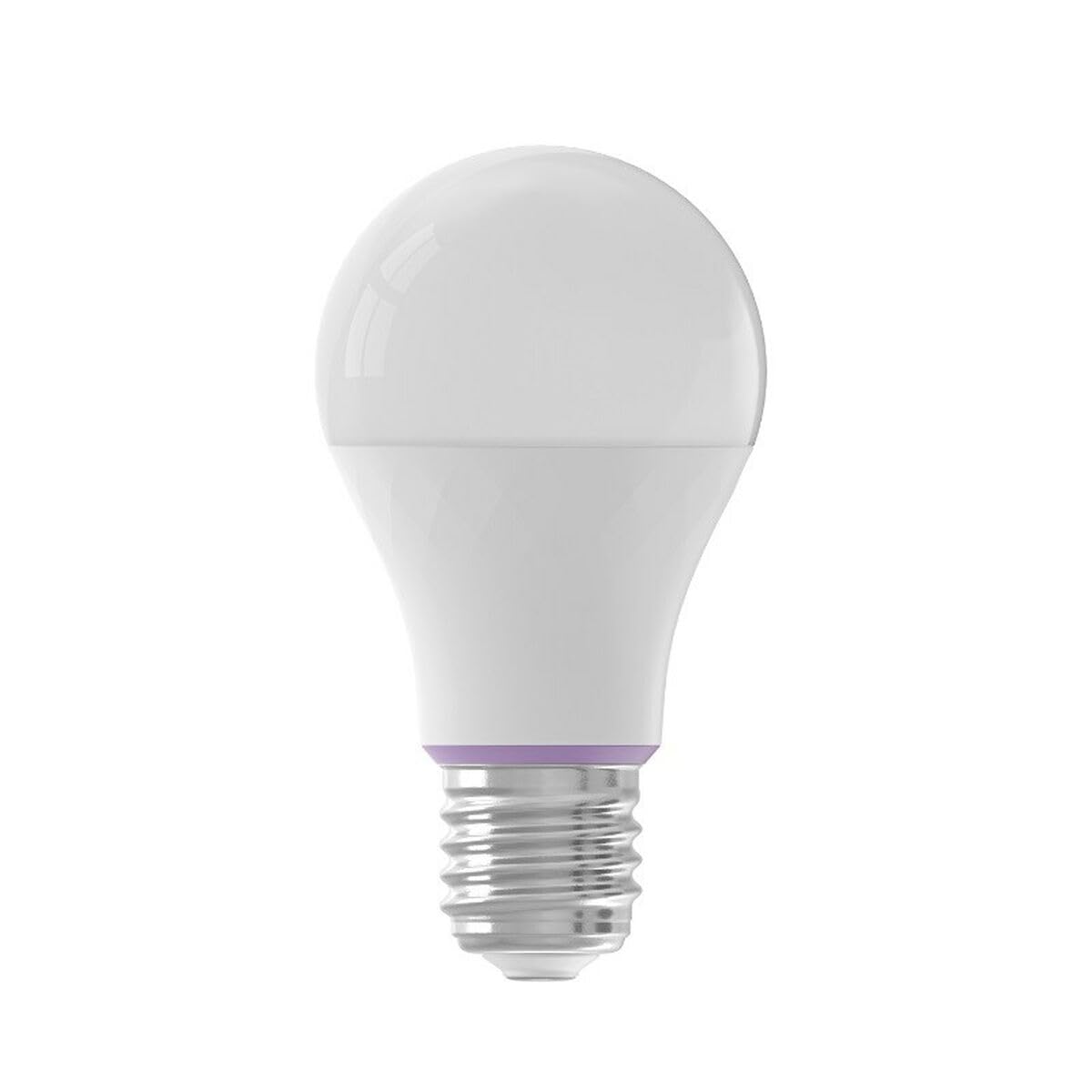
Image: YEELIGHT W4 Smart Bulb. This image displays the smart bulb, typically with an E27 screw base and a frosted or clear dome, indicating its design and form factor.
Техникалык шарттар
| Өзгөчөлүк | Спецификация |
|---|---|
| Модель номери | YLQPD-0012 (S9144407) |
| Негизги түрү | E27 |
| Байланыш | Wi-Fi, Bluetooth |
| Күч | 9 Ватт |
| Кызытма эквиваленти | 60 Ватт |
| Тtage | 230 вольт |
| Түс температурасы | 6500 Kelvin (White) |
| Өзгөчөлүктөр | Dimmable, түс өзгөртүү |
| Өлчөмдөрү (L x W x Y) | 14.92 x 9.94 x 10.04 см |
| Салмагы | 620 грамм |
Жайгашуу
1. Аппараттык камсыздоону орнотуу
- Өчүрүү: Жарык берүүчү жабдууну орнотуудан мурун, кубат которгучу ӨЧҮРҮҮ абалында экенин текшериңиз.
- Лампаны орнотуу: Screw the YEELIGHT W4 Smart Bulb into a standard E27 light socket. Do not overtighten.
- Күйгүзүү: Turn the power switch to the ON position. The bulb should light up, indicating it is ready for pairing.
2. Колдонмону жүктөп алуу жана жупташтыруу
- Колдонмону жүктөп алуу: Расмий жүктөп алыңыз Yeelight колдонмосу App Store'дон (iOS) же Google Play Store'дон (Android).
- Эсеп түзүү: Open the Yeelight App and create a new account or log in to an existing one.
- Түзмөк кошуу: Tap the "+" icon in the app to add a new device. Select the YEELIGHT W4 Smart Bulb from the list of available devices.
- Wi-Fi'га туташуу: Follow the on-screen instructions to connect the bulb to your 2.4GHz Wi-Fi network. Ensure your phone is connected to the same 2.4GHz network during the pairing process.
- Bluetooth жупташтыруу (кошумча): The bulb also supports Bluetooth for local control. If Wi-Fi is unavailable or unstable, the app may prompt for Bluetooth pairing.
- Лампанын атын өзгөртүү: Туташтырылгандан кийин, аны оңой аныктоо үчүн лампочканын атын өзгөртө аласыз (мисалы, "Конок бөлмөсү L"amp").
Иштеп жатат
Негизги көзөмөл
- Күйгүзүү/өчүрүү: Use the Yeelight App to turn the bulb on or off. You can also use the physical light switch, but this will cut power to the smart features.
- алсыздатуу: Adjust the brightness level from 1% to 100% using the slider in the Yeelight App.
- Түс өзгөртүү: Select from a wide spectrum of colors or choose from preset scenes within the app.
Advanced Features
- Пландаштыруу: Белгилүү убакта күйгүзүү/өчүрүү же орнотууларды өзгөртүү үчүн лампочканын графиктерин коюңуз.
- Сахналар: Ар кандай маанай же иш-чаралар үчүн ыңгайлаштырылган жарык көрүнүштөрүн түзүңүз.
- Топтук көзөмөл: Group multiple YEELIGHT W4 bulbs together to control them simultaneously.
- Үн менен башкаруу: Integrate with compatible smart home assistants (e.g., Google Assistant, Amazon Alexa) for voice commands. Refer to your smart assistant's setup guide for integration instructions.
- Алыстан башкаруу: Control your bulbs from anywhere with an internet connection via the Yeelight App.
Техникалык тейлөө
- Тазалоо: Тазалоодон мурун лампочка өчүрүлүп, муздаганын текшериңиз. Жумшак, кургак чүпүрөк менен сүртүңүз. Суюк тазалоочу каражаттарды же абразивдүү материалдарды колдонбоңуз.
- Сактагыч: Эгерде лампочканы узак убакытка сактасаңыз, аны күн тийбеген, салкын, кургак жерде сактаңыз.
- Программалык камсыздоонун жаңыртуулары: Periodically check the Yeelight App for firmware updates to ensure optimal performance and access to new features.
Проблемаларды чечүү
- Лампочка күйбөй жатат:
- Check if the light fixture has power.
- Ensure the bulb is screwed in correctly and securely.
- Test the bulb in another working fixture.
- Bulb not connecting to Wi-Fi:
- Ensure your Wi-Fi network is 2.4GHz. The bulb does not support 5GHz networks.
- Wi-Fi сырсөзүңүздү текшериңиз.
- Орнотуу учурунда лампаны Wi-Fi роутериңизге жакындатыңыз.
- Reset the bulb by turning it off and on five times consecutively (1-2 second intervals). The bulb will flash, indicating it's in pairing mode.
- Роутериңизди өчүрүп күйгүзүңүз.
- App cannot find the bulb:
- Телефонуңузда Bluetooth иштетилгенин текшериңиз.
- Confirm the bulb is powered on and in pairing mode (if recently reset).
- Update the Yeelight App to the latest version.
- Dimming or color changing issues:
- Ensure the bulb is connected to the app and has a stable Wi-Fi connection.
- Avoid using external dimmers, as they can interfere with the bulb's smart dimming capabilities.
- Perform a bulb reset and re-pair if issues persist.
Кепилдик
YEELIGHT products are covered by a limited warranty. For detailed warranty terms and conditions, please refer to the official YEELIGHT website or contact customer support. Keep your purchase receipt as proof of purchase for warranty claims.
Колдоо
For further assistance, technical support, or to report issues, please visit the official YEELIGHT support website or contact their customer service team. Contact information can typically be found on the YEELIGHT website or within the Yeelight App.
Webсайт: www.yeelight.com