1. Киришүү
This user manual provides essential information for the safe and efficient operation of your Anern 4200W Hybrid Solar Inverter. This all-in-one pure sine wave inverter integrates solar energy storage and charging, capable of producing stable AC sine waves. It features a 120A MPPT solar charge controller with optimized MPPT technology for up to 98% efficiency. Please read this manual thoroughly before installation and use.

Figure 1: Anern 4.2KW Hybrid Solar Inverter, showing the main unit and included Wi-Fi module.
2. Негизги өзгөчөлүктөрү
- Баары бир дизайн: Integrates solar energy storage, charging, and AC output functions.
- High-Efficiency MPPT Controller: Features a 120A MPPT solar charge controller with up to 98% efficiency.
- Таза синус толкунунун чыгышы: Provides stable and high-quality AC power suitable for various household and office loads, including sensitive electronics.
- Алыстан байкоо: Equipped with an LCD screen and 4 LED indicators for dynamic system data display. Supports Wi-Fi/GPRS remote monitoring (Wi-Fi module included).
- Бир нече заряддоо режимдери: Offers 4 optional charging modes: Solar, Solar & Utility, Solar First.
- Ийкемдүү чыгаруу режимдери: Provides 3 output modes: Solar First, Utility First, SBU mode.
- Акылдуу батарея заряддагыч: Designed with an intelligent battery charger to optimize battery performance and extend battery life.
- Комплекстүү коргоо: Includes protection against overcharge, overheating, short circuits, overcurrent, low voltage, жана ашыкча жүктөө.
- Кеңири шайкештик: Compatible with various battery types and generator power.

Figure 2: Illustration of the inverter's multiple protection features, including overcurrent, low voltage, short circuit, overheating, and overload protection.
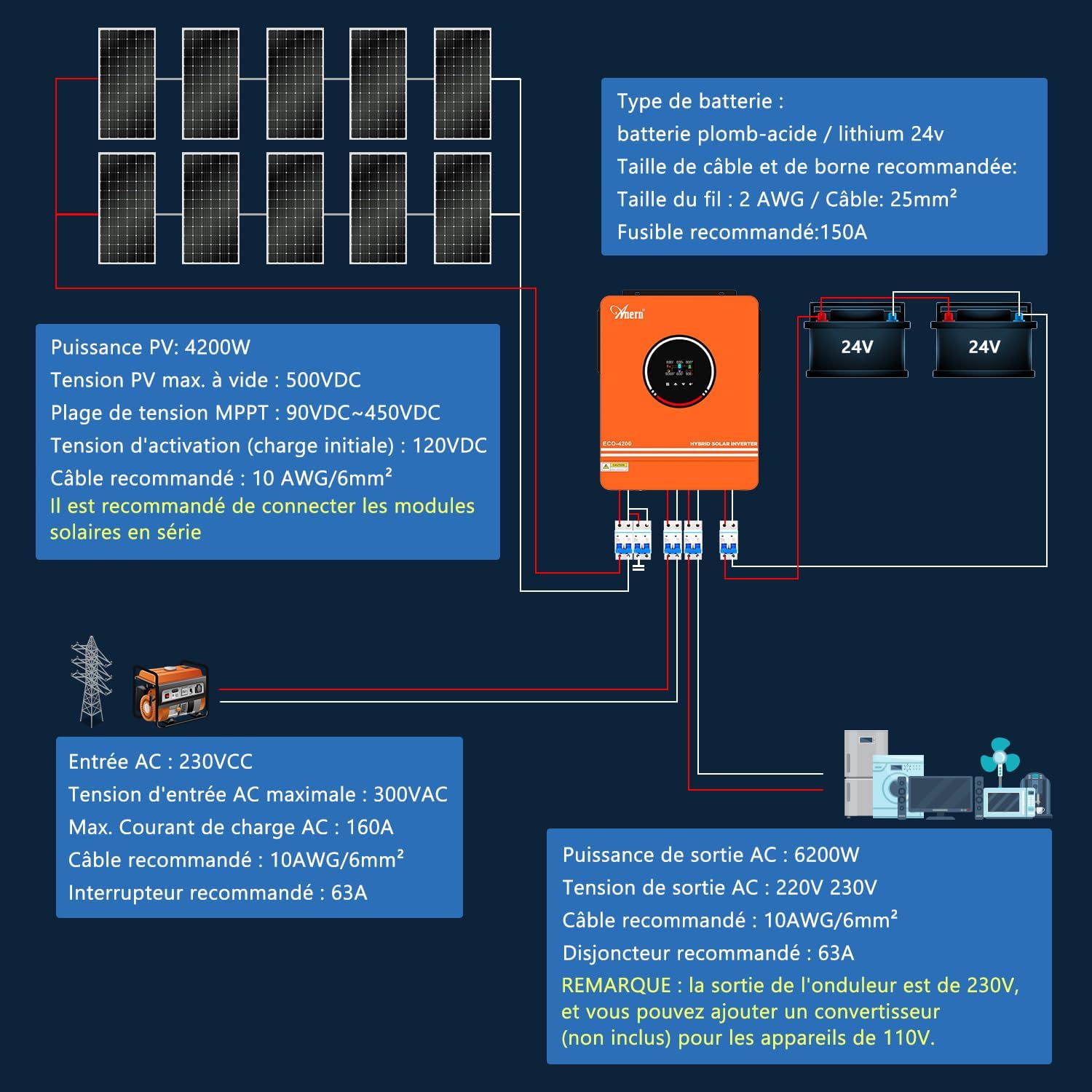
Figure 3: The inverter supports Wi-Fi monitoring, allowing system operation to be controlled and viewed via a mobile phone (iOS/Android).

Figure 4: The inverter supports various battery types including GEL, AGM, FLD, and Lithium. Note: The inverter can be used without batteries. If using a lithium battery, ensure it is configured as "User-defined" in program 05. It can only connect to a BMS PACE, not BMS from other manufacturers. The inverter cannot communicate with other battery brands.

Figure 5: The inverter offers three charge modes (Solar Priority, Solar + Utility, Solar-Battery) and two output modes (Solar First, Utility First) to meet diverse user application requirements.
3. Орнотуу жана орнотуу
3.1 Коопсуздук чаралары
- Ensure all connections are secure and correct before powering on the unit.
- Орнотуу квалификациялуу кызматкерлер тарабынан аткарылышы керек.
- Инверторду жамгырдын, кардын, чачыраткычтын же башка суюктуктардын таасирине дуушар кылбаңыз.
- Ашыкча ысып кетүүнүн алдын алуу үчүн инвертордун айланасында жетиштүү желдетүүнү камсыз кылыңыз.
- Always disconnect all power sources (PV, battery, AC) before performing any maintenance or wiring.
3.2 Продукт бүттүview жана Байланыштар
Инвертордун компоненттери жана туташтыруу чекиттери менен таанышып алыңыз.

6-сүрөт: Продукциянын үстүнөнview showing the front and rear panels with labeled components:
- LCD дисплей
- Статус дисплей
- Жүк көрсөткүчү
- Ката көрсөткүчү
- Функция баскычтары
- Күйгүзүү/өчүрүү
- AC киргизүү
- Негизги чыгаруу
- Экинчи чыгаруу
- Батарея киргизүү
- PV киргизүү
- Чаңга каршы комплект
- RS-232 communication Connection / Wi-Fi connection
3.3 Электр өткөргүч схемасы
The following diagrams illustrate the recommended wiring for the inverter with solar panels, batteries, and AC loads.
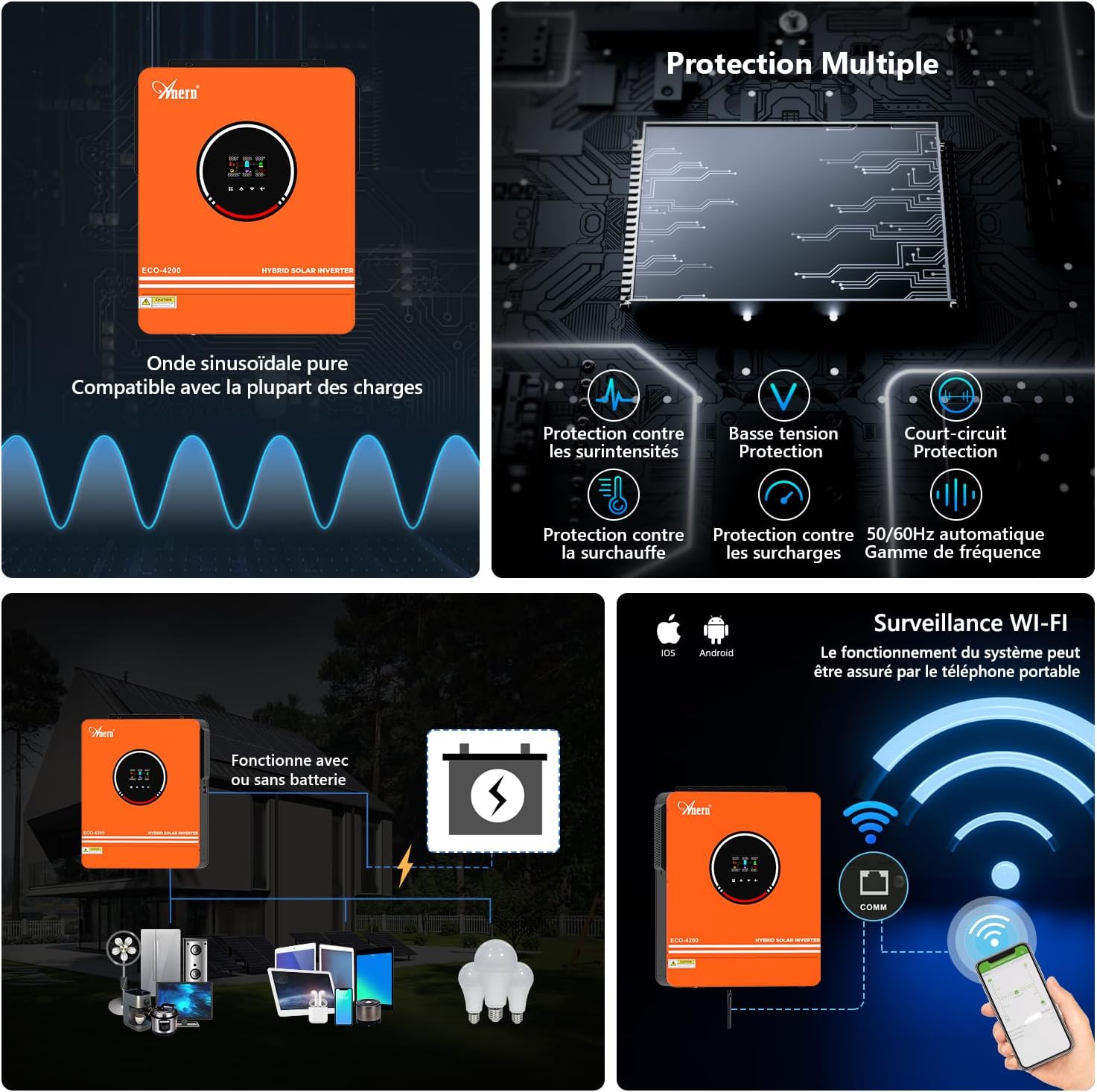
Figure 7: Detailed connection diagram for the hybrid solar inverter. This diagram shows connections for solar panels (PV input), battery bank (24V), AC input (230V), and AC output (230V) to household appliances. Recommended cable sizes and fuse ratings are indicated.
- Батарея түрү: Lead-acid / Lithium 24V
- Recommended Cable & Terminal Size: 2 AWG / Cable: 25mm²
- Сунушталган Флайзер: 150A
- PV кубаттуулугу: 4200 Вт
- Max PV Open Circuit Voltage: 500VDC
- MPPT Voltage диапазону: 90VDC~450VDC
- Start-up Voltage (Initial Charging): 120VDC
- Recommended PV Cable: 10 AWG / 6mm² (It is recommended to connect solar modules in series.)
- AC киргизүү: 230V AC
- Макс AC Киргизүү Voltage: 300V AC
- Max AC Charging Current: 160A
- Recommended AC Input Cable: 10 AWG / 6mm²
- Recommended AC Input Breaker: 63A
- AC чыгаруу күчү: 4200 Вт
- AC Output Voltage: 220V / 230V
- Recommended AC Output Cable: 10 AWG / 6mm²
- Recommended AC Output Breaker: 63A
- ЭСКЕРТҮҮ: The output of the inverter is 230V. You can add a converter (not included) for 110V devices.

Figure 8: System diagram illustrating the integration of the Anern AN-SCI-ECO-4200 hybrid inverter with solar panels, external battery packs, utility grid/generator, and various home appliances. The diagram also shows the Wi-Fi monitoring capability via the PVguarder APP or Web интерфейс.
4. Иштөө нускамалары
4.1 Күйгүзүү/өчүрүү
- To power on, ensure all connections are correct, then switch on the AC input breaker (if connected), followed by the battery breaker, and finally the inverter's ON/OFF switch.
- To power off, reverse the sequence: turn off the inverter's ON/OFF switch, then the battery breaker, and finally the AC input breaker.
4.2 LCD дисплей жана функция баскычтары
The LCD display provides real-time operational data. Use the function keys (refer to Figure 6, item 5) to navigate through menus and adjust settings.
- LCD дисплей: Shows system parameters such as input voltage, чыгаруу көлөмүtage, battery status, load percentage, жана ката коддору.
- Абал көрсөткүчтөрү (LED): Provide quick visual cues for operational status.
- Функция баскычтары: Used for menu navigation, setting adjustments, and confirming selections.
4.3 Operating Modes Configuration
The inverter supports various charging and output modes, configurable via the LCD display settings.
- Заряддоо режимдери:
- Күн энергиясынын артыкчылыгы: Solar power is prioritized for charging batteries and powering loads.
- Күн энергиясы + Коммуналдык кызматтар: Күн жана коммуналдык энергия жүктөрдү заряддоо жана кубаттоо үчүн колдонулат.
- Solar-Battery: Solar power charges the battery, and the battery powers the loads.
- Чыгуу режимдери:
- Күн биринчи: Solar power is prioritized for loads.
- Биринчи кезекте пайдалуу кызматтар: Utility power is prioritized for loads.
- SBU режими (Күн батареясы менен иштөө): Solar power is prioritized, then battery, then utility.
4.4 Wi-Fi мониторингин орнотуу
The included Wi-Fi module allows for remote monitoring and control. Refer to the separate Wi-Fi module manual for detailed setup instructions, including connecting to the PVguarder APP or Web интерфейс.
5. Техникалык тейлөө
- үзгүлтүксүз тазалоо: Keep the inverter clean and free from dust. Use a dry cloth to wipe the exterior. Ensure ventilation openings are not blocked.
- Байланыш текшерүү: Мезгил-мезгили менен бардык электр туташууларын бекемдигин жана коррозия белгилерин текшерип туруңуз.
- Батареянын ден соолугу: Монитор батареянын көлөмүtage and performance regularly. Follow battery manufacturer's guidelines for maintenance.
- Экологиялык шарттар: Инвертордун белгиленген температура жана нымдуулук диапазондорунда иштеп жатканын текшериңиз.
6. Кыйынчылыктарды
Бул бөлүмдө кеңири таралган көйгөйлөрдүн чечимдери берилген. Бул жерде көрсөтүлбөгөн көйгөйлөр боюнча кардарларды колдоо кызматына кайрылыңыз.
| Көйгөй | Мүмкүн себеп | Чечим |
|---|---|---|
| Инвертор күйбөй жатат. | Батарея байланышы жок, батареянын көлөмү азtage, AC input not connected, or ON/OFF switch off. | Батарея байланыштарын жана тtage. Ensure AC input is connected and breakers are on. Turn on the inverter's ON/OFF switch. |
| AC кубаттуулугу жок. | Overload, short circuit, low battery, or incorrect output mode setting. | Reduce load. Check for short circuits in wiring. Recharge battery. Verify output mode settings on LCD. |
| PV charging not working. | Insufficient solar input, PV connection error, or MPPT controller fault. | Check solar panel connections and ensure adequate sunlight. Verify PV input voltage LCD боюнча. |
| Inverter making unusual noise. | Normal fan operation under load, or potential internal fault. | Some fan noise is normal. If noise is excessive or unusual, power off the unit and contact support. |
7. Техникалык шарттар
| Параметр | Нарк |
|---|---|
| Бренд | Анерн |
| Модель аты | AN-SCI-ECO-4200W with WIFI |
| Түс | Ачык күрөң |
| Күч | 4.2 кВт |
| Батарея сыйымдуулугу | 120 Amp-hours (Charge Controller) |
| Power Source | Күн жана батарея менен иштейт |
| Сунушталган Колдонуулар | Үй |
| Камтылган компоненттер | Wi-Fi модулу |
| Продукциянын өлчөмдөрү (L x W x Y) | 52L x 45W x 21.5H см (болжол менен 20.5L x 17.7W x 8.5H дюйм) |
| Жалпы электр розеткалары | 1 |
| Max PV Open Circuit Voltage | 450VDC |
| Максималдуу PV кубаттуулугу | 6200 Вт |
| Max PV No-Load Voltage | 500VDC |
| Max PV Charging Current | 120A |
| Номиналдуу чыгаруу ток | 44.3A |
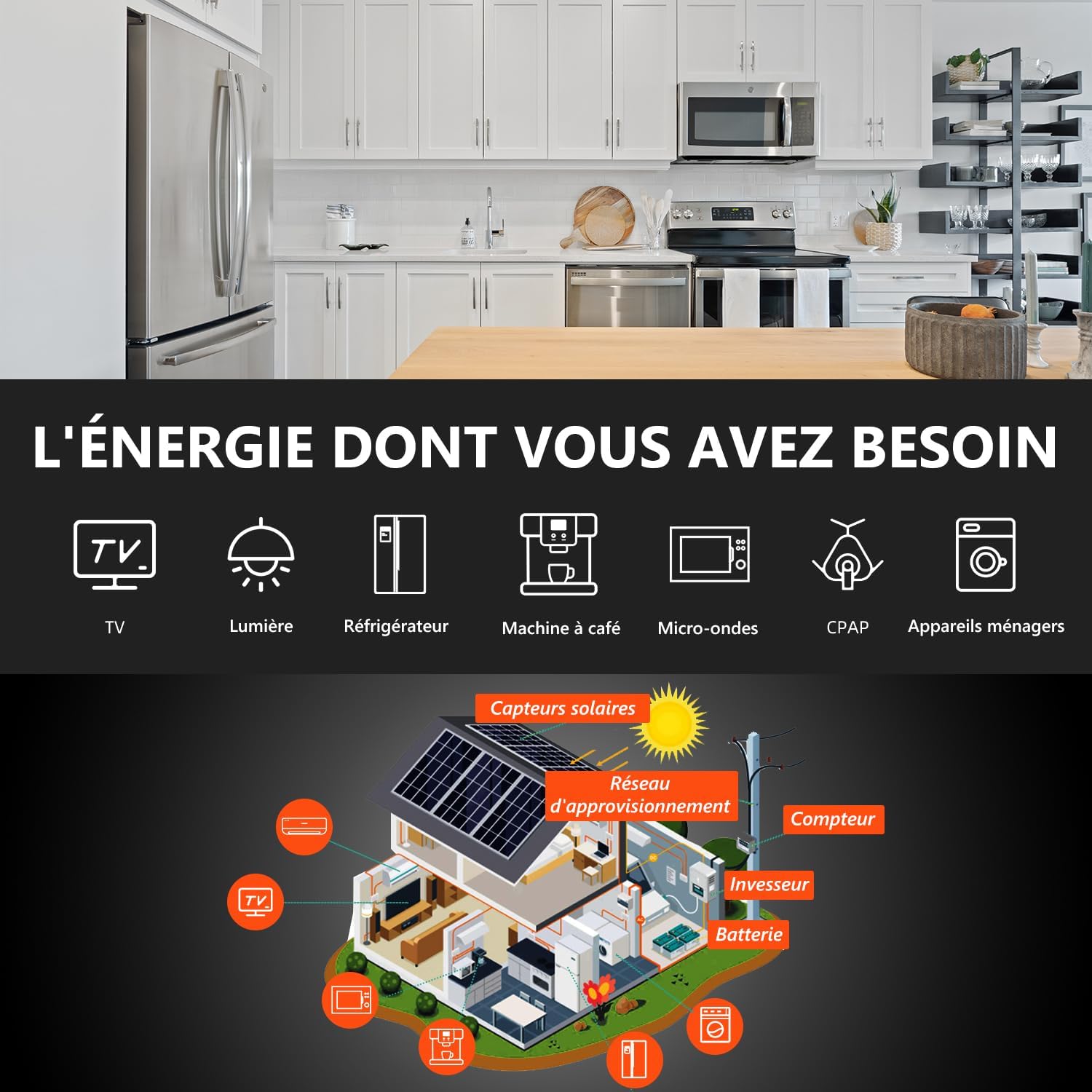
Figure 9: Product dimensions, showing height (420mm / 16.5"), width (350mm / 13.77"), and depth (110mm / 4.33").
8. Кепилдик жана колдоо
Бул продукт менен келет Өндүрүүчүнүн кемчиликтерине каршы 1 жылдык кепилдик. For any issues, technical support, or warranty claims, please contact the seller directly. Ensure you have your purchase details and product model number ready when contacting support.
Кошумча жардам алуу үчүн, сиз да барсаңыз болот Amazon'догу Anern дүкөнү.


