Fachixy FC300 Wireless Gaming Headset User Manual
Модели: FC-300
Introduction
Thank you for choosing the Fachixy FC300 Wireless Gaming Headset. This manual provides detailed instructions for setting up, operating, and maintaining your headset to ensure optimal performance and longevity. The FC300 offers a seamless gaming experience with its 2.4GHz lossless wireless and Bluetooth connectivity, long-lasting battery, and immersive audio.
Коопсуздук маалыматы
- Гарнитураны өтө жогорку температурага, нымдуулукка же суюктуктарга дуушар кылбаңыз.
- Гарнитураны түшүрүүдөн же катуу таасирлерге дуушар кылуудан качыңыз.
- Гарнитураны ажыратууга же өзгөртүүгө аракет кылбаңыз. Бул кепилдикти жокко чыгарат.
- Угуу жөндөмүнө зыян келтирбөө үчүн орточо үн деңгээлинде угуңуз.
- Балдар жетпеген жерде сактаңыз.
Пакеттин мазмуну
Сураныч, пакетте төмөнкү нерселерди текшериңиз:
- Fachixy FC300 Wireless Gaming Headset
- 2.4 ГГц USB Dongle
- USB-C заряддоо кабели
- Колдонуучунун Колдонмосу (бул документ)

Image: The Fachixy FC300 Wireless Gaming Headset in white and purple, shown with its accompanying USB dongle.
Продукт бүттүview
Familiarize yourself with the various components and controls of your FC300 headset.

Image: A detailed diagram highlighting the control buttons on the left earcup of the Fachixy FC300 headset, including power, volume, mic, and RGB controls.
- Күйгүзүү/Көп функциялуу баскыч: Turn on/off, play/pause, answer/reject calls.
- Үнүн азайтуу/Мурунку трек: Decrease volume, skip to previous track.
- Үндү жогорулатуу/Кийинки трек: Үн көлөмүн жогорулатып, кийинки трекке өтүңүз.
- Microphone Mute/Bluetooth Pairing: Mute/unmute microphone, initiate Bluetooth pairing.
- RGB жарык башкаруу: Turn RGB lights on/off.
Жайгашуу
1. Гарнитураны заряддоо
Before first use, fully charge the headset. Connect the USB-C charging cable to the headset's charging port and the other end to a USB power source (e.g., computer USB port, wall adapter). The LED indicator will show charging status.
- Батареянын кубаттуулугу: 1200mAh
- Толук кубаттоо убактысы: Болжол менен 2.5 саат
- Playtime: Up to 50 hours (without RGB), 40 hours (with RGB)

Image: Visual representation of the headset's 1200mAh battery capacity and up to 50 hours of playtime on a 2.5-hour charge.
2. Connecting via 2.4GHz Wireless (for PC, PS5, PS4, Switch, Mac, Laptops)
- Insert the 2.4GHz USB dongle into an available USB port on your device.
- Power on the headset by long-pressing the Power button (1) for 3 seconds.
- The headset will automatically connect to the dongle. A stable connection is indicated by the LED light on the headset.
- Гарнитура системаңыздын жөндөөлөрүндө аудио чыгаруу/киргизүү түзмөгү катары тандалганын текшериңиз.

Image: A user wearing the headset connected wirelessly to a gaming PC via the 2.4GHz USB dongle, illustrating low-latency connectivity.
3. Connecting via Bluetooth (for Mobile Phones, Tablets, iPad)
Note: Bluetooth mode is not compatible with PS4 or PS5.
- Гарнитура күйгүзүлгөнүн текшериңиз.
- Long-press the Microphone Mute/Bluetooth Pairing button (4) for 3 seconds to enter Bluetooth pairing mode. The LED indicator will flash rapidly.
- On your device, enable Bluetooth and search for "Fachixy FC300" in the list of available devices.
- Select "Fachixy FC300" to connect. The LED indicator will become solid once connected.
Иштөө нускамалары
Күйгүзүү/өчүрүү
- Күйгүзүү: Long-press the Power button (1) for 3 seconds.
- Өчүрүү: Long-press the Power button (1) for 3 seconds.
Үндү көзөмөлдөө
- Көлөмү: Single click the Volume Up button (3).
- Үнүн азайтуу: Single click the Volume Down button (2).
Микрофонду башкаруу
- Микрофондун үнүн басуу/ачуу: Single click the Microphone Mute button (4).
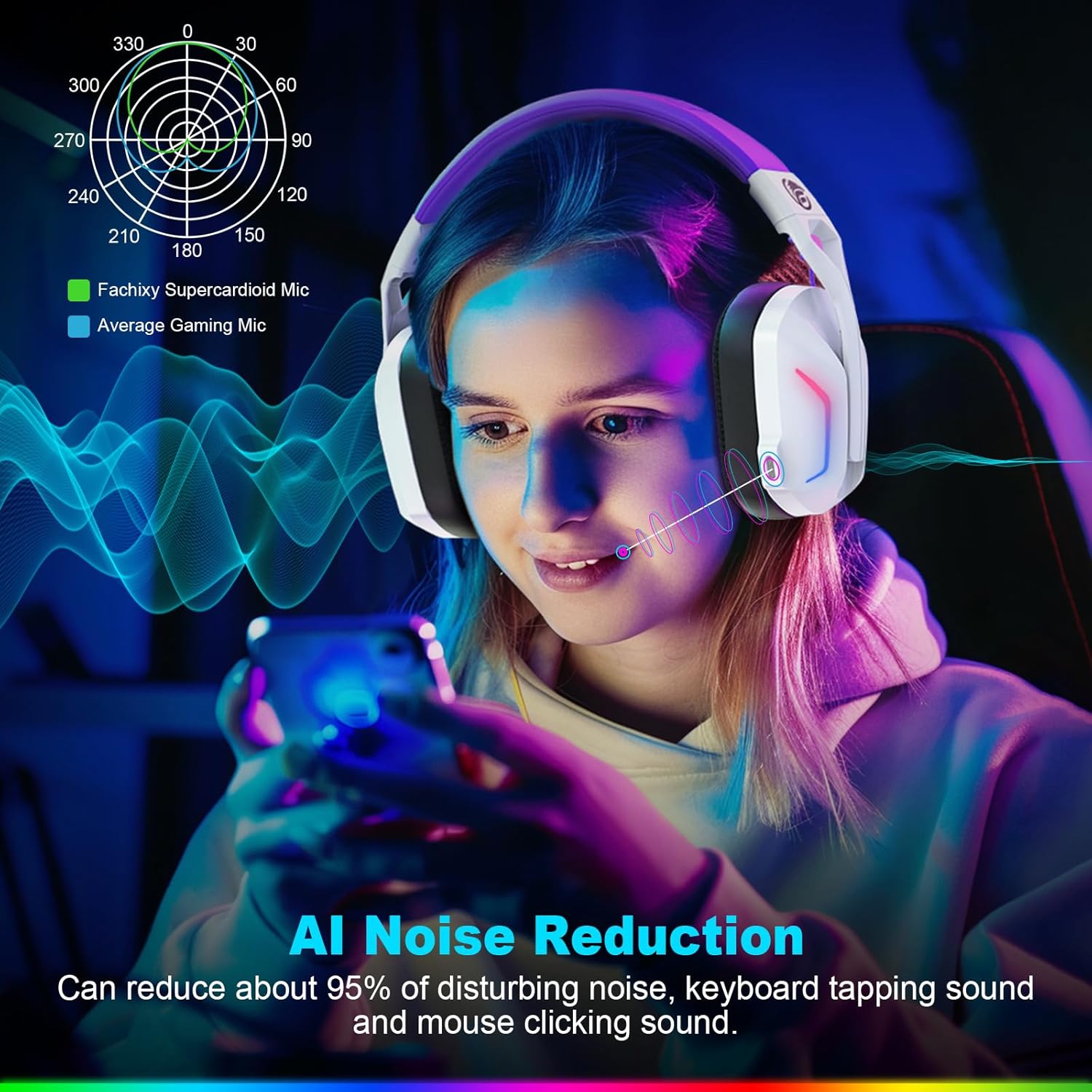
Image: A graphic illustrating the AI Noise Reduction capability of the Fachixy Supercardioid Mic, showing reduction of background noise like keyboard tapping and mouse clicking.
RGB жарык көзөмөлдөө
- RGB функциясын күйгүзүү/өчүрүү: Single click the RGB Light Control button (5).

Image: A person wearing the Fachixy FC300 headset, showcasing its vibrant RGB lighting effects on the earcups.
Call Management (in Bluetooth mode)
- Чалууга жооп берүү/түп коюу: Кубат баскычын (1) бир жолу басыңыз.
- Чакырууну четке кагуу: Long-press the Power button (1) for 2 seconds.
Music Playback Control (in Bluetooth mode)
- Ойнотуу/тындыруу: Кубат баскычын (1) бир жолу басыңыз.
- Кийинки трек: Long-press the Volume Up button (3) for 2 seconds.
- Мурунку трек: Long-press the Volume Down button (2) for 2 seconds.
- Traceback (Redial last number): Кубат баскычын (1) эки жолу басыңыз.

Сүрөт: жарылган view diagram illustrating the 50mm Neodymium magnet driver and Titanium Coat Diaphragm responsible for the headset's immersive 3D surround sound quality.
Техникалык тейлөө
- Тазалоо: Гарнитураны тазалоо үчүн жумшак, кургак чүпүрөктү колдонуңуз. Абразивдүү тазалагычтарды же эриткичтерди колдонбоңуз.
- Сактагыч: Гарнитураны күн нурунан жана экстремалдык температурадан алыс салкын, кургак жерде сактаңыз.
- Батареяга кам көрүү: Батареянын иштөө мөөнөтүн узартуу үчүн, батареяны тез-тез толук зарядсыздандырбаңыз. Аны көпкө чейин колдонбосоңуз да, үзгүлтүксүз заряддап туруңуз.

Image: A close-up of the headset's earcup and headband, highlighting features like soft protein earmuffs, memory foam, foldable structure, and adjustable slider for all-day comfort.
Проблемаларды чечүү
| Көйгөй | Мүмкүн себеп | Чечим |
|---|---|---|
| Гарнитура күйбөйт. | Батарея аз. | Гарнитураны толук заряддаңыз. |
| Үн жок же үн сапаты начар. | Incorrect audio output selected; headset not connected; volume too low. | Check system audio settings; ensure headset is properly connected (2.4GHz dongle or Bluetooth); increase volume. |
| Микрофон иштебей жатат. | Микрофондун үнү өчүрүлгөн; туура эмес киргизүү түзмөгү тандалды. | Unmute microphone (single click button 4); check system audio input settings. |
| 2.4 ГГц зымсыз байланыш аркылуу туташуу мүмкүн эмес. | Dongle not properly inserted; interference. | Ensure dongle is fully inserted; try a different USB port; move closer to the dongle. |
| Bluetooth аркылуу туташуу мүмкүн эмес. | Headset not in pairing mode; device Bluetooth off; incompatible device. | Long-press button 4 to enter pairing mode; enable Bluetooth on your device; note that Bluetooth is not compatible with PS4/PS5. |
| RGB чырактары иштебей жатат. | RGB lights turned off. | Single click button 5 to turn RGB lights on. |
Clear All Devices (Reset Pairing): Press Volume Up (3) and Volume Down (2) buttons together for 6 seconds while in Bluetooth mode. The headset will auto turn off after this operation.
Техникалык шарттар
| Өзгөчөлүк | Деталь |
|---|---|
| Бренд | Fachixy |
| Модель номери | FC-300 |
| Түс | Ак / Purple |
| Гарнитуранын түрү | Ашыкча кулак |
| Байланыш | 2.4 ГГц зымсыз, Bluetooth |
| Өзгөчөлүктөр | Fast Charge, RGB Lighting, AI Noise Reduction Mic |
| Батареянын курамы | Литий-ион |
| Батарея сыйымдуулугу | 1200 мАч |
| Заряддоо убактысы | Болжол менен 2.5 саат |
| Playtime (without RGB) | 50 саатка чейин |
| Playtime (with RGB) | 40 саатка чейин |
| Салмагы | Болжол менен 360г |
| Айдоочунун өлчөмү | 50мм неодим |
| Шайкештик | 2.4GHz: PS5, PC, PS4, Switch, Mac, Laptops. Bluetooth: Mobile phones, tablets, iPad. |
Кепилдик жана колдоо
Fachixy products are designed and manufactured to the highest quality standards. For warranty information or technical support, please refer to the contact details provided on the product packaging or the official Fachixy webсайт. Кепилдик дооматтары үчүн сатып алганыңыздын далилин сактап коюңуз.


