1. Киришүү
This manual provides essential information for setting up, operating, maintaining, and troubleshooting your Svikou 15.6'' 165Hz 2.5K FHD Laptop. Please read this manual thoroughly before using your device to ensure optimal performance and longevity.
The Svikou 15.6'' laptop is designed for high-performance computing, featuring an AMD Ryzen 7 5700U processor, a vibrant 165Hz 2.5K FHD display, 16GB of RAM, and a 512GB NVMe SSD. It comes pre-installed with Windows 11 Pro.

Image 1.1: The Svikou 15.6-inch laptop with a high-resolution display, showcasinанын визуалдык мүмкүнчүлүктөрү.
2. Баштоо (Орнотуу)
2.1. Пакеттин мазмуну
Улантуудан мурун, пакетте бардык элементтер бар экенин текшериңиз:
- Svikou 15.6'' Laptop x1
- Заряддоочу x1
- Зымсыз чычкан x1
- English Operation Manual x1 (this document)
- Кепилдик картасы x1
2.2. Баштапкы күйгүзүү
- Connect the charger to the laptop's DC charging port and a power outlet.
- Ноутбуктун капкагын ачыңыз.
- Баскычтопто жайгашкан кубат баскычын басыңыз.
- Follow the on-screen instructions to complete the Windows 11 Pro setup. This includes selecting your region, language, and setting up your user account.
3. Негизги функциялар жана иштөө
3.1. Дисплей
The laptop features a 15.6-inch 2.5K FHD (2560 x 1440) IPS display with a 165Hz refresh rate. This provides a clear, dynamic visual experience with a 90% screen share and 100% sRGB color gamut.
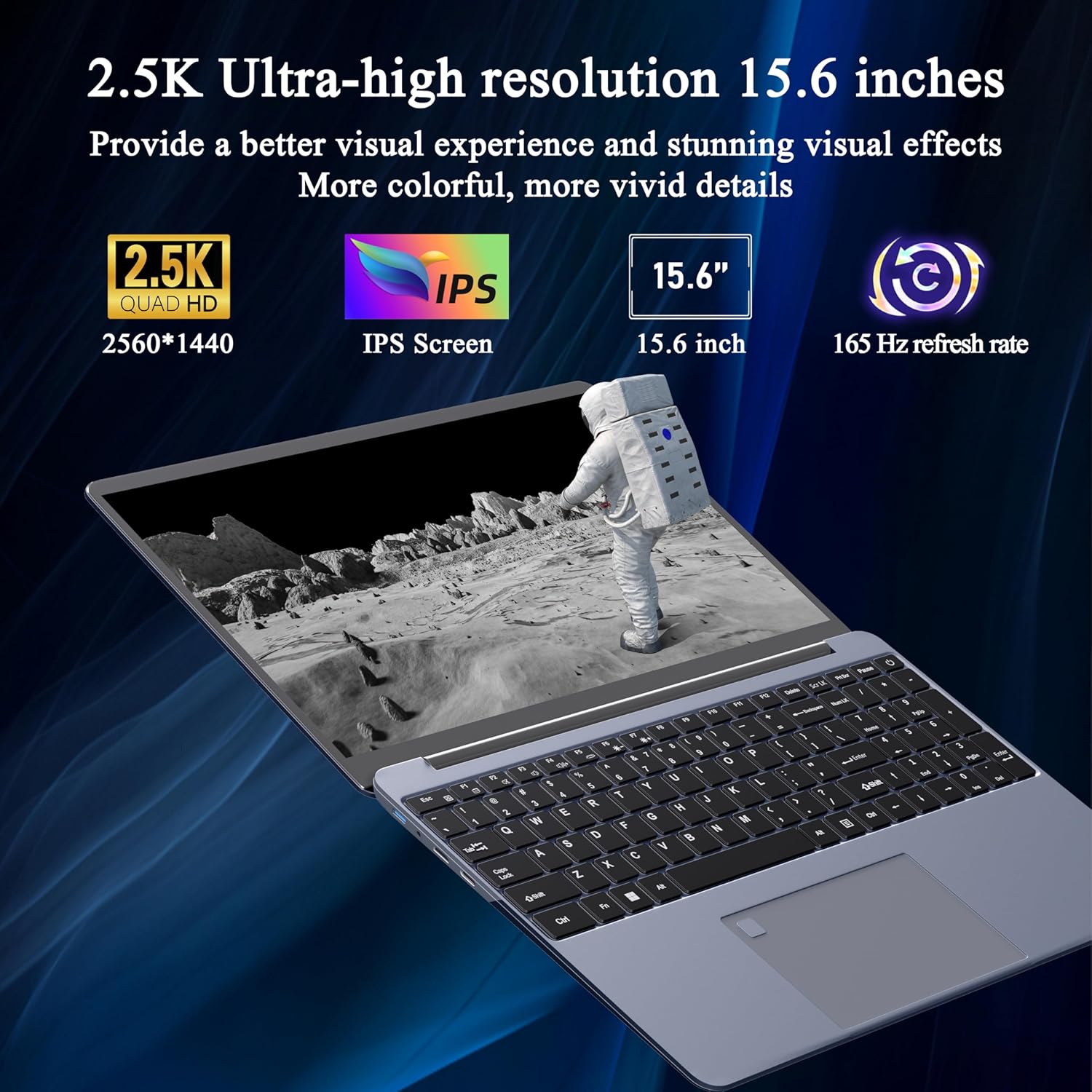
Image 3.1: Visual representation of the laptop's 2.5K Ultra-high resolution 15.6-inch display specifications.
3.2. Процессор
Equipped with an AMD Ryzen 7 5700U eight-core processor, the laptop offers a base frequency of 1.8GHz and can accelerate up to 4.3GHz. This processor is designed for high-performance computing and multitasking.

Сүрөт 3.2: Детальдуу view of the AMD Ryzen 7 5700U processor, highlighting its core specifications.
3.3. Эстутум жана сактоо
The laptop features 16GB of DDR4 RAM, enabling smooth multitasking across multiple applications. For storage, it includes a 512GB NVMe SSD, which provides fast startup times and efficient data access with minimal noise.

Image 3.3: The laptop demonstrating its capacity for handling multiple applications with 16GB RAM and 512GB SSD.
3.4. Байланыш жана порттор
The laptop offers versatile connectivity options:
- Зымсыз: 5G dual-band WiFi, Bluetooth 4.2
- Порттор: 2x USB 3.0, 1x Micro SD card slot, 1x Type-C, 1x Mini HDMI, 1x Headphone Jack, 1x DC charging port

Image 3.4: An illustration detailing the available ports on the Svikou laptop for external device connections.
3.5. Баскычтоп жана киргизүү
The laptop features a backlit keyboard for improved visibility in various lighting conditions. It also includes a fingerprint unlock sensor for enhanced security and convenient access.
- Арткы жарык клавиатура: To toggle the keyboard backlight, press Fn + F5.
- Манжа ачуу: Use the integrated fingerprint sensor for secure login.

Image 3.5: Close-up of the backlit keyboard and the fingerprint unlock feature.
3.6. Батарея
The laptop is equipped with a 5000mAh high-capacity battery, providing up to 5 hours of usage depending on the workload.

Image 3.6: The laptop's design emphasizing its durable battery life.
4. Техникалык тейлөө
To ensure the longevity and optimal performance of your Svikou laptop, follow these maintenance guidelines:
- Тазалоо: Экранды жана сыртты тазалоо үчүн жумшак, түксүз чүпүрөктү колдонуңуз. Катуу химиялык заттардан алыс болуңуз.
- Программалык камсыздоо жаңыртуулары: Коопсуздукту жана иштөөнү камсыз кылуу үчүн Windows операциялык тутумуңузду жана драйверлериңизди үзгүлтүксүз жаңыртып туруңуз.
- Батареяга кам көрүү: Батареяны бат-баттан толук кубаттап калуудан алыс болуңуз. Узак мөөнөттүү сактоо үчүн, батареяны болжол менен 50-70% га чейин заряддаңыз.
- Вентиляция: Ашыкча ысып кетүүнүн алдын алуу үчүн ноутбуктун желдеткичтери тоскоол болбогонун текшериңиз. Ноутбукту катуу, тегиз жерде колдонуңуз.
- Сактагыч: Ноутбукту күн нурунан жана экстремалдык температурадан алыс салкын, кургак жерде сактаңыз.
5. Кыйынчылыктарды
Бул бөлүмдө Svikou ноутбугуңуз менен кездешиши мүмкүн болгон жалпы көйгөйлөр каралат.
5.1. Баскычтоп жооп бербейт
- Restart the Laptop: Жөнөкөй кайра күйгүзүү көп учурда убактылуу программалык мүчүлүштүктөрдү чечет.
- Драйверлерди текшерүү: Ensure your keyboard drivers are up to date. Go to Device Manager, locate 'Keyboards', right-click your keyboard device, and select 'Update driver'.
- Система File Текшерүү: If issues persist after a Windows update, open Command Prompt as administrator and run
DISM /Online /Cleanup-Image /RestoreHealth. Allow it to complete, then restart your computer.
5.2. Ашыкча ысып кетүү
- Вентиляцияны текшерүү: Ensure the laptop's vents are clear of dust and obstructions. Use compressed air to clean them if necessary.
- Бети: Use the laptop on a hard, flat surface to allow for proper airflow. Avoid using it on soft surfaces like beds or couches.
- Колдонулбаган тиркемелерди жабуу: Reduce the workload on the CPU and GPU by closing unnecessary programs.
- Кубат орнотуулары: Adjust power settings to a 'Balanced' or 'Power saver' mode to reduce performance and heat generation.
5.3. Батарея бат эле түгөнөт
- Экран жарыктыгын тууралоо: Lowering screen brightness significantly reduces battery consumption.
- Фондук колдонмолорду жабуу: Many applications consume power even when not actively in use. Close them from Task Manager.
- Кубат режими: Switch to 'Battery Saver' mode in Windows settings.
- Колдонулбаган функцияларды өчүрүү: Turn off Wi-Fi, Bluetooth, or other peripherals when not needed.
6. Техникалык шарттар
| Өзгөчөлүк | Спецификация |
|---|---|
| Бренд | Svikou |
| Модель аты | 15АР757 |
| Screen Size | 15.6 дюйм |
| Display Resolution | 2560 x 1440 (2.5K FHD) |
| Жаңыртуу ылдамдыгы | 165Hz |
| Процессор | AMD Ryzen 7 5700U (8-core, 1.8 GHz base, up to 4.3 GHz) |
| RAM | 16 ГБ LPDDR4X |
| Сактагыч | 512 ГБ NVMe SSD |
| Операция системасы | Windows 11 Pro |
| Графикалык карта | Интеграцияланган AMD Radeon Graphics |
| Зымсыз түрү | 802.11ax (5G Dual-Band WiFi) |
| Bluetooth | Bluetooth 4.2 |
| USB 3.0 порттору | 2 |
| Башка порттор | Type-C, Mini HDMI, Micro SD Card Slot, Headphone Jack, DC Charging Port |
| Батарея | 5000mAh литий-ион |
| Элемент Салмагы | 6.07 фунт |
| Продукциянын өлчөмдөрү | 14 x 9 x 0.7 дюйм |
| Түс | Боз |
7. Кепилдик жана колдоо
Your Svikou laptop comes with a 12-month product quality assurance. If you encounter any discrepancies or issues, particularly regarding Windows 11 Pro certification, please contact our customer service team.
We offer 24-hour email support to assist you with any questions or concerns. Please refer to the warranty card included in your package for specific terms and conditions.
Колдоо кызматы менен байланышуу: For assistance, please refer to the contact information provided on your warranty card or the official Svikou webсайт.