1. Киришүү
The Inwa MZ633 is a compact yet powerful 2.0 channel Hi-Fi stereo amplifier designed to enhance your home audio experience. It features multiple input options including HDMI (ARC), Optical, Coaxial, USB, RCA, and Bluetooth 5.3, allowing connection to various audio sources. With 100W RMS per channel at 4 ohms, it delivers clear and high-quality sound to passive speakers. The amplifier also includes bass and treble controls, a digital LED display, and a remote control for convenient operation.
2. Пакеттин мазмуну
- Inwa MZ633 Stereo Ampкөтөргүч бирдиги
- Remote Controller
- Кубаттуу адаптер
- Bluetooth антеннасы
- User Manual
3. Продукт бүтүп калдыview
3.1 алдыңкы панели
The front panel features the digital display, bass and treble control knobs, and a multi-function volume/mode/on-off knob.

Сүрөт: Алдыңкы жана арткы панелдин үстүндөview. This image displays the front panel with its digital display, bass, treble, and volume/mode/on-off controls, and the rear panel with all input and output ports.
- Санариптик дисплей: Учурдагы киргизүү режимин жана үн деңгээлин көрсөтөт.
- Bass Control Knob: Төмөн жыштыктагы аудио чыгарууну тууралайт.
- Treble Control Knob: Жогорку жыштыктагы аудио чыгарууну тууралайт.
- Volume/Mode/On-Off Knob: Rotates to adjust volume. Short press to cycle through input modes. Long press to power on/off.
3.2 Арткы панель
The rear panel provides all connection ports for audio input, speaker output, and power.

Сүрөт: Деталдаштырылган view -ныкы amplifier's rear panel, highlighting the Bluetooth antenna port, HDMI (ARC), USB, Optical, Coaxial, RCA (Audio Input), DC IN, Speaker Output terminals, and Power Switch.
- BT антенна: Connect the included Bluetooth antenna for optimal wireless reception.
- HDMI (ARC) Input: Connect to a TV's HDMI ARC port for audio return channel functionality.
- USB киргизүү: Connect a USB drive for audio playback.
- Оптикалык киргизүү: Connect to devices with optical digital audio output.
- Коаксиалдуу киргизүү: Connect to devices with coaxial digital audio output.
- RCA (Аудио киргизүү): Connect to analog audio sources using RCA cables.
- DC IN: Кубат адаптерин туташтырыңыз.
- Speaker Output (L+/L-, R+/R-): Connect passive speakers using speaker wire.
- Кубат которгучу: Main power toggle for the ampөмүрлүү.
4. Орнотуу нускамалары
Follow these steps to set up your Inwa MZ633 ampөмүр берүүчү:
- Динамиктерди туташтыруу: Connect your passive speakers to the Speaker Output terminals on the rear panel. Ensure correct polarity (positive to positive, negative to negative).
- Connect Bluetooth Antenna: Screw the Bluetooth antenna into the "BT Ant" port on the rear panel.
- Аудио булагын туташтыруу: Choose your desired audio input method (HDMI ARC, USB, Optical, Coaxial, or RCA) and connect the corresponding cable from your audio source device to the ampкөтөргүчтүн арткы панели.

Сүрөт: Connection diagram illustrating how to connect various audio sources (TV, phone, tablet, PC, laptop, projector) via Bluetooth, HDMI (ARC), Optical, Coaxial, AUX (RCA), and USB to the amplifier, and then to dual-channel speakers.
- Туташуу кубаты: Connect the power adapter to the "DC IN" port on the rear panel, then plug the adapter into a power outlet.
- Күйгүзүү: Flip the main Power Switch on the rear panel to the "ON" position. The ampкөтөргүч күтүү режимине өтөт.
For a visual guide on connecting inputs and operating the amplifier, please refer to the video below:
Видео: This video demonstrates the physical connection of various audio inputs (HDMI ARC, USB, Optical, RCA) and speaker outputs to the Inwa MZ633 amplifier. It also shows how to power on the device, switch between different input modes (Bluetooth, USB, AUX, Optical, Coaxial, ARC) using the remote or front knob, and adjust volume. The video concludes by demonstrating how to enter standby mode and power off the ampөмүрлүү.
5. Иштөө нускамалары
5.1 Күйгүзүү/өчүрүү жана күтүү режими
- Күйгүзүү үчүн amplifier from standby, short press the Power button on the remote control or the Volume/Mode/On-Off knob on the front panel.
- To enter standby mode, short press the Power button on the remote control or the Volume/Mode/On-Off knob on the front panel while the unit is active.
- To completely power off the amplifier, flip the main Power Switch on the rear panel to the "OFF" position.
5.2 Киргизүү режимин тандоо
You can switch between input modes using the remote control or the front panel knob.
- Алыстан башкарууну колдонуу: Press the "Mode" button on the remote to cycle through available inputs (Bluetooth, USB, Optical, Coaxial, HDMI ARC, RCA).
- Using Front Panel Knob: Short press the Volume/Mode/On-Off knob to cycle through input modes.
5.3 Үндү башкаруу
- Алыстан башкарууну колдонуу: Үндү катуулатуу (+) жана үндү азайтуу (-) баскычтарын колдонуңуз.
- Using Front Panel Knob: Rotate the Volume/Mode/On-Off knob clockwise to increase volume, counter-clockwise to decrease volume.
5.4 Bass and Treble Adjustment
Adjust the bass and treble levels to customize your audio output.
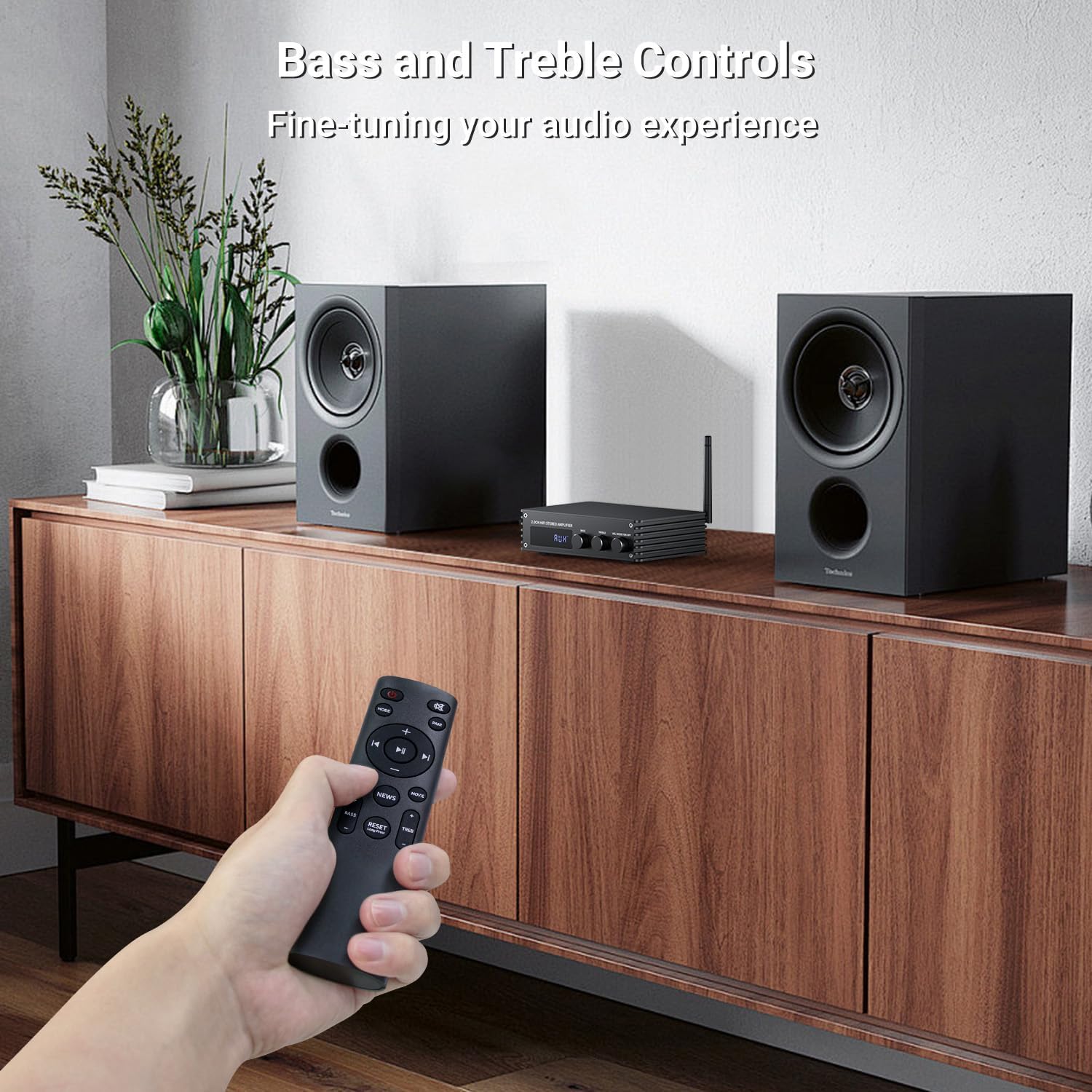
Сүрөт: A hand holding the remote control, pointing towards the amplifier. The image highlights the bass and treble control knobs on the amplifier's front panel, indicating fine-tuning capabilities.
- Bass Control Knob: Rotate to increase or decrease bass frequencies.
- Treble Control Knob: Rotate to increase or decrease treble frequencies.
5.5 Sound Mode Selection
The amplifier offers three distinct sound modes to optimize your listening experience:
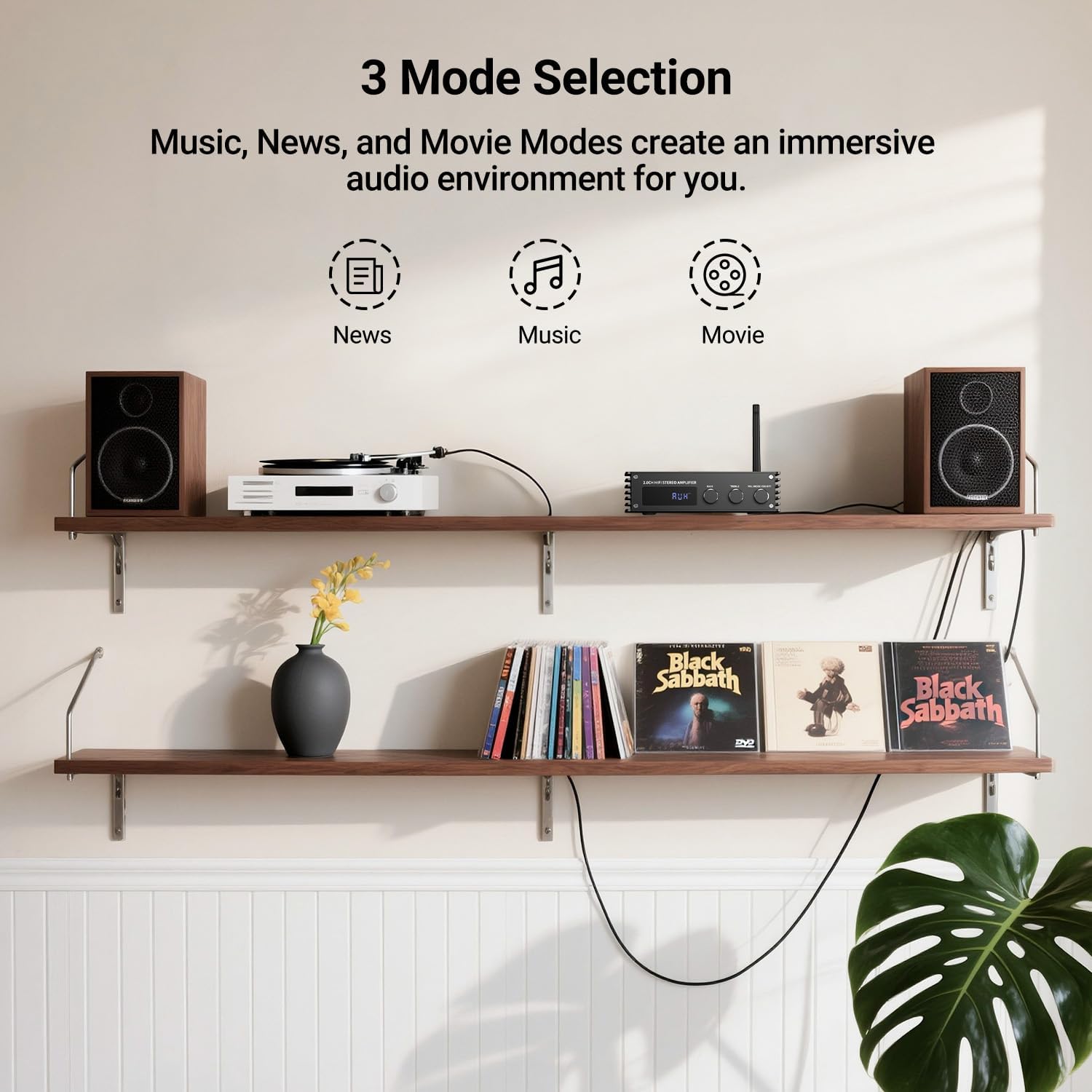
Сүрөт: Visual representation of the three sound modes: News, Music, and Movie. Each mode has an icon and a brief description of its audio characteristics, such as enhancing vocals for News, providing high-quality sound for Music, and offering 3D surround for Movie mode.
- Жаңылыктар режими: Enhances vocal clarity for spoken content.
- Музыка режими: Provides a balanced, high-quality sound for general music listening.
- Кино режими: Offers a 3D surround effect for an immersive cinematic experience.
- Use the dedicated buttons on the remote control to switch between these modes.
6. Bluetooth Жупташтыруу
To connect your Bluetooth device to the Inwa MZ633 ampөмүр берүүчү:
- Ensure the Bluetooth antenna is securely connected to the ampөмүрлүү.
- которуштуруу amplifier to Bluetooth input mode (BT) using the remote or front knob. The digital display will show "BT".
- Мобилдик түзмөгүңүздө (телефон, планшет ж.б.) Bluetooth'ду күйгүзүп, жеткиликтүү түзмөктөрдү издеңиз.
- Select "Inwa MZ633" from the list of devices.
- Жупташкандан кийин, amplifier will indicate a successful connection, and you can begin streaming audio.
- The Bluetooth 5.3 technology ensures stable connectivity up to 50ft/15m.
7. Техникалык шарттар
| Өзгөчөлүк | Деталь |
|---|---|
| Чыгуу күчү | 100W RMS x 2 (at 4 ohms) |
| Каналдар | 2.0 канал |
| Bluetooth версиясы | 5.3 |
| Bluetooth диапазону | 50 фут / 15 м чейин |
| Киргизүүлөр | HDMI (ARC), USB, Optical, Coaxial, RCA, Bluetooth |
| Аудио башкаруу | Bass, Treble, Volume, 3 Sound Modes (News, Music, Movie) |
| Дисплей | Digital LED дисплей |
| Өлчөмдөр | 4.8 x 7.08 x 1.85 дюйм |
| Элемент Салмагы | 2.2 фунт |
| Модель номери | MZ633 |
| Өндүрүүчү | Inwa |
8. Кыйынчылыктарды
If you encounter issues with your Inwa MZ633 amplifier, please refer to the following common solutions:
- Кубат жок:
- Ensure the power adapter is securely connected to both the ampкөтөргүч жана жумушчу розетка.
- Check that the main Power Switch on the rear panel is in the "ON" position.
- Башка аспапка сайып, розетка иштеп жатканын текшериңиз.
- Үн жок:
- Confirm that the speakers are correctly connected to the amplifier's output terminals with proper polarity.
- Check that the correct input mode is selected on the amplifier (e.g., "BT" for Bluetooth, "ARC" for HDMI ARC).
- Эки учурда тең үндү күчөтүңүз ampкөтөргүч жана аудио булагы түзмөгүңүз.
- Ensure audio cables (HDMI, Optical, Coaxial, RCA) are securely connected and not damaged.
- If using HDMI ARC, ensure your TV's ARC function is enabled and the amplifier is selected as the audio output device in your TV settings.
- If using Bluetooth, ensure the device is successfully paired and not connected to another ampөмүрлүү.
- Бурмаланган үн:
- Экөөнүн тең үнүн азайтыңыз amplifier and the audio source to prevent clipping.
- Check speaker connections for loose wires or incorrect polarity.
- Аудио булактын таза сигнал берип жатканын текшериңиз.
- Adjust bass and treble controls to a neutral position or to your preference.
- Bluetooth туташуу маселелери:
- камсыз кылуу ampкөтөргүч Bluetooth режиминде.
- Bluetooth түзмөгүңүздү жакыныраак жылдырыңыз ampсигнал күчүн жогорулатуу үчүн көтөргүч.
- Disconnect and re-pair the device.
- Ensure no other devices are actively connected to the ampBluetooth аркылуу көтөргүч.
- Экөөнү тең кайра иштетип көрүңүз ampкөтөргүч жана Bluetooth түзмөгүңүз.
9. Техникалык тейлөө
To ensure the longevity and optimal performance of your Inwa MZ633 amplifier, бул тейлөө көрсөтмөлөрүн аткарыңыз:
- Тазалоо: Сыртын тазалоо үчүн жумшак, кургак чүпүрөктү колдонуңуз ampСуюк тазалоочу каражаттарды, аэрозолдорду же абразивдүү материалдарды колдонуудан алыс болуңуз, анткени алар капталга же ички компоненттерге зыян келтириши мүмкүн.
- Вентиляция: камсыз кылуу amplifier is placed in a well-ventilated area. Do not block the ventilation openings, as this can lead to overheating.
- Жайгашкан жери: кой ampкөтөргүчтү туруктуу, тегиз бетке, түз күн нурунан, жылуулук булактарынан жана нымдуулуктан алыс коюңуз.
- Колдонулбаганда өчүрүү: Эгерде amplifier will not be used for an extended period, power it off using the rear switch and unplug it from the power outlet.
- Кабелдик башкаруу: Зыян келтирбөө үчүн бардык кабелдерди тыкан жана ийилип кетпеген же ашыкча чыңалуудан алыс кармаңыз.
10. Кепилдик жана колдоо
Inwa products are designed for reliability and performance. For warranty information, technical support, or service inquiries, please refer to the warranty card included with your product or visit the official Inwa webсайт. Сатып алуу квитанциясын кепилдик дооматтары үчүн сатып алуунун далили катары сактаңыз.
Өндүрүүчү: Inwa


