1. Киришүү
This manual provides essential information for setting up, operating, and maintaining your Beelink SER5 MAX Mini PC. The Beelink SER5 MAX is a compact desktop computer powered by an AMD Ryzen 7 6800U processor, designed for various applications including office work, home entertainment, graphic design, and light gaming. It features high-speed memory, ample storage, and extensive connectivity options to enhance your productivity and multimedia experience.

Сүрөт: бүттүview of the Beelink SER5 MAX Mini PC, showcasinанын компакттуу дизайны жана негизги өзгөчөлүктөрү.
2. Кутуда эмне бар
Сураныч, бардык буюмдар бар экенине ынануу үчүн пакетиңиздин мазмунун текшериңиз:
- 1 x SER5 MAX 6800U Mini PC
- 1 x HDMI Cable (100CM)
- 1 х кубат адаптери
- 1 x User Manual
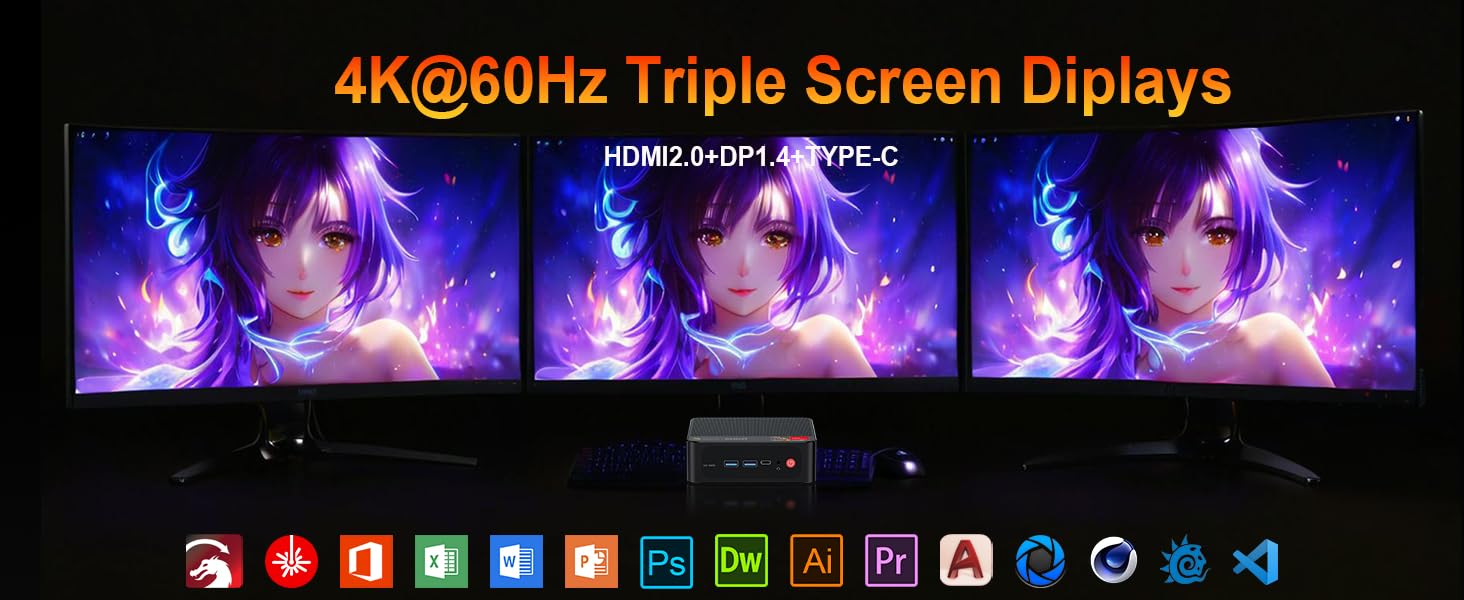
Image: Contents included in the Beelink SER5 MAX Mini PC package, showing the mini PC, power adapter, HDMI cable, and user manual.
3. Продукциянын өзгөчөлүктөрү
The Beelink SER5 MAX Mini PC is equipped with advanced components for optimal performance:
- Процессор: AMD Ryzen 7 6800U (8 Cores/16 Threads, up to 4.7GHz, 16MB L3 Cache, 28W TDP).
- Графика: Integrated AMD Radeon RDNA 2 Graphics (12 Cores, 2200MHz).
- Эстутум: 24GB LPDDR5 6300MHz RAM (2x12GB, non-replaceable).
- Сактагыч: 500GB M.2 2280 PCIe 4x4 SSD. Supports dual SSDs up to 8TB total (Max 4TB each SSD).
- Дисплей чыгаруу: Supports 4K@60Hz Triple Display via DP1.4, HDMI 2.0, and Type-C.
- Зымсыз туташуу: WiFi 6 (802.11ax) for speeds up to 1200Mbps, Bluetooth 5.2.
- Зымдуу туташуу: Gigabit Ethernet (RJ45 1000Mbps LAN).
- Порттор:
- 3 x USB 3.2 Gen2 Type-A (10Gbps)
- 1 x USB 2.0 Type-A
- 1 x Type-C (Data & Video Output)
- 1 x HDMI 2.0
- 1 x DisplayPort (DP1.4)
- 1 x DC Jack (Power Input)
- 1 x 3.5mm Audio Jack (HP&MIC)
- 1 x CLR CMOS Reset button
- Муздатуу системасы: MSC2.0 Cooling System with heat pipe, heat sink, and silent fan.
- Өлчөмдөрү: 4.9 x 4.4 x 1.6 дюйм (126 x 113 x 42 мм).

Сүрөт: алдыңкы жана арткы view of the Beelink SER5 MAX Mini PC, highlighting its various connectivity ports.

Image: A Beelink SER5 MAX Mini PC connected to three monitors, demonstrating its triple display capability for multitasking.
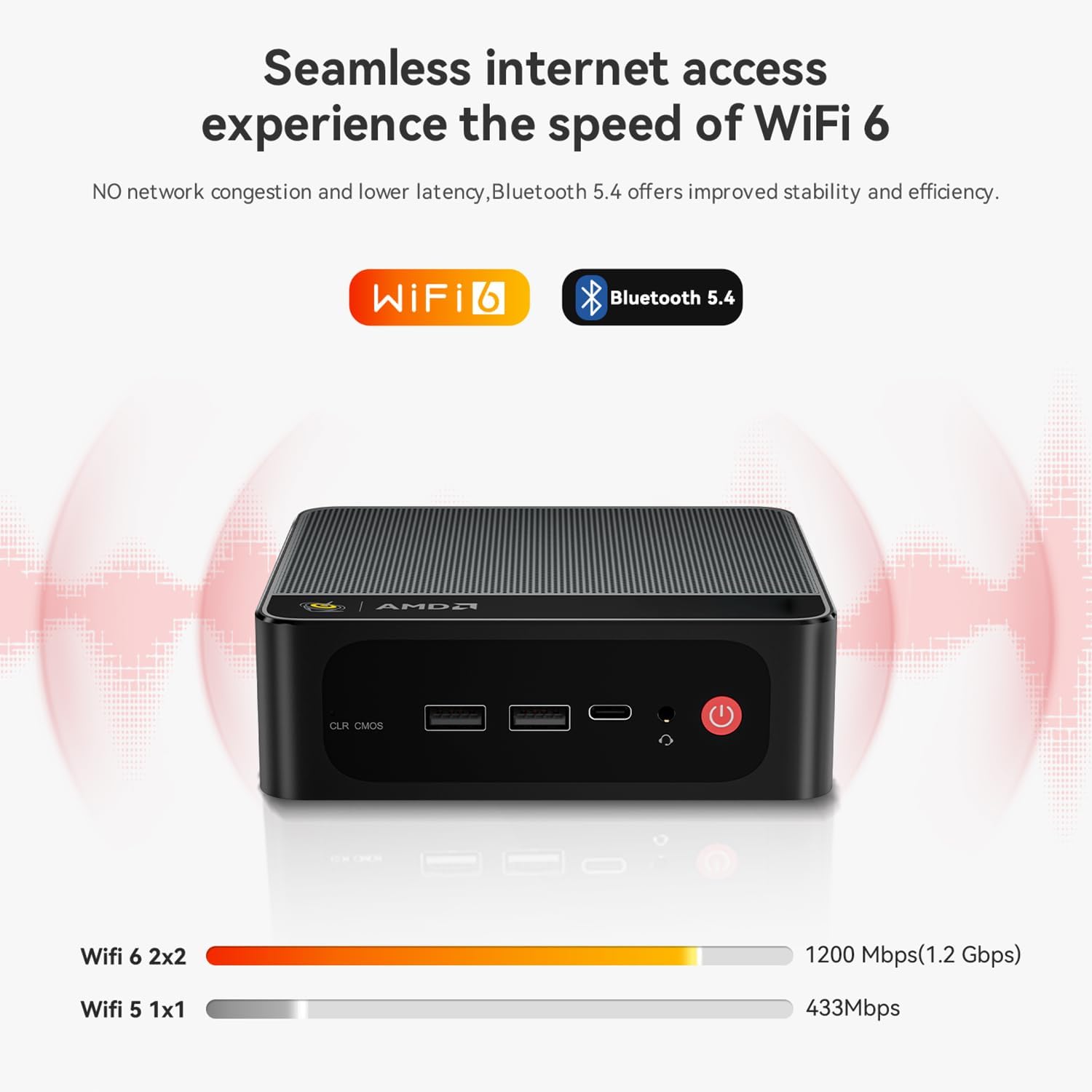
Image: Diagram illustrating the efficient MSC2.0 cooling system of the Beelink SER5 MAX, featuring a heat pipe, heat sink, and silent fan.
Продукт видеосу бүттүview
Видео: Аткаминерview of the Beelink SER5 MAX 6800U Mini PC, highlighting its design, features, and performance capabilities.
4. Орнотуу колдонмосу
Follow these steps to set up your Beelink SER5 MAX Mini PC:
- Перифериялык түзүлүштөрдү туташтыруу: Connect your monitor(s) using the HDMI, DisplayPort, or Type-C ports. Connect your keyboard and mouse to the available USB ports.
- Туташуу кубаты: Plug the power adapter into the DC Jack on the back of the Mini PC, then plug the adapter into a power outlet.
- Күйгүзүү: Mini PCтин алдыңкы бетинде жайгашкан кубат баскычын басыңыз. Система жүктөлөт.
- Баштапкы орнотуу: Windows 11 Pro баштапкы орнотуусун аяктоо үчүн экрандагы нускамаларды аткарыңыз, анын ичинде тил, аймак, тармак туташуусу жана колдонуучу каттоо эсебин түзүү.
- Тармак туташуусу: For wired internet, connect an Ethernet cable to the LAN port. For wireless internet, select your Wi-Fi network during setup or via Windows settings.
5. Иштөө нускамалары
Your Beelink SER5 MAX Mini PC comes pre-installed with Windows 11 Pro, offering a familiar and intuitive operating environment.
- Негизги колдонуу: Navigate the Windows interface using your mouse and keyboard. Launch applications from the Start Menu or desktop shortcuts.
- Үч эселенген дисплейди орнотуу: To utilize multiple monitors, connect them to the available HDMI, DisplayPort, and Type-C video outputs. Windows will automatically detect the displays. You can configure display settings (e.g., extend, duplicate) via Орнотуулар > Система > Дисплей.
- Bluetooth түзмөктөрүн туташтыруу: To pair Bluetooth devices (e.g., headphones, speakers), go to Орнотуулар > Bluetooth жана түзмөктөр, turn on Bluetooth, and select 'Add device'.
- USB 3.2 2-муун: Utilize the high-speed USB 3.2 Gen2 ports for fast data transfer with compatible external storage devices. The Type-C port also supports data and video output.
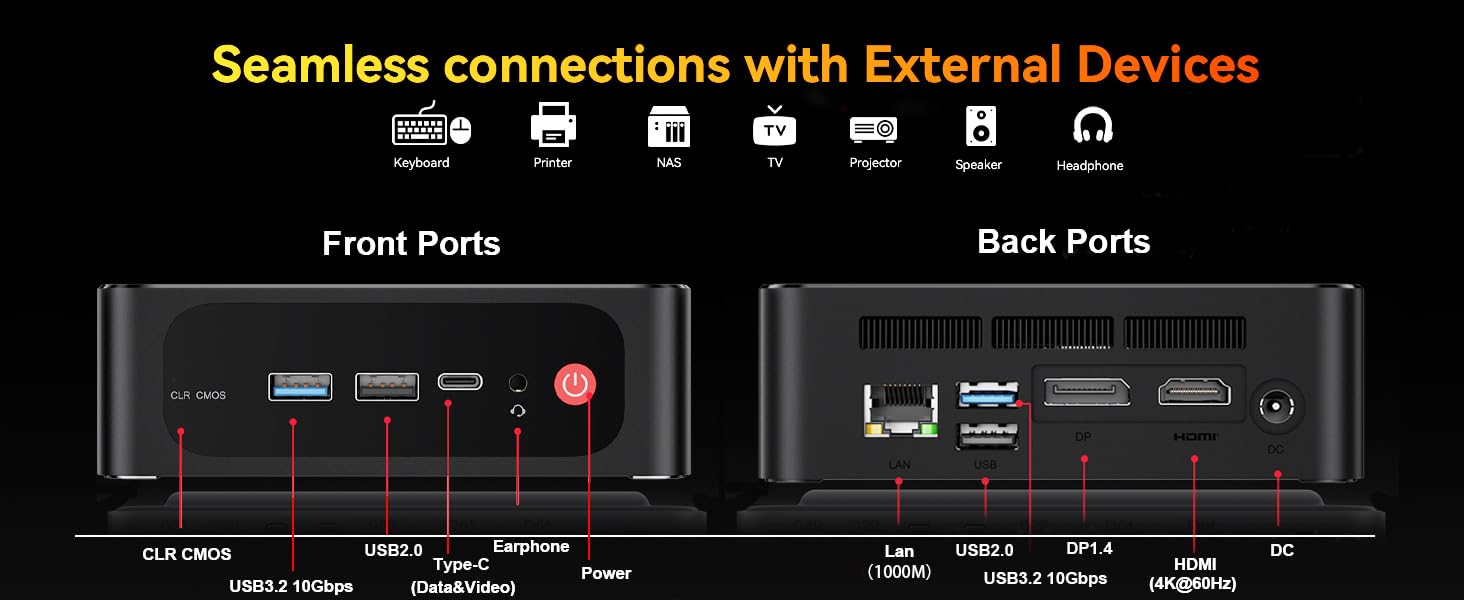
Image: The Beelink SER5 MAX Mini PC running multiple productivity applications simultaneously, demonstrating its multitasking capabilities.
6. Техникалык тейлөө
Туура тейлөө сиздин Мини компьютериңиздин узак иштөөсүн жана оптималдуу иштешин камсыз кылат:
- Тазалоо: Regularly clean the exterior of the Mini PC with a soft, dry cloth. Use compressed air to clear dust from the ventilation grilles to maintain efficient cooling.
- Вентиляция: Ensure the Mini PC is placed in a well-ventilated area, away from direct sunlight or heat sources. Do not block the air vents.
- Сактагычты жаңыртуу: The Mini PC supports dual M.2 2280 PCIe 4x4 SSDs. To upgrade or add storage, carefully open the chassis and install the new SSD. Refer to the detailed instructions provided with your device for specific steps.
- Программалык камсыздоо жаңыртуулары: Коопсуздукту жана иштин натыйжалуулугун камсыз кылуу үчүн Windows операциялык тутумуңузду жана драйверлериңизди жаңыртып туруңуз.

Сүрөт: Ички view of the Beelink SER5 MAX Mini PC, showing the dual M.2 2280 PCIe 4.0 SSD slots for storage expansion.
7. Кыйынчылыктарды
If you encounter issues with your Beelink SER5 MAX Mini PC, refer to the following common solutions:
- Кубат жок:
- Кубат адаптери Мини компьютерге жана иштеген электр розеткасына бекем туташып турганын текшериңиз.
- Башка аспапка сайып, розетка иштеп жатканын текшериңиз.
- Дисплей жок:
- Check all video cable connections (HDMI, DP, Type-C) between the Mini PC and the monitor(s).
- Монитордун күйгүзүлгөнүн жана туура киргизүү булагына коюлганын текшериңиз.
- Башка мониторго туташып же башка видео кабелин колдонуп көрүңүз.
- Интернет байланышы жок:
- Wi-Fi үчүн, Windows жөндөөлөрүндө Wi-Fi иштетилгенин жана туура тармакка туташканыңызды текшериңиз.
- For wired connection, ensure the Ethernet cable is properly connected and your router is working.
- Роутериңизди жана модемиңизди өчүрүп күйгүзүңүз.
- Системанын жайлашы:
- Фондо иштеп жаткан керексиз тиркемелерди жабыңыз.
- Күтүүдөгү Windows жаңыртууларынын бардыгын текшерип, орнотуңуз.
- Ашыкча ысып кетүүнүн алдын алуу үчүн адекваттуу желдетүүнү камсыз кылыңыз.
- CLR CMOS Reset: If the system experiences boot issues or incorrect settings, locate the CLR CMOS button (often a small pinhole) on the front panel and press it with a paperclip for a few seconds while the device is off. This will reset BIOS settings to default.
8. Техникалык шарттар
Detailed technical specifications for the Beelink SER5 MAX Mini PC:
| Компонент | Спецификация |
|---|---|
| Процессор | AMD Ryzen 7 6800U (8C/16T, 2.7GHz base, up to 4.7GHz boost) |
| Графика | AMD Radeon 680M (12 cores, 2200MHz) |
| RAM | 24GB LPDDR5 6300MHz (2x12GB SODIMM) |
| Сактагыч | 500GB M.2 2280 PCIe 4x4 SSD (Expandable up to 8TB total) |
| Операция системасы | Windows 11 Pro |
| Зымсыз байланыш | WiFi 6 (802.11ax), Bluetooth 5.2 |
| Зымдуу туташуу | Gigabit Ethernet (RJ45 1000Mbps LAN) |
| Video Output | 1x HDMI 2.0 (4K@60Hz), 1x DisplayPort 1.4 (4K@144Hz), 1x Type-C (4K@120Hz) |
| USB порттору | 3x USB 3.2 Gen2 Type-A, 1x USB 2.0 Type-A, 1x Type-C (Data&Video) |
| Аудио | 1x 3.5mm Audio Jack (HP&MIC) |
| Power Input | DC Jack (19V-3.42A, 65W) |
| Өлчөмдөр | 126 x 113 x 42 мм (4.9 x 4.4 x 1.6 дюйм) |
| Салмагы | Болжол менен 1.94 фунт |
| Башка өзгөчөлүктөр | Wake On LAN, Auto Power On, CLR CMOS |

Image: A detailed table summarizing the technical specifications of the Beelink SER5 MAX Mini PC.
9. Кепилдик жана колдоо
Beelink provides comprehensive support for your Mini PC:
- Өмүр бою техникалык колдоо: Продукцияңыздын иштөө мөөнөтү үчүн техникалык жардамга жетүү мүмкүнчүлүгү.
- Кардарларды тейлөө: 7/24 hours customer service available.
- Кепилдик: Please refer to your purchase documentation for specific warranty period details.
Колдоо кызматы менен кантип байланышса болот:
- Amazon аккаунтуңузга кириңиз.
- Go to "Your Account".
- "Сиздин буйрутмаларыңызга" өтүңүз.
- Select the Beelink SER5 MAX Mini PC and choose "Ask Product Question" to contact Beelink USA directly.
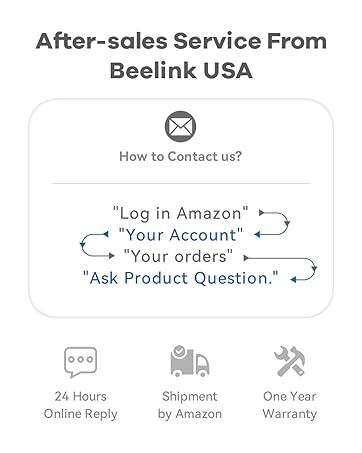
Image: Information on how to contact Beelink USA for after-sales service and support.


