1. Киришүү
This manual provides detailed instructions for the installation, operation, and maintenance of your Alpine INE-W970HD Audio/Video/Navigation System and Alpine PXE-C80-88 OPTIM8 8-Channel Hi-Res DSP Amplifier. Please read this manual thoroughly before using the product to ensure proper and safe operation.
The Alpine INE-W970HD is an advanced in-dash unit compatible with Apple CarPlay and Android Auto, offering comprehensive audio, video, and navigation functionalities. The Alpine PXE-C80-88 OPTIM8 is a high-resolution digital sound processor amplifier designed to enhance your vehicle's audio system with precise sound tuning capabilities.
2. Коопсуздук маалыматы
Травматизмди же түзүлүшкө зыян келтирбөө үчүн ар дайым төмөнкү коопсуздук чараларын сактаңыз:
- Do not operate the system in a way that distracts you from driving.
- Ensure proper wiring and connections to avoid electrical shorts or fire hazards.
- Эгер кандайдыр бир кадамдарга ишене албасаңыз, орнотуу үчүн адиске кайрылыңыз.
- Агрегатты нымдуулуктан жана экстремалдык температурадан алыс кармаңыз.
3. Пакеттин мазмуну
Пакетиңизде бардык буюмдар бар экенин текшериңиз:
- Alpine INE-W970HD Audio/Video/Nav System
- Alpine PXE-C80-88 OPTIM8 8-Channel Hi-Res DSP Ampөмүрлүү
- Электр өткөргүчтөрү
- Монтаждоочу жабдык
- GPS Antenna (for INE-W970HD)
- USB кеңейтүү кабели
- Колдонуучунун колдонмолору (бул документ)

Image: The Alpine INE-W970HD head unit and the Alpine PXE-C80-88 DSP amplifier, showing both main components of the bundle.
4. Орнотуу жана орнотуу
Professional installation is highly recommended for these components. Incorrect wiring can cause damage to the units or your vehicle's electrical system.
4.1. INE-W970HD Installation
The INE-W970HD is designed for in-dash mounting. Ensure adequate space and proper ventilation.
- Даярдоо: Кандайдыр бир электр иштерин баштоодон мурун унаанын терс батарея терминалын ажыратыңыз.
- Монтаждоо: Securely mount the INE-W970HD into the vehicle's double-DIN opening using the provided mounting brackets.
- Зымдар: Connect the main power harness, speaker wires, and other input/output cables (RCA, USB, HDMI, GPS antenna) as per the wiring diagram provided in the separate installation guide.
- Антенна туташуу: Connect the GPS antenna and radio antenna. Position the GPS antenna in a location with a clear view асмандын.

Image: The Alpine INE-W970HD head unit displaying the Apple CarPlay interface, showing various app icons.
4.2. PXE-C80-88 OPTIM8 Installation
The PXE-C80-88 OPTIM8 should be mounted in a dry, well-ventilated area, such as under a seat or in the trunk.
- Монтаждоо жери: Choose a location that is protected from moisture and excessive heat, and allows for proper cable routing.
- Кубат туташуу: Connect the power and ground wires directly to the vehicle's battery, ensuring proper fusing.
- Киргизүү байланыштары: Connect the audio input signals from the INE-W970HD (or other source) to the PXE-C80-88. This can be done via RCA or speaker-level inputs.
- Чыгуу туташуулары: Connect the speaker outputs from the PXE-C80-88 to your vehicle's speakers.

Сүрөт: деталдуу view of the Alpine PXE-C80-88 OPTIM8 DSP amplifier, highlighting its compact design and connection ports.
5. Иштөө нускамалары
5.1. INE-W970HD Basic Operation
- Күйгүзүү/өчүрүү: Түзмөктү күйгүзүү же өчүрүү үчүн кубат баскычын (көбүнчө алдыңкы панелде жайгашкан) басып, кармап туруңуз.
- Үндү көзөмөлдөө: Use the rotary encoder or on-screen controls to adjust the volume.
- Булак тандоо: Tap the "Source" icon on the touchscreen or use the physical buttons to select between Radio, USB, Bluetooth Audio, HDMI, Apple CarPlay, Android Auto, and other inputs.
- Навигация: Access the built-in navigation system by tapping the "NAV" button. Enter destinations, view карталарды карап чыгып, кадам сайын көрсөтмөлөрдү аткарыңыз.
- Apple CarPlay / Android Auto: Connect your compatible smartphone via USB. The system will automatically launch the respective interface, allowing access to phone functions, messaging, music, and navigation apps.

Image: The Alpine INE-W970HD head unit displaying the Android Auto interface, showing various app icons like Maps, Spotify, and YouTube Music.
5.2. PXE-C80-88 OPTIM8 Sound Tuning
The OPTIM8 offers advanced sound tuning capabilities. It can be configured via a PC application or an iOS app.
- Колдонмо туташуусу: Connect your PC or iOS device to the PXE-C80-88 via USB or Bluetooth (if applicable).
- Автоматтык жөндөө: Utilize the "5 Minute Self-Tuning" feature for quick and optimized sound calibration. This process uses a microphone (sold separately) to analyze your vehicle's acoustics.
- Кол менен жөндөө: For advanced users, the PC App provides comprehensive control over equalization, crossovers, time correction, and level adjustments for each of the 8 channels.
- Алдын ала коюлган башкаруу: Save and recall custom sound presets for different music genres or listening preferences.

Сүрөт: жогорудан ылдыйга view of the Alpine PXE-C80-88 OPTIM8 DSP ampкөтөргүч, көрсөтүүчүasing its sleek design and central branding.
6. Техникалык тейлөө
Үзгүлтүксүз техникалык тейлөө сиздин Alpine системаңыздын узак мөөнөттүү иштешин жана оптималдуу иштешин камсыз кылат.
- Дисплейди тазалоо: Сенсордук экранды сүртүү үчүн жумшак, кургак чүпүрөктү колдонуңуз. өжөр тактар үчүн, бир аз гampen the cloth with water or a screen cleaner designed for electronics. Do not use abrasive cleaners.
- Программалык камсыздоо жаңыртуулары: Periodically check the Alpine website for firmware updates for both the INE-W970HD and PXE-C80-88. Updates can improve performance, add features, and fix bugs.
- Кабелдик байланыштар: Кабелдин бардык туташууларынын коопсуз жана коррозияга учурабагандыгын текшерүү үчүн маал-маалы менен текшерип туруңуз.
- Вентиляция: Ensure that the PXE-C80-88's ventilation fins are not obstructed to prevent overheating.
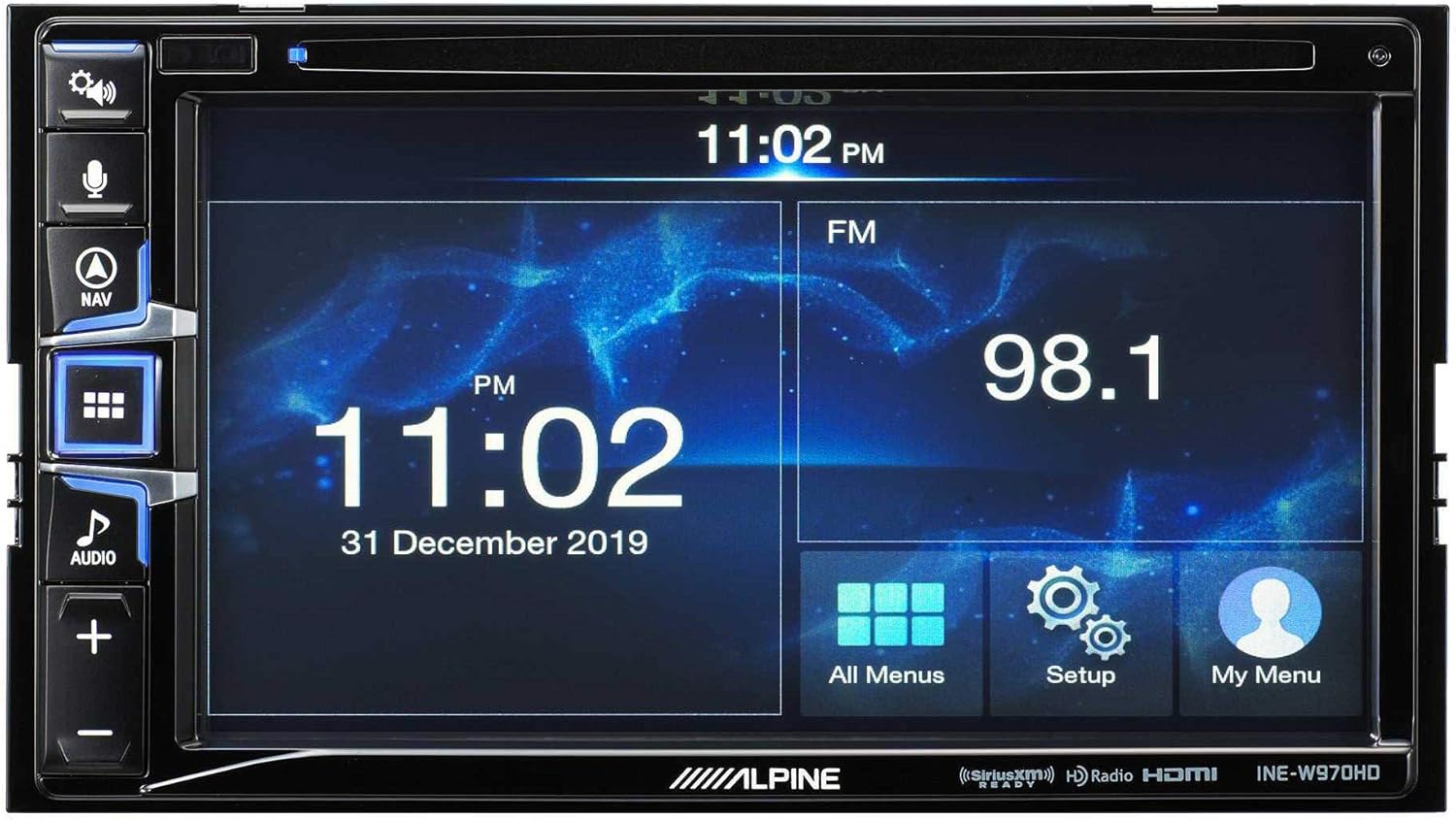
Image: The Alpine INE-W970HD head unit displaying the radio interface, showing frequency and time information.
7. Кыйынчылыктарды
Эгер көйгөйлөргө туш болсоңуз, төмөнкү жалпы көйгөйлөрдү жана чечимдерди караңыз:
| Көйгөй | Мүмкүн себеп | Чечим |
|---|---|---|
| Күч жок | Blown fuse, loose power connection. | Check vehicle fuses and unit's inline fuse. Verify power and ground connections. |
| Үн жок | Muted, incorrect source, loose speaker wires, DSP not configured. | Check mute function. Select correct audio source. Verify speaker connections. Ensure PXE-C80-88 is properly configured via its app. |
| Navigation Not Working | GPS antenna not connected or obstructed. | GPS антеннасынын коопсуз туташтырылганын жана ачык экенин текшериңиз view асмандын. |
| CarPlay/Android Auto туташпай жатат | Faulty USB cable, phone not compatible, software glitch. | Try a different USB cable. Ensure your phone's OS is up to date. Restart both phone and head unit. |

Image: The Alpine INE-W970HD head unit displaying a navigation map with route information.
8. Техникалык шарттар
8.1. Alpine INE-W970HD
- Дисплей: Сенсордук экран
- Байланыш: USB, HDMI, Ethernet, optical audio, component video, RCA
- Шайкештик: Apple CarPlay, Android Auto
- Аудио чыгаруу режими: Стерео, айлана
- Көлөмдүү үн каналынын конфигурациясы: 7.1
- Видеону коддоо: H.264, H.265/HEVC
8.2. Alpine PXE-C80-88 OPTIM8
- Ampкөтөрүүчү каналдар: 8-канал
- Чыгуу кубаттуулугу: 50W x 6 @ 2Ω + 300W x 2 @ 2Ω
- Иштетүү: Hi-Res Digital Sound Processor (96kHz/24Bit)
- тюнинг: Automatic (5-minute self-tuning) & Manual via PC/iOS App

Сүрөт: бир тарап view of the Alpine PXE-C80-88 OPTIM8 DSP amplifier, showing its compact profile жана туташуу чекиттери.
9. Кепилдик маалыматы
Alpine products are covered by a limited warranty. Please refer to the warranty card included with your product or visit the official Alpine website for detailed terms and conditions. Typically, the warranty covers defects in materials and workmanship for a specified period from the date of purchase.
Сатып алганыңызды тастыктаган документти (дүмүрчөктү) сактап коюңуз, анткени ал кепилдик боюнча дооматтар үчүн талап кылынат.
10. Кардарларды колдоо кызматы
For technical assistance, troubleshooting beyond this manual, or warranty inquiries, please contact Alpine customer support:
- Webсайт: Visit www.alpine-usa.com/support Көп берилүүчү суроолор, программалык камсыздоону жүктөп алуу жана байланыш маалыматы үчүн.
- Телефон: Refer to the Alpine webакыркы кардарларды тейлөө телефон номерлери үчүн сайт.
- Ыйгарым укуктуу дилерлер: Your authorized Alpine dealer can also provide support and service.
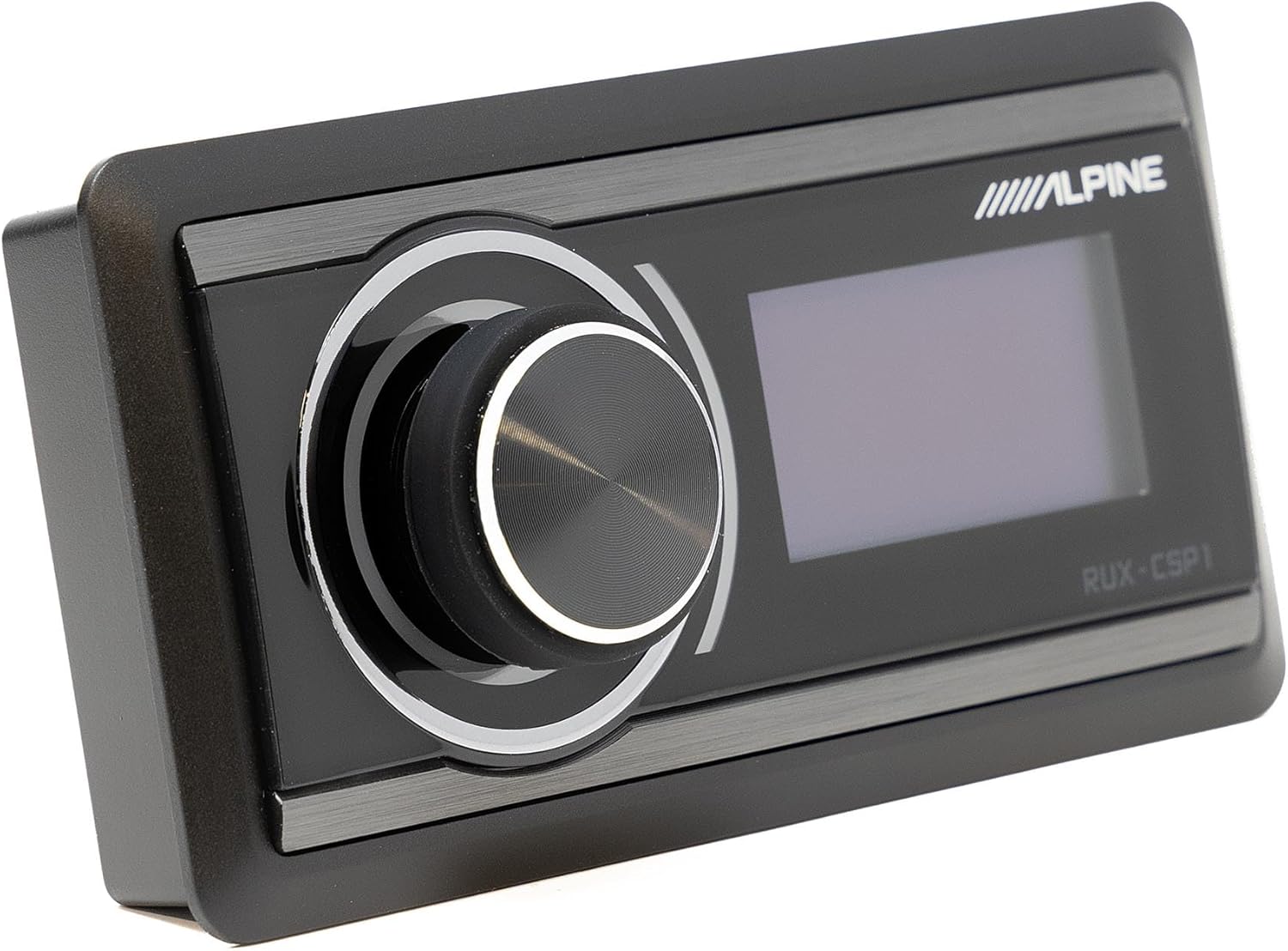
Image: The Alpine RUX-CSP1 remote control, an optional accessory for the DSP, featuring a rotary knob and display.


