1. Киришүү
Thank you for choosing the Defender Impulse GMC 600 RGB Gaming Stream Microphone. This high-quality wired microphone is designed for clear audio capture, ideal for gaming, streaming, podcasting, and voiceovers. It features vibrant RGB backlighting, an integrated pop filter, a shock mount, and a convenient mute button for enhanced user experience. This manual provides detailed instructions for setup, operation, and maintenance to ensure optimal performance.
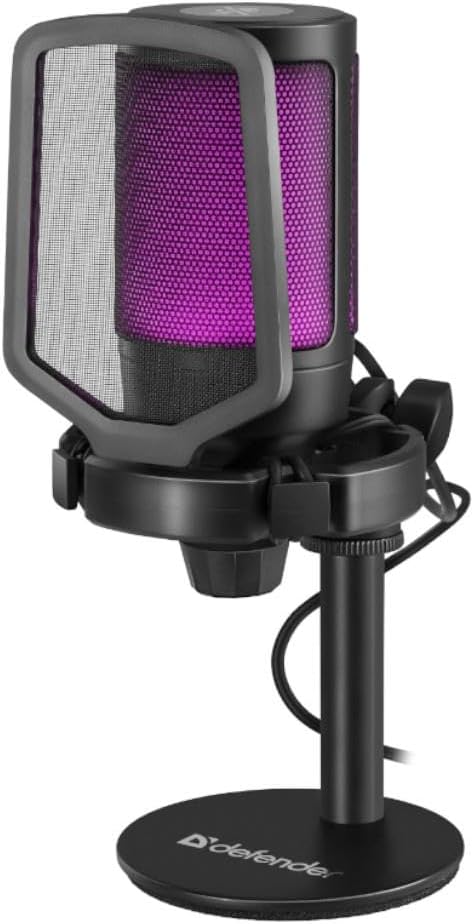
Figure 1.1: The Defender Impulse GMC 600 RGB Microphone, showcasing its integrated pop filter and purple RGB illumination.
2. Пакеттин мазмуну
Пакетте бардык буюмдар бар экенин текшериңиз:
- Defender Impulse GMC 600 RGB Microphone
- Иш столунун стенди
- Интегралдык поп чыпкасы
- USB кабель (1.7 м)
- Колдонуучунун Колдонмосу (бул документ)

Figure 2.1: The retail packaging of the Defender Impulse GMC 600, indicating compatibility and key features.
3. Орнотуу нускамалары
3.1 Микрофонду туташтыруу
- Компоненттерди таңгактан чыгаруу: Carefully remove the microphone, desktop stand, and USB cable from the packaging.
- Стендди чогултуу: Attach the microphone to the desktop stand. Ensure it is securely fastened. The microphone features an integrated shock mount to reduce vibrations.
- USB кабелин туташтыруу: Plug the USB-A end of the provided 1.7m cable into an available USB port on your PC or laptop.
- Connect to Microphone: Insert the other end of the USB cable into the USB port located on the microphone.
- Күйгүзүү: The microphone will automatically power on and its RGB lighting will illuminate upon successful connection.

3.1-сүрөт: Каптал view of the microphone, illustrating the USB connection point.

Figure 3.2: Detail of the integrated shock mount, designed to minimize handling noise and vibrations.
3.2 Initial Software Configuration (Windows/macOS)
The Defender Impulse GMC 600 is a plug-and-play device. No special drivers are typically required.
- Таанууну текшерүү: Your operating system should automatically detect the microphone.
- Access Sound Settings:
- Windows: Right-click the speaker icon in the taskbar, select "Sound Settings" or "Open Sound settings". Navigate to the "Input" section.
- MacOS: Go to System Preferences > Sound > Input.
- Микрофонду тандоо: Choose "Defender Impulse GMC 600" (or similar name) as your default input device.
- Adjust Input Level: Speak into the microphone and adjust the input level (gain) to an appropriate level, ensuring the meter shows activity without peaking into the red zone.
4. Микрофонду иштетүү
4.1 Microphone Placement
For optimal sound quality, position the microphone approximately 15-30 cm (6-12 inches) from your mouth. The integrated pop filter helps reduce plosive sounds (P's and B's).
4.2 Үнсүз кылуу функциясы
The microphone features a touch-sensitive mute button located on the top of the unit. Tap the button to mute or unmute the microphone. The RGB lighting may change or indicate the mute status (e.g., turn off or change color when muted, depending on the specific model's implementation).

4.1-сүрөт: Жогорку view of the microphone, highlighting the touch-sensitive mute button.
4.3 RGB арткы жарыктандыруу
The Impulse GMC 600 features dynamic RGB backlighting. The lighting cycles through various colors automatically, enhancing the aesthetic of your setup. There are no user-adjustable controls for the RGB lighting patterns or colors directly on the microphone.

4.2-сүрөт: Мисamples of the microphone's RGB backlighting in different colors.
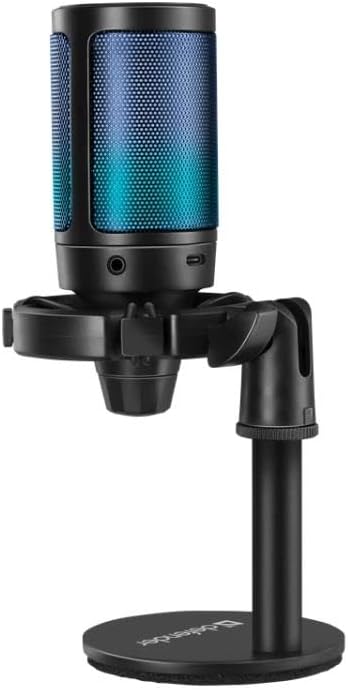
Figure 4.3: The microphone displaying blue RGB lighting, also showing a potential headphone jack for monitoring (if applicable).
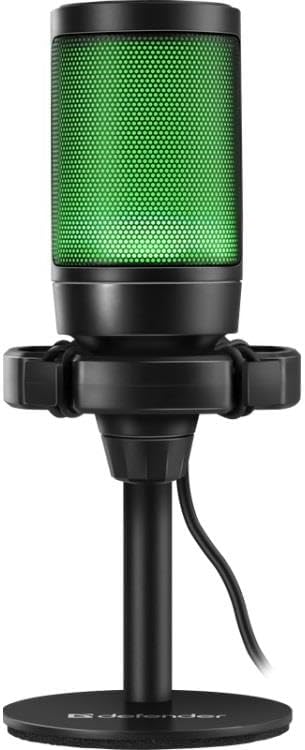
Figure 4.4: The microphone illuminated with green RGB lighting.
5. Техникалык тейлөө
- Тазалоо: Use a soft, dry cloth to wipe the microphone's exterior. Do not use liquid cleaners or abrasive materials.
- Сактагыч: When not in use, store the microphone in a clean, dry place away from direct sunlight and extreme temperatures.
- Кабельге кам көрүү: USB кабелин зыянга учуратпоо үчүн өтө ийилип же бурулбаңыз.
- Поп чыпкасы: The integrated pop filter is not removable for cleaning. Avoid attempting to disassemble the microphone.
6. Кыйынчылыктарды
| Көйгөй | Мүмкүн себеп | Чечим |
|---|---|---|
| Микрофон компьютер тарабынан аныкталган жок. |
|
|
| No sound or low sound level. |
|
|
| Бурмаланган же түшүнүксүз үн. |
|
|
| RGB жарыктандыруу иштебейт. |
|
|
7. Техникалык шарттар
| Өзгөчөлүк | Деталь |
|---|---|
| Модель номери | S9158326 |
| Байланыш | Зымдуу USB |
| Кабелдин узундугу | 1.7 метр |
| Өлчөмдөрү (L x W x Y) | 23.5 x 17 x 9.5 см |
| Сигнал-ызы-чуу катышы (SNR) | 78 дБ |
| Каналдардын саны | 1 |
| Өзгөчөлүктөрү | RGB Backlight, Integrated Pop Filter, Shock Mount, Mute Button |
| Шайкештик | PC, Laptops with USB port |
8. Кепилдик жана колдоо
Defender products are manufactured to high-quality standards. For warranty information and technical support, please refer to the warranty card included with your purchase or visit the official Defender webсайт. Сураныч, кепилдик дооматтар үчүн сатып алуу далилиңизди сактап коюңуз.
For further assistance, you may contact Defender customer support through their official channels. Contact information is typically available on the product packaging or the manufacturer's webсайт.


