Introduction
This manual provides comprehensive instructions for the Angrox RC813 Voice Replacement Remote Control, designed specifically for TCL Google TV models. It covers setup, operation, maintenance, and troubleshooting to ensure a seamless user experience. Please read this manual carefully before using your new remote control.
Note: This remote control is not applicable to Roku TVs.

Image: The Angrox RC813 Voice Replacement Remote Control, showcasing анын эргономикалык дизайны жана баскычтардын жайгашуусу.
Жайгашуу
1. Батареяны орнотуу
Алыстан башкаруу пульту эки (2) AAA батарейкасын талап кылат (кошулмага кирбейт). Аларды орнотуу үчүн төмөнкү кадамдарды аткарыңыз:
- Пульттун артындагы батарея отсегин табыңыз.
- Батареянын капкагын жылдырыңыз.
- Insert two AAA batteries, ensuring the positive (+) and negative (-) terminals match the indicators inside the compartment.
- Батареянын капкагын бекем жабыңыз.
2. Pairing the Remote Control with Your TCL Google TV
The Angrox RC813 remote uses Bluetooth for voice control and enhanced functionality. Follow these steps to pair it with your TCL Google TV:
- Ensure your TCL Google TV is powered on.
- On the remote, short press the "Google Assistant" button (microphone icon).
- Immediately after, press and hold the "HOME" button and the "OK" button simultaneously for approximately 5 seconds.
- Release the buttons when a pairing message appears on your TV screen, indicating that the pairing process has begun.
- Follow any on-screen prompts to complete the pairing. The TV screen will confirm when pairing is successful.

Image: Visual guide demonstrating the two-step pairing process: first short press the Google Assistant button, then press and hold the Home and OK buttons.

Image: A television screen displaying a 'Searching for accessories...' message with a Bluetooth icon, illustrating the pairing process for the remote control.
Иштөө нускамалары
Алыстан башкаруу пульту жана функциялары
The Angrox RC813 remote is designed for intuitive navigation and control of your TCL Google TV. Below is a description of its key buttons and their functions:

Image: A detailed diagram of the Angrox RC813 remote control with labels for each button, including Power, Input, Settings, Microphone, Voice Button, Profile Selector, Circular D-Pad, OK Button, Back, Home, Live Guide, Quick Menu, Mute, Volume Up/Down, Channel Up/Down, TV Plus, Info, Virtual Keyboard, and dedicated App buttons.
- Кубат баскычы: Телевизорду күйгүзөт же өчүрөт.
- Киргизүү баскычы: Киргизүү булагын (HDMI, AV ж.б.) тандайт.
- Орнотуулар баскычы: Сыналгынын орнотуулар менюсуна кирет.
- Микрофон: Үн буйруктары үчүн орнотулган микрофон.
- Үн баскычы: Activates the voice search function. Hold to speak your command.
- Profile Тандоочу: Switches between user profiles.
- Circular D-Pad (Up/Down/Left/Right): Navigates through menus and content.
- OK баскычы: Тандоолорду ырастайт.
- Артка баскычы: Мурунку экранга кайтат.
- Үй баскычы: Телевизордун башкы экранына кайтарат.
- Live Guide: Электрондук программалык көрсөтмөнү (EPG) ачат.
- Ыкчам меню: Accesses a quick settings menu.
- Үнүн жогорулатуу/төмөндөтүү: Телевизордун үнүн тууралайт.
- Канал өйдө/төмөн: Телеканалдарды өзгөртөт.
- TV Plus: Accesses network Live Channels.
- Маалымат: Displays program information (in TV source).
- Виртуалдык баскычтоп: Opens an on-screen virtual keyboard.
- Колдонмонун атайын баскычтары: Direct access to popular streaming services like Netflix, Prime Video, YouTube, Channel, Home, and Apple TV+.
Үн менен башкаруу функциясы
The voice control feature allows you to easily find, launch, and control content using spoken commands. To use voice control:
- басып, кармап туруңуз Үн баскычы (microphone icon).
- Speak clearly into the microphone located on the remote control.
- Release the button once you have finished speaking your command.
Examples of voice commands include: "Play music," "Open YouTube," "Fast-forward to 30 minutes," or "Show me Popular Movies."

Image: A hand holding the Angrox RC813 remote, with an overlay illustrating various voice commands like "Play music" and "Open YouTube."

Image: A family watching television, with a thought bubble above one person saying "Hey, volume up," demonstrating the voice control feature of the remote.
Dedicated App Access
The remote features six dedicated buttons for quick access to popular applications:
- Netflix
- Prime Video
- YouTube
- Канал
- Үй
- Apple TV+
Simply press the corresponding button to launch the desired application directly.

Image: The Angrox RC813 remote control shown next to a TV screen displaying various app icons, highlighting the six dedicated quick-access buttons for streaming services.
Техникалык тейлөө
Батареяны алмаштыруу
Replace the AAA batteries when the remote control's response becomes sluggish or it stops functioning. Always replace both batteries at the same time with new ones. Do not mix old and new batteries, or different types of batteries.
Тазалоо
To clean the remote control, use a soft, dry cloth. Do not use abrasive cleaners, waxes, or solvents as these may damage the surface or internal components.
Проблемаларды чечүү
| Көйгөй | Мүмкүн себеп | Чечим |
|---|---|---|
| Пульт жооп бербей жатат. | Өлүк же туура эмес салынган батарейкалар. | Туура полярдуулукту камсыз кылуу менен батарейкаларды жаңы AAA батарейкалары менен алмаштырыңыз. |
| Үн башкаруу иштебейт. | Remote not paired via Bluetooth. | Perform the pairing procedure described in the Setup section. |
| Remote not pairing. | Incorrect pairing steps or interference. | Ensure TV is on. Repeat pairing steps carefully. Move closer to the TV. Remove other Bluetooth devices temporarily. |
| Баскычтар жооп бербейт. | Obstruction between remote and TV's IR receiver (for basic functions). | Ensure a clear line of sight between the remote and the TV. |
| Remote is for TCL Roku TV. | This remote is not compatible with Roku TVs. | Verify your TV is a TCL Google TV, not a TCL Roku TV. This remote is specifically for TCL Google TV models. |
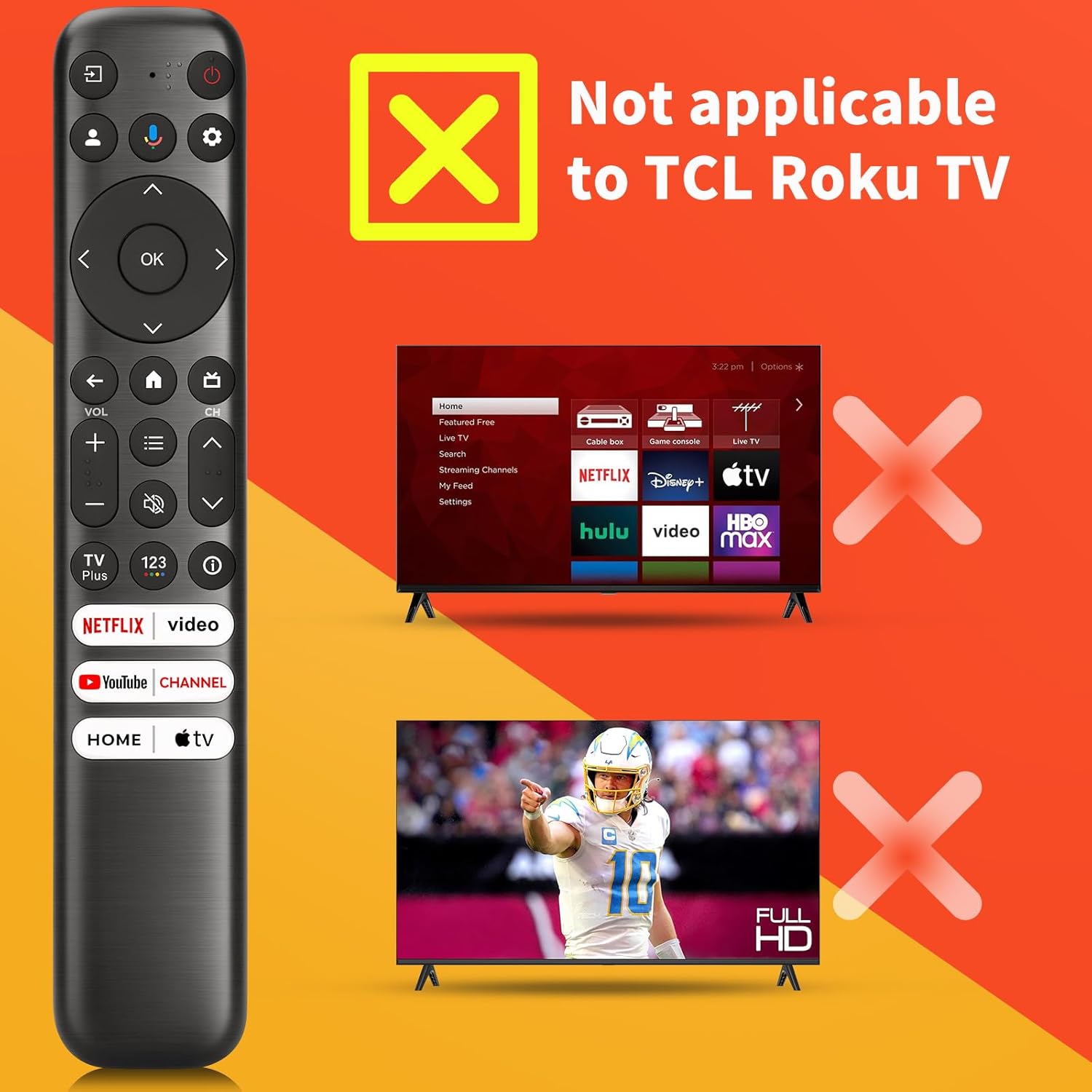
Image: A visual warning indicating that the remote control is not compatible with TCL Roku TVs, showing a remote next to a TV with a red 'X' over it.
Техникалык шарттар
- Модель номери: RC813
- Бренд: Angrox
- Шайкеш түзмөктөр: TCL Google TV (Q6, Q7, QM8, S3, S4 series)
- Продукциянын өлчөмдөрү: 8.18 x 1.45 x 0.59 дюйм
- Элемент Салмагы: 2.39 унция
- Батареялар талап кылынат: 2 x AAA батарейкалар (киргизилген эмес)
- Өзгөчөлүктөр: Ergonomic design, No programming required (after pairing), Universal (for specified TCL Google TV models), Voice Search
- Колдоого алынган түзмөктөрдүн максималдуу саны: 1

Image: A diagram showing the dimensions of the Angrox RC813 remote control: 8.18 inches in length, 1.45 inches in width, and 0.59 inches in thickness.

Image: A list of compatible TCL Google TV series and specific models for the Angrox RC813 remote, including S3, Q7, QM8, Q6, and S4 series.
Кепилдик маалымат
Please refer to the product packaging or the official Angrox website for specific warranty details. General warranty terms typically cover manufacturing defects for a limited period from the date of purchase.
Колдоо
For further assistance, troubleshooting, or product inquiries, please visit the official Angrox store or contact customer support through the retailer where the product was purchased.
Angrox Store: https://www.amazon.com/stores/Angrox/page/A1560020-463E-4EF3-992F-7A4C9B868B0F
Продукт видеосу
Video: An official product video demonstrating the features and compatibility of the Angrox Voice Replacement Remote for TCL Google TV.


