1. Киришүү
Thank you for choosing the SBS MagSafe Compatible Wireless Power Bank. This compact and versatile 5000 mAh power bank is designed to provide convenient and efficient charging for a wide range of devices, including iPhones with MagSafe technology, Android smartphones, e-readers, smartwatches, and TWS earphones. Its dual charging capabilities (wireless and USB-C) ensure your devices stay powered on the go. This manual provides essential information on how to set up, operate, and maintain your power bank.

Image 1: The SBS MagSafe Compatible Wireless Power Bank magnetically attached to the back of an iPhone, illustrating its primary use.
2. Продукт бүтүп калдыview
2.1 Негизги өзгөчөлүктөрү
- 5000 мАч кубаттуулугу: Provides sufficient power to charge most smartphones up to two times.
- MagSafe шайкештиги: Magnetic attachment and wireless charging for compatible iPhones.
- Universal Wireless Charging: Supports wireless charging for other Qi-enabled Android devices.
- USB-C 10W Output/Input: Fast and safe wired charging for various devices, and for recharging the power bank itself.
- Intelligent Charge (IC) Technology: Optimizes charging speed for connected devices.
- LED абалынын көрсөткүчтөрү: Four LEDs to precisely monitor the power bank's internal charge level.
- Компакт жана портативдик дизайн: Easy to carry for on-the-go charging.
- Авиакомпания жактырылган: Safe for transport in aircraft cabins.
- Коопсуздук өзгөчөлүктөрү: Includes short-circuit protection and overload protection.
2.2 Пакеттин мазмуну
- SBS MagSafe Compatible Wireless Power Bank (Model: TEBB5000MAG1CK)
- USB-Aдан USB-Cге заряддоо кабели

Image 2: The power bank's interface, highlighting its compatibility with various electronic devices.

Сүрөт 3: Детальдуу view of the power bank's features, including wireless charging area and port labels.
3. Орнотуу
3.1 Power банктын алгачкы заряддоосу
Before first use, it is recommended to fully charge your SBS Power Bank. This ensures optimal performance and battery longevity.
- Connect the included USB-A to USB-C charging cable to the USB-C port on the power bank.
- Plug the USB-A end of the cable into a compatible USB wall adapter (not included) or a computer's USB port.
- The LED indicators on the power bank will illuminate to show the charging progress. All four LEDs will be solid when fully charged.
A full charge typically takes several hours depending on the power source.
4. Иштөө нускамалары
4.1 Батареянын деңгээлин текшерүү
Press the power button once to check the current battery level of the power bank. The four LED indicators will light up to show the remaining charge:
- 1 LED: 0-25% заряд
- 2 LED: 25-50% заряд
- 3 LED: 50-75% заряд
- 4 LED: 75-100% заряд
4.2 Charging Devices Wirelessly (MagSafe & Qi Compatible)
The power bank supports both MagSafe magnetic wireless charging for compatible iPhones and standard Qi wireless charging for other devices.
- For MagSafe Compatible iPhones: Align the power bank with the back of your iPhone. The magnets will automatically snap it into place, and wireless charging will begin.
- For Other Qi-Enabled Devices (e.g., Android phones): Place your device centrally on the wireless charging surface of the power bank. Ensure proper alignment for charging to initiate.
The power bank's LEDs may indicate active wireless charging. Remove your device once fully charged or when you no longer need to charge.
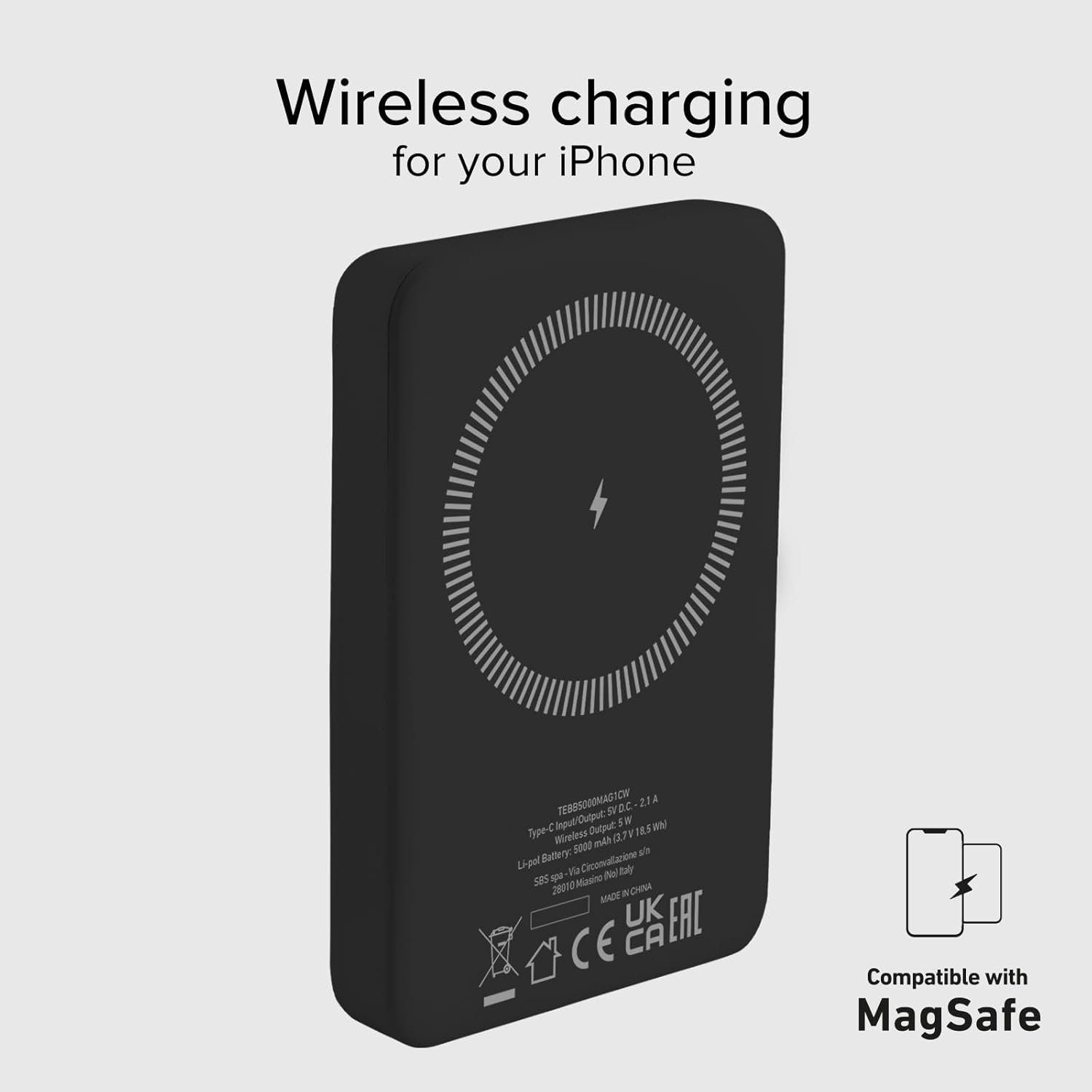
Image 4: The power bank's wireless charging surface, designed for MagSafe compatibility.

Image 5: Demonstrating the magnetic attachment of the power bank to a compatible iPhone.

Image 6: Wireless charging an Android device by placing it on the power bank.
4.3 Charging Devices via USB-C Cable
The USB-C port on the power bank can be used to charge devices that support wired charging.
- Connect one end of a compatible USB-C cable (or the included USB-A to USB-C cable with an appropriate adapter for your device) to the USB-C port on the power bank.
- Кабелдин экинчи учун аппаратыңыздын заряддоо портуна туташтырыңыз.
- Charging will begin automatically. The power bank's Intelligent Charge (IC) technology will optimize the charging speed for your device.
The 10W output ensures rapid charging for most compatible devices.

Image 7: Charging a smartphone using the USB-C cable.
4.4 Бир убакта заряддоо
The power bank can charge one device wirelessly and another via the USB-C port simultaneously, though total output may be shared.

Image 8: The power bank allows for device usage while charging.
5. Техникалык тейлөө
Туура кам көрүү жана техникалык тейлөө сиздин Power Bank'ыңыздын иштөө мөөнөтүн узартат.
- Тазалоо: Power bankтин бетин тазалоо үчүн жумшак, кургак чүпүрөктү колдонуңуз. Катуу химиялык заттарды же абразивдүү материалдарды колдонбоңуз.
- Сактагыч: Power банкты күн нурунан, өтө температурадан жана нымдуулуктан алыс, салкын, кургак жерде сактаңыз.
- Батареяга кам көрүү: To maintain battery health, fully charge and discharge the power bank at least once every three months if not in regular use.
- Тамчылардан качуу: Protect the device from physical shocks and drops.
- Суу таасири: This power bank is not waterproof. Avoid exposure to water or other liquids.
6. Кыйынчылыктарды
If you encounter issues with your power bank, refer to the following common solutions:
- Power Bank заряддалбай жатат:
- Заряддоо кабели кубат банкына да, кубат булагына да бекем туташып турганын текшериңиз.
- Try a different USB wall adapter or USB port.
- Кубат булагы активдүү экенин текшериңиз.
- Түзмөк зымсыз кубатталбай жатат:
- Ensure your device is Qi-enabled or MagSafe compatible.
- Check that your device is correctly centered on the power bank's wireless charging surface.
- Зымсыз кубаттоого тоскоол боло турган калың телефон каптарын алып салыңыз.
- Device Not Charging via USB-C:
- USB-C кабелинин кубат банкына жана түзмөгүңүзгө бекем туташтырылганын текшериңиз.
- Башка USB-C кабелин колдонуп көрүңүз.
- Verify your device's charging port is clean and free of debris.
- Жай кубаттоо:
- Ensure you are using a compatible charging cable and adapter.
- Charging speed can be affected by the device's battery level (slower when nearly full).
- Avoid using your device heavily while charging.
- Светодиоддор күйбөйт:
- The power bank might be completely discharged. Connect it to a power source for a few minutes.
- Press the power button to activate the LED indicators.
If problems persist, please contact SBS customer support.
7. Техникалык шарттар
| Атрибут | Деталь |
|---|---|
| Бренд | SBS |
| Модель аты | Mag Power Bank Color |
| Модель номери | TEBB5000MAG1CK |
| Батарея сыйымдуулугу | 5000 миллионamper-hour (mAh) |
| Батареянын курамы | Литий полимери |
| Киргизүү/чыгаруу порту | 1 x USB-C (10W) |
| Зымсыз кубаттоо чыгышы | 5 Вт (Зымсыз) |
| Тtage | 5 вольт |
| Шайкеш түзмөктөр | Smartphones (iPhone, Android), E-readers, Speakers, Headphones, Smartwatches, MP3 Players, Cameras |
| Өзгөчөлүктөр | Lightweight, Short-circuit Protection, Overload Protection, Wireless Charging, LED Indicator Lights |
| Салмагы | 187 г |
| Түс | Кара |
| Камтылган компоненттер | Заряддоо кабели (USB-Aдан USB-Cге) |
| Airline Transportable | Yes (Cabin Allowed) |

Image 9: The power bank is approved for air travel.
8. Кепилдик жана колдоо
For warranty information and customer support, please refer to the documentation provided with your purchase or visit the official SBS website. You can also visit the SBS Brand Store on Amazon for more product information and support resources.
SBS Brand Store: https://www.amazon.it/stores/SBS/page/57FDEEEA-56BF-47BC-BBDB-9389D6E570BD


