1. Киришүү
This manual provides detailed instructions for the setup, operation, and maintenance of your ROCKBROS BC Wireless ANT+ Bluetooth Bicycle Computer. This device is designed to track various cycling metrics, offering comprehensive data for your rides. Please read this manual thoroughly before using the product to ensure proper functionality and longevity.
2. Пакеттин мазмуну
Төмөндө тизмеленген нерселердин баары пакетиңизге камтылганын текшериңиз:
- ROCKBROS BC Bicycle Computer
- Каденция сенсору
- Компьютер орнотуу
- USB заряддоо кабели (Type-C)
- Каучук
- Силикон коргоочу кап
- Rubber Rings (x3)

This image displays the ROCKBROS BC bicycle computer along with its accessories: a charging cable, computer mount, rubber pad, protective silicone case, and three rubber rings. It also indicates support for ANT+ sensors like cadence sensors, power meters, and heart rate monitors.
3. Продукт бүтүп калдыview
The ROCKBROS BC bicycle computer is equipped with advanced features to enhance your cycling experience.
- Дисплей: 2.9-inch LCD screen with automatic backlight adjustment for clear visibility in various lighting conditions.
- Байланыш: Supports ANT+ and Bluetooth for seamless connection with external sensors.
- Позициялоо: Utilizes four global navigation satellite systems (GPS, Beidou, GLONASS, Galileo) for fast and precise location tracking.
- Data Metrics: Provides access to 25 different data elements, allowing customization of up to 5 display pages, each showing a maximum of 7 data items.
- Батарея: Integrated 1200 mAh battery offers over 35 hours of operating time. Fast charging via USB-C, fully charging in approximately 3 hours.
- Узактыгы: IPX7 waterproof rating ensures reliable performance in wet conditions.

This image shows the ROCKBROS BC bicycle computer from the front, highlighting its large LCD screen with data such as speed, time, lap, rise, and distance.

This diagram illustrates the wide range of 25 cycling statistics that can be displayed on the computer, including speed, heart rate, power, altitude, and temperature. It also shows the device mounted on a bicycle handlebar.
4. Орнотуу
4.1 Mounting the Computer and Cadence Sensor
Use the provided computer mount to securely attach the device to your bicycle handlebars. The cadence sensor should be installed on the crank arm. Ensure both are firmly in place to prevent movement during rides.
4.2 Баштапкы күйгүзүү жана негизги орнотуулар
- Press and hold the left button to power on the device.
- Upon first use, you may need to configure basic settings such as time zone and measurement units (e.g., kilometers or miles). Refer to the on-screen prompts or the device's menu for navigation. Setting the correct time zone is crucial for the automatic backlight adjustment system to function accurately.
4.3 Sensor Pairing (ANT+ and Bluetooth)
The ROCKBROS BC supports external sensors via ANT+ and Bluetooth for enhanced data collection (e.g., heart rate monitors, power meters, speed sensors). To pair a sensor:
- Ensure the external sensor is active and within range of the bicycle computer.
- Navigate to the device's sensor pairing menu.
- Select the type of sensor you wish to pair (e.g., cadence, heart rate, power).
- The computer will search for available sensors. Select your sensor from the list to complete pairing.
4.4 Tire Circumference Setting
For accurate distance tracking, especially when not relying solely on GPS, it is recommended to set your tire's circumference in millimeters (MM). This setting is typically found in the device's system or calibration menu. Consult your tire's specifications or measure it directly for the most precise value.
5. Операция
5.1 Күйгүзүү/өчүрүү
- Күйгүзүү: Press and hold the left button.
- Өчүрүү: Press and hold the left button for several seconds until the device powers down.
5.2 Жүрүштү баштоо жана токтотуу
- After powering on, press the left button again to begin recording your ride data. The trip time will start counting.
- To pause or stop recording, press the left button.
5.3 Дисплей навигациясы
The right button allows you to cycle through different display pages, each presenting various aspects of your current ride, average data, or maximum values.
5.4 GPS функциясы
The device uses multiple satellite systems for precise positioning. For optimal performance, ensure the device has a clear view of the sky and avoid moving it during the initial positioning phase.

This image highlights the bicycle computer's dynamic positioning system, showing icons for GPS, GLONASS, BDS (Beidou), and Galileo satellites, indicating its multi-system support for accurate tracking.
5.5 Маалыматтарды көрсөтүүнү ыңгайлаштыруу
You can customize up to 5 data display pages, with each page capable of showing a maximum of 7 data elements. This allows you to prioritize the metrics most important to your ride. Refer to the device's settings menu to configure your preferred data layouts.
6. Заряддоо
The ROCKBROS BC bicycle computer is equipped with a 1200 mAh rechargeable battery, providing over 35 hours of usage on a full charge. To charge the device:
- Берилген USB Type-C кубаттоо кабелин түзмөктөгү кубаттоо портуна туташтырыңыз.
- Кабелдин экинчи учун стандарттуу USB кубат булагына (мисалы, компьютерге, дубал адаптерине) туташтырыңыз.
- Толук кубаттоо, адатта, болжол менен 3 саатты талап кылат.
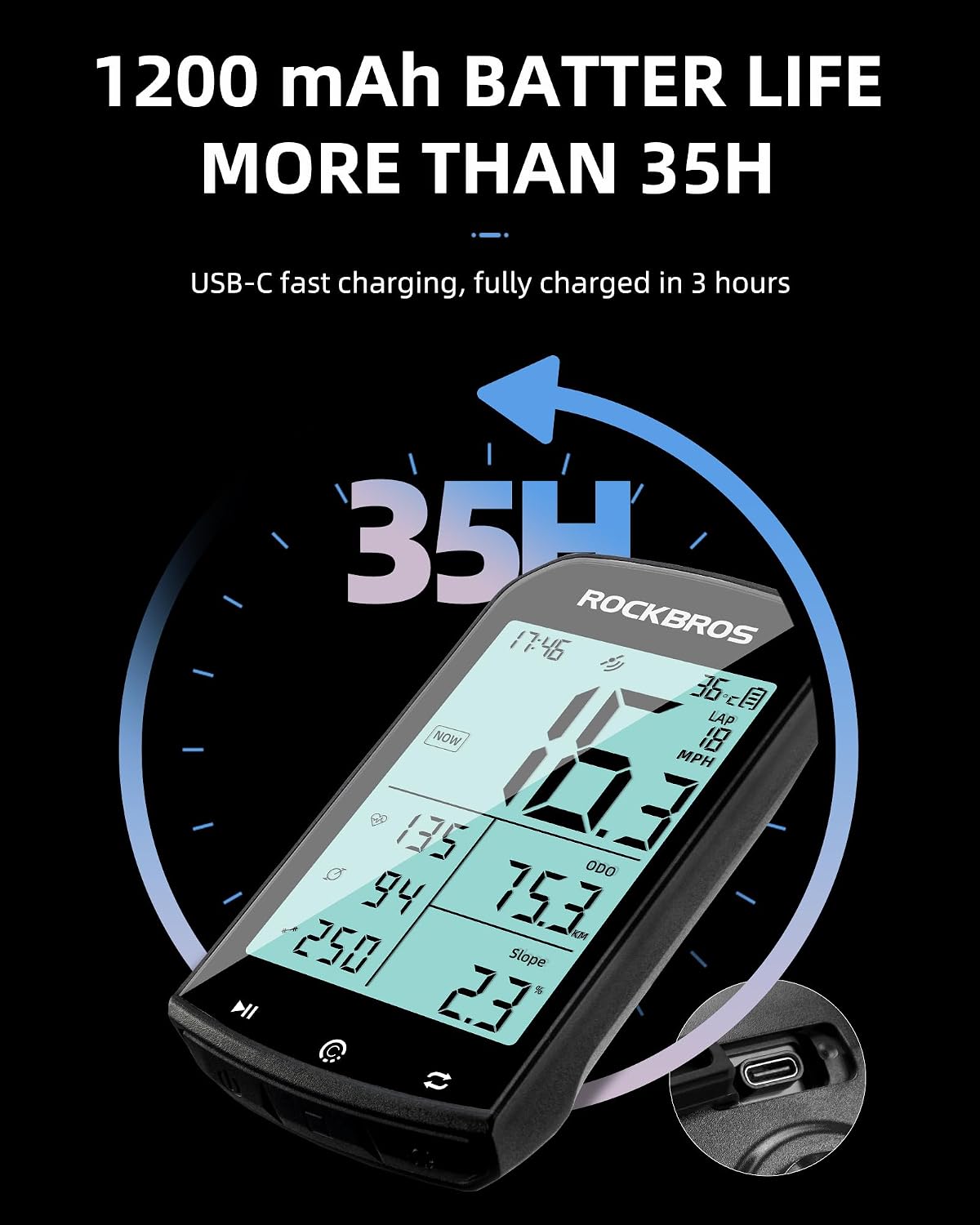
This image emphasizes the long battery life of the bicycle computer, stating over 35 hours of operation from its 1200 mAh battery, and features a close-up of the USB-C charging port.
7. Техникалык тейлөө
- Тазалоо: Аппаратты жумшак менен сүртүңүз, гamp кездеме. Катуу химиялык заттарды же абразивдүү тазалагычтарды колдонуудан алыс болуңуз.
- Суу каршылык: The device has an IPX7 waterproof rating, meaning it can withstand immersion in up to 1 meter of water for 30 minutes. However, it is not recommended for prolonged underwater use. Ensure the USB port cover is securely closed to maintain water resistance.
- Сактагыч: Store the computer in a cool, dry place when not in use. Avoid extreme temperatures.
8. Кыйынчылыктарды
- GPS Connectivity Issues: If the device takes a long time to connect to GPS or shows inaccurate readings, ensure you are in an open area with a clear view of the sky. Avoid moving the device during the initial GPS lock.
- Inaccurate Speed/Distance: Verify that the tire circumference setting is correctly entered in the device's settings. Ensure the cadence sensor is properly installed and paired.
- Backlight Not Adjusting Automatically: Check that the correct time zone is set on the device. The automatic backlight system relies on accurate time zone information.
- Сенсор жупташпай жатат: Ensure the sensor is active, has sufficient battery, and is within range. Try restarting both the computer and the sensor.
9. Техникалык шарттар
| Өзгөчөлүк | Спецификация |
|---|---|
| Бренд | РОКБРОС |
| Модель номери | ROCKBROS BC |
| Screen Size | 2.9 дюйм (LCD) |
| Байланыш технологиясы | ANT+, Bluetooth |
| Батарея сыйымдуулугу | 1200 мАч (Литий-ион) |
| Батареянын иштөө мөөнөтү | 35 саатка чейин |
| Заряддоо интерфейси | USB Type-C |
| Суу өткөрбөйт рейтинги | IPX7 |
| Материал | Пластик |
| Таза Салмак | 85 г |
| Монтаж түрү | Рул монтажы |
10. Кепилдик жана колдоо
ROCKBROS provides a warranty for this product. Should you encounter any issues with your device, please contact ROCKBROS customer support for assistance. Options for resolution may include a refund or product replacement, depending on the nature of the issue.


