1. Киришүү
Thank you for choosing the TECKNET Tri-Mode Wireless Mouse. This mouse offers versatile connectivity options (Bluetooth 5.0, Bluetooth 3.0, and 2.4G wireless) allowing seamless switching between up to two devices. Designed for comfort and efficiency, it features adjustable DPI settings for precise control and silent clicks for a quiet working environment. This manual provides detailed instructions for setup, operation, and maintenance to ensure optimal performance.
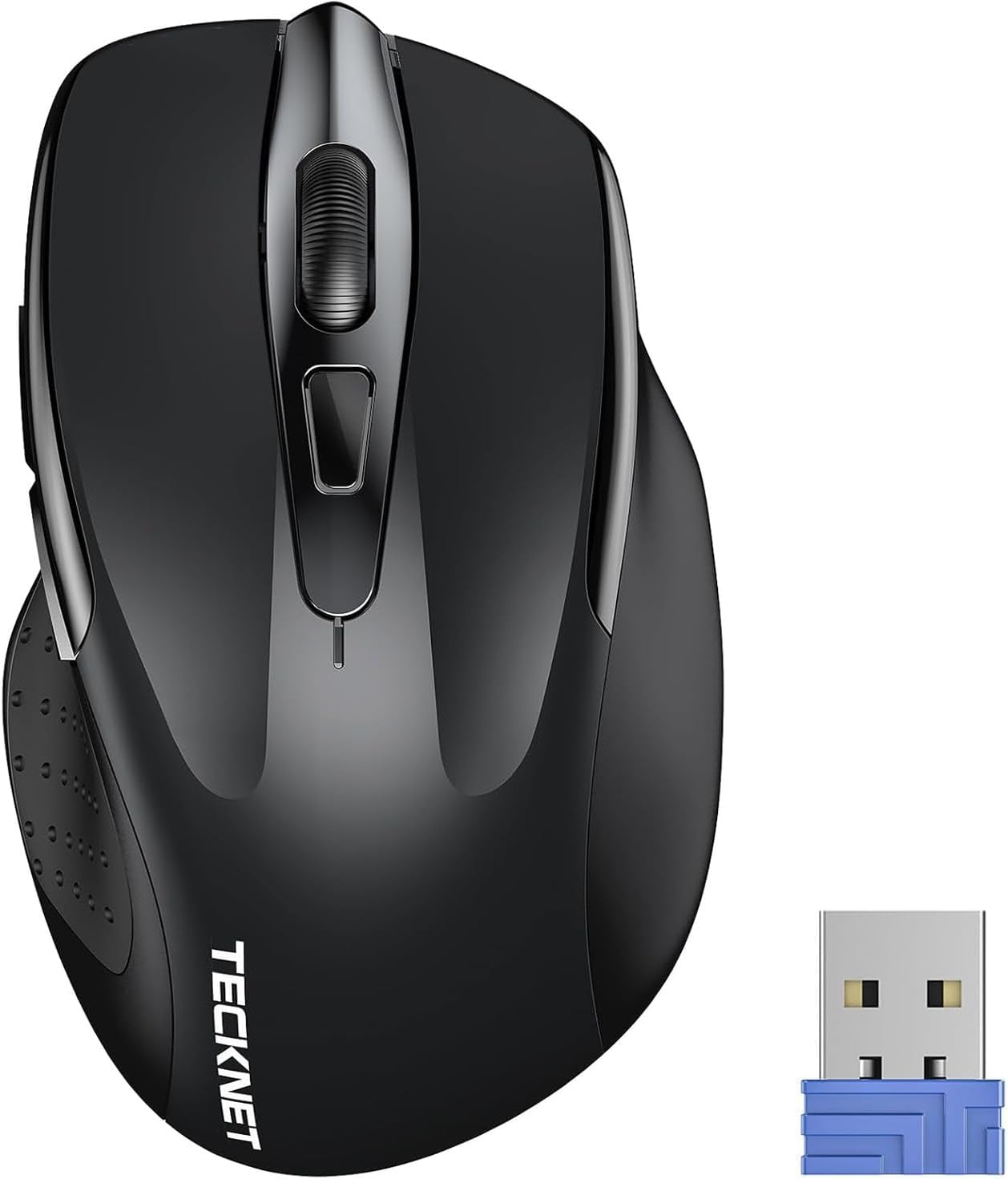
Image 1.1: TECKNET Tri-Mode Wireless Mouse and 2.4G USB Receiver.

Image 1.2: Mouse Diagram with Button Functions and USB Receiver Location.
2. Пакеттин мазмуну
Сураныч, пакетте төмөнкү нерселерди текшериңиз:
- TECKNET Tri-Mode Wireless Mouse
- 2.4G USB Receiver (stored in the battery compartment)
- User Manual
Эскертүү: AAA batteries are not included and must be purchased separately.
3. Орнотуу колдонмосу
3.1. Батареяны орнотуу
- Чычкандын астыңкы жагында жайгашкан батарея бөлүмүнүн капкагын ачыңыз.
- Туура полярдуулукту (+/-) камсыз кылуу менен эки AAA батарейкасын салыңыз.
- Батарея уясынын капкагын жабыңыз.

Image 3.1: Battery Installation.
3.2. Connecting via 2.4G Wireless Mode
- Locate the 2.4G USB receiver inside the mouse's battery compartment.
- USB кабыл алгычты алып салып, аны компьютериңиздеги жеткиликтүү USB портуна сайыңыз.
- Slide the mode switch on the bottom of the mouse to the "2.4G" position.
- Чычкан компьютериңизге автоматтык түрдө туташышы керек. Жашыл LED индикатору кыска убакытка күйөт.
3.3. Connecting via Bluetooth Mode (BT 5.0 / BT 3.0)
- Чычкандын астыңкы жагындагы режим которгучун "BT" абалына жылдырыңыз.
- Press and hold the Bluetooth pairing button (usually located near the mode switch) for 3-5 seconds until the blue LED indicator starts flashing. This indicates the mouse is in pairing mode.
- Түзмөгүңүздө (компьютер, планшет, смартфон) Bluetooth жөндөөлөрүнө өтүп, жаңы түзмөктөрдү издеңиз.
- Жупташтыруу үчүн жеткиликтүү түзмөктөрдүн тизмесинен "TECKNET чычканын" (же ушул сыяктуу аталышты) тандаңыз.
- Once paired, the blue LED indicator will stop flashing and remain solid for a few seconds before turning off.
3.4. Switching Between Modes/Devices
The mouse supports connecting to two devices simultaneously (one via 2.4G, one via Bluetooth). Use the mode switch on the bottom of the mouse to select your desired connection:
- 2.4G: Connects to the device with the USB receiver.
- BT: Connects to the paired Bluetooth device.

Image 3.2: Easy Switching Between 2.4G and Bluetooth Devices.
4. Иштөө нускамалары
4.1. DPI тууралоо
The mouse features 6 adjustable DPI levels (800/1200/1600/2400/3200/4800) to suit your precision needs. Press the DPI switch button, located behind the scroll wheel, to cycle through the DPI settings. Each press changes the cursor speed, allowing for precise control on various surfaces.

Image 4.1: DPI Adjustment Levels.
4.2. Үнсүз чыкылдатуу функциясы
The left, right, and middle click buttons are designed for silent operation, reducing click noise by up to 90%. This feature is ideal for quiet environments such as libraries, offices, or home settings where minimizing disturbance is important.

Image 4.2: Silent Click Operation.
4.3. Power Saving Features
The mouse is equipped with an automatic sleep function to conserve battery life. If the mouse is inactive for a period, it will enter sleep mode. To wake it up, simply click any button. The battery life can extend up to 30 months, depending on usage and environmental conditions.

Image 4.3: Automatic Sleep Mode and Activation.
4.4. LED көрсөткүч
The LED indicator on the mouse provides important status information:
- Кызыл жарык: Indicates low battery or DPI change.
- Көк жарык: Indicates Bluetooth mode or pairing.
- Жашыл жарык: Indicates 2.4G mode.

Image 4.4: LED Indicator Meanings.
4.5. Шайкештик
The TECKNET Tri-Mode Wireless Mouse is compatible with a wide range of operating systems:
- Windows 11/10/8/7/XP/Vista
- Mac OS
- Linux
- Android
- iOS (10.4 or higher, via BT 5.0 mode)

Image 4.5: Broad Operating System Compatibility.
5. Техникалык тейлөө
5.1. Тазалоо
Оптималдуу иштеши үчүн чычканыңызды дайыма тазалаңыз:
- Чычкандын сыртын сүртүү үчүн жумшак, кургак чүпүрөктү колдонуңуз.
- өжөр кир үчүн, бир аз гampчүпүрөктү суу же жумшак тазалоо эритмеси менен жууп салыңыз. Катуу химиялык заттардан алыс болуңуз.
- Do not allow liquids to enter the mouse.
5.2. Батареяны алмаштыруу
When the red LED indicator flashes or the mouse performance degrades, it's time to replace the batteries:
- Батарея отсегин ачыңыз.
- Эски AAA батарейкаларын алып салыңыз.
- Insert two new AAA batteries, observing correct polarity.
- Купени жабыңыз.
6. Кыйынчылыктарды
| Көйгөй | Мүмкүн себеп | Чечим |
|---|---|---|
| Чычкан жооп бербей жатат | Батарея аз; Туура эмес режим тандалды; USB кабыл алгыч туташкан эмес; Bluetooth жупташтырылган эмес. | Replace batteries; Check mode switch (2.4G/BT); Re-insert USB receiver; Re-pair Bluetooth. |
| Курсордун кыймылы туура эмес же жай | Low battery; Dirty sensor; Mouse used on unsuitable surface; DPI setting too low. | Replace batteries; Clean optical sensor; Use a mouse pad or suitable surface; Adjust DPI setting. |
| Bluetooth аркылуу жупташтыруу мүмкүн эмес | Mouse not in pairing mode; Device's Bluetooth is off; Interference. | Ensure mouse is in BT pairing mode (flashing blue LED); Turn on Bluetooth on your device; Move closer to the device; Try pairing again. |
| 2.4G connection unstable | USB receiver too far; Interference from other wireless devices. | Move mouse closer to the USB receiver; Plug receiver into a different USB port; Avoid placing receiver near other wireless devices. |
7. Техникалык шарттар
- Бренд: TECNET
- Модель номери: 5056243612529
- Байланыш технологиясы: Bluetooth (5.0/3.0), 2.4G Wireless (USB Receiver)
- DPI деңгээли: 800, 1200, 1600, 2400, 3200, 4800 (Жөнгө салынуучу)
- Баскычтардын саны: 3 (Left, Right, Scroll Wheel/Middle Click) + DPI Switch + Forward/Backward buttons (if applicable to model)
- Колдун багыты: Эки тараптуу
- Кубат булагы: 2 x AAA Батареялар (киргизилген эмес)
- Батареянын иштөө мөөнөтү: 30 айга чейин (колдонууга жараша)
- Салмагы: 71.4 грамм
- Өзгөчөлүктөр: Ergonomic Design, Portable, Silent Click
- Шайкеш операциялык системалар: Windows, Mac OS, Linux, Android, iOS (10.4+)
8. Кепилдик жана колдоо
TECKNET төмөнкүлөрдү камсыз кылат: 36 айлык кепилдик for this product (for registered users). If you encounter any issues during the use of your wireless mouse, please contact our professional customer service team for assistance. Our support team is dedicated to resolving any problems you may experience.
For warranty claims or technical support, please visit the official TECKNET webсайтка же сатуучуга кайрылыңыз.


