1. Киришүү
This manual provides instructions for the safe and efficient operation of your ChargeWorx Mini Portable Charger Power Bank, Model CX6896BK. Please read this manual thoroughly before use and retain it for future reference.
2. Продукт бүтүп калдыview
The ChargeWorx Mini Portable Charger Power Bank is a compact and versatile charging solution designed for mobile devices. It features a built-in USB-C connector, a 5,000 mAh battery capacity, and an LCD display for monitoring battery levels. The device supports fast charging, dual output, and pass-through charging capabilities.

Image: The ChargeWorx Mini Portable Charger connected directly to the charging port of a smartphone, displaying '100' on its LCD screen.
Негизги өзгөчөлүктөрү:
- Орнотулган USB-C туташтыргычы: Directly connects to compatible devices.
- 5,000 mAh Battery Capacity: Provides extended power for mobile devices.
- LCD Power Indicator: Учурдагы батареянын пайызын көрсөтөтtage.
- Тез кубаттоо: Supports 5V/A fast charging.
- Dual Output: Charge two devices simultaneously using the built-in USB-C connector and the additional USB-C port.
- Өткөөл кубаттоо: Allows charging of a device while the power bank itself is being charged.
- Компакт жана портативдик дизайн: Easily fits into pockets or bags.
- Коргоочу капкак: Covers the built-in USB-C connector when not in use.

Image: An internal diagram of the power bank highlighting the digital battery display and the C-type output connector.
3. Пакеттин мазмуну
- ChargeWorx Mini Portable Charger Power Bank (Model CX6896BK)
- User Manual
4. Орнотуу
Power Банктын алгачкы заряддоосу:
- Connect a USB-C charging cable (not included) to the USB-C input/output port on the side of the power bank.
- Connect the other end of the USB-C cable to a compatible USB power adapter (e.g., wall charger, computer USB port).
- LCD дисплей кубаттоонун жүрүшүн көрсөтүп, батареянын кубатталышынын пайызын көрсөтөтtage.
- Charge the power bank until the LCD display shows 100%.

Image: An internal diagram of the power bank illustrating the USB-C input/output port and its 5000mAh power bank capacity.
5. Иштөө нускамалары
Аппаратты заряддоо:
- Орнотулган USB-C туташтыргычынан коргоочу капкакты алып салыңыз.
- Carefully plug the built-in USB-C connector directly into your device's USB-C charging port.
- The power bank will automatically begin charging your device. The LCD display on the power bank will show its remaining battery percentage.
- To stop charging, simply disconnect the power bank from your device. Replace the protective cap when not in use.

Image: A smartphone displaying '75% Charged' while connected to the ChargeWorx power bank, held in a user's hand.
Кош түзмөк кубаттоо:
The power bank supports charging two devices simultaneously:
- Connect the first device using the built-in USB-C connector as described above.
- Connect a second device to the power bank's USB-C input/output port using a compatible USB-C charging cable (not included).
- Both devices will charge concurrently.
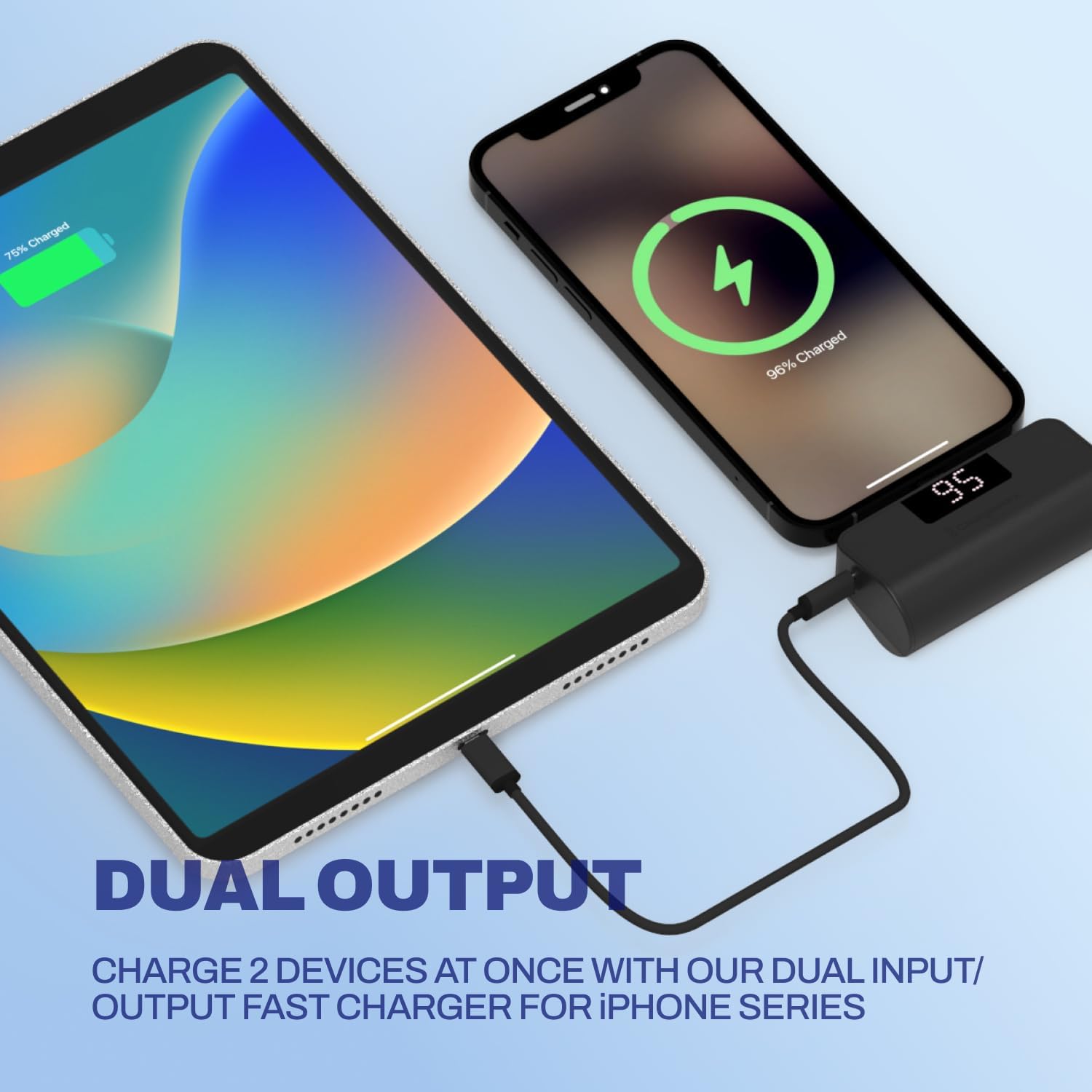
Image: A smartphone and a tablet are shown charging simultaneously, with the smartphone connected directly to the power bank and the tablet connected via a cable to the power bank's additional USB-C port.
Өткөөл кубаттоо:
You can charge a device while the power bank itself is being recharged:
- Камтылган USB-C туташтыргычын колдонуп, түзмөгүңүздү кубат банкына туташтырыңыз.
- Connect the power bank to a power source using a USB-C charging cable plugged into its USB-C input/output port.
- Powerbank да, туташкан түзмөгүңүз да кубатталат.
6. ЖК дисплей маалымат
The integrated LCD screen provides real-time information about the power bank's battery status. When the power bank is in use (charging a device) or being charged, the display will illuminate and show the current battery percentage 0ден 100%ке чейин.

Image: A close-up of the ChargeWorx power bank, highlighting its easy-to-read digital LCD display and the included soft protective cap for the USB-C connector.
7. Коопсуздук маалыматы
- Кубат банкын экстремалдык температурага, тике күн нуруна же отко чыгарбаңыз.
- Power банкты кулап же катуу таасирлерге дуушар кылуудан качыңыз.
- Аппаратты ажыратпаңыз, өзгөртпөңүз же оңдоого аракет кылбаңыз.
- Power банкты суудан жана башка суюктуктардан алыс кармаңыз.
- Ensure the built-in USB-C connector is properly aligned and inserted into your device's port to prevent damage. Avoid applying excessive force or stress to the connector while in use, especially when the device is in a pocket or bag, as this may cause damage to the connector or your phone's charging port.
- Туура келген заряддоо кабелдерин жана адаптерлерин гана колдонуңуз.
- Балдар жетпеген жерде сактаңыз.
8. Техникалык тейлөө
- Тазалоо: Power bankты жумшак, кургак чүпүрөк менен сүртүңүз. Катуу химиялык заттарды же абразивдүү материалдарды колдонбоңуз.
- Сактагыч: Store the power bank in a cool, dry place away from direct sunlight and moisture. If storing for extended periods, charge the power bank to approximately 50% every three months to maintain battery health.
- Always replace the protective cap over the built-in USB-C connector when not in use to prevent dust and damage.
9. Кыйынчылыктарды
Power Bank заряддалбай жатат:
- Ensure the USB-C charging cable is securely connected to both the power bank and the power adapter.
- Кубат адаптери туура иштеп жатканын жана розеткага сайылып турганын текшериңиз.
- Башка USB-C кабелин же кубат адаптерин колдонуп көрүңүз.
Түзмөк Power Bankтан кубатталбай жатат:
- Check if the power bank has sufficient charge (refer to the LCD display).
- Ensure the built-in USB-C connector is fully and correctly inserted into your device's charging port.
- If using the additional USB-C port, ensure the cable is securely connected and functional.
- Confirm your device is compatible with USB-C charging.
- Түзмөгүңүздү өчүрүп күйгүзүп, кайра аракет кылыңыз.
Жай кубаттоо:
- Ensure both the power bank and your device support fast charging.
- Check if the charging cable and power adapter (if charging the power bank) are rated for fast charging.
- Бир эле учурда бир нече түзмөктү кубаттоо жеке кубаттоо ылдамдыгын азайтышы мүмкүн.
10. Техникалык шарттар
| Модель номери | CX6896BK |
| Батарея сыйымдуулугу | 5000 мАч |
| Туташтыргыч түрү | Built-in USB-C, USB-C Input/Output Port |
| Продукциянын өлчөмдөрү | 3.07 x 1.06 x 2.09 дюйм |
| Элемент Салмагы | 5.9 унция |
| Өзгөчөлүктөр | Auto Shut-Off, Built-in Cable, Digital Display, Over Charging Protection, Pocket Size |
11. Кепилдик жана колдоо
For warranty information or technical support, please refer to the official ChargeWorx webсайтка же кардарларды тейлөө бөлүмүнө кайрылыңыз. Сатып алуу квитанциясын кепилдик дооматтары үчүн сатып алуунун далили катары сактаңыз.

