1. Киришүү
This manual provides detailed instructions for the installation, operation, and maintenance of your RAINPOINT Sprinkler Timer 2 Outlet. Please read this manual thoroughly before use to ensure proper functionality and longevity of your device.
2. Продукциянын өзгөчөлүктөрү
- Uneven/Regular/Daily Watering Cycle Modes: Specific Day, Regular Day Cycle (every 2/3/4/5/6 days), or Daily Watering.
- 2 Zone with 3 Separate Programs: Water 2 areas 1-3 times within a day (morning, noon, evening). Automatic watering duration from 1 minute to 3 hours 59 minutes.
- 3 Switchable Automatic & Manual Modes: ZONE L, ZONE R, and BOTH ZONES for individual or simultaneous use. Auto mode: 1-239 mins, manual mode: 1-479 mins.
- Upgraded Dual Zone Technology: Built-in premium 2-zone valve with self-cleaning function for faster and smoother water flow.
- 1-3 Days Rain Delay: Postpone schedule for 24/48/72 hours based on local weather.
3. Пакеттин мазмуну
- RAINPOINT Sprinkler Timer 2 Outlet (Model: ITV201P)
- User Manual
- (Батареялар кошулган жок)
4. Коопсуздук маалыматы
- Таймерди сууга салбаңыз.
- Use only fresh alkaline batteries of the specified type.
- Таймерди нөлдөн сактаңыз. Батареяларды алып чыгып, кышында үйдүн ичинде сактаңыз.
- Суу агып кетпеши үчүн бардык туташуулардын бекем болушун текшериңиз.
5. Орнотуу
5.1 Батареяны орнотуу
The timer requires 2 AA alkaline batteries (not included). Open the battery compartment cover on the back of the unit. Insert the batteries, ensuring correct polarity (+/-). Close the cover securely.

Image: Step-by-step guide showing battery insertion into the timer.
5.2 Таймерди туташтыруу
- Screw the timer onto your outdoor faucet. Ensure the connection is hand-tight to prevent leaks.
- Connect your garden hoses to the two outlets (Zone L and Zone R) at the bottom of the timer.

Image: The RainPoint Sprinkler Timer connected to a water faucet with two hoses attached to its outlets.
6. Иштөө нускамалары
The RAINPOINT Sprinkler Timer features a large LCD display and a rotary dial for easy programming. The dial has positions for SET CLOCK, START TIME, HOW LONG, HOW OFTEN, ON, and OFF.
6.1 Саатты орнотуу
- Тергичти буруңуз СААТТЫ КОЮ.
- колдонуу + жана - buttons to adjust the current time. Press ОК/КОЛ ырастоо үчүн.
6.2 Сугаруу графигин программалоо (Автоматтык режим)
The timer supports 3 separate programs (P1, P2, P3) for each zone (Zone L, Zone R, or Both Zones).
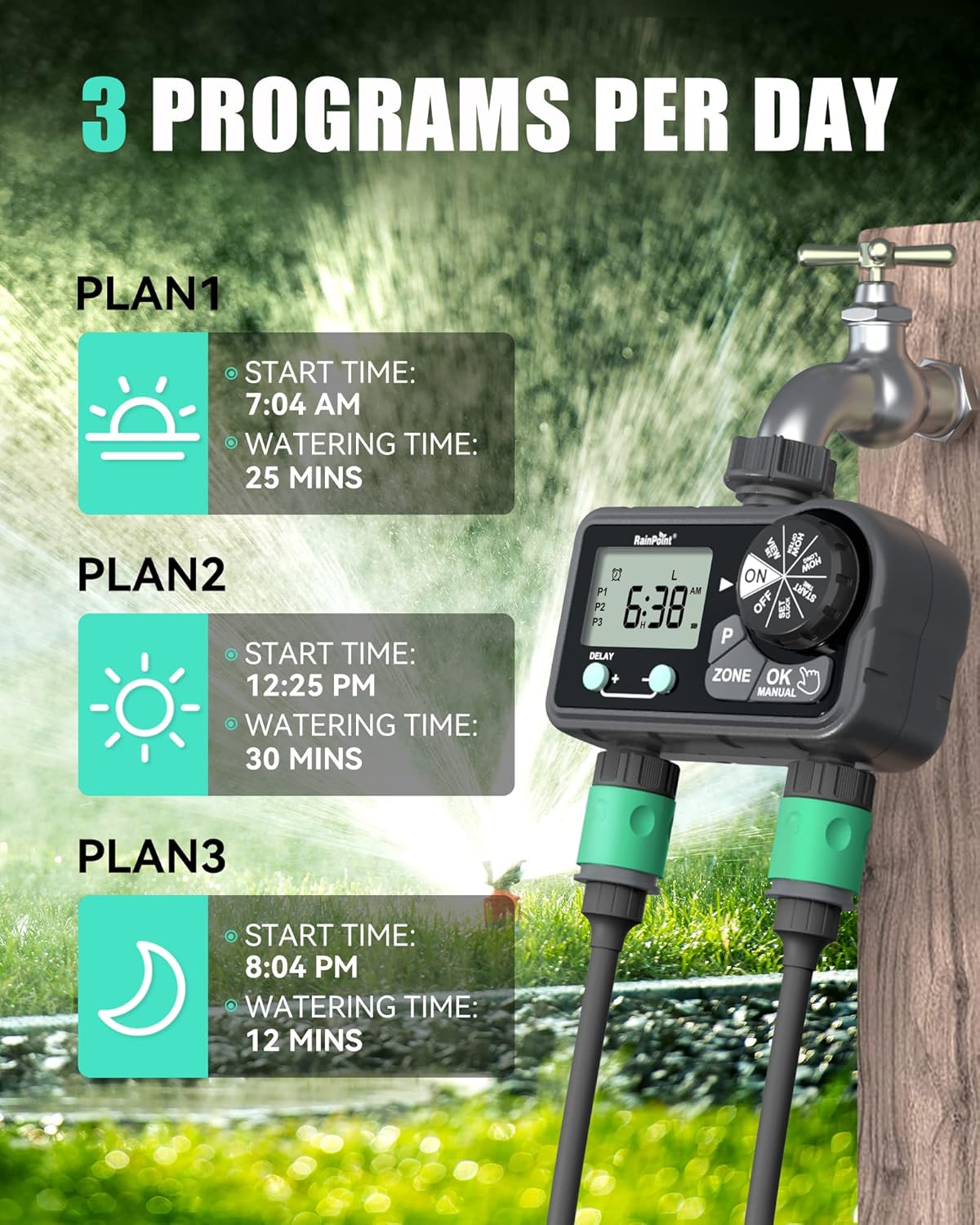
Image: Visual representation of setting up to 3 watering programs per day.
Setting Start Time:
- Тергичти буруңуз БАШТАЛГАН УБАКЫТ.
- басыңыз P button to select Program 1 (P1), Program 2 (P2), or Program 3 (P3).
- басыңыз ЗОН button to select Zone L, Zone R, or Both Zones.
- Колдонуу + жана - buttons to set the desired start time for the selected program and zone. Press ОК/КОЛ ырастоо үчүн.
Setting Watering Duration (How Long):
- Тергичти буруңуз КАНЧА УБАКЫТ.
- басыңыз P button to select the program (P1, P2, or P3) you wish to set the duration for.
- басыңыз ЗОН button to select Zone L, Zone R, or Both Zones.
- Колдонуу + жана - buttons to set the watering duration (1 minute to 3 hours 59 minutes). Press ОК/КОЛ ырастоо үчүн.
Setting Watering Frequency (How Often):
Choose between Specific Day, Regular Day Cycle, or Daily Watering.
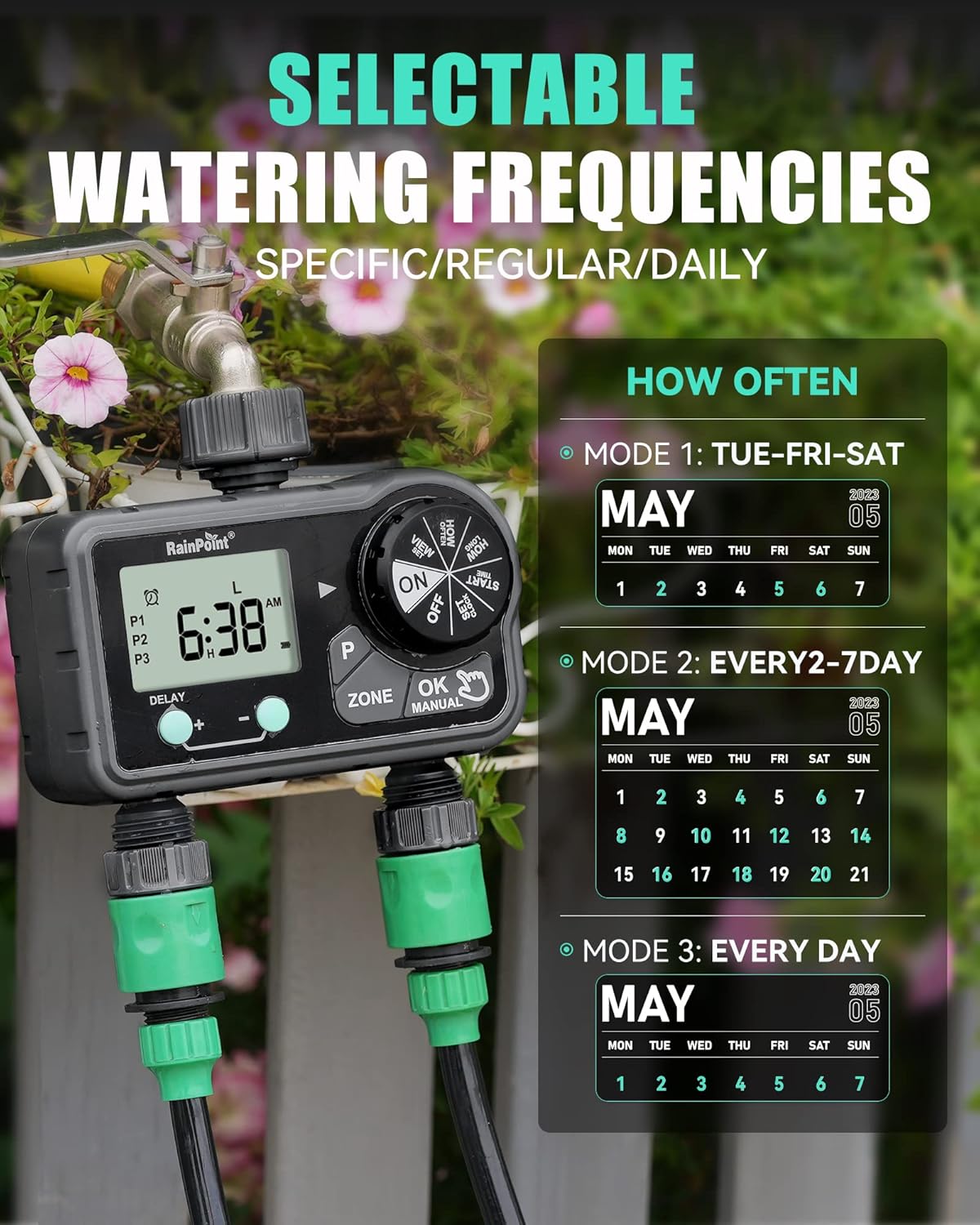
Image: Illustration of the three watering frequency modes available on the timer.
- Тергичти буруңуз КАЧАН.
- басыңыз P button to select the program (P1, P2, or P3).
- басыңыз ЗОН button to select Zone L, Zone R, or Both Zones.
- Колдонуу + жана - buttons to select the desired frequency:
- Specific Day: Select individual days of the week (e.g., TUE, FRI, SAT).
- Regular Day Cycle: Set to water every 2, 3, 4, 5, or 6 days.
- Күнүмдүк: Күн сайын суу.
- Басыңыз ОК/КОЛ ырастоо үчүн.
6.3 Кол менен сугаруу
Кол менен сугарууну баштоо үчүн:
- Ensure the dial is on ON.
- басыңыз ОК/КОЛ баскычы.
- колдонуу ЗОН button to select Zone L, Zone R, or Both Zones.
- Колдонуу + жана - buttons to set the manual watering duration (1 minute to 479 minutes).
- Басыңыз ОК/КОЛ again to start watering.
- Кол менен сугарууну токтотуу үчүн басыңыз ОК/КОЛ кайра же дөңгөлөктү күйгүзүңүз ӨЧҮРҮҮ.

Image: A user demonstrating the manual watering mode of the RainPoint Sprinkler Timer.
Video: A demonstration of the RainPoint Sprinkler Timer's features, including setting the clock and programming watering schedules.
6.4 Жамгырдын кечиктирүү функциясы
Жаан-чачынга байланыштуу сугаруу графигин убактылуу токтотуу үчүн:
- Ensure the dial is on ON.
- басыңыз КЕЧИКТИРҮҮ + баскычы.
- колдонуу + жана - buttons to select the delay duration (24, 48, or 72 hours).
- The timer will automatically resume its programmed schedule after the delay period.
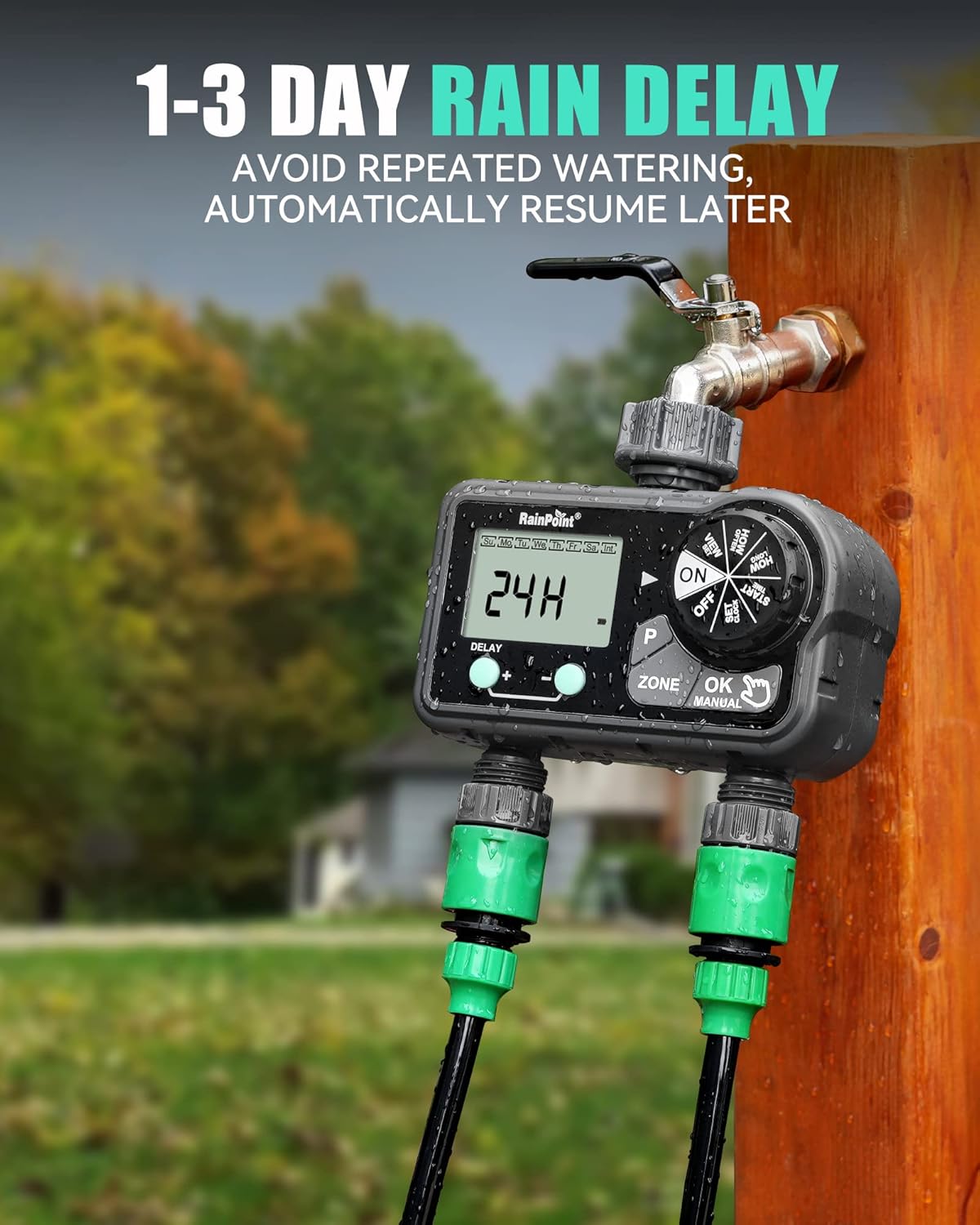
Image: The timer's display showing a 24-hour rain delay activated.
7. Техникалык тейлөө
- Батареяны алмаштыруу: Replace batteries when the low battery indicator appears on the screen. Always use fresh alkaline batteries.
- Тазалоо: Periodically clean the filter washer located at the inlet to prevent debris from clogging the timer.
- Кышкы сактоо: Before the first frost, remove the timer from the faucet, drain any remaining water, remove batteries, and store the unit indoors in a dry, protected area.
8. Кыйынчылыктарды
| Көйгөй | Мүмкүн себеп | Чечим |
|---|---|---|
| Таймер сугарбайт. | Batteries low or dead; incorrect program settings; faucet off. | Replace batteries; verify program settings (start time, duration, frequency); ensure faucet is fully open. |
| Байланыштардан суу агып жатат. | Loose connection; missing or damaged washer. | Tighten connections; check and replace rubber washers if necessary. |
| Дисплей бош же күңүрт. | Төмөн же өлүп калган батарейкалар. | Батареяларды алмаштырыңыз. |
| Суунун агымы начар. | Clogged filter washer; low water pressure. | Clean the filter washer at the inlet; check household water pressure. |
9. Техникалык шарттар
- Продукциянын өлчөмдөрү: 5.8 x 3 x 6.2 дюйм
- Элемент Салмагы: 1.34 фунт
- Өндүрүүчү: RainPoint Irrigation
- ASIN: B0CWR9LM4H
- Түсү: Кара
- Орнотуулардын саны: 17
- Сугаруу узактыгы: 1 min to 3h 59 min (Auto), 1 min to 479 min (Manual)
- Жаан кечигүү: 24, 48, 72
- Кубат булагы: 2 x AA щелочтуу батарейкалар (киргизилген эмес)
10. Кепилдик жана колдоо
RAINPOINT offers a 5-year warranty on this product, ensuring quality and reliability. For technical support, warranty claims, or any inquiries, please refer to the contact information provided on the product packaging or visit the official RAINPOINT webсайт.
Official RAINPOINT Store: Дүкөнгө кириңиз


