1. Продукт бүтүп калдыview
The CZEview 3K 5MP Indoor Security Camera is a versatile device designed for home surveillance, pet monitoring, and baby monitoring. It offers crystal-clear 3K 5MP resolution, dual-band 2.4/5GHz Wi-Fi connectivity, and advanced features such as remote pan, tilt, and zoom capabilities. The camera includes night vision for low-light conditions, motion detection with auto-tracking, and two-way audio communication. It is also compatible with Alexa for convenient voice control.


2. Кутуда эмне бар
Сураныч, пакеттин мазмунун текшерип, бардык буюмдар бар экенин текшериңиз:
- 2x Чехияview Панорама/Тилт камерасы
- Кубаттуу адаптер
- Quick Start Guide
- Монтаждоо бурагы
- Монтаждоо плитасы
3. Орнотуу колдонмосу
3.1 Баштапкы орнотуу
- Кубат туташуу: Connect the camera to the power adapter using the provided micro-USB cable and plug it into a power outlet. The camera will power on and initiate its startup sequence.
- Колдонмону жүктөө: Download the designated mobile application (e.g., 'Elemage Cam' or as specified in the Quick Start Guide) from your device's app store (compatible with Android and iOS).
- Каттоо эсеби: Колдонмону ачып, жаңы аккаунт каттоо же эгер сизде мурунтан эле бар болсо, кирүү үчүн экрандагы көрсөтмөлөрдү аткарыңыз.
- Түзмөк кошуу: Within the app, select the option to add a new device. Follow the prompts to scan the QR code on the camera or manually select your camera model.
3.2 Wi-Fi туташуусу
The CZEview camera supports both 2.4GHz and 5GHz Wi-Fi networks, offering flexibility and improved performance.

- Тармак тандоо: Ensure your smartphone is connected to the Wi-Fi network you intend to connect the camera to.
- Сырсөз киргизүү: Enter your Wi-Fi password accurately into the app when prompted. Double-check for typos.
- Туташуу процесси: The app will guide you through the connection process, which may involve displaying a QR code on your phone screen for the camera to scan, or emitting an audible tone.
- Ырастоо: Once connected, the camera will typically indicate a successful connection (e.g., a voice prompt or LED indicator change), and the app will confirm the device is online.
3.3 Камераны орнотуу
The camera is designed for indoor use and can be ceiling-mounted for optimal coverage.
- Жайгашкан жери: Каалаган жерди камсыз кылган жерди тандаңыз viewбурчтуу жана Wi-Fi тармагыңыздын диапазонунда.
- Орнотуу: Use the provided mounting plate and screws to secure the camera to a ceiling or wall. If mounting into wood, pre-drilling pilot holes is recommended.
4. Иштөө нускамалары
4.1 Панорама, жантайтуу жана чоңойтуу (PTZ)
The camera offers a 355° horizontal rotation and 100° vertical rotation, allowing for comprehensive coverage of your indoor space. It also features 4x digital zoom.
- Контролдоо: Use the directional controls within the mobile app to remotely adjust the camera's viewбурч.
- Чоңойтуу: Pinch-to-zoom on the live feed within the app to digitally zoom in on specific areas.

4.2 Түнкү көрүнүш
Equipped with infrared LEDs, the camera provides clear video footagаз жарыкта же толук караңгыда да.
- Автоматтык иштетүү: Түнкү көрүү функциясы жарык аз болгондо автоматтык түрдө күйөт.
- Ачыктык: The 3K 5MP resolution ensures details are visible in night vision mode.
4.3 Кыймылды аныктоо жана автоматтык түрдө көзөмөлдөө
The camera can detect motion and sound, sending instant notifications to your phone. It also features auto-tracking to follow detected movement.
- Эскертмелер: Enable motion and sound alerts in the app settings to receive real-time notifications.
- Автоматтык көз салуу: When enabled, the camera will automatically pan and tilt to keep a moving subject within its field of view.

4.4 Эки тараптуу сүйлөшүү
Communicate with family members or pets through the camera using the two-way talk feature.
- Жандандыруу: Түз эфирде микрофон сүрөтчөсүн басыңыз view interface of the app to speak through the camera's speaker.
- угуу: The camera's built-in microphone allows you to hear audio from the camera's location.

4.5 Купуялык режими
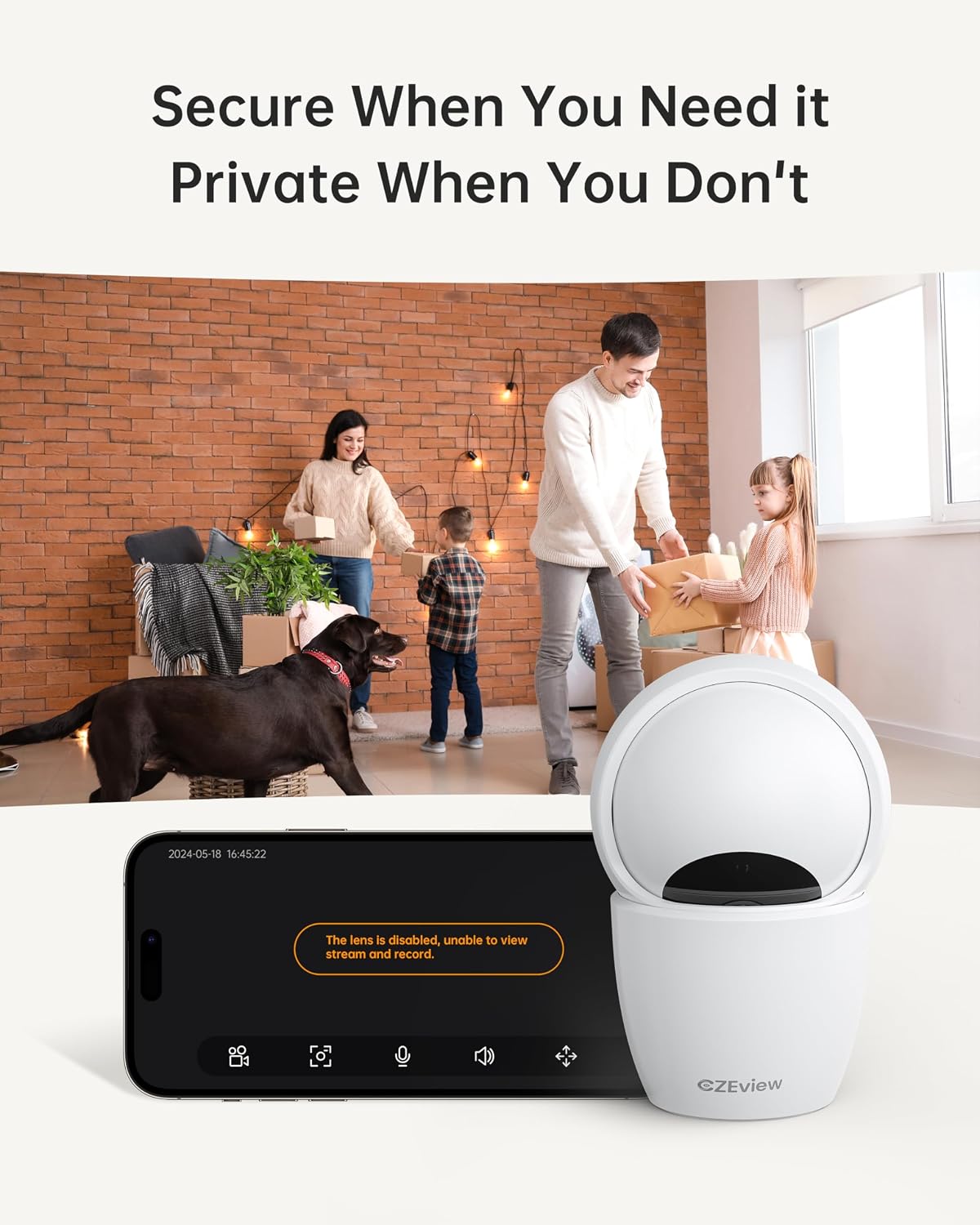
To ensure privacy, the camera can be deactivated with a single click in the app, physically turning the lens away.
- Жандандыруу: Locate the privacy mode option in the app settings or live view screen. Activating it will disable video streaming and recording.
- Пландаштыруу: Some app versions may allow scheduling privacy mode for specific times.

4.6 Жазуу жана сактоо
The camera supports local storage via a Micro SD card (up to 128GB, not included) and offers optional cloud storage plans for continuous 24/7 recording.
- Micro SD картасы: Insert the Micro SD card into the slot. To locate the slot and reset button, gently tilt the camera's 'eyeball' (lens housing) upward.
- Булуттагы сактагыч: Refer to the app for details on available cloud storage plans and subscription options.
4.7 Alexa интеграциясы
The camera works with Alexa, allowing for voice-activated control and viewing.
- Linking Account: Follow the instructions in the Alexa app to enable the CZEview skill and link your camera account.
- Үн буйруктары: "Alexa, мага [камеранын атын] көрсөт" сыяктуу буйруктарды колдонуңуз view the live feed on compatible Alexa devices with screens.
5. Техникалык тейлөө
- Тазалоо: Камера линзасын жана корпусун тазалоо үчүн жумшак, кургак чүпүрөктү колдонуңуз. Абразивдүү тазалоочу каражаттарды же эриткичтерди колдонбоңуз.
- Программалык камсыздоо жаңыртуулары: Regularly check the mobile app for firmware updates to ensure optimal performance and security. Follow the in-app instructions for updating.
- Жайгашкан жери: Ensure the camera is placed in a stable, dry indoor environment, away from direct sunlight, extreme temperatures, and sources of vibration.
6. Кыйынчылыктарды
| Көйгөй | Мүмкүн себеп | Чечим |
|---|---|---|
| Камера Wi-Fi'га туташпайт | Incorrect Wi-Fi password; Camera too far from router; Router band incompatibility; Network congestion. | Double-check Wi-Fi password. Move camera closer to router. Ensure router supports 2.4GHz or 5GHz (whichever you are connecting to). Try restarting your router and camera. |
| Сүрөттүн сапаты начар | Кир линза; жетишсиз жарыктандыруу; Тармактын өткөрүү жөндөмдүүлүгү маселелери. | Clean the camera lens with a soft cloth. Ensure adequate lighting or verify night vision is active in low light. Check your internet speed. |
| Кыймылды аныктоо эскертүүлөрү жок | Motion detection disabled in app; Sensitivity too low; App notifications blocked. | Enable motion detection in the app settings. Adjust sensitivity level. Check your phone's notification settings for the app. |
| Эки тараптуу сүйлөшүүнүн аудио көйгөйлөрү | Microphone/speaker muted in app; Network delay; Obstruction. | Ensure microphone and speaker are enabled in the app. Check network connection stability. Ensure no physical obstructions are blocking the microphone or speaker. |
| Camera is unresponsive / needs reset | Software glitch; Configuration error. | Unplug the camera, wait 10 seconds, then plug it back in. If issues persist, locate the reset button (by tilting the lens upward) and press it for 5-10 seconds until the camera resets. You may need to re-add the camera to the app after a factory reset. |
7. Техникалык шарттар
| Өзгөчөлүк | Деталь |
|---|---|
| Модель аты | ZY-D4 |
| Ички/тышкы колдонуу | Indoor |
| Натыйжалуу дагы эле чечим | 5 МП (3К) |
| Видео тартуунун резолюциясы | 1920p |
| Connectivity Protocol | Wi-Fi (2.4/5Ghz Dual Band) |
| Power Source | Электр зымдары |
| Controller Type | Elemage Cam колдонмосу |
| Монтаж түрү | Шыпка орнотуу |
| Pan/Tilt диапазону | 355° Горизонталдык, 100° Вертикалдуу |
| Digital Zoom | 4x |
| Сактагыч параметрлери | Micro SD Card (up to 128GB, not included), Cloud Storage (optional) |
| Өзгөчөлүктөр | Night Vision, Motion Sensor, Dual Band Wi-Fi, Auto Tracking, Two-Way Talk, Privacy Mode, Alexa Compatible |
| Продукциянын өлчөмдөрү | 3 x 3 x 5 дюйм |
| Элемент Салмагы | 1.37 фунт |
8. Кепилдик жана колдоо
For warranty information and technical support, please refer to the Quick Start Guide included in your product packaging or visit the official CZEview webсайт. Кардарларды тейлөө үчүн байланыш маалыматтары, адатта, өндүрүүчүдө берилет webсайт.


