1. Продукт бүтүп калдыview
The Amkette Hush Pro Astra is a wireless mouse designed for comfort and efficiency. It features 2.4 GHz wireless connectivity, silent switches for quiet operation, an ergonomic design, and adjustable DPI settings for precise control. The mouse also includes an On/Off switch and a smart auto-sleep function to conserve battery life.
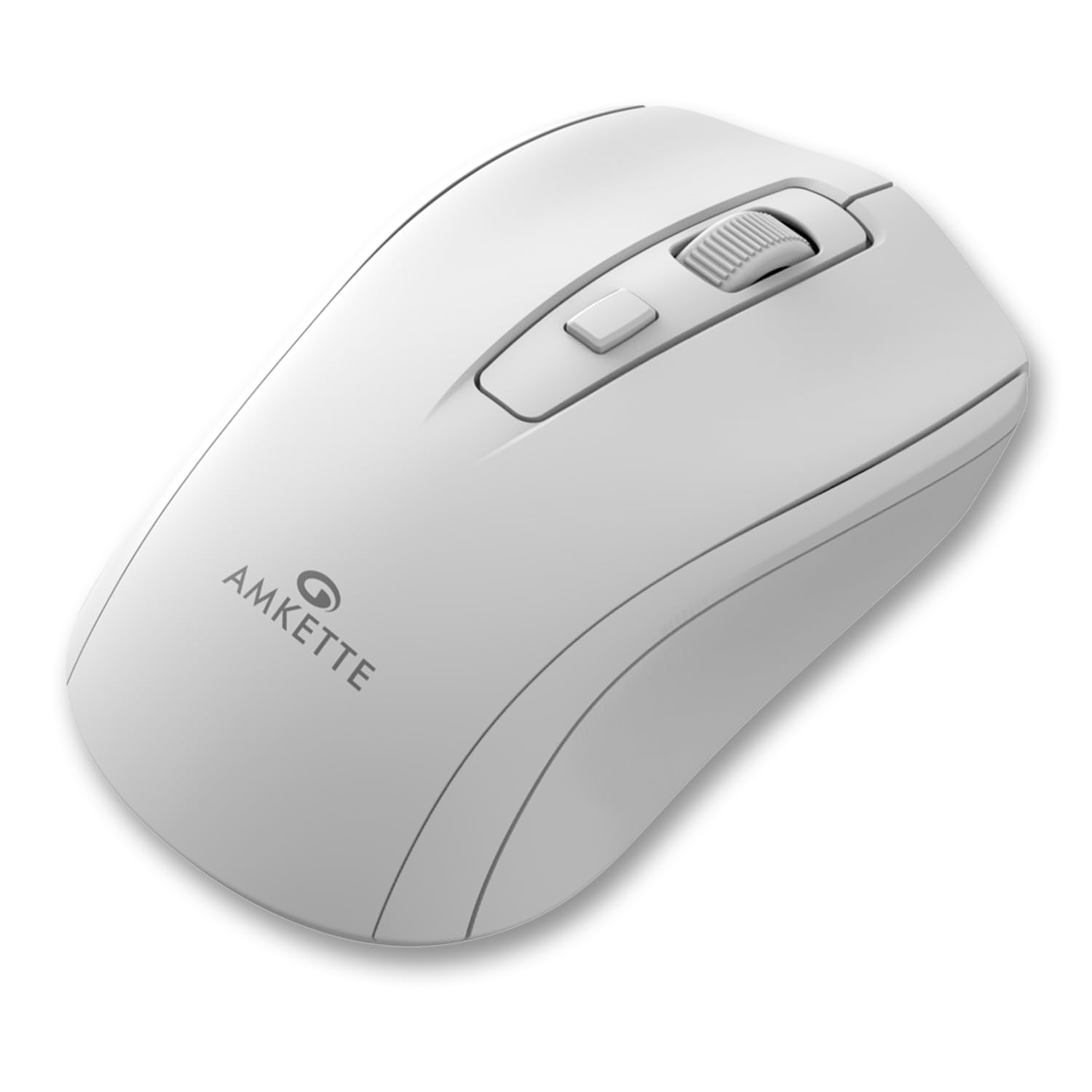
Figure 1: Amkette Hush Pro Astra Wireless Mouse (White)
Негизги өзгөчөлүктөрү:
- Өркүндөтүлгөн 2.4 ГГц зымсыз байланыш: Ensures a stable, lag-free connection.
- Унчукпай которгучтар: Provides noiseless clicks for an undisturbed work environment.
- Эргономикалык дизайн: Shaped for comfortable long-term use.
- Жөнгө салынуучу DPI жөндөөлөрү: Three levels (800-1000-1200 DPI) for customizable cursor sensitivity.
- Күйгүзүү/өчүрүү: For manual power control.
- Smart Auto Sleep Function: Automatically conserves battery when not in use.
- Компакт жана көчмө: Easy to carry in a laptop bag.

Figure 2: Ergonomic grip design with matte finish for enhanced comfort.

Figure 3: Silent click switches for quiet operation.

Figure 4: Universal compatibility with Windows, Mac OS, Chrome OS, and Linux.
2. Орнотуу нускамалары
2.1 Пакеттин мазмуну
Before you begin, ensure your package contains the following:
- Amkette Hush Pro Astra Wireless Mouse
- USB Nano алуучу
Note: 1 AA battery is required and not included in the box.
2.2 Батареяны орнотуу
- Чычкандын астыңкы жагындагы батарея бөлүкчөсүн табыңыз.
- Батареянын капкагын акырын жылдырып ачыңыз.
- Оң (+) жана терс (-) терминалдары бөлүмдүн ичиндеги белгилер менен туура дал келишин камсыз кылып, бир AA батарейкасын салыңыз.
- Батареянын капкагын ордуна бекем орнотулганча жабыңыз.

Figure 5: Battery compartment and On/Off switch location.
2.3 Чычканды туташтыруу
- Remove the USB Nano receiver from its storage slot, usually located within the battery compartment or on the underside of the mouse.
- Plug the USB Nano receiver into an available USB port on your computer (PC, Mac, Laptop, etc.).
- Төмөнкү жагында жайгашкан күйгүзүү/өчүрүү баскычын колдонуп, чычканды күйгүзүңүз.
- Компьютериңиз керектүү драйверлерди автоматтык түрдө аныктап, орнотушу керек. Чычкан бир нече секунддун ичинде колдонууга даяр болот.

Figure 6: Connecting the USB Nano receiver to a laptop.
3. Иштөө нускамалары
3.1 Күйгүзүү/өчүрүү
To turn the mouse on or off, use the slide switch located on the underside of the mouse. Slide it to the 'ON' position for use and 'OFF' to conserve battery when not in use.
3.2 DPI жөндөө
The mouse features a dedicated DPI button, usually located behind the scroll wheel. Press this button to cycle through three different DPI (Dots Per Inch) settings: 800, 1000, and 1200. A higher DPI setting results in faster cursor movement, while a lower DPI setting provides more precise control.

Figure 7: DPI button and available sensitivity levels.
3.3 Унчукпай чыкылдатуу функциясы
The Amkette Hush Pro Astra is equipped with silent switches, significantly reducing the clicking noise. This feature is ideal for quiet environments, ensuring minimal disturbance during use.
3.4 Smart Auto Sleep Function
To extend battery life, the mouse will automatically enter a sleep mode after a period of inactivity. To wake the mouse, simply move it or click any button.
4. Техникалык тейлөө
4.1 Тазалоо
- Чычкандын бетин сүртүү үчүн жумшак, кургак чүпүрөктү колдонуңуз.
- өжөр кир үчүн, бир аз гampчүпүрөктү суу же жумшак тазалоо эритмеси менен жууп салыңыз. Катуу химиялык заттардан алыс болуңуз.
- Чычканды сууга же башка суюктукка салбаңыз.
- Clean the optical sensor on the underside periodically with a cotton swab to ensure smooth tracking.
4.2 Сактоо
- When not in use for extended periods, turn off the mouse using the On/Off switch.
- Store the USB Nano receiver inside the mouse's designated slot to prevent loss.
- Keep the mouse in a cool, dry place away from direct sunlight and extreme temperatures.
5. Кыйынчылыктарды
5.1 Чычкан жооп бербейт
- Батареяны текшерүү: AA батарейкасы туура орнотулганын жана жетиштүү заряды бар экенин текшериңиз. Керек болсо алмаштырыңыз.
- Кубат которгучу: Verify that the On/Off switch on the underside of the mouse is in the 'ON' position.
- Алуучу туташуусу: Ensure the USB Nano receiver is securely plugged into a working USB port on your computer. Try a different USB port.
- Кайра жупташтыруу: In rare cases, the mouse and receiver might lose connection. Try unplugging and re-plugging the receiver, then turn the mouse off and on again.
5.2 Курсордун туруксуз кыймылы
- Таза сенсор: Чычкандын астындагы оптикалык сенсорду тазалаңыз.
- Бети: Чычканды таза, чагылбаган жана бирдей бетте колдонуңуз. Айнектен же өтө чагылышкан беттерден алыс болуңуз.
- Интерференция: Move the mouse closer to the USB receiver. Other wireless devices or large metal objects might cause interference.
5.3 Батареянын иштөө мөөнөтү кыска
- Колдонулбаганда өчүрүү: Always turn off the mouse using the On/Off switch when not in use for extended periods.
- Батарея сапаты: Use high-quality AA alkaline batteries.
- Авто уктоо: The mouse has an auto-sleep function, but manual power-off provides maximum battery conservation.
6. Техникалык шарттар
| Өзгөчөлүк | Спецификация |
|---|---|
| Бренд | Amkette |
| Модель номери | 516 |
| Сериялар | Hush Pro Astra |
| Байланыш технологиясы | 2.4 ГГц зымсыз (USB Nano кабыл алуучу) |
| Кыймылды аныктоо технологиясы | Оптикалык |
| DPI орнотуулары | 800-1000-1200 DPI (Adjustable) |
| Өзгөчө өзгөчөлүк | Silent Clicks, Ergonomic Design, On/Off Switch, Smart Auto Sleep Function |
| Power Source | Батарея менен иштейт (1 AA батарея талап кылынат, кошулган эмес) |
| Операциялык системанын шайкештиги | Linux, Windows 7, Windows XP, Mac OS, Chrome OS |
| Продукциянын өлчөмдөрү | 11 x 6 x 0.1 см |
| Элемент Салмагы | 30 г |
| Түс | Ак |
7. Кепилдик жана колдоо
7.1 Кепилдик маалыматы
The Amkette Hush Pro Astra Wireless Mouse comes with a hassle-free 1 жылдык өндүрүш кепилдиги сатып алынган күндөн тартып. Бул кепилдик нормалдуу колдонуу шарттарында өндүрүш кемчиликтерин камтыйт.
7.2 Кардарларды колдоо
For any assistance, queries, or warranty claims, please contact our support team. You can reach them via call or WhatsApp for prompt assistance with any issues.
Please refer to the product packaging or the official Amkette webакыркы байланыш маалыматы үчүн сайт.
8. Продукт видеолору
Video 1: Amkette Hush Pro Astra Wireless Mouse Overview. This video highlights the ergonomic design, adjustable DPI settings, and silent click features of the mouse.
Video 2: Amkette Hush Pro Astra Wireless Mouse Features. This video demonstrates the advanced 2.4 GHz connectivity, silent operation, and portability of the mouse.


