1. Маанилүү коопсуздук нускамалары
Please read all instructions carefully before using this dehumidifier and retain this manual for future reference. Failure to follow these instructions may result in electric shock, fire, or serious injury.
- Always unplug the dehumidifier from the power outlet before cleaning, performing maintenance, or when not in use.
- Do not operate the dehumidifier with a damaged cord or plug. If the power cord is damaged, it must be replaced by the manufacturer, its service agent, or similarly qualified persons to avoid a hazard.
- Бул шайман үй ичинде гана колдонуу үчүн. Сыртта колдонбоңуз.
- Нымдандыргычтын оодарылып кетишине жана суунун төгүлүшүнө жол бербөө үчүн туруктуу, тегиз жерге коюлганын текшериңиз.
- Do not block the air inlet or outlet. Maintain at least 8 inches (20 cm) clearance from walls or other objects.
- Нымдандыргычты, кубат шнурун же сайгычты сууга же башка суюктуктарга салбаңыз.
- Иштеп жатканда балдарды жана үй жаныбарларын кургаткычтан алыс кармаңыз.
- Нымдандыргычты тез күйүүчү суюктуктар же газдар сакталган жерлерде колдонбоңуз.
- Толуп кетпеш үчүн суу сактагычты дайыма бошотуңуз.
2. Продукт бүтүп калдыview
The VEWIOR PC-450B Dehumidifier is designed to efficiently remove excess moisture from your indoor environment, improving air quality and comfort. It features a large water tank, quiet operation, and convenient functions like auto shut-off and a night light.
Компоненттин идентификациясы
- Санариптик дисплей менен башкаруу панели
- Аба кириши
- Аба чыгаруу
- Алынуучу суу багы
- Power Cord Port


3. Орнотуу
Нымдандыргычты биринчи жолу орнотуу үчүн төмөнкү кадамдарды аткарыңыз.
- Таңылганын ачуу: Нымдандыргычты таңгагынан этияттык менен чыгарыңыз. Бардык таңгактоочу материалдарды келечекте сактоо же ташуу үчүн сактап коюңуз.
- Жайгашкан жери: Place the dehumidifier on a firm, level surface in the desired location. Ensure there is at least 8 inches (20 cm) of clear space around the air inlet and outlet for optimal airflow. Avoid placing it directly against walls or furniture.
- Кубат туташуу: Plug the power adapter into the dehumidifier's power port, then plug the other end into a standard electrical outlet (100-240V AC, 50/60Hz).
- Алгачкы операция: Азыр агрегат ишке даяр.

4. Иштөө нускамалары
Башкаруу панели жана анын функциялары менен таанышыңыз.
Башкаруу панелинин функциялары
- Кубат баскычы (⏻): Ным кургаткычты ON же ӨЧҮРҮҮ үчүн басыңыз.
- Түнкү жарык баскычы (☀): Press to cycle through 7 different LED light colors or turn the night light off. This can create a warm ambiance.
- Таймер баскычы (◷): Press to set an auto-off timer from 1 to 24 hours. Each press increases the timer by one hour. The unit will automatically shut off after the set time.
- Speed/Sleep Mode Button (⇋): Press to switch between different fan speeds or activate Sleep Mode. In Sleep Mode, the unit operates at a lower fan speed for quieter operation (approximately 30dB).
- Санариптик дисплей: Shows the current humidity level in the room and timer settings.
Иштөө режимдери
- Стандарттык нымсыздандыруу: The unit will operate to reduce humidity based on its internal sensor.
- Уйку режими: Activates quiet operation, ideal for bedrooms or quiet environments.
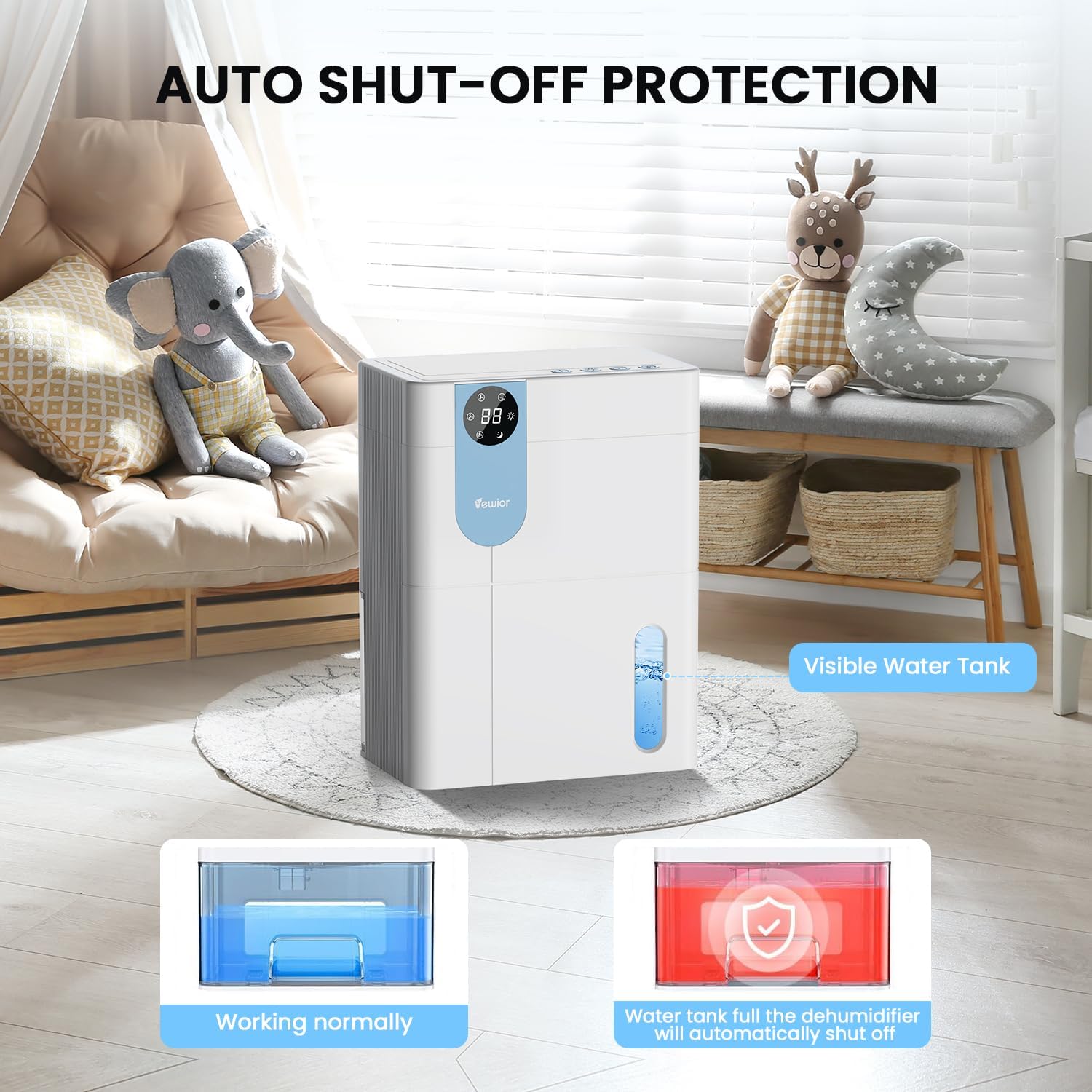
- Автоматтык түрдө өчүрүү: The dehumidifier will automatically stop operating when the water tank is full to prevent overflow. The digital display may flash a red light to indicate the tank needs emptying.

5. Water Tank Management
The dehumidifier features a 4500ml (152 oz) water tank and an auto shut-off function when the tank is full.
Суу резервуарын бошотуу
- When the water tank is full, the dehumidifier will automatically stop operating, and the internal red light will flash to remind you to empty the water.
- Gently pull out the water tank from the side of the dehumidifier.
- Танктын капкагын алып салыңыз.
- Чогулган сууну төгүңүз.
- Replace the tank lid securely.
- Бош суу багын нымдандыргычка кайра жылдырып, ал ордуна чыкылдаган үн чыкканча салыңыз. Түзмөк автоматтык түрдө иштей баштайт.

6. Техникалык тейлөө
Үзгүлтүксүз тейлөө сиздин нымдагычыңыздын оптималдуу иштешин жана узак иштөөсүн камсыздайт.
Сырты тазалоо
- Тазалоодон мурун ар дайым розеткадан ажыратыңыз.
- сыртын жумшак менен сүртүңүз, гamp кездеме. Абразивдүү тазалагычтарды же эриткичтерди колдонбоңуз.
- Башкаруу панелине же башка электрдик компоненттерге суу кирбегенин текшериңиз.
Cleaning the Air Filter (Recommended Monthly)
- Locate the air filter (typically at the back or side air inlet).
- Чыпканы алып салыңыз.
- Фильтрди чаң соргуч менен тазалаңыз же жылуу, самындуу суу менен акырын жууңуз.
- Allow the filter to air dry completely before reinstalling. Do not expose to direct sunlight or high heat.
- Кургак чыпканы кайра орнотуңуз.
Узак мөөнөттүү сактоо
- Суу куюлган бакты жакшылап бошотуп, тазалаңыз.
- Аба чыпкасын тазалаңыз.
- Электр шнурунун розеткасын сууруп, аны тыкан ороп алыңыз.
- Store the dehumidifier in a cool, dry place, preferably in its original packaging, away from direct sunlight and extreme temperatures.
7. Кыйынчылыктарды
If you encounter issues with your dehumidifier, refer to the following common problems and solutions.
| Көйгөй | Мүмкүн себеп | Чечим |
|---|---|---|
| Кургаткыч күйгүзбөйт. | No power supply. Power button not pressed. | Электр шнурунун иштеген розеткага бекем сайылганын текшериңиз. Кубат баскычын басыңыз. |
| Агрегат иштеп жатат, бирок суу топтолбойт. | Room humidity is too low. Temperature is too low. Air filter is clogged. | Dehumidifiers are most effective in higher humidity. Ensure room temperature is above 41°F (5°C). Clean the air filter. |
| Water tank full indicator (red light) is on, but tank is not full. | Water tank not properly seated. Float sensor malfunction. | Remove and reinsert the water tank, ensuring it is correctly aligned. If the issue persists, contact customer support. |
| Агрегат ызы-чуу. | Unit not on a level surface. Air filter clogged. | Place the unit on a flat, stable surface. Clean the air filter. Ensure no objects are obstructing the fan. |
| Humidity level not decreasing significantly. | Room size exceeds capacity. High external humidity. Doors/windows open. | Ensure the dehumidifier is suitable for the room size. Close all doors and windows. Consider running the unit for longer periods. |
If the problem persists after trying these solutions, please contact VEWIOR customer support.
8. Техникалык шарттар
Detailed technical specifications for the VEWIOR PC-450B Dehumidifier.
| Өзгөчөлүк | Спецификация |
|---|---|
| Бренд | VEWIOR |
| Модель аты | PC-450B |
| нымдуулуктун күч жөндөмдүүлүгү | Up to 1060ml (36oz) per day (at 86°F, 80% RH) |
| Суу резервуарынын сыйымдуулугу | 4500 миллилитр (152 OZ) |
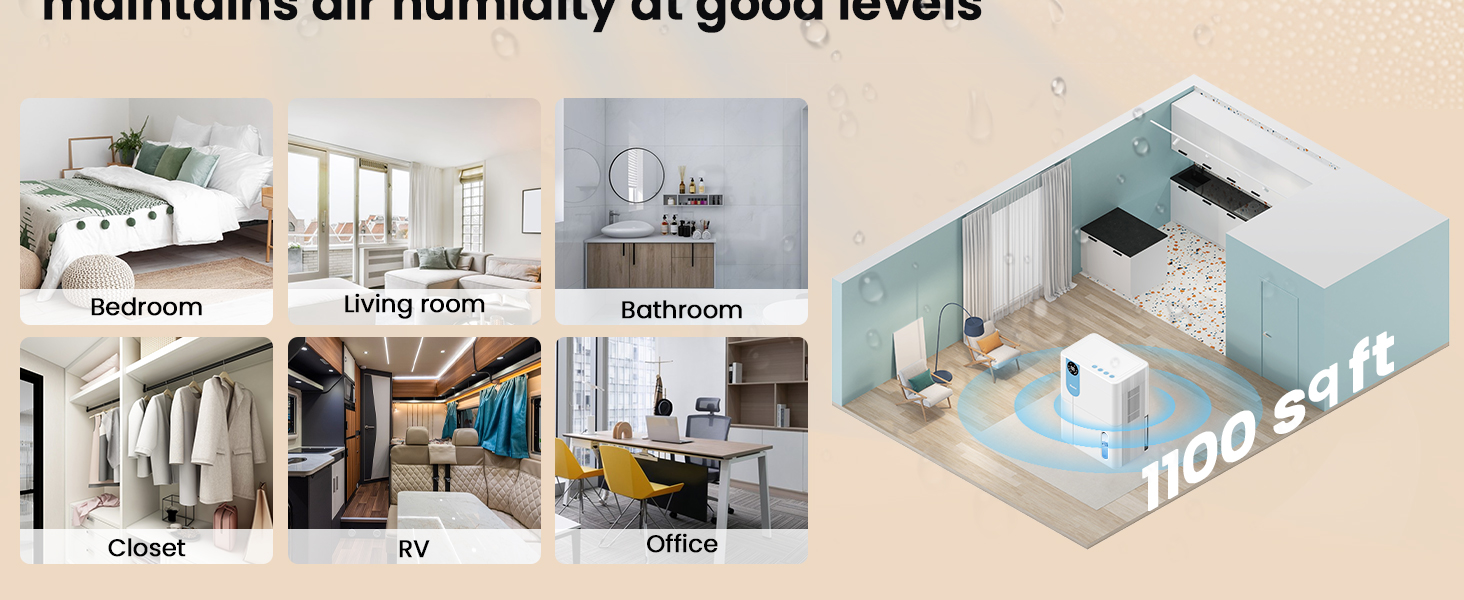
| Камтуу аймагы | 1100 чарчы футка чейин |
| Продукциянын өлчөмдөрү (D x W x Y) | 6.3" x 9.84" x 12.6" |
| Элемент Салмагы | 2.27 фунт |
| Өзгөчөлүктөр | Automatic Shutoff, Colorful Lights, Digital Display, Removable Tank, Timer |
| Иштөө режими | Уйку |
| Аба агымынын кубаттуулугу | 900 Cubic Feet Per Hour |
| Power Source | Электр зымдары |

9. Кепилдик жана колдоо
VEWIOR is committed to providing quality products and customer satisfaction.
Кепилдик маалымат
- 3 жылдык акысыз алмаштыруу: Your VEWIOR PC-450B Dehumidifier is covered by a 3-year free replacement policy for manufacturing defects.
- Өмүр бою колдоо: VEWIOR offers lifetime technical support and satisfied solutions for its products.
Кардарларды колдоо
For any questions, troubleshooting assistance, or warranty claims, please contact VEWIOR customer service:
- Электрондук почта: [Insert VEWIOR Support Email Here]
- Телефон: [Insert VEWIOR Support Phone Number Here]
- Онлайн: Visit the official VEWIOR webКөп берилүүчү суроолор жана колдоо булактары үчүн сайт.
Our customer service team is available for quick service via phone or email within 24 hours.
Кайтаруу саясаты: A 30-day no-reason return policy is available for purchases.


