Introduction
This manual provides comprehensive instructions for the VTech CS2000 DECT Cordless Home Phone. It covers setup, operation, maintenance, and troubleshooting to ensure you get the most out of your device. The VTech CS2000 offers reliable long-range communication, advanced call blocking features, a clear backlit display, and hands-free functionality, designed for ease of use in your home.

Image: The VTech CS2000 cordless handset resting in its base station, showcasing анын компакт дизайн жана ачык дисплей.
Жайгашуу
Follow these steps to set up your VTech CS2000 phone system.
1. Пакеттин мазмуну
Бардык буюмдардын бар экенине ынаныңыз:
- VTech CS2000 телефону
- Базалык станция
- Базалык станция үчүн кубат адаптери
- Телефон линиясы
- Rechargeable NiMH Batteries (2 x AAA)
- Колдонуучунун Колдонмосу (бул документ)
3. Батареяны орнотуу
- Телефондун артындагы батарея бөлүкчөсүнүн капкагын ачыңыз.
- Insert the two supplied NiMH AAA batteries, observing the correct polarity (+ and -).
- Батарея уясынын капкагын бекем жабыңыз.
3. Базалык станцияга туташуу
- Connect one end of the telephone line cord to the TEL LINE jack on the back of the base station.
- Телефон линиясынын шнурунун экинчи учун дубалдагы телефон уячасына туташтырыңыз.
- Plug the small end of the power adapter into the POWER jack on the back of the base station.
- Кубат адаптеринин чоң учун стандарттуу электр розеткасына сайыңыз.
- Батареяларды заряддоо үчүн телефонду базалык станцияга коюңуз. Баштапкы заряддоо үчүн кеминде 16 саат күтүңүз.

Сүрөт: бурчтуу view of the VTech CS2000 handset docked in its base, illustrating proper placement for charging.
Иштөө нускамалары
Learn how to use the various features of your VTech CS2000 phone.
Чалууларды кабыл алуу жана кабыл алуу
- Чалуу үчүн: Телефонду алыңыз же баскычты басыңыз СҮЙЛӨШҮҮ баскычын басып, андан кийин номерди териңиз.
- Чакырууну кабыл алуу үчүн: Телефон шыңгыраганда, телефонду алыңыз же басыңыз СҮЙЛӨШҮҮ баскычы.
- Hands-Free динамик: Чалуу учурунда, басыңыз СПИКЕР динамикти иштетүү үчүн баскыч. Уюлдук телефонго кайра которулуу үчүн аны кайра басыңыз.

Image: A person using the hands-free speakerphone function of the VTech CS2000 while preparing food, demonstrating convenience.
Call блоктоо
The VTech CS2000 features a robust call blocking function to filter unwanted calls.
- Block up to 30 numbers in the blacklist.
- Block unwanted calls and calls from unknown numbers.
- Option to block all calls during a programmable period for undisturbed time.
*Note: This feature requires subscription to a Caller ID service from your network provider.

Image: The VTech CS2000 phone with an overlay indicating the call blocker feature, showing a person relaxing undisturbed.
Phone Directory and Caller ID
- Store up to 30 names and numbers in the phone directory.
- Caller ID memory stores up to 20 names and numbers.
- Access the last 10 dialed numbers for quick redial.
*Note: Caller ID function requires subscription to a Caller ID service from your network provider.
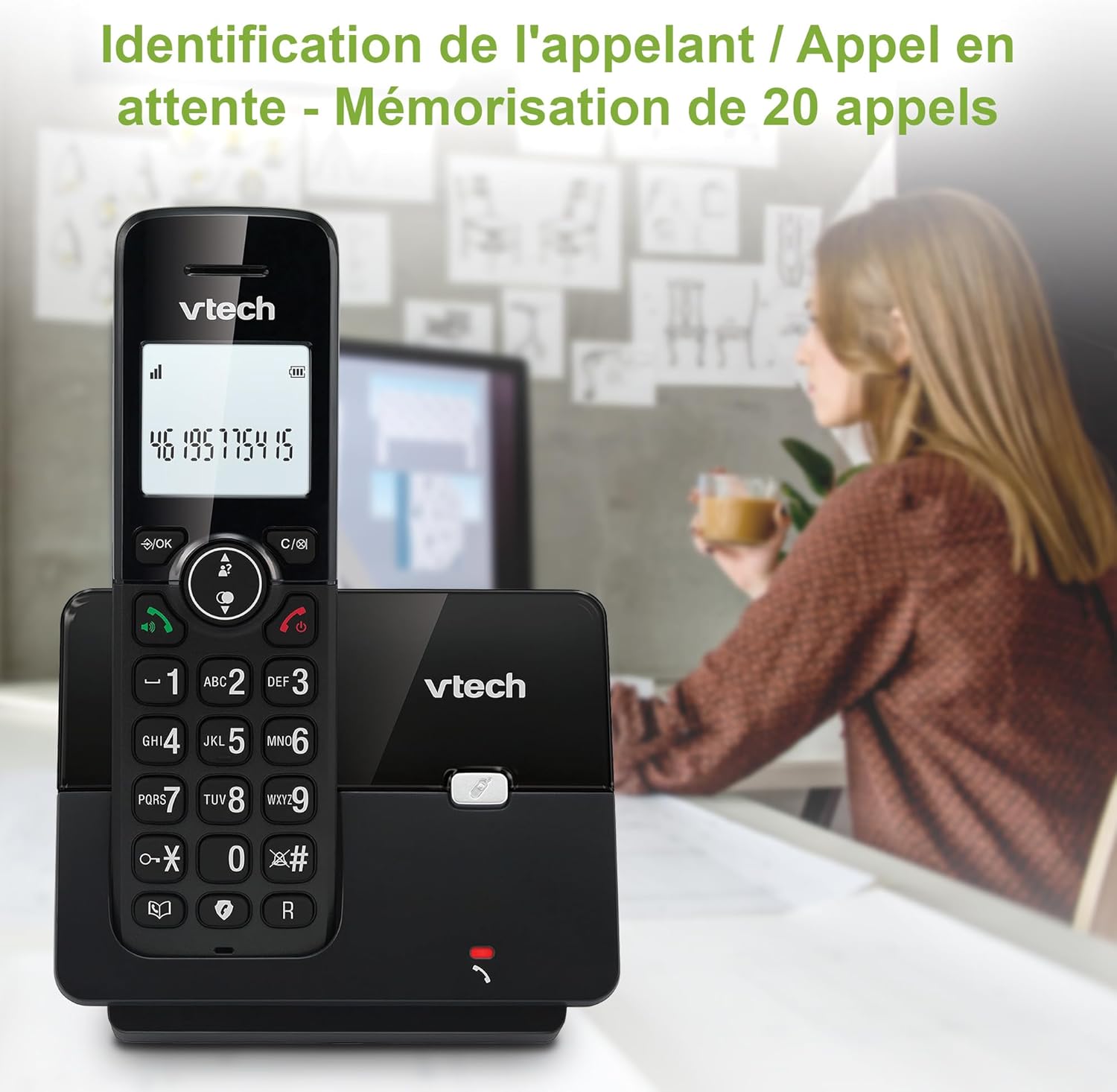
Image: The VTech CS2000 handset displaying caller ID information, with an overlay indicating storage for 20 calls.
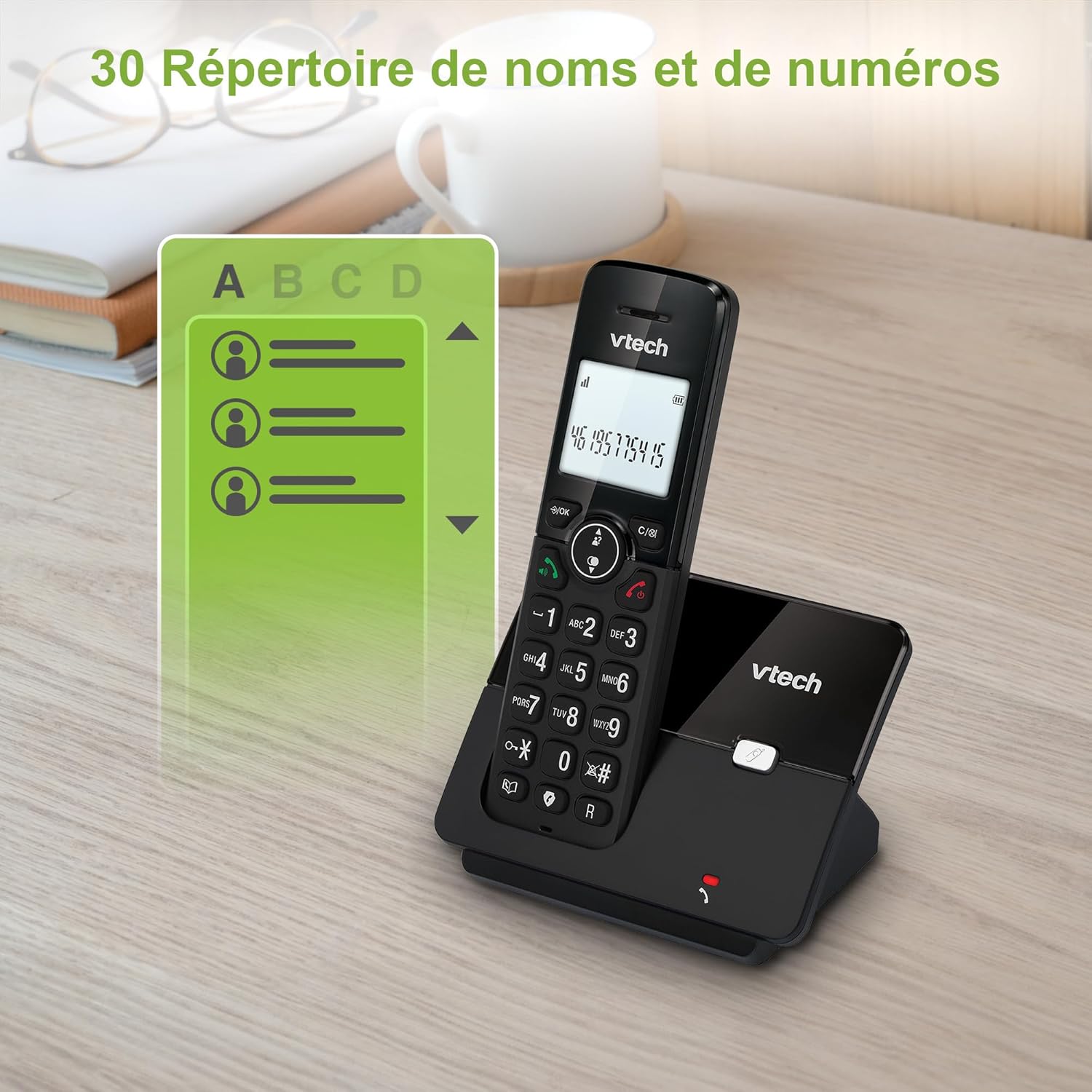
Image: The VTech CS2000 handset displaying a phone directory list, highlighting its capacity for 30 names and numbers.

Image: The VTech CS2000 handset displaying a list of recently dialed numbers, indicating the 10 last number redial feature.
Орнотуулар
- Ringtone Volume and Melody: Adjust these settings through the handset menu to suit your preference.
- Alarm and Mute Function: Utilize the alarm feature for reminders and the mute function for privacy during calls.
- ЭКО режими: The handset automatically adjusts radio frequency power based on its distance from the base station, optimizing power consumption.

Image: The VTech CS2000 handset with an overlay indicating adjustable ringtone volume and melody, showing sound waves.

Image: A split image showing the VTech CS2000's alarm function (person exercising) and mute function (couple relaxing), indicating versatility.
Техникалык тейлөө
Proper care ensures the longevity of your VTech CS2000 phone.
- Тазалоо: Трубканы жана базалык станцияны жумшак, d менен сүртүңүзamp кездеме. Тазалоочу спрейлерди же катуу химиялык заттарды колдонбоңуз.
- Батареяга кам көрүү: For optimal battery life, always return the handset to the base station when not in use. If the phone will be unused for an extended period, remove the batteries.
- Курчап турган чөйрө: Телефонду жылуулук булактарынан, түз күн нурунан жана нымдуулуктан алыс кармаңыз.
Проблемаларды чечүү
If you encounter issues with your VTech CS2000, try these solutions:
| Көйгөй | Чечим |
|---|---|
| Терүү үнү жок. |
|
| Телефон заряддалбай жатат. |
|
| Poor sound quality or limited range. |
|
| Дисплей бош же окулбайт. |
|
| Чалууларды бөгөттөө мүмкүн эмес. |
|
Техникалык шарттар
Detailed technical specifications for the VTech CS2000 DECT Cordless Home Phone.
| Өзгөчөлүк | Деталь |
|---|---|
| Бренд | VTech |
| Модель номери | CS2000 |
| Түс | Кара |
| Телефон түрү | Зымсыз |
| Screen Size | 1.8 дюйм |
| Өзгөчөлүктөр | Cordless, Call Blocking, Hands-free Speakerphone, ECO Mode |
| Батареянын курамы | NiMH |
| Батареялардын саны | 2 AAA (кошулган) |
| Материал | Пластик |
| Power Source | Батарея менен иштейт |
| Терүүчү түрү | Жалгыз баскычтоп |
| Элементтин өлчөмдөрү (L x W x Y) | 17.5 x 10.5 x 9.2 сантиметр |
| Жооп берүү системасынын түрү | Санарип |
| Talk Time | 13 саат |
| Зымсыз диапазон | Up to 300 meters (outdoors) |
| Телефон китепчесинин сыйымдуулугу | 30 ысымдар жана сандар |
| Чалуучунун ID эстутуму | 20 ысымдар жана сандар |
| Акыркы номерди кайра терүү | 10 жазуу |
| Келип чыккан өлкө | Кытай |

Image: A visual representation of the VTech CS2000's reliable long-range capability, showing the phone in a large home environment.
Кепилдик жана колдоо
Кепилдик маалыматы жана кардарларды колдоо үчүн, өндүрүүчүнүн расмий өкүлүнө кайрылыңыз website or the warranty card included with your product. VTech products typically come with a standard manufacturer's warranty covering defects in materials and workmanship.
If you require technical assistance or have questions not covered in this manual, please contact VTech customer support. Keep your purchase receipt as proof of purchase for warranty claims.
For returns or specific purchase-related inquiries, please refer to the return policy of your retailer (e.g., Amazon's 30-day return policy).


