Introduction
This manual provides comprehensive instructions for the PRITOM M10 Android Tablet. Please read this guide thoroughly before using your device to ensure proper operation and to maximize its features. Keep this manual for future reference.
1. Орнотуу
1.1 Пакеттин мазмуну
Пакетте бардык буюмдар бар экенин текшериңиз:
- PRITOM M10 Android Tablet
- Баскычтоп
- Зымсыз чычкан
- Flat Protective Cover
- Кубаттуу адаптер
- Маалымат кабели (USB-C)
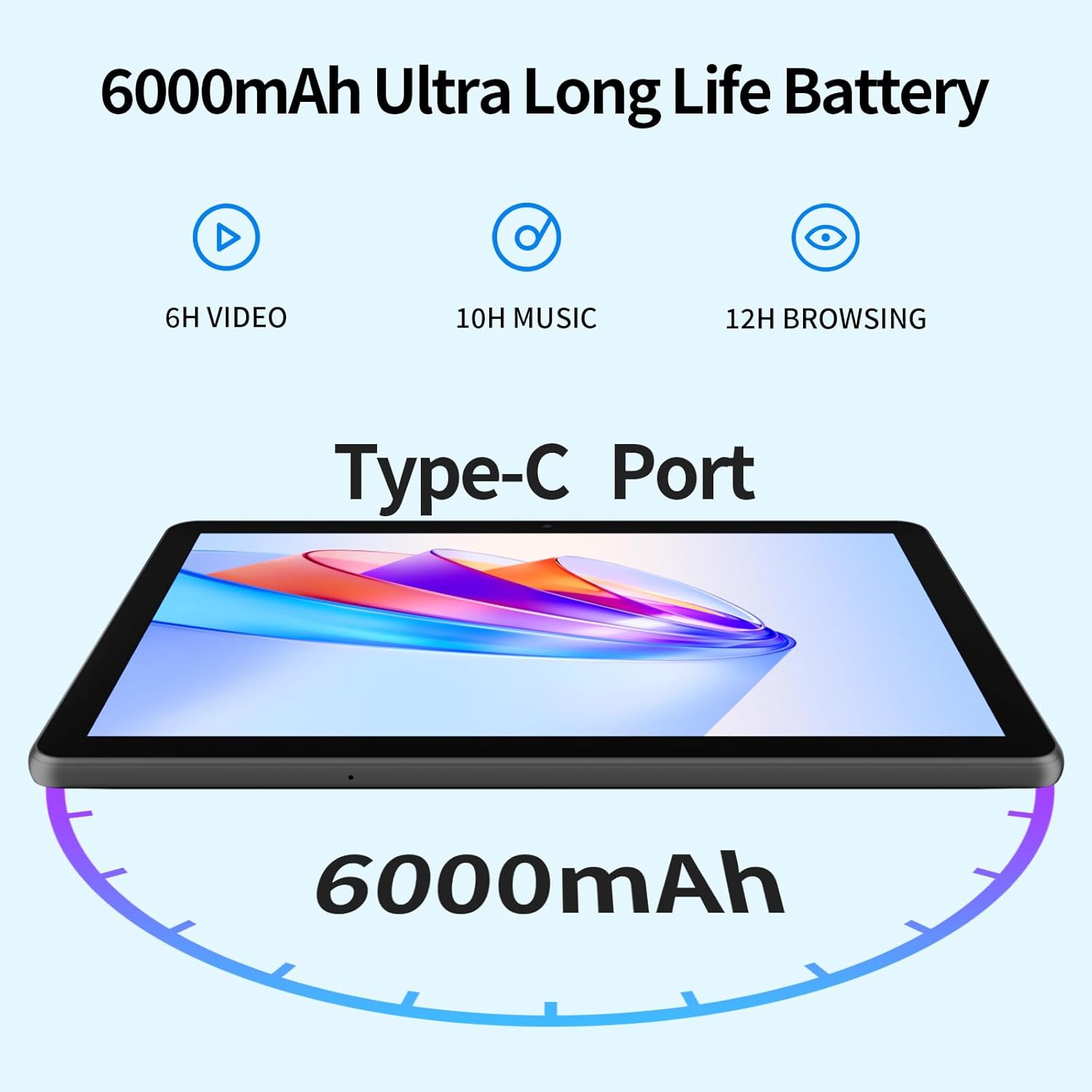
Image 1.1: Included accessories with the PRITOM M10 Tablet.
1.2 Алгачкы заряддоо
Before first use, fully charge the tablet. Connect the provided USB-C data cable to the tablet's Type-C port and the power adapter. Plug the adapter into a wall outlet. The charging indicator will illuminate.
1.3 Күйгүзүү/өчүрүү
- Күйгүзүү үчүн: Press and hold the Power Button located on the side of the tablet until the screen lights up.
- Өчүрүү үчүн: Press and hold the Power Button, then select 'Power Off' from the options displayed on the screen.
- Кайра баштоо үчүн: Press and hold the Power Button, then select 'Restart' from the options.

Image 1.2: Hardware overview of the PRITOM M10 Tablet, indicating button and port locations.
1.4 Тармакка туташуу (Wi-Fi)
- 'Орнотуулар' > 'Тармак жана интернет' > 'Wi-Fi' бөлүмүнө өтүңүз.
- Wi-Fi'ды "Күйгүзүү" баскычын басуу.
- Тизмеден каалаган Wi-Fi тармагын тандаңыз.
- Enter the password if prompted, then tap 'Connect'.
2. Иштөө нускамалары
2.1 Колдонуучунун интерфейси жана навигациясы
The PRITOM M10 Tablet runs on Android 13, providing an intuitive user experience. Navigate by tapping, swiping, and pinching on the 10-inch HD IPS display.

Image 2.1: The PRITOM M10 Tablet's 1280x800 HD IPS display in use.
2.2 Камераны колдонуу
The tablet is equipped with a 2.0 MP front camera and an 8.0 MP rear camera.
- "Камера" тиркемесин ачыңыз.
- Алдыңкы жана арткы камералардын ортосунда которулуу үчүн камера сөлөкөтүн таптап коюңуз.
- Сүрөткө тартуу же видео жаздырууну баштоо/токтотуу үчүн жапкыч баскычын басыңыз.
2.3 Аудио өзгөчөлүктөрү
The PRITOM M10 features dual speakers for enhanced audio output. A 3.5mm headphone jack is also available for private listening.
2.4 Сактагычты башкаруу
The tablet comes with 64GB of internal storage and supports Micro SD card expansion up to 1TB. To insert a Micro SD card, locate the dual card slot as shown in Image 1.2.

Image 2.2: Storage and RAM specifications of the PRITOM M10 Tablet.
2.5 Versatile Use Cases
The PRITOM M10 tablet is designed for various activities, including learning, reading, watching videos, listening to music, making video calls, and productivity tasks.

Сүрөт 2.3: Мисamples of how the PRITOM M10 Tablet can be utilized.
3. Техникалык тейлөө
3.1 Батареяга кам көрүү
The tablet is equipped with a 6000mAh lithium battery. To prolong battery life:
- Ашыкча температурадан сактаныңыз.
- Батареянын бат-баттан толук зарядсызданышына жол бербеңиз.
- Түпнуска заряддагычты жана кабелди колдонуңуз.

Image 3.1: PRITOM M10 Tablet 6000mAh battery performance estimates.
3.2 Тазалоо
Планшеттин экранын жана корпусун тазалоо үчүн жумшак, түксүз чүпүрөктү колдонуңуз. Катуу химиялык заттарды же абразивдүү материалдарды колдонуудан алыс болуңуз.
3.3 Программалык камсыздоо жаңыртуулары
Regularly check for and install software updates to ensure optimal performance and security. Go to 'Settings' > 'System' > 'System update'.
4. Кыйынчылыктарды
4.1 Жалпы маселелер
- Планшет күйбөй жатат: Батарея заряддалганын текшериңиз. Күйгүзүүгө аракет кылуудан мурун кубаттагычка кеминде 30 мүнөт туташыңыз.
- Экран жооп бербейт: Try restarting the tablet. If unresponsive, press and hold the power button for 10-15 seconds to force a shutdown, then power on again.
- Wi-Fi туташуу көйгөйлөрү: Wi-Fi иштетилгенин текшериңиз. Роутериңизди жана планшетиңизди өчүрүп-күйгүзүңүз. Туура сырсөздү киргизип жатканыңызды текшериңиз.
- Жай аткаруу: Close unused applications. Clear cache regularly. Consider uninstalling unnecessary apps.
4.2 Заводдук абалга кайтаруу
A factory reset will erase all data from your tablet and restore it to its original factory settings. Back up important data before proceeding.
- "Орнотуулар"> "Система"> "Параметрлерди калыбына келтирүү" бөлүмүнө өтүңүз.
- "Бардык дайындарды өчүрүү (заводдук абалга кайтаруу)" тандаңыз.
- Тандооңузду ырастап, экрандагы көрсөтмөлөрдү аткарыңыз.
5. Техникалык шарттар
| Өзгөчөлүк | Спецификация |
|---|---|
| Бренд | PRITOM |
| Модель аты | M10 |
| Операция системасы | Android 13 |
| Screen Size | 10 дюйм |
| Display Resolution | 1280 x 800 пиксел (HD IPS) |
| Процессор | Octa-Core (Qualcomm) |
| RAM | 8 GB (4GB + 4GB Expansion) |
| Ички сактагыч | 64 ГБ |
| Кеңейтүүчү сактагыч | Up to 1 TB (Micro SD, not included) |
| Арткы камера | 8.0 депутат |
| Алдыңкы камера | 2.0 депутат |
| Батарея сыйымдуулугу | 6000 мАч |
| Байланыш | Wi-Fi (802.11n) |
| Порттар | Type-C, 3.5mm Headphone Jack, Dual Card Slot |
| Түс | Кара |
6. Кепилдик жана колдоо
Your PRITOM M10 Tablet is covered by a standard manufacturer's warranty. Please refer to the warranty card included in your package for specific terms and conditions. For technical support or warranty claims, please contact PRITOM customer service through their official webпродукт сатылып алынган сайт же сатуучу.