Introduction
Thank you for choosing the SABLUTE Large Print Backlit Keyboard. This manual provides essential information for setting up, operating, and maintaining your new keyboard. Designed for enhanced visibility and comfort, this keyboard is ideal for users seeking an easy-to-read and efficient typing experience.

The SABLUTE Large Print Backlit Keyboard in pink, featuring oversized, illuminated keys for improved visibility.
Негизги өзгөчөлүктөрү
- Чоң басып чыгаруу ачкычтары: The keyboard features a font size that is 4 times larger than standard keyboards, making it easy to see and type. This is particularly beneficial for seniors, students, office workers, and individuals with visual impairments.

The large print on the keys significantly enhances readability and reduces typing errors.
- 7-Color & 4-Mode Backlighting: Enjoy 7 different backlight colors and 4 distinct lighting modes, with 8 levels of adjustable brightness. This feature allows for comfortable typing in various lighting conditions, including low-light environments.

Customize your typing experience with a spectrum of backlight colors and dynamic modes.
- Comfortable and Ergonomic Design: The keyboard features a foldable stand on the back, allowing you to adjust the typing angle to a comfortable position. This ergonomic design helps improve posture and reduce wrist pain and fatigue during extended use.
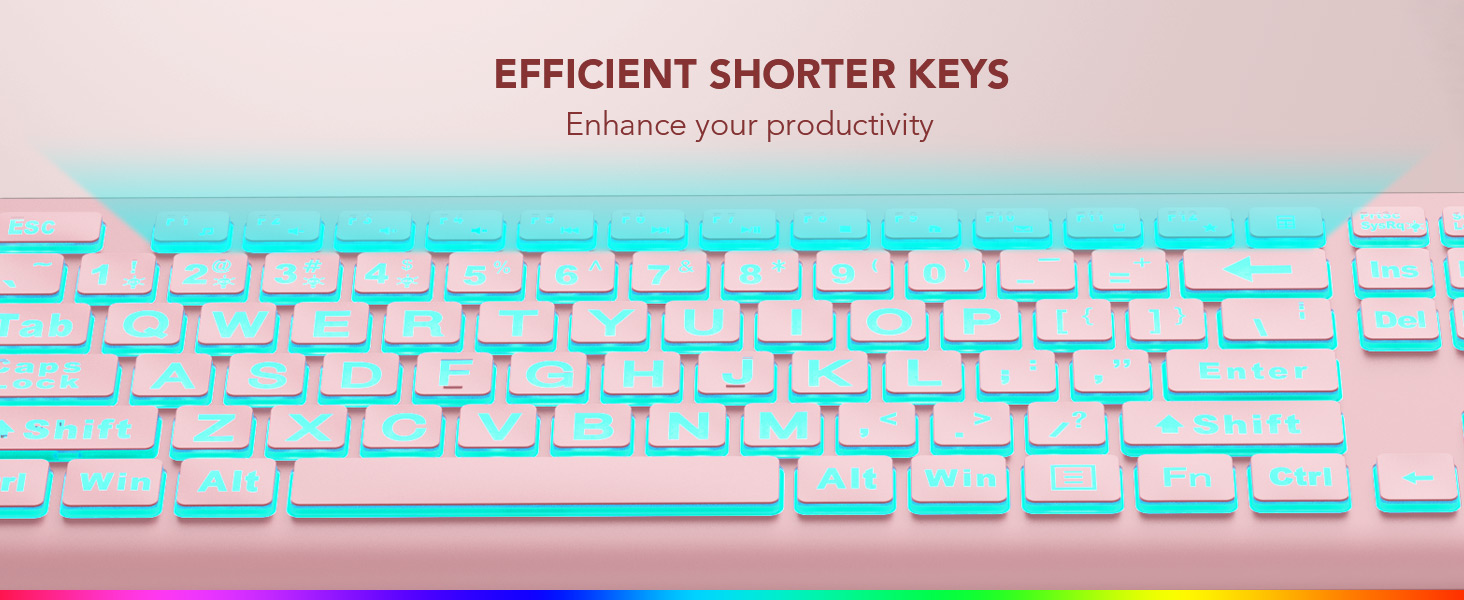
The adjustable stand provides an optimal typing angle for enhanced comfort.
- Plug and Play шайкештиги: This wired keyboard connects easily via a 5.2ft USB cable, requiring no charging or battery replacement. It offers broad compatibility with Windows, PCs, laptops, Vista, macOS, and Chrome operating systems. Note: Multimedia keys may not be fully compatible with macOS systems.

Simply plug the USB cable into your device to begin using the keyboard.
- No Latency & Quiet Operation: Experience a very fast response speed with no delay when typing, ensuring a smoother typing experience. The design also effectively reduces noise with shorter keystroke distance, promoting a quiet working environment.

The keyboard's design ensures quick response and minimal noise during use.
- 12 Мультимедиа Жарлык баскычтары: The keyboard includes dedicated multimedia shortcut keys for convenient control over various functions, enhancing productivity.

Quickly access common functions with the integrated multimedia keys.
Жайгашуу
Setting up your SABLUTE Large Print Backlit Keyboard is straightforward:
- Баскычтопту таңгагынан чыгарыңыз.
- Locate the USB-A cable attached to the keyboard.
- Plug the USB-A cable into an available USB port on your computer, laptop, or compatible device.
- The keyboard is plug-and-play, so it should be recognized automatically by your operating system without needing additional drivers.
Сиздин баскычтоп азыр колдонууга даяр.
Иштөө нускамалары
Арткы жарыкты башкаруу
The keyboard's backlight features multiple colors and modes for a personalized experience:
- Арткы жарыкты күйгүзүү/өчүрүү: Басыңыз Fn + PrtSc/SysRq арткы жарыкты күйгүзүү же өчүрүү үчүн.
- Арткы жарыктын түсүн өзгөртүү: Басыңыз Fn + 2 (@) repeatedly to cycle through the 7 available colors.
- Жарыктыкты жөндөө: Басыңыз Fn + Өйдө жебе жарыктыгын жогорулатуу жана Fn + Төмөн жебе to decrease brightness (8 levels).
- Арткы жарык режимин өзгөртүү: The keyboard offers 4 backlight modes (M1-M4). Refer to the specific keys for mode selection. These modes include monochrome breathing, monochrome steady, 7-color strobe, and 7-color breathing.
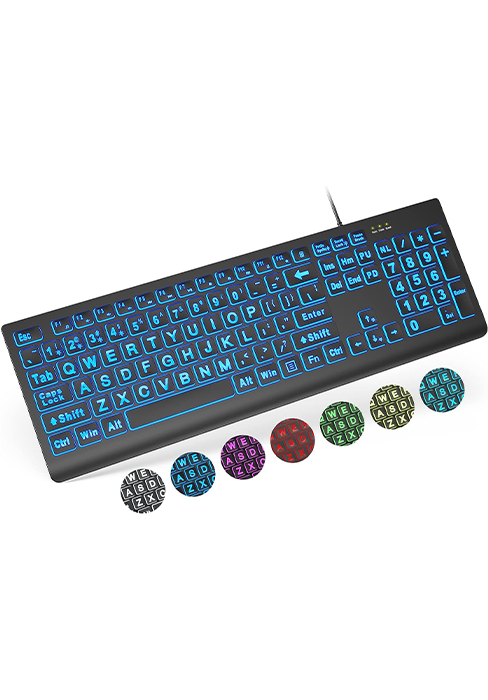
M1: Monochrome Breathing Mode - The selected color will turn off and light up by itself. Speed can be adjusted.

M2: Monochrome Mode - Pick your favorite color and the keyboard will always light up in that color.
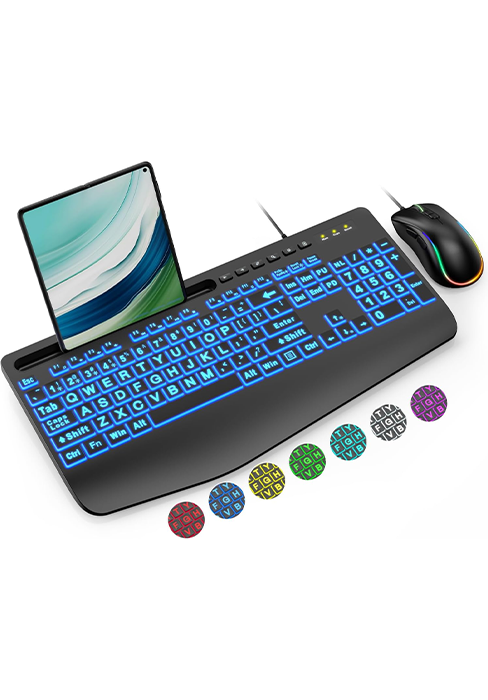
M3: 7-Color Strobe Mode - Click the keyboard at will, and the keyboard will change its color with seven colors in turn.
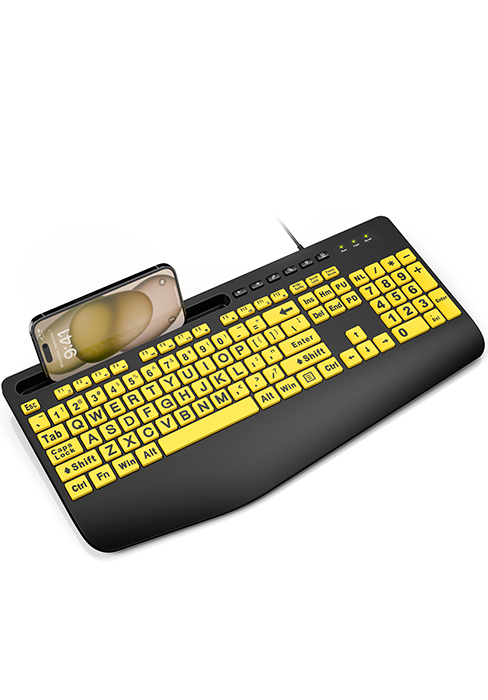
M4: 7-Color Breathing Mode - The keyboard will turn off and light up in seven colors in turn. Speed can be adjusted.
Мультимедиа ачкычтары
The keyboard includes 12 multimedia shortcut keys (F1-F12) that perform operations through simple key commands. These keys provide quick access to functions like volume control, media playback, and more. Please note that full compatibility with macOS systems for all multimedia keys may vary.
Техникалык тейлөө
Клавиатураңыздын узак мөөнөттүү иштешин жана оптималдуу иштешин камсыз кылуу үчүн, төмөнкү жөнөкөй тейлөө көрсөтмөлөрүн аткарыңыз:
- Клавиатураны таза кармоо үчүн аны дайыма жумшак, кургак чүпүрөк менен сүртүп туруңуз.
- Клавиатурага суюктук төгүп албаңыз. Төгүлүп кетсе, клавиатураны дароо розеткадан сууруп, кайра туташтыруудан мурун толугу менен кургатыңыз.
- Do not use harsh chemicals or abrasive cleaners, as these can damage the surface and key legends.
- Колдонбогондо клавиатураны салкын, кургак жерде сактаңыз.
Проблемаларды чечүү
If you encounter any issues with your SABLUTE Large Print Backlit Keyboard, please refer to the following common solutions:
- Keys Not Lighting Up / Only Keycaps Illuminated: The key letters themselves do not light up; only the keycaps are illuminated. The brightness is more visible in a dark room.
- Light Patterns and Colors Reset on Restart: Currently, the keyboard does not have a memory function for light patterns and colors, so they will reset upon restarting your computer. Our technical team is actively working to add this feature in future updates.
- Keys Getting Stuck or Stiff: If keys become stiff or stuck, causing typing glitches, please contact our customer support. If this issue occurs within 365 days of purchase, we will offer replacements or fixes under warranty.
- Баскычтоп жооп бербейт: Ensure the USB cable is securely plugged into both the keyboard and your computer's USB port. Try plugging the keyboard into a different USB port or a different computer to rule out port or system issues.
Техникалык шарттар
| Продукциянын өлчөмдөрү | 17.4 x 5.1 x 1.3 дюйм |
| Элемент Салмагы | 1.32 фунт |
| Өндүрүүчү | SABLUTE |
| ASIN | B0CYLR2VQD |
| Келип чыккан өлкө | Кытай |
| Шайкеш түзмөктөр | Laptop, PC, Windows, Mac |
| Байланыш технологиясы | USB-A |
| Keyboard Description | Зымдуу баскычтоп |
| Өзгөчө өзгөчөлүк | Pink, Wired, Shortcut keys, Backlit, Large print keyboard |
| Түс | Кызгылт |
| Ачкычтардын саны | 106 |
| Баскычтоптун арткы жарыктандыруу түсүн колдоо | RGB |
| Стиль | Large print keyboard |
Расмий продукт Videos
Wired Large Print Backlit Keyboard Pink Overview
Бул видеодо толук маалымат берилетview of the SABLUTE Large Print Backlit Keyboard in pink, demonstrating its features and functionality.
SABLUTE Wired Large Print Backlit Keyboard Pink Features
Watch this video to see the various features of the SABLUTE pink keyboard, including its large print keys and backlighting options.
Кепилдик жана колдоо
SABLUTE is committed to providing high-quality products and excellent customer service. Your keyboard comes with the following:
- 90 күндүк алмаштыруу: We offer a 90-day replacement policy for any manufacturing defects.
- Өндүрүүчүнүн 365 күндүк кепилдиги: The keyboard is covered by a 365-day manufacturer warranty against defects in materials and workmanship.
For any inquiries, technical support, or warranty claims, please contact SABLUTE Inc. customer service:
Телефон: 1-213-296-1273 (АКШ)
Monday - Friday: 9am-1pm, 2pm-6pm (PST)
We aim to provide a reply within 24 hours.


