Introduction
Thank you for choosing the TOPTRO TR23 Mini Portable Projector. This manual provides essential information for setting up, operating, and maintaining your projector. The TR23 is designed to deliver a Full HD 1080P viewing experience with 18000 lumens brightness, featuring advanced 4P/4D keystone correction, electric focus, and versatile connectivity options including WiFi 6 and Bluetooth 5.2. Its sealed optical engine ensures dust protection and quiet operation, making it an ideal choice for home theater and various multimedia applications.
Коопсуздук маалыматы
- l болгондо проектордун объективине тике карабаamp күйүк. Жарык жарык көзгө зыян келтириши мүмкүн.
- Проектордун айланасында жакшы желдетүүнү камсыз кылыңыз. Желдетүүчү тешиктерди жаппаңыз.
- Проектор менен келген кубат адаптерин гана колдонуңуз.
- Проекторду суудан же башка суюктуктардан алыс кармаңыз. Нымдуу чөйрөдө иштетпеңиз.
- Проекторду туруксуз беттерге коюудан алыс болуңуз.
- Чагылган түшкөн учурда же узак убакыт бою колдонулбаган учурда проекторду розеткадан сууруп коюңуз.
- Проекторду өз алдынча бөлүүгө же оңдоого аракет кылбаңыз. Бардык тейлөөлөрдү квалификациялуу кызматкерлерге тапшырыңыз.
Кутуда эмне бар
- TOPTRO TR23 Mini Beamer 1080P Full HD WiFi Bluetooth (x1)
- Remote Control (x1) (Batteries not included)
- Колдонуучунун колдонмосу (x1)
- Кубат кабели (x1)
- HDMI кабели (x1)
- Тазалоочу чүпүрөк (x1)
Продукт бүттүview

Фронт view of the TOPTRO TR23 Mini Portable Projector, showcasing анын компакттуу дизайны жана линзасы.
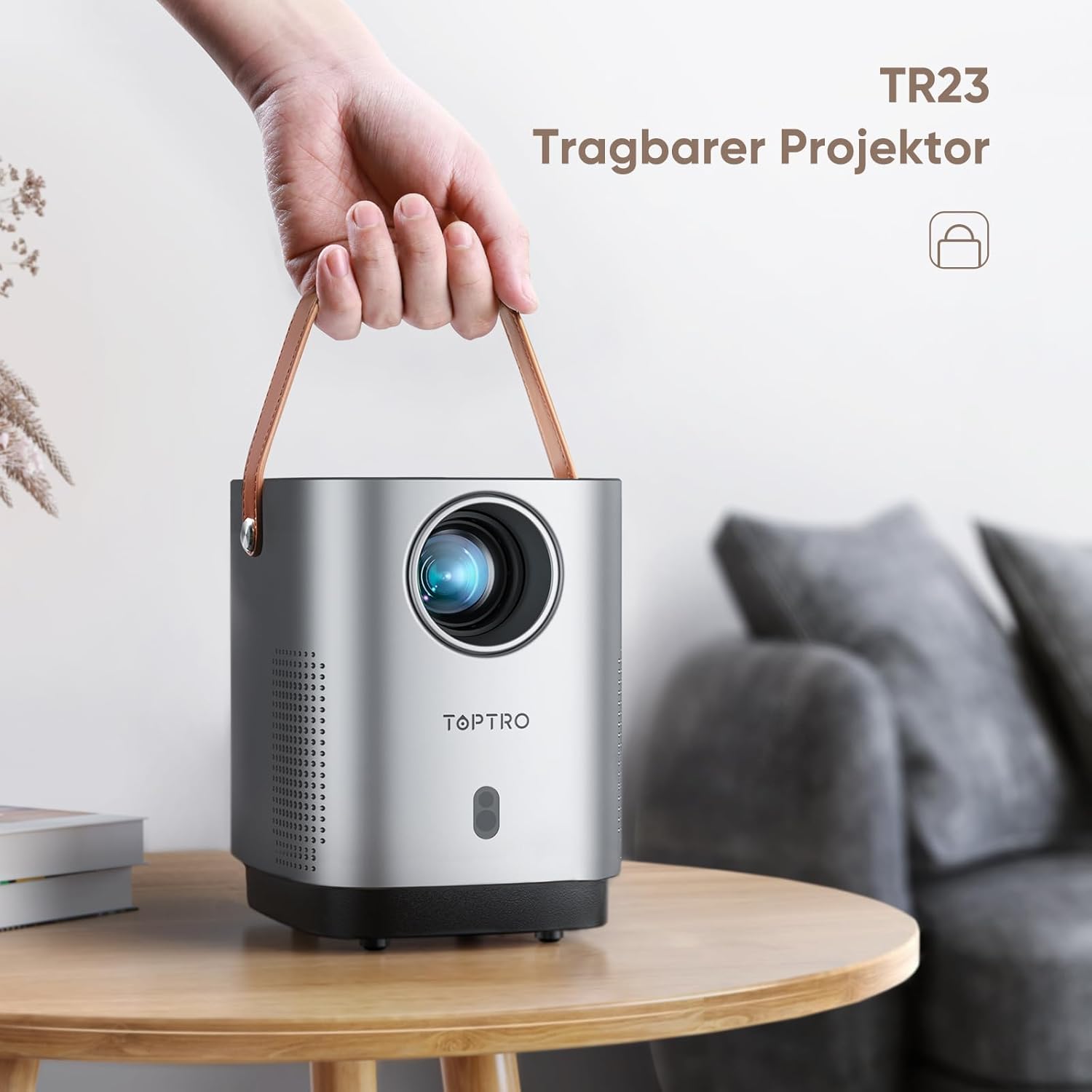
The TOPTRO TR23 Portable Projector with its integrated handle, highlighting its portability.
Негизги өзгөчөлүктөрү
- 4P/4D Keystone Correction: Allows for flexible adjustment of the projected image into a clear rectangle from various angles (front, side, ceiling).
- Электр Фокус: Easily adjust focus by clicking the 'F' button on the remote control for clear videos and images.
- WiFi 6 & Bluetooth 5.2: Faster and more stable wireless transmission for screen mirroring from Android and iPhone devices, and connecting Bluetooth headphones/speakers/AirPods.
- Fully Sealed Optical Engine: Unique craftsmanship designed to reduce dust ingress, screen yellowing, black spots, and noise, contributing to a longer lifespan.
- Extensive Interfaces: Equipped with HDMI, USB, and 3.5mm headphone jack for connecting TV devices, TV boxes, Chromecast, laptops, PCs, tablets, USB flash drives, PS5, and external speakers.
Жайгашуу
1. Жайгаштыруу
For optimal projection quality, it is recommended to use the projector in a dark environment. Position the projector on a stable, flat surface. The projector features a metal thread on the bottom for tripod or ceiling/wall mounting.
2. Power Connection
Connect the supplied power cable to the projector's power input and then to a wall outlet. The projector does not have a built-in battery and requires continuous power.
3. Initial Focus and Keystone Correction

Comparison illustrating the ease of electric focus on the TR23 versus manual focus on older versions.

Diagram showing various keystone correction methods including 4-point, horizontal, and vertical adjustments.
- Электр Фокус: Use the 'F+' or 'F-' buttons on the remote control to achieve a sharp image.
- 4P/4D Keystone Correction: If the image appears distorted (trapezoidal), use the keystone correction settings in the projector menu to adjust the image corners or sides until it forms a perfect rectangle.
Иштөө нускамалары
1. Күйгүзүү/өчүрүү
Press the power button on the top of the projector or on the remote control to turn the unit on or off.
2. Түзмөктөрдү туташтыруу
The TR23 offers multiple connectivity options:
- HDMI: Connect TV sticks, TV boxes, Chromecast, laptops, PCs, or gaming consoles (e.g., PS5) using an HDMI cable.
- USB: Insert USB flash drives for direct media playback. The USB port can also power devices like an Amazon TV Stick.
- 3.5 мм аудио уячасы: Connect external wired speakers or headphones.
- Wireless Screen Mirroring (WiFi 6):

Illustration of the TR23's WiFi 6 capability for faster and more stable wireless screen mirroring compared to WiFi 5.
- Navigate to the screen mirroring option in the projector's menu.
- For Android and iPhone devices, connect your smartphone to the same WiFi network as the projector.
- Select the projector from your device's screen mirroring/cast options.
- Маанилүү эскертүү: Due to HDCP copyright issues, streaming services like Netflix, Amazon Prime, and Disney+ cannot be played via mirrored screens from smartphones. To watch content from these services, you must connect a TV stick (e.g., Amazon Fire TV Stick) to the projector's HDMI port.
- Bluetooth 5.2:

The projector's stereo sound capabilities, emphasizing clear highs and deep bass, and its ability to connect to external Bluetooth speakers.
- Go to the Bluetooth settings in the projector's menu.
- Enable Bluetooth on your headphones or external speaker and put them in pairing mode.
- Select your device from the list on the projector's screen to connect.
- Эскертүү: The projector does not support Dolby audio.
3. Чоңойтуу функциясы
The zoom function allows you to adjust the image size from 100% down to 50% using the remote control, without moving the projector. This is particularly useful when the projector is ceiling-mounted or in a fixed position.
Техникалык тейлөө
1. Объективди тазалоо
Use the provided cleaning cloth or a soft, lint-free cloth specifically designed for optical lenses to gently wipe the projector lens. Do not use abrasive cleaners or excessive force.
2. Чаңдан коргоо

Ички view of the projector highlighting the fully sealed optical unit designed to prevent dust accumulation and improve heat dissipation.
The TR23 features a fully sealed optical engine designed to effectively reduce dust ingress, which helps prevent screen yellowing and black spots, and contributes to a longer product lifespan. While the design minimizes dust issues, regular cleaning of the exterior and ensuring a dust-free environment will further enhance performance.
Проблемаларды чечүү
| Көйгөй | Мүмкүн болгон себеп / Чечим |
|---|---|
| Пульт иштебей жатат. |
|
| Cannot play Netflix/Amazon Prime/Disney+ from smartphone screen mirroring. |
|
| Үн жок же үн сапаты начар. |
|
| Image is not clear or out of focus. |
|
| Projector fan noise is noticeable. |
|
Техникалык шарттар
| Өзгөчөлүк | Деталь |
|---|---|
| Бренд | TOPTRO |
| Модел/серия | TR23 Mini Beamer |
| Продукциянын өлчөмдөрү | 30 x 14 x 30 см |
| Элемент Салмагы | 1.76 килограмм |
| Түс | Grey Silver |
| Форма фактору | Portable |
| Native Resolution | 720P (Supports 1080P HD) |
| Жарыктык | 18000 лм |
| Контраст катышы | 16000:1 |
| Байланыш технологиясы | USB, Audio 3.5 mm, HDMI, Bluetooth 5.2, WIFI 6 |
| Өзгөчөлүктөр | 4D+4P Correction, Electric Focus, Fully Sealed Optical Machine Design |
| Дисплей түрү | LCD |
| Монтаж түрү | Floor Mount |
| Энергияны керектөө | 60 Ватт |
Кепилдик жана колдоо
TOPTRO provides technical support for the TR23 Mini Portable Projector. If you encounter any issues or require assistance, please refer to the contact information provided in your product packaging or visit the official TOPTRO webколдоо булактары үчүн сайт.
For common issues like a non-functional remote control, please contact customer service for a replacement.


