1. Киришүү
The karuisrc K417 Drone is a versatile and user-friendly quadcopter designed for both beginners and experienced adults. Equipped with dual 1080P HD cameras and advanced flight features, it offers an immersive aerial photography and videography experience. Its compact, foldable design and included carrying case make it highly portable. This manual provides essential information for safe operation, setup, maintenance, and troubleshooting to ensure optimal performance of your K417 Drone.

Image: The K417 Drone, its remote control, and the included carrying case.
2. Коопсуздук маалыматы
Always prioritize safety when operating the K417 Drone. Failure to follow these guidelines may result in injury, damage to property, or legal consequences.
- Учуу алдында текшерүү: Before each flight, ensure the drone, remote control, and batteries are in good working condition. Check propellers for damage and ensure they are securely attached.
- Экологиялык шарттар: Fly in open areas, away from people, animals, buildings, and obstacles. Avoid flying in strong winds (the K417 has Level 4 wind resistance, but caution is advised in adverse conditions), rain, or extreme temperatures.
- Батареянын коопсуздугу: Use only original or approved batteries. Do not overcharge or puncture batteries. Discontinue use if batteries show signs of swelling or damage.
- Көрүү сызыгы: Учуу учурунда дрондун көрүү сызыгын дайыма сактаңыз.
- Купуялыкты урматтоо: Be mindful of privacy laws and avoid flying over private property without permission.
- Жашы боюнча сунуш: This drone is recommended for adults. Supervise minors if they are operating the drone.
- Weight and Regulations: The K417 Drone weighs less than 249g, which may exempt it from certain FAA registration requirements in some regions. Always check local regulations before flying.
3. Пакеттин мазмуну
Verify that all items are present in your K417 Drone package:
- K417 Drone x 1
- Алыстан башкаруу x 1
- Batteries x 1 (Lithium Ion)
- Propellers x 4 (Spare)
- Коргоочу алкак x 4
- X 1 бурагыч
- USB кабели x 1
- Көтөрмө кап x 1
- Колдонмо колдонмо x 1
4. Продукт бүтүп калдыview
4.1. K417 Drone
The K417 Drone features a foldable design for portability, dual 1080P HD cameras, and blue LED lights for enhanced visibility and aesthetics. It is equipped with brushless motors for efficient and stable flight.

Image: The K417 Drone and its remote control unit.
Негизги өзгөчөлүктөрү:
- Dual 1080P HD Cameras: Offers 1920x1080p resolution for high-quality aerial photography and videography. The front camera is 90° electrically adjustable, and a bottom camera assists with real-time monitoring and multi-angle shooting.
- Көк LED жарыктары: Enhances visibility during nighttime flights and assists with navigation in low-light environments.
- Brushless Motors: Provides efficient, powerful thrust with reduced friction, longer lifespan, and improved wind resistance (Level 4).
- Бүктөлүүчү Дизайн: Increases portability and protects the drone during transport.

Сүрөт: деталдуу view of the K417 Drone's 1080P HD camera system.

Image: The K417 Drone with its blue LED lights illuminated, enhancing visibility.
4.2. Алыстан башкаруу
The remote control provides intuitive command over the drone's flight and camera functions. It connects via Wi-Fi and can hold a smartphone for FPV viewing.
5. Орнотуу
5.1. Батареяны заряддоо
The K417 Drone uses a modular Lithium Ion battery. Ensure the battery is fully charged before each flight for optimal performance and safety.
- Батареяны дрондон чыгарыңыз.
- Батареяны берилген USB кубаттоо кабелине туташтырыңыз.
- Plug the USB cable into a compatible USB power source (e.g., computer USB port, USB wall adapter).
- The charging indicator light on the battery will show its status (refer to battery instructions for specific light patterns). Charging typically takes [Insert approximate charging time if known, otherwise omit].
- Once fully charged, disconnect the battery and reinsert it into the drone.

Image: Diagram illustrating the modular battery design of the K417 Drone.
5.2. Installing Propellers and Protective Frames
Attach the propellers and protective frames as follows:
- Identify the correct propellers (A and B) and match them to the corresponding motor shafts.
- Securely fasten the propellers using the provided screwdriver.
- Snap the protective frames onto the drone's arms to shield the propellers during flight, especially for beginners.

Image: The K417 Drone equipped with its protective propeller brackets.
5.3. Колдонмону орнотуу жана туташуу
To unlock full features and FPV viewing, download the K417 drone's dedicated app on your smartphone.
- Scan the QR code in the quick start guide or search for the 'K417' app in your device's app store.
- Колдонмону орнотуу.
- Дронду жана пультту күйгүзүңүз.
- On your smartphone, go to Wi-Fi settings and connect to the drone's Wi-Fi network (e.g., 'K417-XXXX').
- Open the K417 app. The app should automatically connect to the drone, displaying the live camera feed.
6. Иштөө нускамалары
6.1. Учууну башкаруунун негизги каражаттары
Алыстан башкаруу пультун функциялары менен таанышып алыңыз:
- Бир баскычтуу учуу/конуу: Press the dedicated button to automatically take off or land the drone.
- Бийиктикти кармоо: The drone maintains a stable altitude, making it easier for beginners to control.
- Ылдамдык режимдери: Cycle through 3-speed modes (low, medium, high) to match your flying skill level and environment.
- Оптикалык агымдын жайгашуусу: Utilizes a bottom camera to gather image data and calculate displacement, enabling precise hovering and stable flight.

Image: The K417 Drone demonstrating stable hovering, aided by optical flow positioning.
6.2. Учуунун өркүндөтүлгөн өзгөчөлүктөрү
Explore the K417 Drone's advanced capabilities:
- 3D оодаруулар: Execute impressive aerial acrobatics with a single button press.
- Жаңсоо башкаруу: Use specific hand gestures to trigger photo or video recording, allowing for hands-free operation.
- Custom Path Flight: Draw a desired flight route on the app screen, and the drone will automatically follow the trajectory.

Image: The K417 Drone executing a dynamic 3D flip maneuver.

Image: Hands positioned to demonstrate gesture control functionality for the drone's camera.

Image: The K417 Drone executing a custom flight path, following a pre-defined route.
6.3. Camera Operation and FPV Transmission
The K417 Drone's dual 1080P cameras provide clear visuals, and 5GHz WiFi transmission ensures real-time FPV (First Person View) streaming to your mobile device.
- Сүрөт/Видео тартуу: Use the dedicated buttons on the remote or the app interface to take photos or start/stop video recording.
- 90° Electric Adjustable Camera: Adjust the angle of the front camera remotely via the app or remote control to capture different perspectives.
- FPV берүү: The 5GHz WiFi connection provides fast and precise data transfer, allowing you to view the drone's camera feed in real-time on your smartphone.

Image: A person observing the K417 Drone in flight, highlighting its 5GHz WiFi transmission capability for extended range.
7. Техникалык тейлөө
Proper maintenance ensures the longevity and performance of your K417 Drone.
- Тазалоо: Gently wipe the drone and remote control with a soft, dry cloth after each use. Avoid using harsh chemicals or liquids.
- Пропеллер текшерүү: Regularly check propellers for cracks, bends, or chips. Replace damaged propellers immediately using the provided spares and screwdriver.
- Батареяга кам көрүү: Батареяларды салкын, кургак жерде сактаңыз. Толук заряддалган же толугу менен түгөнгөн батареяларды узак убакытка сактабаңыз. Узак мөөнөткө сактоо үчүн аларды болжол менен 50% га чейин заряддаңыз.
- Сактагыч: When not in use, store the drone and its accessories in the carrying case to protect them from dust, moisture, and physical damage.
8. Кыйынчылыктарды
If you encounter issues with your K417 Drone, refer to the following common problems and solutions:
| Көйгөй | Мүмкүн себеп | Чечим |
|---|---|---|
| Дрон күйбөйт | Батарея аз; Батарея туура эмес салынган | Charge the drone battery; Ensure battery is securely connected. |
| Remote control does not connect | Төмөн алыстан батарея; Туура эмес жупташтырылган | Replace remote batteries; Follow pairing instructions in the quick start guide. |
| No FPV feed in app | Not connected to drone's Wi-Fi; App not open or crashed | Verify Wi-Fi connection to drone; Restart app and drone. |
| Учуу учурунда учкучсуз учат | Not calibrated; Wind interference | Perform gyroscope calibration (refer to quick start guide); Fly in calmer conditions. |
| Камера сапаты начар | Lens dirty; Insufficient lighting | Clean camera lens gently; Ensure adequate lighting for optimal recording. |
9. Техникалык шарттар
Detailed technical specifications for the K417 Drone:
| Өзгөчөлүк | Спецификация |
|---|---|
| Бренд | karuisrc |
| Модель аты | K417 |
| Жаш аралыгы (сүрөттөө) | бойго жеткен |
| Түс | Көк |
| Видео тартуунун резолюциясы | 1080p (1920x1080 Pixels) |
| Байланыш технологиясы | Wi-Fi (5 ГГц) |
| Камтылган компоненттер | Camera, Carrying Case, Propeller |
| Элемент Салмагы | 147 грамм (5.2 унция) |
| Видео тартуу форматы | MP4 |
| Алыстан башкаруу технологиясы | Wi-Fi |
| Башкаруу түрү | Жаңсоо башкаруу |
| Максималдуу диапазон | 0.25 Kilometers (821 ft / 250m) |
| Батарея клеткасынын курамы | Литий ион |
| Батареялар камтылган | Ооба (1 литий-иондук батарейка талап кылынат) |
| Иштөө температурасы | 10 градус |
| Оптикалык сенсор технологиясы | CMOS же CCD |
| Продукциянын өлчөмдөрү | 0.65"L x 0.49"W x 0.16"H |
| Өндүрүүчү | KARUISRC |
| Элемент моделинин номери | 2024032105 |
| Дата биринчи жеткиликтүү | 21-март, 2024-жыл |
10. Кепилдик жана колдоо
For warranty information, technical support, or any inquiries regarding your K417 Drone, please contact karuisrc customer service.
- Өндүрүүчү: KARUISRC
- Бренд дүкөнү: Visit the karuisrc Store on Amazon
- Телефон: +44 7419 298225
- Электрондук почта: Karuisrc@gmail.com
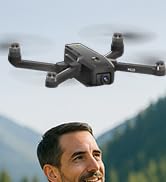
Image: Customer support contact information for karuisrc.


