1. Киришүү
The WONLINK WL-NE3501 WiFi Extender Signal Booster is designed to expand your existing Wi-Fi network coverage, eliminating dead zones and providing a stronger, more reliable internet connection throughout your home or office. This dual-band (5G/2.4G) device offers speeds up to 1200Mbps, making it ideal for HD video streaming, online gaming, and general browsing across multiple devices.

Image: The WONLINK WiFi Extender extending network coverage across a home environment.
2. Пакеттин мазмуну
Пакетиңизде бардык буюмдар бар экенин текшериңиз:
- 1 x WONLINK WiFi Booster
- 1 x User Manual
- 1 x RJ45 Networking Cable
3. Негизги өзгөчөлүктөрү
- Жогорку ылдамдыктагы кош тилкелүү: Supports 802.11ac wireless standard with combined speeds up to 1200Mbps (867Mbps on 5GHz and 300Mbps on 2.4GHz).
- Four High-Gain Antennas: Equipped with four external antennas for enhanced signal reception and transmission, ensuring wider coverage.
- WPS 1-Tap Setup: Simplifies the setup process for quick connection to your existing router.
- Ethernet порту: Includes a 10/100 Mbps RJ45 Ethernet port for stable wired connections to devices like smart TVs, PCs, or gaming consoles.
- Бир нече иштөө режимдери: Functions as a WiFi Repeater, Access Point (AP), or Router.
- Кеңири камтуу: Extends Wi-Fi coverage up to 120m² and supports over 25 connected devices.
- Өркүндөтүлгөн коопсуздук: Supports WPA, WPA2, WPA-PSK, and WPA2-PSK encryption protocols for secure network access.
- MU-MIMO технологиясы: Optimizes network utilization by communicating with multiple wireless terminals simultaneously.

Image: High performance and ultra-stable 1200Mbps WiFi Repeater.

Image: Dual-band WiFi speeds with 4 antennas for improved signal.

Image: Ethernet port for stable wired network connections.

Image: Illustration of high gain antennas for better signal.
4. Орнотуу колдонмосу
4.1. WPS 1-Tap Setup (Recommended)
- Plug the WONLINK WiFi Extender into a power outlet near your main router.
- Кеңейткичтеги кубаттуулук LED индикатору көк түскө күйгөнчө күтө туруңуз.
- Негизги роутериңиздеги WPS баскычын басыңыз.
- 2 мүнөттүн ичинде WONLINK WiFi Extenderдеги WPS баскычын басыңыз.
- The Signal LED on the extender should turn solid blue, indicating a successful connection.
- Once connected, you can unplug the extender and move it to a location between your router and the Wi-Fi dead zone. Ensure the Signal LED remains blue for optimal performance.
4.2. Manual Setup (Via Web Браузер)
- Plug the WONLINK WiFi Extender into a power outlet.
- Connect your computer or mobile device to the extender's default Wi-Fi network (e.g., "WONLINK_EXTENDER" or similar, usually found on a label on the device).
- ачуу а web browser and enter the default IP address (e.g., 192.168.10.1) or web address (e.g., wifi.repeater) provided in the full user manual.
- Follow the on-screen instructions to log in (default username/password is usually "admin").
- Select your desired operating mode (Repeater, AP, or Router) and follow the prompts to connect to your existing Wi-Fi network or set up a new one.
5. Иштөө режимдери
The WONLINK WL-NE3501 offers versatile operating modes to suit various networking needs:
- Кайталоо режими: Extends the range of your existing wireless network, eliminating Wi-Fi dead zones. This is the most common use case.
- Кирүү чекити (AP) режими: Converts a wired network connection into a wireless one. Ideal for creating a new Wi-Fi hotspot from an Ethernet port.
- Багыттоочу режим: Functions as a basic router, creating a private network from a DSL or cable modem.

Image: Diagram illustrating Repeater Mode and AP/Router Mode options.
6. Performance and Coverage
This extender is designed to provide robust performance:
- Ылдамдыгы: Up to 1200Mbps combined (867Mbps on 5GHz, 300Mbps on 2.4GHz).
- Камтуу: Extends Wi-Fi signal up to 120 square meters (approximately 1300 sq ft).
- Түзмөктү колдоо: Capable of supporting 25+ devices simultaneously.

Image: Visual representation of the extender providing wide coverage in a multi-room environment.

Image: Illustration showing the extender's best-in-class signal range compared to a router alone.
7. Network Security
The WONLINK WL-NE3501 supports robust security protocols to protect your network:
- WPA (Wi-Fi корголгон мүмкүндүк)
- WPA2 (Wi-Fi Protected Access II)
- WPA-PSK (Wi-Fi Protected Access - Pre-Shared Key)
- WPA2-PSK (Wi-Fi Protected Access II - Pre-Shared Key)
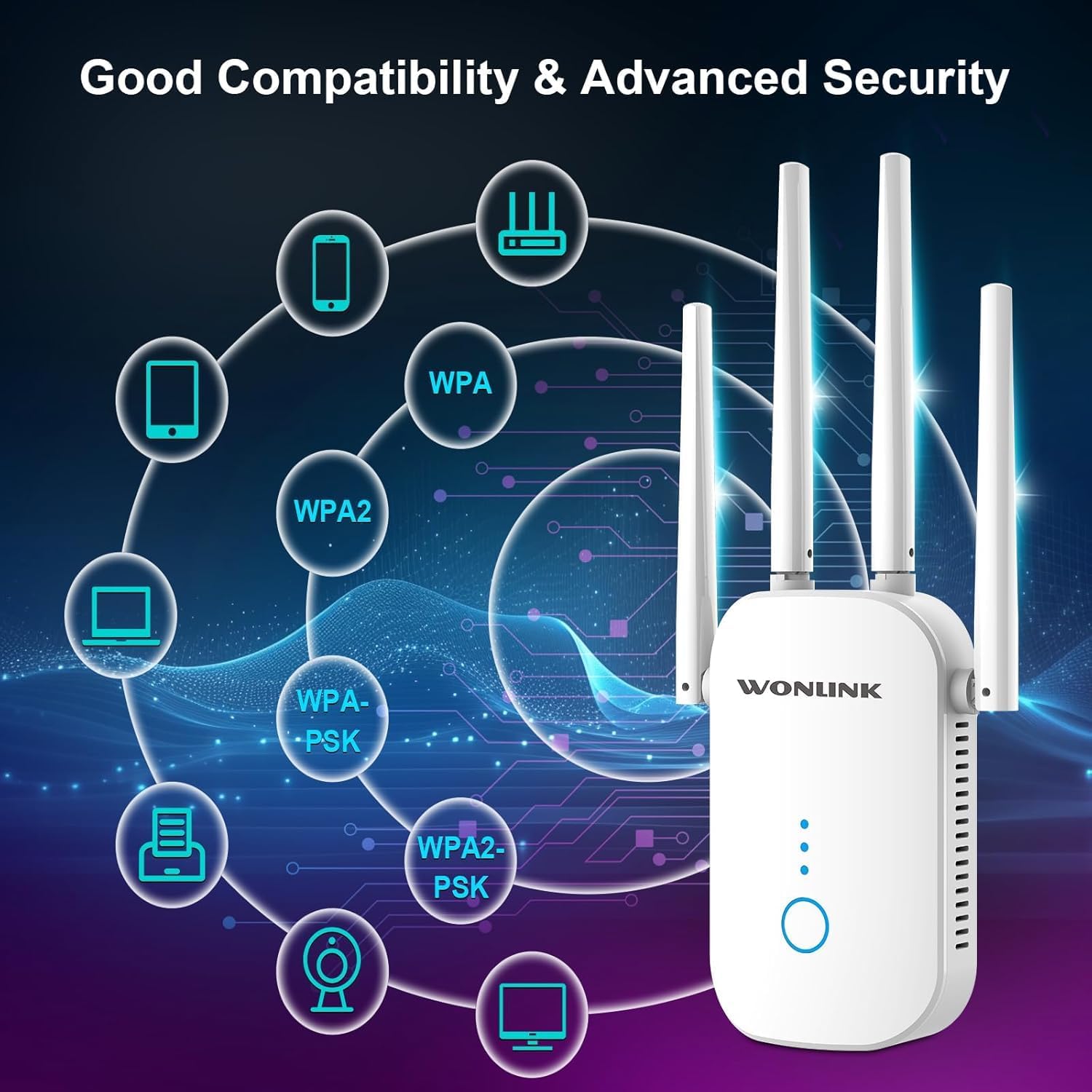
Image: Visual representation of the extender's compatibility and advanced security features.
8. Кыйынчылыктарды
If you encounter issues with your WONLINK WiFi Extender, please refer to the following common solutions:
- No Signal or Weak Boost:
Ensure the extender is placed within the effective range of your main router. While the extender can extend a signal, it cannot significantly boost an already very weak or non-existent signal from the source. Place it where your router's signal is still moderately strong (e.g., 2-3 signal bars) to effectively extend it further.
Consider the layout of your home. Thick walls, concrete, and other electronic devices can interfere with Wi-Fi signals. Try repositioning the extender to minimize obstructions.
- Slow Speed After Setup:
While extenders improve coverage, they can sometimes introduce latency or reduce maximum throughput. Ensure the extender is not too far from the main router, as this can result in a weak connection to the router, leading to slow extended speeds.
Verify that your main router is providing adequate speed. The extender's performance is limited by the speed of the original signal.
- WPS Setup Issues:
Ensure you press the WPS button on both the router and the extender within the specified time frame (usually 2 minutes). Some routers may require direct access or a specific sequence for WPS to function correctly. If WPS fails, try the manual web браузерди орнотуу ыкмасы.
- Cannot Access Setup Page:
Ensure your device is connected to the extender's default Wi-Fi network (not your main router's network) before attempting to access the setup page via IP address or web дареги.
Браузериңиздин кэшин жана cookie файлдарын тазалаңыз же башкасын байкап көрүңүз web браузер.
- Заводдун баштапкы абалга келтирүү:
If issues persist, perform a factory reset. Locate the reset button (often a small pinhole) on the extender, press and hold it for 5-10 seconds until the lights flash, then release. This will revert the extender to its default settings, allowing you to reconfigure it.
9. Техникалык шарттар
| Өзгөчөлүк | Деталь |
|---|---|
| Бренд | WONLINK |
| Модель номери | WL-NE3501 |
| Зымсыз түрү | 802.11ac |
| Жыштык тилкелери | Dual Band (5GHz / 2.4GHz) |
| Максималдуу ылдамдык | 1200Mbps (867Mbps 5G / 300Mbps 2.4G) |
| Антенналар | 4 Тышкы антенналар |
| Ethernet порту | 1 x 10/100 Mbps RJ45 |
| Иштөө режимдери | Repeater, Access Point (AP), Router |
| Коопсуздук протоколдору | WPA, WPA2, WPA-PSK, WPA2-PSK |
| Элемент Салмагы | 8.1 унция |
| Пакеттин өлчөмдөрү | 8.23 x 3.86 x 3.03 дюйм |
| Биринчи жеткиликтүү күн | 28-март, 2024-жыл |
10. Кепилдик жана колдоо
For warranty information, technical support, or further assistance, please visit the official WONLINK store or contact their customer service through the platform where you purchased the product.
Көбүрөөк маалымат жана колдоо булактарын бул жерден таба аласыз Amazon'догу WONLINK дүкөнү.


