1. Продукт бүтүп калдыview
The Apera PX-250BT is a versatile music system designed for various audio playback options. It combines a traditional cassette player with modern features such as an FM radio, USB/SD MP3 player, and Bluetooth connectivity, all within a portable unit.
Негизги өзгөчөлүктөрү
- FM radio with real cassette player functionality, including roll back and forth.
- Recording function with a built-in microphone, allowing direct recording to cassette.
- Adjustable sound speed for cassette playback (requires a Phillips screwdriver for access).
- Integrated USB and SD card slots for MP3 audio playback.
- Шайкеш түзмөктөрдөн зымсыз аудио агымы үчүн Bluetooth байланышы.
- Powered by a standard corded electric wall socket.
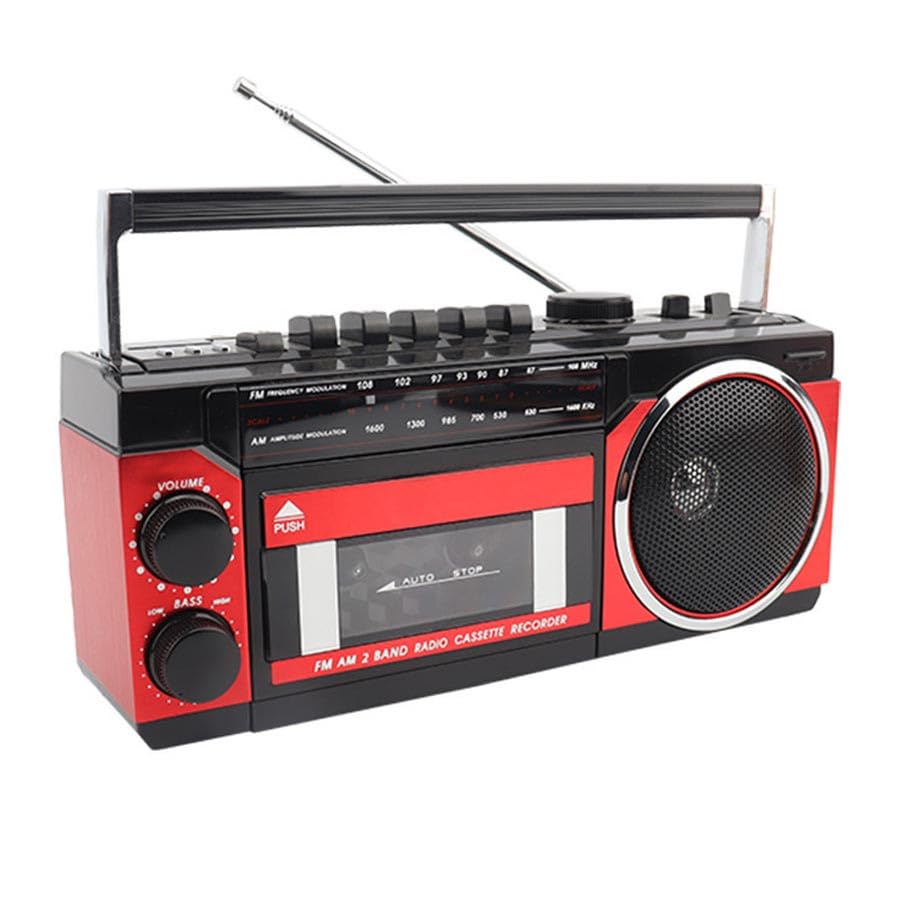
Image: The Apera PX-250BT Music Set, showing its overall design and approximate dimensions (255mm width, 120mm height, 100mm depth).
2. Пакеттин мазмуну
Пакетте бардык буюмдар бар экенин текшериңиз:
- Apera PX-250BT Music Set
- User Manual
- Power Cable (for corded electric operation)
3. Башкаруу элементтери жана байланыштар
Familiarize yourself with the various controls and connection ports on your PX-250BT unit for proper operation.
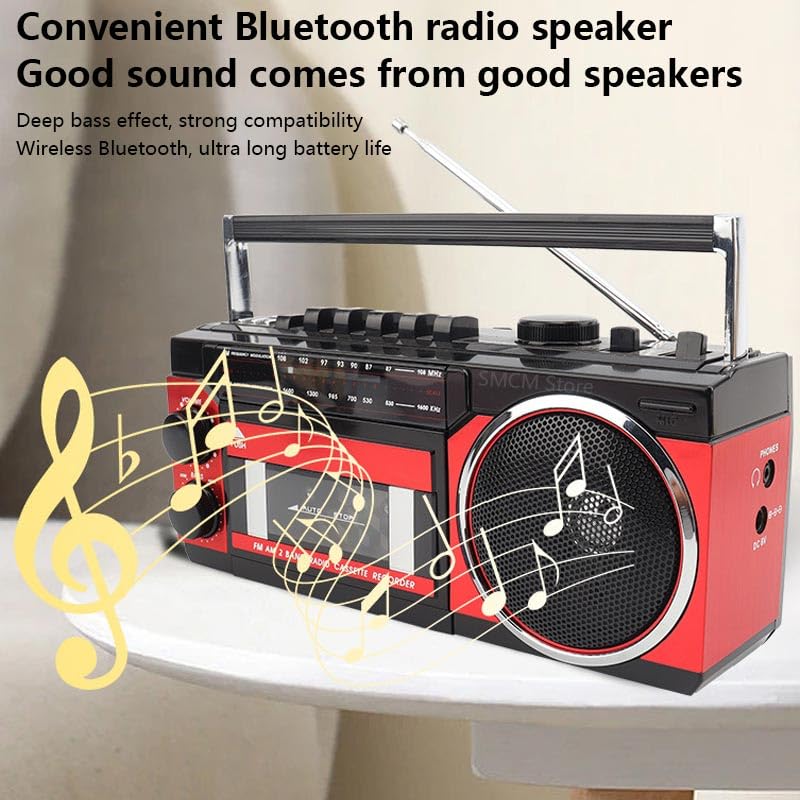
Image: The front panel of the Apera PX-250BT, displaying the cassette deck, radio tuner dial, volume and bass controls, and function buttons.
Алдыңкы панелдин башкаруу элементтери
- VOLUME баскычы: Adjusts the overall audio output level.
- LOW BASS Knob: Adjusts the bass level for richer sound.
- TUNING Dial: Used to select desired radio frequencies (FM/AM).
- ФУНКЦИЯ ТАНДАГЫЧ: Switches between operating modes: FM/AM Radio, Cassette, USB/SD, and Bluetooth.
- Cassette Player Controls: Includes buttons for Play, Stop, Fast Forward, Rewind, Record, and Pause.
- USB/SD Controls: Buttons for Play/Pause, Skip Forward, and Skip Back when playing media from USB or SD.
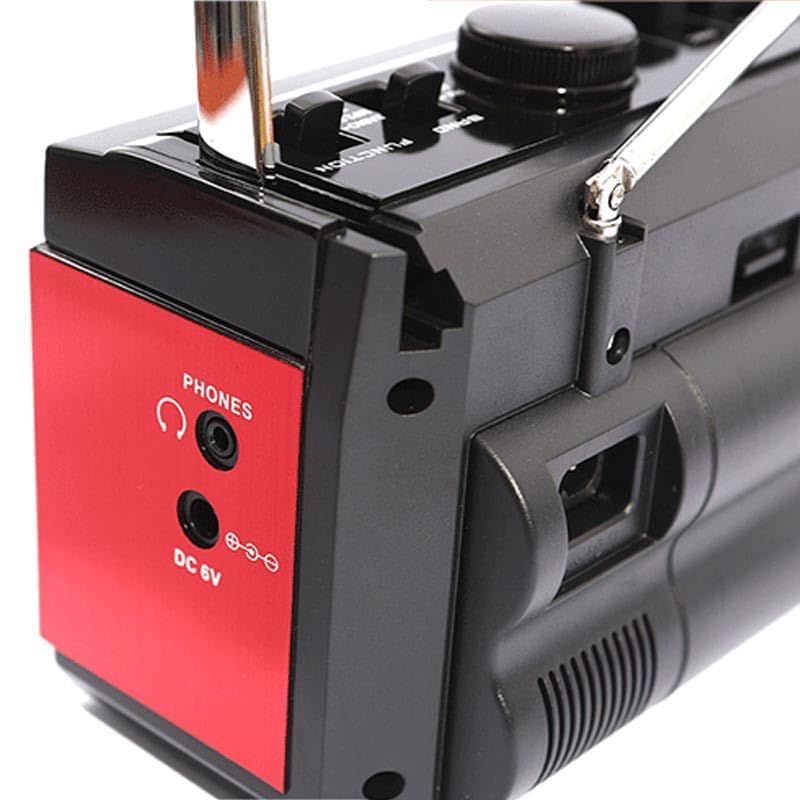
Image: The side panel of the Apera PX-250BT, showing the headphone jack and the DC 6V power input port.
Rear/Side Panel Connections
- DC 6V кубат киргизүү: Берилген электр кабелин бул жерге туташтырыңыз.
- ТЕЛЕФОНДОР уячасы: 3.5mm stereo jack for connecting headphones for private listening.
- USB порт: For inserting USB flash drives containing MP3 files.
- SD карта уячасы: For inserting SD memory cards containing MP3 files.
- Телескопиялык антенна: Extend for improved radio reception.
4. Орнотуу
Power Connection
- Connect the power cable to the DC 6V input port on the unit.
- Plug the other end of the power cable into a standard wall socket.
Антеннаны тууралоо
For optimal FM radio reception, fully extend the telescopic antenna. Adjust its position and orientation for the clearest signal.
5. Иштөө нускамалары
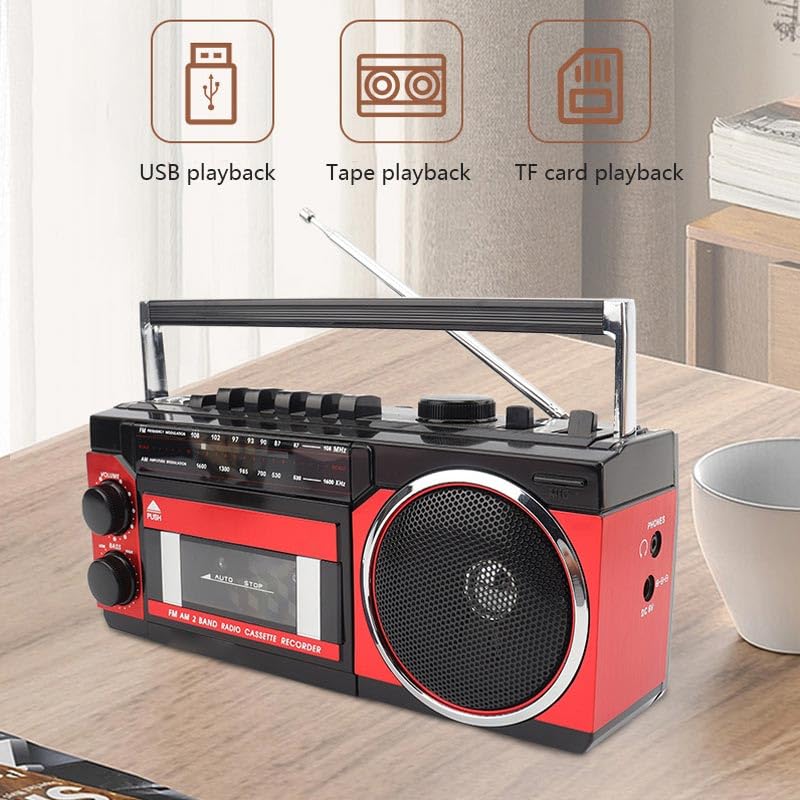
Image: This image illustrates the various playback options of the Apera PX-250BT, including USB playback, tape playback, and TF card playback, indicating its versatility.
FM радиосунун иштеши
- Set the FUNCTION Selector to "FM" or "Radio".
- Телескоптук антеннаны толугу менен узартыңыз.
- Rotate the TUNING Dial to select your desired radio station.
- Adjust the VOLUME and LOW BASS knobs as needed for optimal sound.
Кассета ойноткучтун иштеши
- Press the "PUSH" button on the cassette door to open it.
- Insert a cassette tape with the open side facing up.
- Gently close the cassette door until it clicks shut.
- Set the FUNCTION Selector to "Cassette".
- басыңыз ОЙНОО button to start tape playback.
- колдонуу ТЕЗ АЛГА or КАЙРА АЙРУУ лентаны багыттоо үчүн баскычтар.
- басыңыз ТОКТОТ ойнотууну аяктоо үчүн баскыч.
Кассетага жаздыруу
The PX-250BT allows recording audio directly to a cassette tape using its built-in microphone.
- Бош кассетаны кассетанын палубасына салыңыз.
- Set the FUNCTION Selector to "Cassette".
- басыңыз ЖАЗУУ button (this may require simultaneously pressing PLAY on some units).
- Speak clearly into the built-in microphone located on the unit.
- басыңыз ТОКТОТ жазууну аяктоо үчүн баскыч.
USB / SD MP3 Playback
- USB флеш-дискти USB портуна же SD картанын уячасына салыңыз.
- Set the FUNCTION Selector to "USB" or "SD".
- Түзмөк автоматтык түрдө MP3ти аныктап, ойнотууну баштайт fileс киргизилген медиадан.
- Use the Skip Forward/Back buttons to navigate between tracks.
- Ойноону башкаруу үчүн Ойнотуу/Тыным баскычын колдонуңуз.
Bluetooth динамик функциясы
- Set the FUNCTION Selector to "Bluetooth". The unit will enter pairing mode, typically indicated by a flashing light or an audible prompt.
- Смартфонуңузда же башка Bluetooth иштетилген түзмөгүңүздө жеткиликтүү Bluetooth түзмөктөрүн издеңиз.
- Select "PX-250BT" (or a similar name) from the list to pair. A confirmation sound will indicate successful pairing.
- Туташкан түзмөгүңүздөн аудио ойнотуңуз.
- Adjust the volume using the unit's VOLUME knob or your connected device's volume controls.
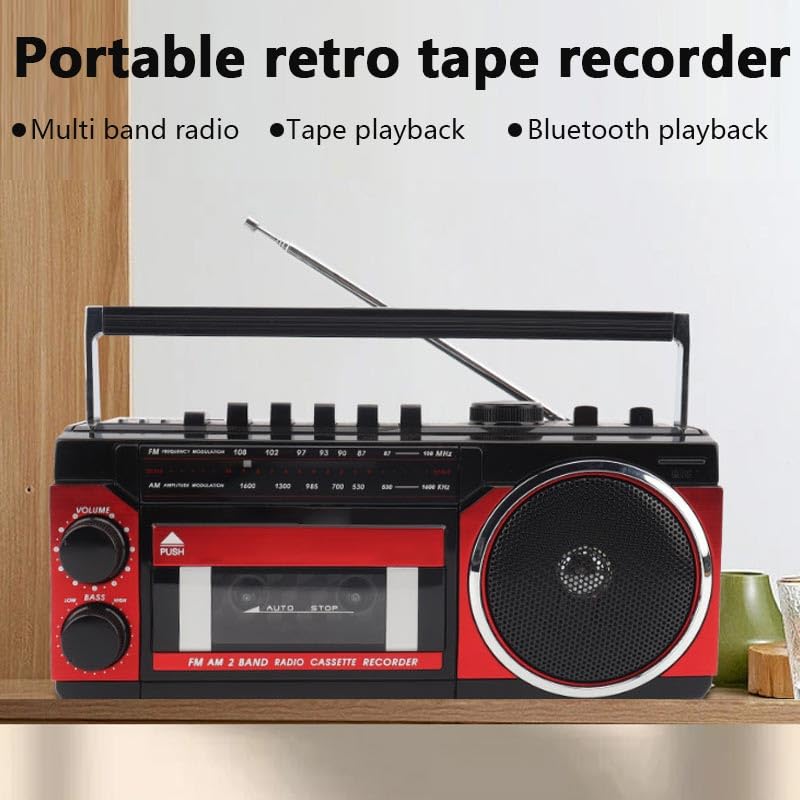
Image: This image highlights the portable and retro design of the Apera PX-250BT, emphasizing its multi-band radio, tape playback, and Bluetooth playback capabilities.
6. Техникалык тейлөө
Тазалоо
Wipe the exterior of the unit with a soft, dry cloth. Do not use abrasive cleaners, solvents, or strong detergents, as these can damage the finish.
Cassette Head Cleaning
To ensure optimal sound quality and prevent damage to your cassette tapes, periodically clean the cassette player's heads and pinch rollers. Use a specialized cassette head cleaning kit, following its instructions carefully.
7. Кыйынчылыктарды
Күч жок
- Ensure the power cable is securely connected to both the unit and a functional wall socket.
- Check if the wall socket is receiving power by testing it with another appliance.
Үн жок
- VOLUME баскычын көбөйтүү.
- Ensure the correct FUNCTION (FM, Cassette, USB, Bluetooth) is selected.
- Эгер кулакчындарды колдонсоңуз, алардын PHONES уячасына толугу менен сайылып турганын текшериңиз.
Радио кабыл алуу начар
- Fully extend and adjust the telescopic antenna for better signal reception.
- Try moving the unit to a different location, away from potential interference sources.
Кассетаны ойнотуу көйгөйлөрү
- Ensure the cassette tape is inserted correctly and the door is fully closed.
- Clean the cassette player heads and pinch rollers.
- Check if the tape itself is damaged or tangled.
Bluetooth жупташуу маселелери
- Ensure the unit is in Bluetooth mode and discoverable (indicated by a flashing light or audio prompt).
- Make sure your Bluetooth device's Bluetooth function is enabled and within range (typically 10 meters).
- If previously paired, try forgetting the "PX-250BT" device on your smartphone and attempting to pair again.
8. Техникалык шарттар
| Бренд | Apera |
| Өндүрүүчү | Güneysu Sanal Mağ. Tic. Ltd. Şti. |
| Пакеттин өлчөмдөрү | 28 x 14 x 11.5 см |
| Элемент Салмагы | 1 кг |
| Аппараттык интерфейс | Bluetooth, MicroSD, Radio Frequency, USB |
| Tuner Technology | FM |
| Шайкеш түзмөктөр | Смартфон |
| Өзгөчөлүктөр | Radio, Cassette Player, USB/SD MP3 Player, Bluetooth Speaker, Recording |
| Power Source | Электр зымдары |
| Батареялар талап кылынат | Жок |
| Туташтыргыч түрү | Bluetooth, USB |
| Радио топтору колдоого алынат | 1 Band (FM) |
| Медиа түрү | MP3 |
| Bluetooth технологиясын колдойт | Ооба |
| Түс | Кара / Кызыл |
9. Кепилдик жана колдоо
For detailed warranty information, please refer to the warranty card or documentation included with your purchase. In case of technical issues or for customer support, please contact your retailer or the manufacturer directly. Keep your purchase receipt as proof of purchase for any warranty claims.


