1. Киришүү
This manual provides comprehensive instructions for the MOTOPOWER MP0515A 12V Car Battery Load Tester and the MOTOPOWER MP69040 OBD2 Scanner. It covers setup, operation, maintenance, and troubleshooting to ensure safe and effective use of both devices. Please read this manual thoroughly before operating the equipment.
2. Коопсуздук маалыматы
Always observe the following safety precautions when using the battery tester and OBD2 scanner:
- Унаанын аккумуляторлорунун жанында иштеп жатканда тиешелүү коргоочу көз айнек жана коргоочу кийим кийиңиз.
- Ensure adequate ventilation in the work area to disperse any battery gases.
- Avoid creating sparks or open flames near the battery, as batteries can produce explosive gases.
- The MP0515A tester features reverse-hookup and over-voltagкоопсуз иштөө үчүн коргоо.
- The MP69040 OBD2 scanner is not compatible with new energy vehicles or hybrid vehicles. Verify vehicle compatibility before use.
- Keep both devices dry and clean. Do not expose to rain or moisture.
3. Пакеттин мазмуну
Сиздин пакетте төмөнкү элементтер болушу керек:
- MOTOPOWER MP0515A 12V Car Battery Load Tester with attached clamps
- MOTOPOWER MP69040 OBD2 Scanner with integrated OBD2 cable
- Колдонуучунун Колдонмосу (бул документ)
4. Продукт бүтүп калдыview
4.1 MOTOPOWER MP0515A 12V Car Battery Load Tester
The MP0515A is designed to quickly assess the health of 12V vehicle batteries and the performance of the alternator/charging system. It features a digital voltmeter and LED indicators for clear results.
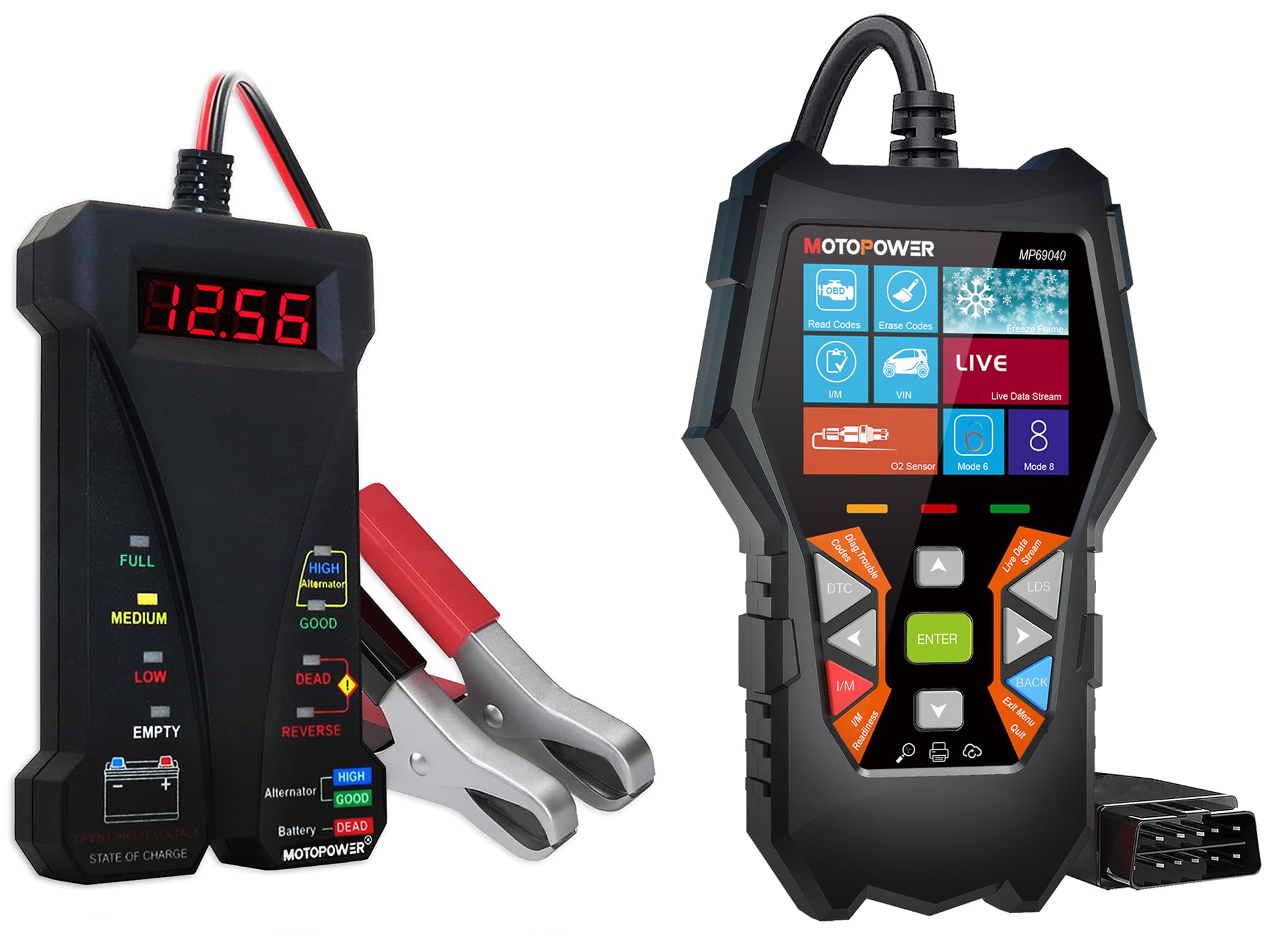
Image: MP0515A displaying voltage and alternator status during a charging system test.
- Тtage Test: Санарип дисплей тtage from 4-20V DC with 0.01V accuracy.
- Battery Status LED Display: Indicators for FULL, MEDIUM, LOW, EMPTY.
- Alternator Output Analyze: Indicators for HIGH, GOOD, DEAD, REVERSE.
- Шайкештик: Suitable for Regular Flooded, AGM, GEL, and EFB 12V batteries.

Image: MP0515A connected to a battery, highlighting its compatibility with different 12V battery types.
4.2 MOTOPOWER MP69040 OBD2 Scanner
The MP69040 is an advanced OBD2 diagnostic tool designed to read and clear diagnostic trouble codes (DTCs), display live data, and perform various other diagnostic functions for OBDII/EOBD compliant vehicles.
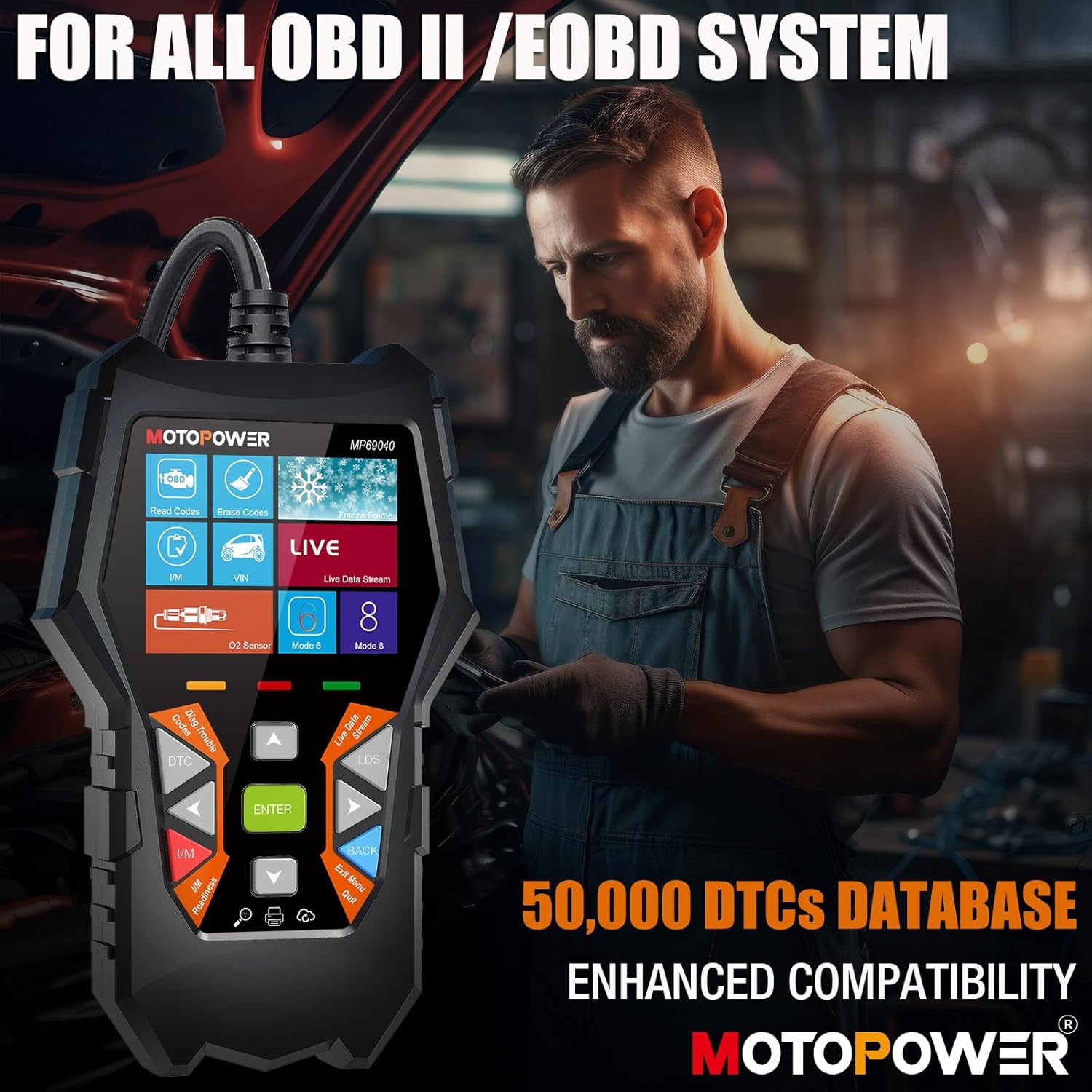
Image: MP69040 scanner showing its interface and broad OBDII/EOBD system compatibility.
- Дисплей: 2.8-inch TFT color screen for clear readability.
- Шайкештик: Supports all OBDII protocols (KWP2000, J1850 VPW, ISO9141, J1850 PWM, CAN). Compatible with 1996 US-based, 2003 EU-based, and 2008 Asian-based cars, light trucks, and SUVs.
- Өзгөчөлүктөрү: Read/Erase Codes, Live Data Stream, VIN information, O2 Sensor test, I/M Readiness, 50,000 DTCs database.
- Колдонуучу интерфейси: User-friendly system interface with 10 built-in languages.
- Жаңыртуулар: Lifetime free online updates.

Image: MP69040 displaying its 2.8-inch color screen and intuitive menu options.
5. Орнотуу
5.1 MP0515A 12V Car Battery Load Tester Setup
- Унаанын от алдыруу системасы өчүрүлгөндүгүн жана бардык кошумча жабдуулар өчүрүлгөндүгүн текшериңиз.
- Кызыл позитивдүү (+) клды туташтырыңызamp of the tester to the positive (+) terminal of the 12V vehicle battery.
- Кара негативди туташтыруу (-) clamp of the tester to the negative (-) terminal of the 12V vehicle battery.
- Ensure both connections are secure and free from corrosion. The tester will power on automatically.
5.2 MP69040 OBD2 Scanner Setup
- Locate the vehicle's 16-pin Data Link Connector (DLC), typically found under the dashboard on the driver's side.
- Plug the MP69040's OBD2 cable firmly into the vehicle's DLC.
- Turn the vehicle's ignition to the 'ON' position (engine off or running, depending on the test). The scanner will power on automatically.
6. Иштөө нускамалары
6.1 MP0515A 12V Car Battery Load Tester Operation

Image: MP0515A illustrating the simple steps for testing both battery and alternator.
6.1.1 Battery Status Test (Vehicle Off)
- Ensure the MP0515A is correctly connected to the 12V battery with the vehicle's engine off.
- Observe the digital voltage дисплей.
- Read the battery status indicated by the LEDs on the сол жагы of the tester:
- ТОЛУК: Батарея толук заряддалган.
- ОРТО: Батареянын заряды орточо.
- ТӨМӨН: Battery charge is low, consider charging.
- Бош: Battery is discharged or critically low.

Image: MP0515A performing a battery test, showing voltage and charge level LEDs.
6.1.2 Генераторду / кубаттоо системасын сыноо (унаа иштеп жатканда)
- Ensure the MP0515A is correctly connected to the 12V battery.
- Start the vehicle's engine and let it run at idle.
- Observe the digital voltage display. A healthy charging system typically shows around 13.5V to 14.5V.
- Read the alternator status indicated by the LEDs on the оң жагы of the tester:
- ЖОГОРКУ: Альтернатордун чыгышы томtage өтө жогору.
- ЖАКШЫ: Alternator output is within normal operating range.
- ӨЛГӨН: Alternator is not charging the battery.
- РЕВЕРС: Indicates incorrect polarity connection (clamps reversed).
6.2 MP69040 OBD2 Scanner Operation

Image: MP69040 showcasing its various diagnostic capabilities and user interface.
- After connecting the scanner to the vehicle's DLC and turning the ignition ON, the device will power up and display the main menu.
- Use the directional buttons (UP/DOWN/LEFT/RIGHT) to navigate through the menu options.
- басыңыз ENTER Опцияны тандоо же аракетти ырастоо үчүн баскычты басыңыз.
- Негизги функциялары:
- Окуу коддору: Унаанын компьютеринен диагностикалык ката коддорун (DTC) чыгарат.
- Коддорду тазалоо: Clears DTCs from the vehicle's computer. This will turn off the Check Engine Light (MIL).
- Жандуу маалыматтар: Displays real-time data parameters from the vehicle's sensors and modules.
- I/M даярдыгы: Чыгарылыштарга байланыштуу мониторлордун абалын текшерет.
- VIN: Displays Vehicle Identification Number and other vehicle information.
- To exit a menu or return to the previous screen, press the КАЙТ баскычы.

Image: MP69040 showing live data stream, including engine RPM and fuel pressure, for accurate diagnosis.
7. Техникалык тейлөө
- Keep both the MP0515A and MP69040 clean and dry. Wipe with a soft, damp зарыл болсо, кездеме менен сүртүңүз. Абразивдүү тазалоочу каражаттарды же эриткичтерди колдонбоңуз.
- Түзмөктөрдү күн нурунан жана экстремалдык температурадан алыс салкын, кургак жерде сактаңыз.
- Regularly inspect the cables and connectors for any signs of damage, wear, or corrosion. Replace if damaged.
- For the MP69040, ensure you perform lifetime free updates as they become available to maintain optimal performance and compatibility. Refer to the MOTOPOWER webжаңыртуу боюнча көрсөтмөлөр үчүн сайт.
8. Кыйынчылыктарды
8.1 MP0515A Battery Tester Troubleshooting
- Display shows "LO": батарея томtage is under 4V DC. The battery may be severely discharged or faulty.
- Display shows "HI": батарея томtage is above 20V DC. This is outside the normal operating range for a 12V system and may indicate a charging system fault or incorrect application.
- "REVERSE" LED is lit: The positive and negative clamps are connected to the wrong battery terminals. Disconnect immediately and reconnect with correct polarity.
- No display/No power: Камсыз кылуу clamps are securely connected to the battery terminals and the battery has sufficient voltage (4V жогору).
8.2 MP69040 OBD2 Scanner Troubleshooting
- Сканер күйбөйт: Check that the OBD2 cable is securely connected to the vehicle's DLC and the vehicle's ignition is in the 'ON' position. Verify the vehicle's battery is not dead.
- "Шилтеме катасы" же "Байланыш катасы": Ensure the OBD2 cable is properly connected. Verify the vehicle is OBDII/EOBD compliant and not a new energy or hybrid vehicle. Try turning the ignition off and on again, or try on a different compatible vehicle if available.
- Экран катып калды/жооп бербей жатат: Disconnect the scanner from the vehicle, wait a few seconds, and reconnect.
9. Техникалык шарттар
| Өзгөчөлүк | Спецификация |
|---|---|
| Бренд | МОТО ЭНЕРГЕТИКА |
| Model (Battery Tester) | MP0515A |
| Model (OBD2 Scanner) | MP69040 |
| Power Source | Battery Powered (via vehicle's battery/OBD2 port) |
| Өлчөө түрү | Voltmeter (MP0515A) |
| Тtage Range (MP0515A) | 4-20В DC |
| Тtage Accuracy (MP0515A) | 0.01V |
| Display (MP69040) | 2.8 дюймдук TFT түстүү экран |
| OBDII Protocols (MP69040) | KWP2000, J1850 VPW, ISO9141, J1850 PWM, CAN |
| Vehicle Compatibility (MP69040) | 1996 US-based, 2003 EU-based, 2008 Asian-based (not new energy/hybrid) |
10. Кепилдик жана колдоо
For warranty information, technical support, or any questions regarding your MOTOPOWER MP0515A Battery Load Tester or MP69040 OBD2 Scanner, please contact MOTOPOWER customer service. Refer to the product packaging or the official MOTOPOWER webбайланыш маалыматы үчүн сайт.


