Introduction
The Perixx PERIMICE-513 is a wired ergonomic vertical mouse designed to provide a comfortable and efficient computing experience. Its unique vertical design promotes a natural handshake position, which can help reduce forearm strain and the risk of repetitive strain injuries (RSI) during extended use. This manual provides essential information for setting up, operating, maintaining, and troubleshooting your PERIMICE-513 mouse.
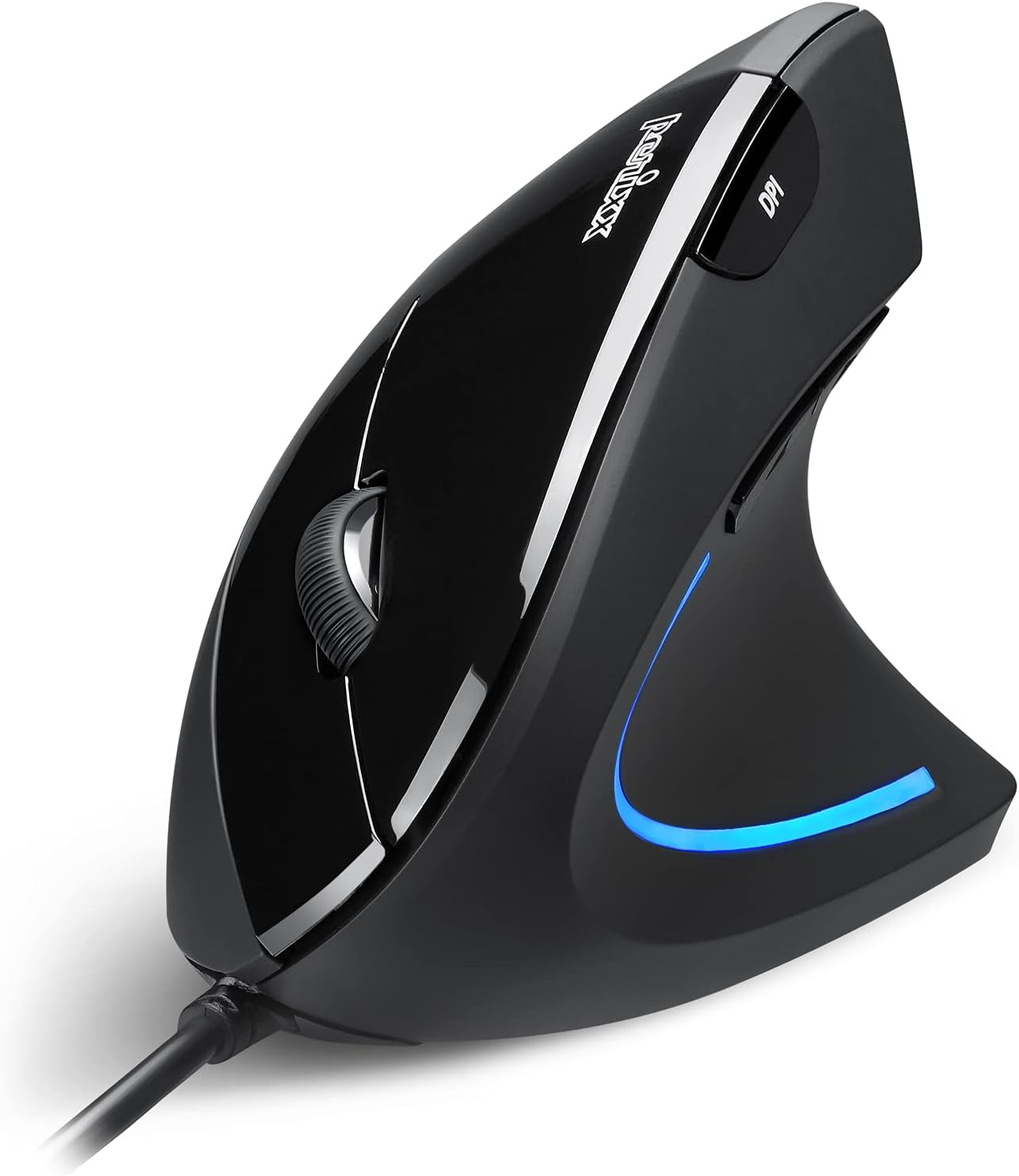
Image: The Perixx PERIMICE-513 Wired Ergonomic Vertical Mouse, showcasing its black finish and ergonomic design.
Продукт бүттүview
The PERIMICE-513 features six buttons and an adjustable DPI sensor for precise control. Familiarize yourself with the components:

Image: A diagram illustrating the six buttons of the Perixx PERIMICE-513 mouse, including Left Click, Right Click, Scroll Wheel, DPI Switch, Page Back, and Page Forward buttons.
- Сол чыкылдатуу баскычы: Стандарттык негизги чыкылдатуу функциясы.
- Оң баскычты чыкылдатуу: Стандарттык кошумча чыкылдатуу функциясы.
- Жылдыруу дөңгөлөгү: Тик жылдыруу жана ортоңку чыкылдатуу функциялары үчүн.
- DPI которуу баскычы: Курсордун сезгичтигин (DPI) тууралайт.
- Page Back Button: Кайра кирүүгө багыт алат web браузерлер же file изилдөөчүлөр.
- Баракчаны алдыга жылдыруу баскычы: Алга карай жылдырат web браузерлер же file изилдөөчүлөр.
Жайгашуу
The Perixx PERIMICE-513 is designed for simple plug-and-play setup.
- USB кабелин туташтыруу: Чычкандын USB туташтыргычын компьютериңиздеги жеткиликтүү USB портуна сайыңыз.
- Драйверди орнотуу: The mouse is plug-and-play and typically does not require additional drivers for basic functionality on compatible operating systems. Your computer should automatically detect and install the necessary drivers.
- Позициялоо: Place the mouse on a flat, clean surface. The ergonomic design encourages a natural handshake grip.

Image: A hand connecting the USB cable of the Perixx PERIMICE-513 mouse to a computer, illustrating the plug-and-play setup.
Шайкештик: The PERIMICE-513 is fully compatible with Windows 7, 8, 10, 11, and later versions.
Иштөө нускамалары
This section details the functions of your Perixx PERIMICE-513 mouse.
DPI тууралоо
The DPI (Dots Per Inch) switch button, located on the top of the mouse, allows you to adjust the cursor sensitivity. Press this button to cycle through the available DPI settings: 1000, 1600, 3200, and 6400 DPI. Choose a setting that best suits your task and preference for cursor speed and precision.

Image: A hand demonstrating the natural, comfortable grip on the Perixx PERIMICE-513 vertical mouse, highlighting its ergonomic design.
Эргономикалык колдонуу
The vertical design of the PERIMICE-513 encourages a neutral wrist and forearm posture, similar to a handshake. This natural position helps to alleviate pressure on the wrist and reduce muscle tension, contributing to long-term comfort and preventing strain.

Image: A visual comparison showing a twisted wrist position with a traditional mouse versus a natural, untwisted wrist position achieved with an ergonomic vertical mouse.
Баскыч функциялары
- Сол/оң чыкылдатуу: Perform standard selection and context menu actions.
- Жылдыруу дөңгөлөгү: Scroll documents and web pages vertically. Press down for middle-click functionality.
- DPI которуу: Cycle through 1000, 1600, 3200, and 6400 DPI settings.
- Page Back/Forward: Conveniently navigate web барактар же папкалар.
Техникалык тейлөө
Proper care ensures the longevity and optimal performance of your mouse.
- Тазалоо: жумшак, бир аз колдонуу damp cloth to clean the surface of the mouse. Avoid using harsh chemicals, abrasive cleaners, or solvents, as these can damage the rubber coating and internal components.
- Оптикалык сенсор: Так көз салуу үчүн чычкандын түбүндөгү оптикалык сенсорду чаңдан же таштандыдан таза кармаңыз.
- Кабельге кам көрүү: Зыяндын алдын алуу үчүн USB кабелин курч ийилүүдөн же ашыкча тартуудан алыс болуңуз.
Проблемаларды чечүү
If you encounter issues with your Perixx PERIMICE-513 mouse, refer to the following solutions:
- Чычкан жооп бербейт:
- USB кабели компьютериңиздеги иштеген USB портуна бекем сайылганын текшериңиз.
- Чычканды башка USB портуна сайып көрүңүз.
- Компьютериңизди өчүрүп күйгүзүңүз.
- Курсордун туруксуз кыймылы:
- Чычкандын түбүндөгү оптикалык сенсорду жумшак, кургак чүпүрөк менен тазалаңыз.
- Чычканды ылайыктуу бетте колдонуп жатканыңызды текшериңиз. Өтө жарык чагылдыруучу же тунук беттерден алыс болуңуз.
- DPI Setting Not Changing:
- Press the DPI switch button firmly. The change in DPI may be subtle depending on your current setting and screen resolution.
Техникалык шарттар
Detailed technical specifications for the Perixx PERIMICE-513 mouse:
| Өзгөчөлүк | Спецификация |
|---|---|
| Продукциянын өлчөмдөрү | 4.92 x 2.44 x 0.1 дюйм |
| Элемент Салмагы | 5.6 унция |
| Модель номери | 12364 |
| Байланыш технологиясы | USB |
| Кыймылды аныктоо технологиясы | Оптикалык |
| DPI орнотуулары | 1000 / 1600 / 3200 / 6400 |
| Кабелдин узундугу | 5.9 фут (1.8 м) |
| Шайкештик | Windows 7, 8, 10, 11, and later |
| Өзгөчө өзгөчөлүк | Эргономикалык дизайн |
Продукт бүттүview Video
Бул расмий продуктту караңызview video for a visual guide to the Perixx PERIMICE-513 mouse.
Видео: расмий продукт бүттүview of the Perixx PERIMICE-513 Ergonomic Vertical Mouse, demonstrating its features and ergonomic benefits.
Кепилдик жана колдоо
Perixx products are manufactured to high-quality standards. For specific warranty details, please refer to the warranty card included with your product or visit the official Perixx website. For further assistance or support, you may visit the Amazon'догу Perixx дүкөнү.


