1. Киришүү
This manual provides detailed instructions for the safe and efficient operation of your TIDRADIO TD-H3 Ham Radio. Please read this manual thoroughly before using the device to ensure proper functionality and to prevent damage.
2. Продукт бүтүп калдыview
2.1 Пакеттин мазмуну
The TIDRADIO TD-H3 package includes the following components:
- TIDRADIO TD-H3 Ham Radio Unit
- Type-C Battery (2500mAh)
- 6.1-inch Ham Antenna
- 15.12-inch 771 AM Antenna
- Earpiece with Microphone
- USB Charger with Cable
- Артка клип
- Колдонуучунун Колдонмосу (бул документ)
- Lanyard
- Иш тактасынын кубаттагычы
2.2 Негизги өзгөчөлүктөрү
- 8-Band Frequency Support (FM/AM, Aviation Band Receiving)
- Type-C and Bluetooth Wireless Programming
- Repeater жөндөмдүү
- Frequency Copy Function
- Dual PTT (Push-To-Talk) Buttons
- Enhanced Flashlight
- DTMF Lock
- 1.44-inch LCD Color Screen
- 199 Channel Banks
- Dual Watch Functionality
- Жөнгө салынуучу Squelch

1-сүрөт: Артка view of the TD-H3 radio, displaying model and FCC details.
3. Орнотуу
3.1 Батареяны орнотуу жана заряддоо
The TD-H3 radio uses a 2500mAh Type-C battery. Ensure the battery is fully charged before first use.
- Align the battery with the compartment on the back of the radio.
- Батареяны бекем чыккыча ордуна жылдырыңыз.
- To charge, connect the USB-C cable to the battery's Type-C port or place the radio in the desktop charger.
- Адатта, заряддоо болжол менен 3 саатка созулат.
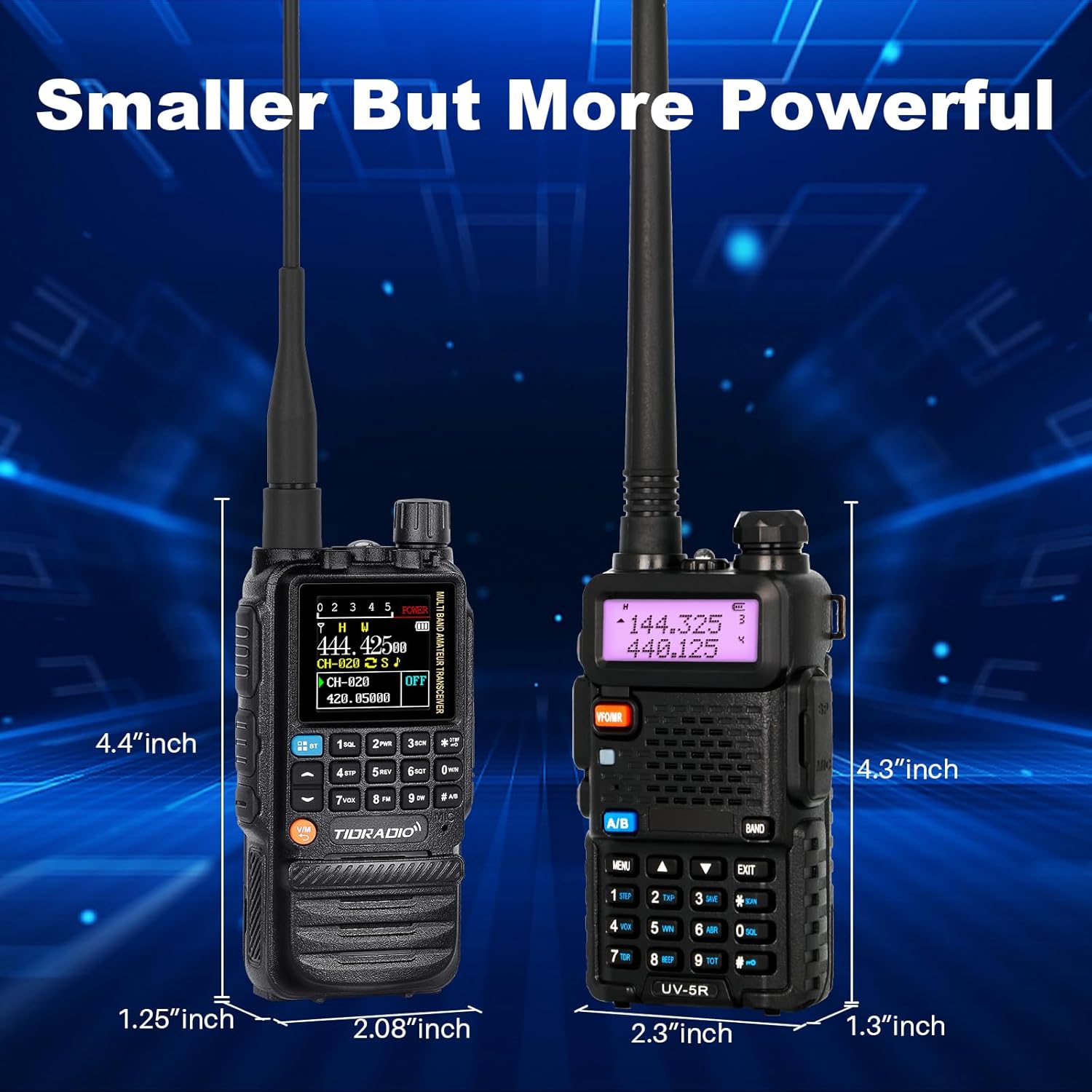
Figure 2: Charging options for the TD-H3 radio, including desktop and USB-C direct charging.
3.2 Антеннаны бекитүү
Select the appropriate antenna for your desired frequency band and screw it clockwise onto the antenna connector at the top of the radio until it is finger-tight.
- Use the 6.1-inch Ham Antenna for general amateur radio use.
- Use the 15.12-inch 771 AM Antenna for enhanced air band reception.
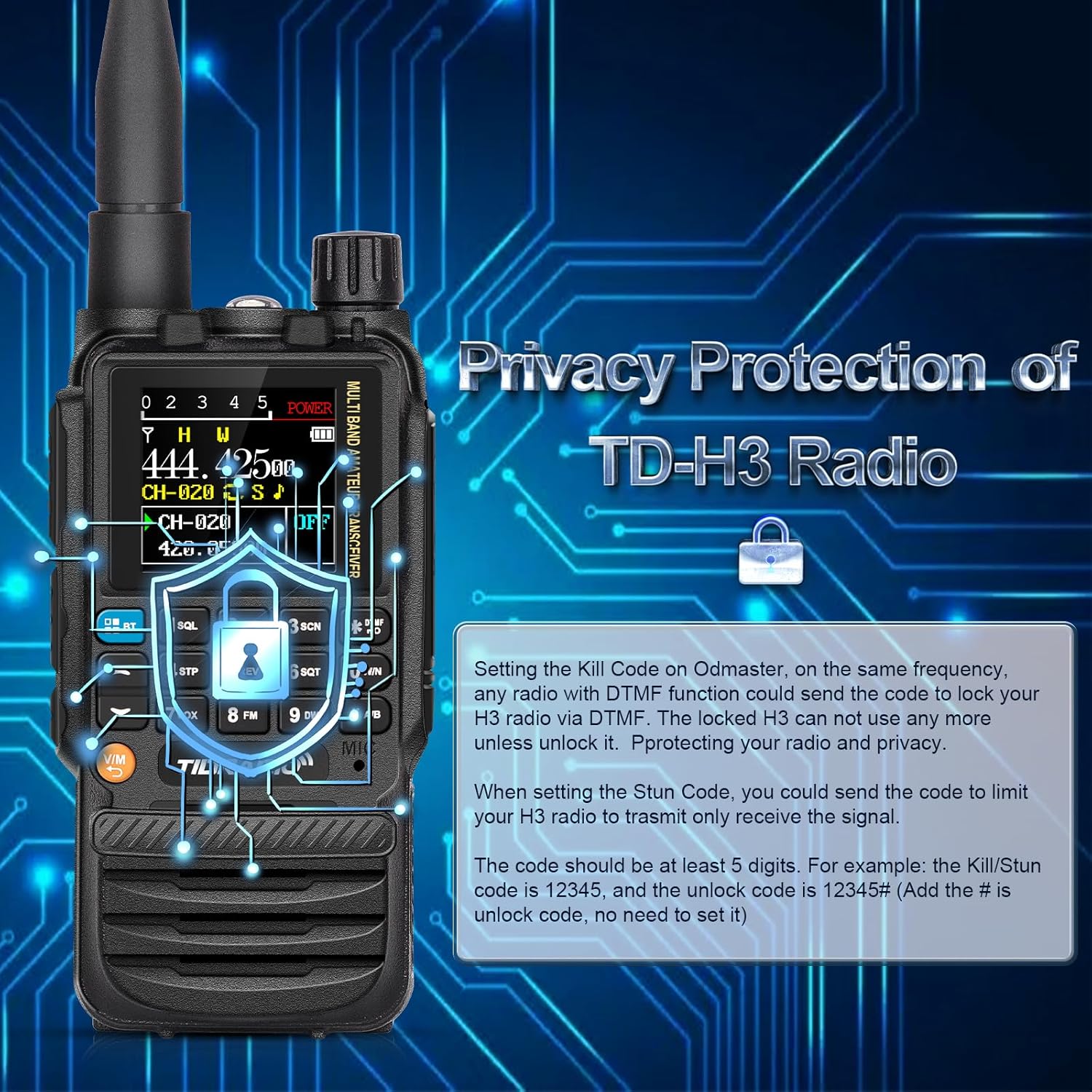
Figure 3: The flexible air band antenna, designed for improved reception.
4. Негизги операция
4.1 Күйгүзүү/өчүрүү
To power on the radio, rotate the volume knob clockwise. To power off, rotate it counter-clockwise until it clicks.
4.2 Үндү тууралоо
Adjust the volume by rotating the volume knob located at the top of the radio.
4.3 Канал тандоо
The TD-H3 supports 199 channel banks. Use the up/down arrow keys or the numeric keypad to select channels. The 1.44-inch color screen displays channel information clearly.

Figure 4: The 1.44-inch color screen provides clear display of radio status.
4.4 Dual Watch / Dual Display
The radio can monitor two different frequencies or channels simultaneously. The screen will display both, allowing you to switch between them for transmission.
4.5 Dual PTT
The TD-H3 features two Push-To-Talk (PTT) buttons, labeled A and B, allowing for quick transmission on either of the two monitored frequencies/channels.

Figure 5: The Dual PTT buttons (A and B) for convenient operation.
4.6 Фонар
The radio includes an enhanced flashlight function. Refer to the on-screen menu or specific button for activation.

Figure 6: The enhanced flashlight feature of the TD-H3.
5. Өркүндөтүлгөн функциялар
5.1 Programming Methods
The TD-H3 offers multiple programming options:
- Type-C Port Programming: Use the side Type-C port with CHIRP or CPS Programming Software.
- Bluetooth Wireless Programming: Program the radio wirelessly via the Odmaster APP on your smartphone or a PC website (PC requires Bluetooth enabled).
- Kenwood Port Programming: Compatible with CHIRP and CPS Programming Software via the Kenwood port.

Figure 7: Various programming methods available for the TD-H3.

Figure 8: Programming the radio using the Odmaster APP.
5.2 One-Key Frequency Match (Frequency Copy)
This feature allows you to quickly identify and save a transmitting frequency from another radio.
- Hold down the '1' key on the radio.
- The radio will identify the frequency when another radio transmits.
- You can then save this frequency directly to a new channel. (Refer to Menu 47 for On/Off settings).

Figure 9: One-Key Frequency Match in action.
5.3 Wireless Radio Replication
The TD-H3 supports wireless replication, allowing you to copy channel data from one radio to another wirelessly.

Figure 10: Wireless Radio Replication between two TD-H3 units.
5.4 DTMF Lock (Privacy Protection)
The DTMF Lock feature provides privacy protection by allowing you to remotely lock or stun a radio using DTMF codes.
- Kill Code: Setting a Kill Code on the Odmaster app allows another radio with DTMF functionality to send a code to lock your TD-H3, rendering it unusable until unlocked.
- Stun Code: Setting a Stun Code limits your TD-H3 radio to only receive signals.
- Codes should be at least 5 digits. For example, a Kill/Stun code could be 12345, and the unlock code would be 12345#.

Figure 11: DTMF Lock feature for privacy protection.
5.5 Multi-Band Transmitting & Receiving
The TD-H3 supports a wide range of frequencies:
- БАР: 108-136MHz (Receive) - Aviation Band
- FM: 50-76MHz (Receive), 76-108MHz (Receive)
- VHF: 136-174MHz (Transmit/Receive), 174-350MHz (Receive), 350-400MHz (Receive)
- UHF: 400-470MHz (Transmit/Receive), 470-600MHz (Receive)
6. Техникалык тейлөө
6.1 Батареяга кам көрүү
Батареянын иштөө мөөнөтүн жана иштешин жогорулатуу үчүн:
- Баштапкы колдонуудан мурун батареяны толук заряддаңыз.
- Батареяны ашыкча заряддоодон же толугу менен жарактан чыгаруудан сактаныңыз.
- Колдонулбаган учурда радиону жана батарейканы салкын, кургак жерде сактаңыз.
- The 2500mAh battery provides approximately 12 hours of working time and 48 hours of standby time.

Figure 12: Battery capacity and usage times for the TD-H3.
6.2 Тазалоо
Радиону жумшак менен сүртүңүз, гamp кездеме. Катуу химиялык заттарды же эриткичтерди колдонбоңуз.
7. Кыйынчылыктарды
If you encounter issues with your TD-H3 radio, please refer to the following common solutions:
- Кубат жок: Ensure the battery is properly installed and fully charged. Check the power/volume knob.
- Берүү/кабыл алуу мүмкүн эмес: Verify the antenna is securely attached. Check frequency settings and ensure you are within range of another radio or repeater. Confirm your license status for transmission.
- Программалоо маселелери: Ensure the correct programming software (CHIRP/CPS) or app (Odmaster) is used. Check cable connections for wired programming or Bluetooth connection for wireless programming.
- Начар аудио сапаты: Adjust the squelch level. Check the earpiece/microphone connection if used.
For persistent issues, contact TIDRADIO customer support.
8. Техникалык шарттар
| Өзгөчөлүк | Спецификация |
|---|---|
| Модель номери | TD-H3 |
| Бренд | TIDRADIO |
| Каналдардын саны | 199 |
| Жыштык диапазону | AM: 108-136MHz (Rx) FM: 50-76MHz (Rx), 76-108MHz (Rx) VHF: 136-174MHz (Tx/Rx), 174-350MHz (Rx), 350-400MHz (Rx) UHF: 400-470MHz (Tx/Rx), 470-600MHz (Rx) |
| Сүйлөшүү диапазону максималдуу | 5 километр |
| Батарея | 2500mAh Type-C (included) |
| Элемент Салмагы | 1.1 фунт |
| Сууга туруктуулук деңгээли | Сууга чыдамдуу |
| Өзгөчө өзгөчөлүк | Зарядкалуу |
| Шайкеш түзмөктөр | Smartphone (for app programming) |
9. Кепилдик жана колдоо
TIDRADIO offers lifetime aftersales support for the TD-H3 Ham Radio. For warranty claims, technical assistance, or any inquiries, please contact TIDRADIO customer service through their official channels or the retailer where the product was purchased.

Figure 13: TIDRADIO provides lifetime aftersales support.


