1. Киришүү
This manual provides essential information for the safe and effective installation, operation, and maintenance of your CNBINGO M1-102GR Touch Toggle Switch. Please read these instructions carefully before installation and retain them for future reference.
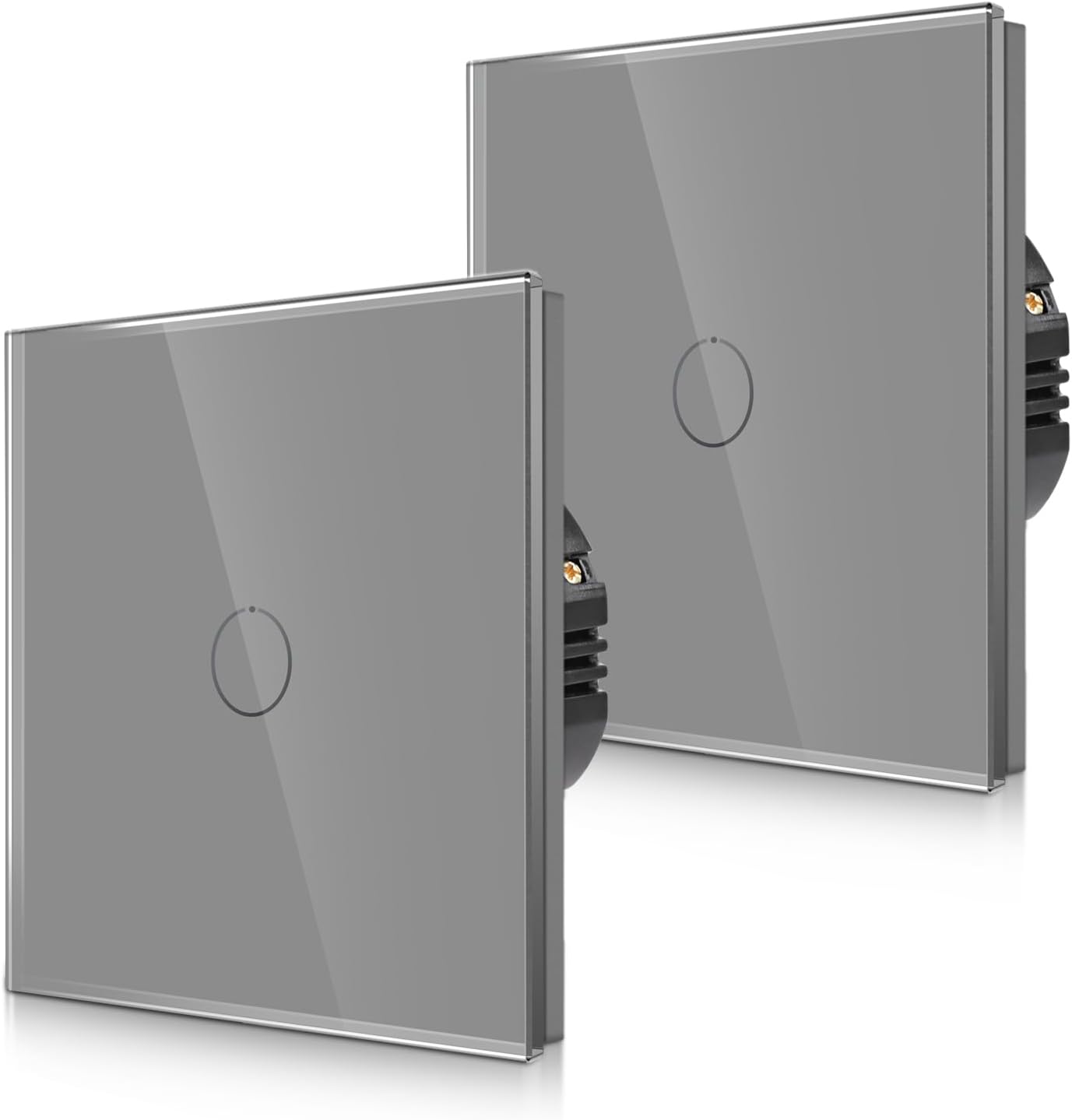
Image 1.1: CNBINGO M1-102GR Touch Toggle Switches
This image displays two CNBINGO M1-102GR touch toggle switches, showcasing their sleek grey glass panel design and integrated touch circle.
1.1 Продукттун өзгөчөлүктөрү
- Two-Way (Toggle) Functionality: Designed for controlling a single lamp from two separate locations when paired with another switch of the same series.
- Flush-Mounted Design: Integrates seamlessly into standard wall boxes.
- Температуралуу айнек панели: Offers fire, scratch, and electric shock resistance, ensuring safety even with wet hands.
- Статус LED: Each button features a backlight. A strong blue light indicates 'ON' status, while a weak blue light indicates 'OFF' status, providing visibility in the dark without disturbing sleep.
- No Neutral Conductor Required: Simplifies installation in many existing electrical systems.
1.2 Маанилүү ойлор
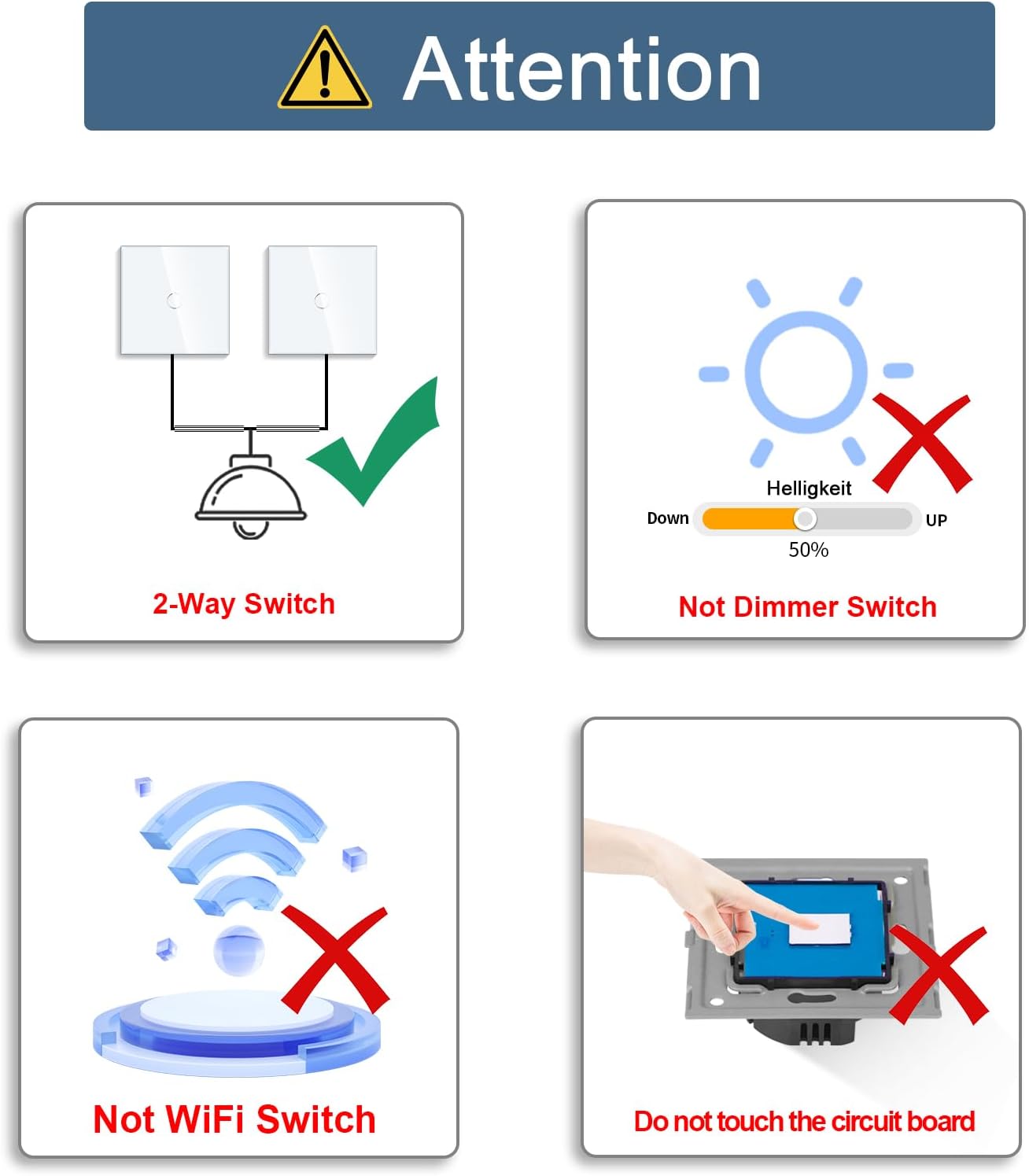
Image 1.2: Important Product Considerations
This graphic highlights key operational aspects: the switch supports 2-way control, is not a dimmer, is not a WiFi-enabled smart switch, and warns against touching the internal circuit board before installation.
- This switch is a two-way switch, designed to control a light from two positions when paired with another compatible switch from the same series.
- Бул not a dimmer switch and does not support brightness adjustment.
- Бул not a smart switch and is not compatible with Wi-Fi or voice assistants like Alexa.
- Do not touch the internal circuit board before the glass panel is installed. Doing so may cause malfunction.
2. Коопсуздук маалыматы
Electrical installations should always be performed by a qualified electrician or competent person. Failure to follow these safety instructions may result in electric shock, fire, or serious injury.
- Кубатты өчүрүү: Always ensure the main power supply to the circuit is turned OFF at the circuit breaker or fuse box before commencing any installation, wiring, or maintenance work.
- Тtage Шайкештик: Ensure the switch's voltage rating (240V AC) matches your electrical system.
- Туура зымдар: Follow the wiring diagram precisely. Incorrect wiring can lead to malfunction or hazards.
- Экологиялык шарттар: Do not install in excessively humid or wet environments unless the product's IP rating specifically permits it. The IP rating for this product is IPX (unspecified protection against water ingress).
- Айнек панель: The tempered glass panel is designed for safety, but handle with care to avoid damage.
3. Орнотуу жана орнотуу
3.1 Орнотууга чейинки текшерүүлөр
- Орнотуу аймагына электр кубаты толугу менен өчүрүлгөнүн текшериңиз.
- Verify that your wall box meets the required dimensions.

Image 3.1: Product Dimensions and Wall Box Compatibility
This image illustrates the physical dimensions of the switch (86mm x 86mm, 26mm depth) and specifies that the wall box must have a minimum depth of 30mm and a diameter of 60mm for proper flush mounting.
3.2 Электр зымдары боюнча нускамалар
The CNBINGO M1-102GR switch requires a live wire and a communication wire for two-way operation. No neutral conductor is required for the switch itself.

Image 3.2: Two-Way Switch Circuit Diagram
This diagram illustrates the wiring for a two-way switch setup. It shows how the Live Wire, Neutral Wire, and a dedicated Communication Wire connect two CNBINGO switches to a single light fixture, enabling control from both locations.
- Зымдарды даярдоо: Strip the insulation from the Live Wire, Neutral Wire, and Communication Wire according to standard electrical practices.
- Live Wire туташтыруу: Connect the Live Wire to the 'L' terminal on the switch.
- Connect Communication Wire: Connect the Communication Wire between the 'L1' terminal of the first switch and the 'L1' terminal of the second switch. This wire facilitates communication for two-way control.
- Жүктөө зымын туташтырыңыз: Connect the wire leading to the light fixture (load) to the 'L' terminal of the second switch.
- Коопсуз байланыштар: Ensure all wire connections are tight and secure within the screw terminals.
3.3 Коммутаторлорду орнотуу
- Carefully place the wired switch mechanism into the wall box.
- Secure the switch mechanism to the wall box using the provided screws.
- Attach the glass panel to the switch mechanism. Ensure it clicks securely into place.
- Маанилүү: Do not touch the switch button or circuit board before the glass panel has been fully installed.
3.4 Pairing Two-Way Switches
For two-way control, two CNBINGO M1-102GR switches must be paired. This allows a single light to be controlled from two different locations.

Image 3.3: Two-Way Switch Operation
This image visually represents the two-way switch capability, showing a user interacting with one switch to control a ceiling light, implying that another switch can also control the same light.
- After installation and with power restored, identify the switch connected directly to the lamp's live wire.
- Press and hold the touch button on this switch for approximately 10 seconds until you hear a beep. This indicates it is in pairing mode.
- Within a short period, operate (touch) the second switch. The switches should now be paired.
- Test both switches to ensure they can independently control the light.
4. Иштөө нускамалары
4.1 Негизги операция
To turn the connected light ON or OFF, simply touch the circular area on the glass panel of the switch. The touch system responds quickly (40ms high-speed touch system).
4.2 Статустун LED көрсөткүчү

Image 4.1: Status LED Functionality
This image demonstrates the status LED: a strong blue light indicates the switch is ON, while a weak blue light indicates it is OFF. This provides clear visual feedback in various lighting conditions.
- Жарык болгондо ON, the circular LED indicator on the switch will emit a strong blue light.
- Жарык болгондо ӨЧҮРҮҮ, the circular LED indicator on the switch will emit a weak blue light.
- The LED is designed to be visible in the dark without causing disturbance to sleep.
5. Техникалык тейлөө
5.1 Тазалоо
- Ensure the power to the switch is OFF before cleaning.
- Айнек панелди жумшак менен сүртүңүз, гamp кездеме.
- Do not use abrasive cleaners, solvents, or harsh chemicals, as these can damage the glass or internal components.
- Avoid spraying cleaning liquids directly onto the switch. Apply to the cloth first.
5.2 Жалпы кам көрүү
- Avoid excessive force when touching the switch.
- Protect the switch from direct impact or sharp objects to prevent damage to the glass panel.
6. Кыйынчылыктарды
| Көйгөй | Мүмкүн себеп | Чечим |
|---|---|---|
| Switch does not respond to touch. |
|
|
| Жарык күйбөйт/өчпөйт. |
|
|
| Two-way control not working. |
|
|
| Status LED is not working. |
|
|
If troubleshooting steps do not resolve the issue, please contact CNBINGO customer support.
7. Техникалык шарттар
| Өзгөчөлүк | Деталь |
|---|---|
| Модель номери | M1-102GR |
| Бренд | CNBINGO |
| Иштөө режими | КҮЙГҮЗҮҮ ӨЧҮРҮҮ |
| Circuit Type | тийүү |
| Башкаруу ыкмасы | тийүү |
| Материал | Айнек |
| Түс | Боз |
| Тtage | 240 вольт (AC) |
| Power Source | AC |
| Элементтин өлчөмдөрү (L x W x Y) | 3.39 x 3.39 x 1.42 дюйм (болжол менен 86 x 86 x 36 мм) |
| Элемент Салмагы | 7 унция |
| Терминал түрү | Бурама |
| Эл аралык коргоо рейтинги | IPX (unspecified) |
| Батареялар талап кылынат | Жок |
8. Кепилдик жана колдоо
Specific warranty information is not provided in the product details. For warranty claims, technical support, or further assistance, please contact the seller or CNBINGO customer service directly. Retain your proof of purchase for any warranty inquiries.


