1. Киришүү
This manual provides essential instructions for the safe operation, setup, and maintenance of your ELECTROPRIME HELIWAY DM-1803 2.4GHz Remote Control Vehicle. Please read this manual thoroughly before operating the vehicle to ensure proper function and to prevent damage.
2. Коопсуздук маалыматы
- This product is recommended for users aged 2 months to 14 years. Adult supervision is advised for younger users.
- Do not operate the vehicle near people, pets, or obstacles.
- Нымдуу шарттарда же коомдук жолдордо иштебеңиз.
- Батареялар туура полярдуулук менен туура орнотулганын текшериңиз.
- Эски жана жаңы батарейкаларды же ар кандай типтеги батареяларды аралаштырбаңыз.
- Колдонулбаган учурда унааны жана пультту дайыма өчүрүңүз.
- Тумчугуп калуу коркунучун болтурбоо үчүн кичинекей бөлүктөрүн жаш балдардан алыс кармаңыз.
3. Пакеттин мазмуну
Carefully unpack the box and ensure all items listed below are present:
- Off-road Vehicle (x1)
- Алыстан башкаруу (x1)
- USB кубаттагыч (x1)
- 6V 500mAh Battery (x1)
- Instruction Manual (x1)
- Бурағыш (x1)
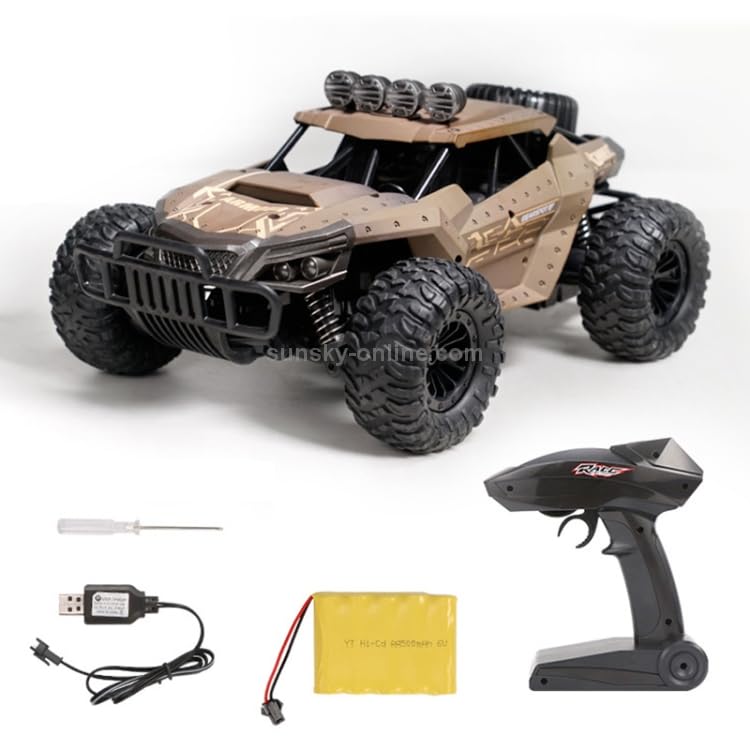
3.1-сүрөт: пакетке киргизилген бардык компоненттер.
4. Продукт бүтүп калдыview
The ELECTROPRIME HELIWAY DM-1803 is a 2.4GHz four-way remote control vehicle designed for off-road use. It features robust construction and intuitive controls.
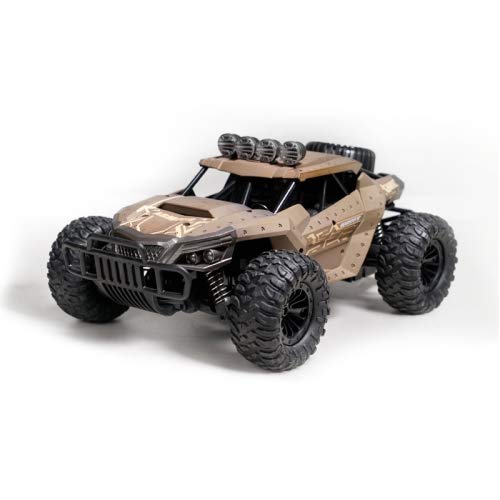
Сүрөт 4.1: Алдыңкы view of the DM-1803 Remote Control Vehicle.
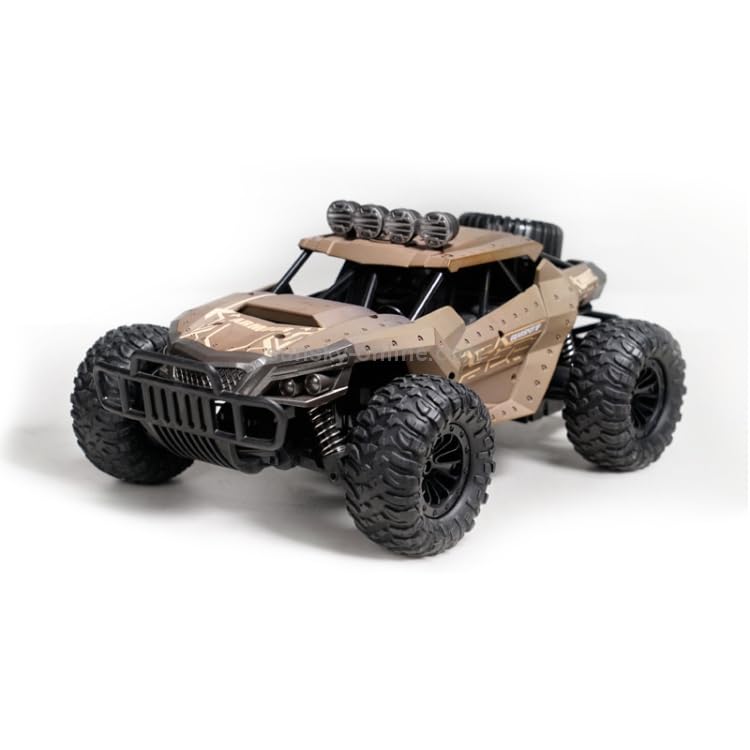
4.2-сүрөт: Каптал view of the DM-1803 Remote Control Vehicle.
5. Орнотуу
5.1. Батареяны орнотуу
Унаанын аккумуляторун орнотуу:
- Using the provided screwdriver, open the battery compartment located on the underside of the vehicle.
- Connect the 6V 500mAh battery to the vehicle's power connector, ensuring correct polarity.
- Place the battery inside the compartment and securely close the cover with the screwdriver.
Алыстан башкаруунун батареясын орнотуу:
- Пульттун артындагы батарея бөлүкчөсүн ачыңыз.
- Insert two AA batteries (not included) into the compartment, observing the correct polarity (+/-).
- Батарея уясынын капкагын жабыңыз.
5.2. Унаанын аккумуляторун заряддоо
- Connect the 6V 500mAh vehicle battery to the USB charger.
- Plug the USB charger into a standard USB power source (e.g., computer USB port, USB wall adapter).
- The charging indicator light on the USB charger will illuminate during charging.
- Charging typically takes approximately 120-150 minutes. Disconnect the charger once the battery is fully charged.
6. Иштөө нускамалары
6.1. Алыстан башкарууну жупташтыруу
- Ensure the vehicle battery is charged and installed, and the remote control has fresh batteries.
- Turn on the vehicle using the power switch.
- Алыстан башкаруу пультун күйгүзүңүз. Алыстан башкаруу пультундагы индикатор жарыгы күйүп-өчүп турат.
- The remote control and vehicle will automatically pair. Once paired, the remote control indicator light will become solid.
6.2. Айдоону башкаруу элементтери
The remote control allows for four-way movement and drift capabilities:
- Алдыга артка: Use the trigger on the remote control. Pull to move forward, push to move backward.
- Left/Right Turn: Use the steering wheel on the remote control. Turn left to steer left, turn right to steer right.
- Дрейф: The vehicle is designed with drift functionality. Practice combining steering and acceleration for controlled drifts.
The remote control distance is approximately 80 meters, and the WIFI transmission distance for FPV (if applicable) is 35-40 meters.
7. Техникалык тейлөө
- Clean the vehicle regularly with a soft, dry cloth. Avoid using water or harsh chemicals.
- Inspect tires and suspension for any damage or debris after each use.
- Remove batteries from both the vehicle and remote control if storing for extended periods.
- Унааны түз күн тийбеген салкын, кургак жерде сактаңыз.
8. Кыйынчылыктарды
- Унаа жооп бербей жатат: Ensure both vehicle and remote control are powered on. Check battery levels in both devices and replace/recharge if necessary. Re-pair the remote control.
- Кыска иштөө убактысы: Ensure the vehicle battery is fully charged. Battery performance may decrease over time.
- Poor range: Ensure there are no significant obstructions between the remote control and the vehicle. Avoid areas with strong electromagnetic interference.
9. Техникалык шарттар
| Өзгөчөлүк | Деталь |
|---|---|
| Модел | HELIWAY DM-1803 |
| Продукт коду | CHT2057Z |
| Материал | POM, ABS, PP, Hardware, Electronic Components |
| Продукт өлчөмү | 32 x 19.5 x 12 см |
| Унаанын аккумулятору | 6V 500mAh (1.2Vx5) Lithium-Ion Polymer |
| Алыстан башкаруунун батареясы | 2x AA (киргизилген эмес) |
| Заряддоо убактысы | Болжол менен. 120-150 мүнөт |
| Иштөө убактысы | Болжол менен 15 мүнөт |
| Максималдуу ылдамдык | 25 км/саат |
| Remote Control Distance | Болжол менен 80 метр |
| WIFI Transmission Distance | Болжол менен 35-40 метр |
| Сунушталган Жаш | 2 ай - 14 жыл |
| Элемент Салмагы | 1.42 кг |
| Түс | Беж |
10. Кепилдик жана колдоо
For warranty information and customer support, please refer to the contact details provided at the point of purchase or visit the official ELECTROPRIME webсайт. Сатып алганыңыздын далили катары сатып алуу дүмүрчөгүңүздү сактаңыз.


