1. Introduction and Overview
The MARSTEK M2200 Portable Power Station is a versatile and robust power solution designed for various applications, including outdoor camping, home backup, and professional work. It features a high-capacity 2240Wh LiFePO4 (LFP) battery, capable of 6000 charge cycles, ensuring a long lifespan. With its fast charging capabilities and expandable design, the M2200 provides reliable power for a wide range of appliances.

Image: The MARSTEK M2200 Portable Power Station, showcasing анын компакт дизайны жана интегралдык дисплей.
2. Кутуда эмне бар
Сиздин пакетиңизде төмөнкү компоненттердин бардыгы камтылганын текшериңиз:
- MARSTEK M2200 көчмө электр станциясы
- AC кубаттоочу кабель
- Унаа заряддоо кабели
- User Manual
- Professional Service Card
3. Продукциянын өзгөчөлүктөрү
3.1 Faster Charging
The M2200 supports ultra-fast AC charging, allowing it to reach 80% capacity in just 60 minutes and a full 100% in 70 minutes. This rapid charging capability is ideal for quick power replenishment before trips or during emergencies.

Image: The M2200 connected to an AC outlet, illustrating its fast charging speed compared to other devices.
3.2 Long-Lasting LFP Battery
Equipped with a self-developing LiFePO4 (LFP) battery cell, the M2200 offers an impressive 6000 charge cycles while maintaining over 80% of its original capacity. This translates to a potential lifespan of 10 years with daily use, or up to 25 years with less frequent use, providing stable and reliable performance over time.
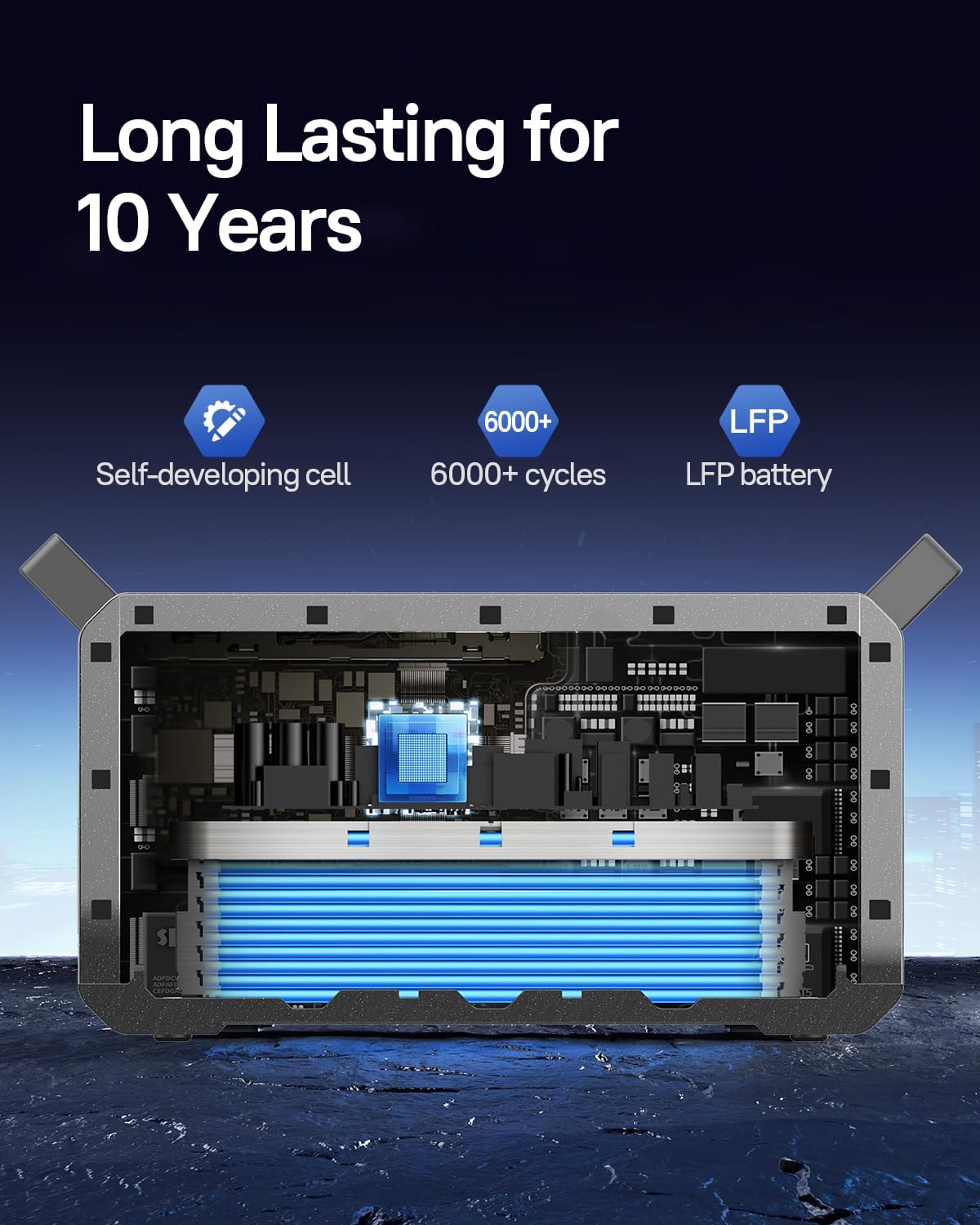
Сүрөт: ички view of the M2200, highlighting the long-lasting LFP battery cells.
3.3 Кеңейтилүүчү кубаттуулук
The M2200 is designed for expandability, featuring two additional expansion ports. Its capacity can be expanded from 2240Wh up to a maximum of 6720Wh by connecting external battery packs (sold separately). This modular design allows for increased power storage to meet larger energy demands.

Image: Multiple M2200 units stacked, demonstrating the expandable and flat-stack design.
3.4 Powerful Output and Multiple Ports
With a powerful inverter and 16 output ports, the M2200 can power up to 99% of common appliances. It delivers a maximum output of 2400W, making it suitable for high-power devices such as coffee makers, refrigerators, microwaves, and even electric picks.

Image: The M2200 shown powering various household appliances, illustrating its versatility.
3.5 Smart App Control
The MARSTEK M2200 can be monitored and controlled remotely via a dedicated smartphone application. The app allows users to check charging status, control output ports, and manage settings conveniently through Bluetooth or Wi-Fi connectivity.

Image: A smartphone displaying the MARSTEK app interface, showing battery status and control options.
3.6 Efficient Solar Charging
The M2200 supports up to 1000W of solar panel input, enabling it to be fully charged by solar power in approximately 2.3 hours. This feature provides an environmentally friendly and efficient charging option for off-grid use.

Image: Two M2200 units in a field with solar panels, demonstrating solar charging capabilities.
4. Орнотуу колдонмосу
4.1 Таңгактан чыгаруу жана текшерүү
- Электр станциясын жана бардык аксессуарларды таңгактан этияттык менен алып салыңыз.
- Inspect the unit for any signs of damage during transit. If damage is found, contact customer support immediately.
- 2-бөлүмдө саналып өткөн бардык компоненттер бар экендигин текшериңиз.
4.2 Алгачкы заряддоо
- Before first use, it is recommended to fully charge the M2200.
- Connect the AC charging cable to the AC input port on the power station and then to a standard wall outlet.
- The display will indicate the charging status. Charge until the battery indicator shows 100%.
5. Иштөө нускамалары
5.1 Күйгүзүү/өчүрүү
- To power on the unit, press and hold the main power button for 3 seconds. The display will illuminate.
- To power off, press and hold the main power button again for 3 seconds until the display turns off.
5.2 AC чыгышын колдонуу
- Press the AC output button to activate the AC outlets. The AC indicator on the display will light up.
- Plug your AC appliances into the available outlets. Ensure the total power consumption does not exceed 2400W.
- Press the AC output button again to turn off the AC outlets when not in use.
5.3 Using DC and USB Output
- Press the DC output button to activate the DC and USB ports. The corresponding indicators will light up.
- Connect your DC-powered devices or USB devices to the respective ports.
- Press the DC output button again to turn off these ports.
5.4 Дисплейди түшүнүү
Интеграцияланган дисплей электр станциясынын абалы жөнүндө реалдуу убакыт режиминде маалымат берет:
- Батарея деңгээли: Учурдагы батареянын пайызын көрсөтөтtage.
- Киргизүү күчү: Displays the current power input (e.g., from AC, solar, or car charger).
- Чыгуу күчү: Shows the total power being drawn by connected devices.
- Remaining Runtime/Charge Time: Estimates the remaining operating time or time to full charge based on current power usage/input.
- Ката көрсөткүчтөрү: Alerts for overload, over-temperature, or other system warnings.
6. Заряддоо ыкмалары
6.1 AC дубалга кубаттоо
- Connect the provided AC charging cable to the AC input port on the M2200.
- Plug the other end into a standard 100-120V AC wall outlet.
- The power station will begin fast charging automatically.
6.2 Күн батареясын кубаттоо
- Connect compatible solar panels (up to 1000W input) to the solar input port on the M2200.
- Ensure solar panels are placed in direct sunlight for optimal charging efficiency.
- The display will show the incoming solar power.
6.3 Унааны заряддоо
- Use the provided car charging cable.
- Plug one end into the car's 12V cigarette lighter socket and the other end into the car charging input port on the M2200.
- This method is suitable for charging while on the go.
7. Техникалык тейлөө
7.1 Сактоо боюнча көрсөтмөлөр
- Электр станциясын салкын, кургак жерде, тике күн нурунан жана экстремалдык температурадан алыс сактаңыз.
- Узак мөөнөткө сактоо үчүн, батарейканын ден соолугун сактоо үчүн 3-6 ай сайын бирдикти болжол менен 50-80%га чейин заряддаңыз.
- Нымдуулугу жогору же коррозияга алып келүүчү заттар бар чөйрөдө сактоодон алыс болуңуз.
7.2 Тазалоо
- Электр станциясынын сыртын сүртүү үчүн жумшак, кургак чүпүрөктү колдонуңуз.
- Абразивдүү тазалагычтарды же эриткичтерди колдонбоңуз.
- Желдетүүчү тешиктерди чаңдан жана таштандылардан тазалаңыз.
8. Кыйынчылыктарды
| Көйгөй | Мүмкүн себеп | Чечим |
|---|---|---|
| Түзмөк күйбөйт | Battery is completely depleted; Power button not held long enough. | Charge the unit using the AC adapter; Press and hold the power button for 3 seconds. |
| AC чыгаруу иштебейт | AC output not activated; Overload protection triggered; Device power consumption too high. | Press the AC output button; Reduce connected load; Restart the unit. |
| Күн аркылуу жай кубаттоо | Insufficient sunlight; Panels not optimally angled; Panels not compatible. | Ensure direct sunlight and proper angle; Verify panel specifications and connections. |
| Дисплей иштебейт | Unit is off; Software glitch. | Power on the unit; Try restarting the unit. If issue persists, contact support. |
9. Техникалык шарттар
| Спецификация | Деталь |
|---|---|
| Бренд | МАРСТЕК |
| Модель аты | M2200 көчмө электр станциясы |
| Power Source | Solar Powered, AC, Car |
| Батарея түрү | LiFePO4 (LFP) |
| Батарея сыйымдуулугу | 2240Wh (Expandable to 6720Wh) |
| Cycle Life | 6000 циклден 80%+ кубаттуулукка чейин |
| Чыгуу Wattage (Макс) | 2400 Вт |
| AC Input Charging Time (0-80%) | 60 мүнөт |
| Күн киргизүү (макс.) | 1000 Вт |
| Элемент Салмагы | 52.91 фунт |
| Продукциянын өлчөмдөрү | 16.1"L x 11.77"W x 12.09"H |
| Материал | ABS + PC + металл |
| Порттардын саны | 16 |
10. Кепилдик жана колдоо
10.1 Кепилдик маалыматы
The MARSTEK M2200 Portable Power Station comes with a 2 жылдык кепилдик сатып алынган күндөн тартып. Бул кепилдик нормалдуу колдонуудагы материалдардагы жана жасалгадагы кемчиликтерди камтыйт. Кепилдик дооматтары үчүн сатып алганыңыздын далилин сактап коюңуз.
10.2 Кардарларды колдоо
For technical assistance, warranty claims, or any questions regarding your MARSTEK M2200, please contact our customer support team. Refer to the professional service card included in your package for specific contact details or visit the official MARSTEK webсайт.

Image: MARSTEK customer service representatives, indicating available support.


