Introduction
Thank you for choosing the ELECTROPRIME Zealot S30 Portable Bluetooth Speaker. This manual provides essential information for setting up, operating, and maintaining your speaker to ensure optimal performance and longevity. Please read this manual thoroughly before using the product.
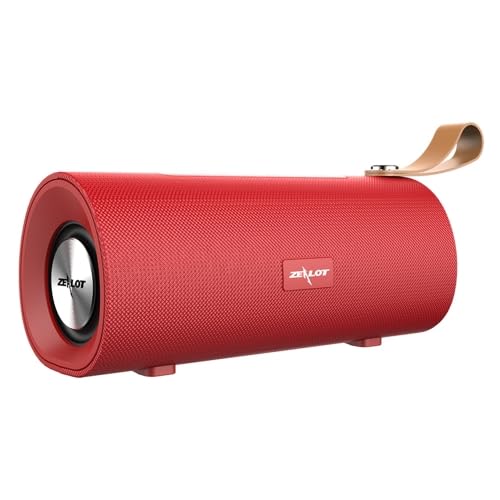
Сүрөт 1: Алдыңкы view of the ELECTROPRIME Zealot S30 Portable Bluetooth Speaker, showcasing its red finish and integrated leather carrying strap.
The Zealot S30 is a versatile portable speaker designed for high-quality audio on the go. Key features include:
- Портативдик дизайн: Equipped with a durable leather hand strap for easy carrying.
- Жогорку үн: Features subwoofer dual speakers for stereo surround sound with heavy bass.
- Бир нече ойнотуу параметрлери: Supports Bluetooth 5.0, TF card playback, and AUX audio input for wired connections.
- Hands Free Чалуу: Built-in sensitive microphone with intelligent noise reduction for clear calls.
- Батареянын узак иштөө мөөнөтү: Integrated 1800mAh battery provides extended music playback and standby time.
Пакеттин мазмуну
Сураныч, пакетте төмөнкү нерселерди текшериңиз:
- ELECTROPRIME Zealot S30 Portable Bluetooth Speaker
- Микро USB заряддоо кабели
- AUX Audio Cable (if included, check packaging)
- Колдонуучунун Колдонмосу (бул документ)
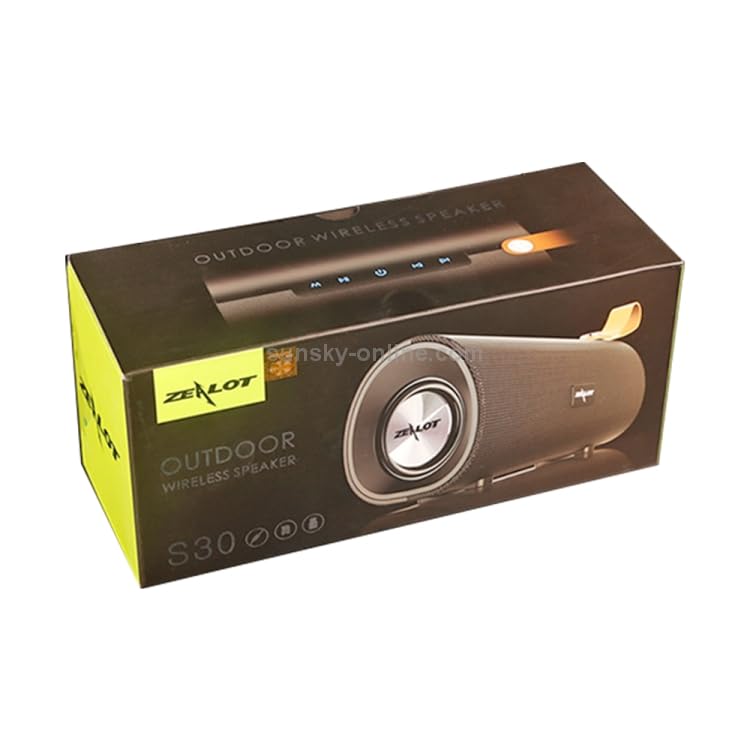
Figure 2: The retail packaging for the Zealot S30 speaker, indicating its "Outdoor Wireless Speaker" designation.
Жайгашуу
1. Динамикти кубаттоо
Before first use, fully charge the speaker. Use the provided Micro USB cable to connect the speaker's charging port to a DC5V power source (e.g., a USB wall adapter or computer USB port).
- Заряддоо порту: Микро USB
- Заряддоо Voltage: DC5V
- Заряддоо убактысы: Approximately 2.5 hours (may vary with charger specifications).
Адатта, кубаттоо аяктагандан кийин кубаттоо индикатору өчөт же түсү өзгөрөт.
2. Күйгүзүү / Өчүрүү
Locate the power button on the speaker. Press and hold the power button for a few seconds to turn the speaker on or өчүрүү. A voice prompt or indicator light will confirm the status.
3. Bluetooth Жупташтыруу
Динамикиңизди Bluetooth иштетилген түзмөккө туташтыруу үчүн:
- Ensure the speaker is powered on and in Bluetooth pairing mode (usually indicated by a flashing blue LED).
- Түзмөгүңүздө (смартфон, планшет ж.б.) Bluetooth иштетиңиз жана жеткиликтүү түзмөктөрдү издеңиз.
- Select "Zealot S30" from the list of found devices.
- Туташкандан кийин, динамик уккулуктуу ырастоосун берет жана Bluetooth индикатор жарыгы катуу болуп калат.
The effective transmission distance for Bluetooth is approximately 10 meters (33 feet) without obstacles.
4. AUX аудио киргизүү
For wired connection, use a 3.5mm AUX audio cable (not always included) to connect the speaker's AUX port to the audio output of your device. The speaker will automatically switch to AUX mode.
5. TF картасын ойнотуу
Insert a TF (Micro SD) card with pre-loaded audio files into the designated TF card slot on the speaker. The speaker will automatically detect the card and begin playing music. This mode does not require a Bluetooth connection.
Иштөө нускамалары
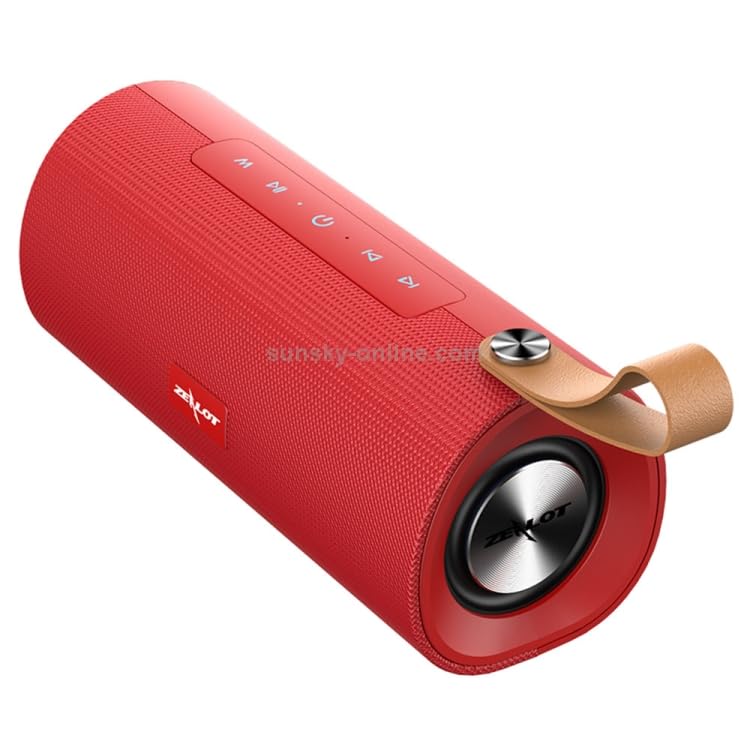
3-сүрөт: Жогорку view of the Zealot S30 speaker, highlighting the control panel with buttons for playback and mode selection.
The Zealot S30 speaker features intuitive controls located on its top panel. While specific button functions may vary slightly, common operations include:
- Ойнотуу/тындыруу: басыңыз Ойнотуу/Тыныгуу музыканы ойнотууну баштоо же тындыруу үчүн баскыч.
- Үндү көзөмөлдөө: колдонуу Үнүн жогорулатуу (+) жана Үнүн азайтуу (-) үн деңгээлин тууралоо үчүн баскычтарды басыңыз.
- Кийинки / Мурунку трек: Long press or short press the Үнүн жогорулатуу (+) or Үнүн азайтуу (-) buttons to skip to the next or previous track, respectively.
- Режим баскычы (M): басыңыз Mode button to switch between Bluetooth, TF Card, and AUX input modes.
- Hands Free Чалуу:
- Чалууга жооп берүү/аяктоо: басыңыз Ойнотуу/Тыныгуу button to answer an incoming call or end an ongoing call.
- Чакырууну четке кагуу: басып, кармап туруңуз Ойнотуу/Тыныгуу кирүүчү чалууну четке кагуу үчүн баскыч.
- Кайра терүү: эки жолу басыңыз Ойнотуу/Тыныгуу баскычын басып, акыркы номерди кайра териңиз.
The built-in microphone with intelligent noise reduction ensures clear communication during hands-free calls.
Техникалык тейлөө
Proper care will extend the life of your ELECTROPRIME Zealot S30 speaker.
- Тазалоо: Use a soft, dry cloth to wipe the speaker's surface. Do not use abrasive cleaners, alcohol, or solvents.
- Сактагыч: Динамикти салкын, кургак жерде, тике күндүн нурунан, өтө температурадан жана жогорку нымдуулуктан алыс сактаңыз.
- Батареяга кам көрүү:
- Батареяны бат-баттан толук кубаттап калуудан алыс болуңуз.
- If storing for a long period, charge the battery to about 50% every few months to prevent deep discharge.
- Батареяны ашыкча ысыкка же муздатпаңыз.
- Суу каршылык: Бул динамик суу өткөрбөйт деп көрсөтүлгөн эмес. Сууга же ашыкча нымдуулукка дуушар кылбаңыз.
Проблемаларды чечүү
Эгерде сиз динамик менен көйгөйлөргө туш болсоңуз, төмөнкү кеңири таралган чечимдерди караңыз:
| Көйгөй | Мүмкүн себеп | Чечим |
|---|---|---|
| Динамик күйбөйт. | Батарея аз. | Динамикти толук заряддаңыз. |
| Динамиктен үн жок. | Үнү өтө төмөн; туура эмес режим; түзмөк туташкан эмес. | Increase speaker and device volume. Ensure correct mode (Bluetooth/AUX/TF Card). Re-pair Bluetooth or check AUX cable connection. |
| Bluetooth байланышы туруксуз же иштебей калды. | Динамик аппараттан өтө алыс; кийлигишүү; түзмөктүн Bluetooth маселеси. | Move speaker closer to device (within 10m). Avoid obstacles. Turn off and on Bluetooth on both devices. Forget and re-pair "Zealot S30" on your device. |
| TF картасы ойнотулбай жатат. | Карта туура эмес киргизилген; колдоого алынбайт file format; corrupted card. | Reinsert TF card. Ensure audio files are in a supported format (e.g., MP3). Try a different TF card. |
Бул чечимдерди колдонуп көргөндөн кийин көйгөй чечилбесе, кардарларды колдоо менен байланышыңыз.
Техникалык шарттар
| Өзгөчөлүк | Деталь |
|---|---|
| Бренд | ELECTROPRIME |
| Модель аты | Zealot S30 |
| Модель номери | IP7G8266R |
| Bluetooth версиясы | V5.0 |
| Speaker Output | 4 ohm 5W x2 (Dual Speakers) |
| Өткөрмө аралык | Болжол менен 10 м |
| Frequency Response | 20Гц-20КГц |
| Сигнал ызы-чуу катышы | 90дБ |
| Working Voltage | 3.7V |
| Заряддоо Voltage | DC5V |
| Заряддоо порту | Микро USB |
| Батарея сыйымдуулугу | 1800mAh |
| Talk Time | Болжол менен 3 саат |
| Музыканы ойнотуу убактысы | Болжол менен 3.5 саат |
| Күтүү убактысы | Болжол менен 30 күн |
| Заряддоо убактысы | Болжол менен 2.5 саат |
| Өлчөмдөрү (L x W x Y) | 198мм x 80мм x 90мм |
| Шайкеш түзмөктөр | Смартфон, Планшет |
| Өзгөчөлүктөр | Bluetooth, Portable, Wireless, Built-in Mic |
| Аудио чыгаруу режими | Стерео |
| Power Source | Батарея менен иштейт |
| Туташтыргыч түрү | Көмөкчү, Bluetooth, USB |
| Монтаж түрү | Стол үстү |
Кепилдик жана колдоо
ELECTROPRIME products are designed for reliability and performance. For information regarding warranty coverage and customer support, please refer to the warranty card included with your product or visit the official ELECTROPRIME webсайт.
For technical assistance or inquiries, please contact ELECTROPRIME customer service. Keep your purchase receipt and model number (Zealot S30 / IP7G8266R) ready when contacting support.
Manufacturer: ELECTROGADGETSSTORE


