Introduction
The M-VAVE SMK-25 MINI is a compact and portable 25-key USB MIDI keyboard controller designed for music production on Mac and PC. It features velocity-sensitive keys, assignable controls, pitch and modulation functions, and versatile connectivity options including USB and Bluetooth. This manual provides detailed instructions for setting up, operating, maintaining, and troubleshooting your device.

Image: The M-VAVE SMK-25 MINI MIDI Keyboard Controller, showcasing its compact design and 25 velocity-sensitive keys.
Жайгашуу
1. Күйгүзүү
The SMK-25 MINI features a built-in rechargeable battery. To power on the device, press and hold the power button located on the side or top panel until the indicator light illuminates.
2. USB туташуу
For a wired connection to your computer (Mac or PC), use the provided USB-C cable. Connect one end to the USB-C port on the SMK-25 MINI and the other end to an available USB port on your computer. The device is plug-and-play, requiring no additional drivers for basic functionality.

Image: Illustration of the plug-and-play USB connection process for the MIDI keyboard controller to a computer.
3. Bluetooth туташуусу
Bluetooth аркылуу зымсыз туташуу үчүн:
- Ensure the SMK-25 MINI is powered on.
- басыңыз BT button on the controller to activate Bluetooth pairing mode. The Bluetooth indicator light will flash.
- On your computer or mobile device, navigate to Bluetooth settings and select "SMK-25 MINI" from the list of available devices.
- Туташтырылгандан кийин, Bluetooth индикатору туруктуу күйөт.
4. Software Setup (DAW Compatibility)
The SMK-25 MINI is compatible with various Digital Audio Workstations (DAWs) such as Ableton Live, GarageBand, Logic Pro, Studio One, Cubase, Pro Tools, and Reason Studios. After connecting the controller, open your preferred DAW and ensure the SMK-25 MINI is recognized as a MIDI input device in the software's preferences or settings.

Image: The M-VAVE SMK-25 MINI shown with various DAW logos, indicating broad software compatibility.
Иштөө нускамалары
1. Негизги башкаруу элементтери
- Ылдамдыкты сезгич баскычтар: The 25 keys respond to how hard you press them, allowing for dynamic expression in your playing.
- Pitch Bend Buttons: колдонуу PITCH UP жана PITCH DOWN buttons to momentarily raise or lower the pitch of notes.
- Modulation Button: The MOD button can be assigned to control various parameters within your DAW or instrument, such as vibrato or filter cutoff.
- Sustain Button: басыңыз SUS button to sustain notes, similar to a piano sustain pedal. An external sustain pedal can also be connected via the 3.5mm port.
- Октава жылышы: колдонуу OC+ жана OC- buttons to shift the keyboard's octave range up or down.
- Customization Knob: The rotary knob typically controls volume or can be assigned to other MIDI CC parameters for real-time control.

Сүрөт: Жакын план view of the M-VAVE SMK-25 MINI's control panel, highlighting the pitch, mod, sustain, arpeggiator, and octave shift buttons.
2. Өркүндөтүлгөн функциялар
- Arpeggiator: басыңыз ARP button to activate the arpeggiator. You can then use the keys and other controls to adjust arpeggio patterns, tempo, gate length, and octave range. Refer to your DAW's manual for specific arpeggiator synchronization settings.
- Smart Chord & Scale Modes: The SC/CH button enables Smart Chord and Smart Scale modes. These modes assist in playing harmonically correct notes and chords within a selected scale, simplifying music creation.
Техникалык тейлөө
To ensure the longevity and optimal performance of your M-VAVE SMK-25 MINI, follow these maintenance guidelines:
- Тазалоо: Use a soft, dry cloth to clean the surface of the controller. Avoid abrasive cleaners, solvents, or waxes.
- Сактагыч: Түзмөктү салкын, кургак жерде, күндүн түз нурунан, өтө жогорку температурадан жана нымдуулуктан алыс сактаңыз.
- Колдонуу: Handle the controller with care. Avoid dropping it or subjecting it to strong impacts.
- Батареяга кам көрүү: Батареянын иштөө мөөнөтүн оптималдаштыруу үчүн, батареянын тез-тез толук зарядын жоготуудан алыс болуңуз. Түзмөктү үзгүлтүксүз кубаттап туруңуз, айрыкча, ал узак убакытка сактала турган болсо.
Проблемаларды чечүү
| Көйгөй | Мүмкүн себеп | Чечим |
|---|---|---|
| Түзмөк күйбөйт. | Батареянын же кубаттуулуктун аздыгына байланыштуу көйгөй жаралууда. | Charge the device using the USB-C cable. Ensure the power button is pressed correctly. |
| No sound or MIDI input in DAW. | Incorrect connection or software settings. | Verify USB or Bluetooth connection. Check your DAW's MIDI input settings to ensure the SMK-25 MINI is selected and enabled. |
| Bluetooth байланышы ишке ашпай калды. | Pairing mode not active or interference. | камсыз кылуу BT button is pressed and flashing. Move closer to the host device. Try restarting both devices. |
| Keys are unresponsive or inconsistent. | Software issue or physical obstruction. | Restart your DAW and the controller. Ensure no debris is lodged under the keys. |
Техникалык шарттар
| Өзгөчөлүк | Деталь |
|---|---|
| Модел | SMK-25 MINI |
| Ачкычтардын саны | 25, Velocity-Sensitive |
| Байланыш | USB-C, Bluetooth |
| MIDI порттору | 3.5mm MIDI Out (TRS Type A compatible) |
| Туруктуу педалды киргизүү | 3.5mm (shared with MIDI Out) |
| Controls | Pitch Up/Down, Mod, Sustain, Arpeggiator, Smart Chord/Scale, Octave Up/Down, Customization Knob |
| Батарея | Built-in, 780 mAh Lithium |
| Заряддоо убактысы | Болжол менен 5 саат |
| Жумуш убактысы | Болжол менен 30 саат |
| Күтүү убактысы | Болжол менен 40 саат |
| Шайкеш түзмөктөр | PC, Mac, Планшет, Смартфон |
| Өлчөмдөр | 15.12 x 5.63 x 2.64 дюйм (болжол менен) |
| Салмагы | 1.2 фунт (болжол менен) |
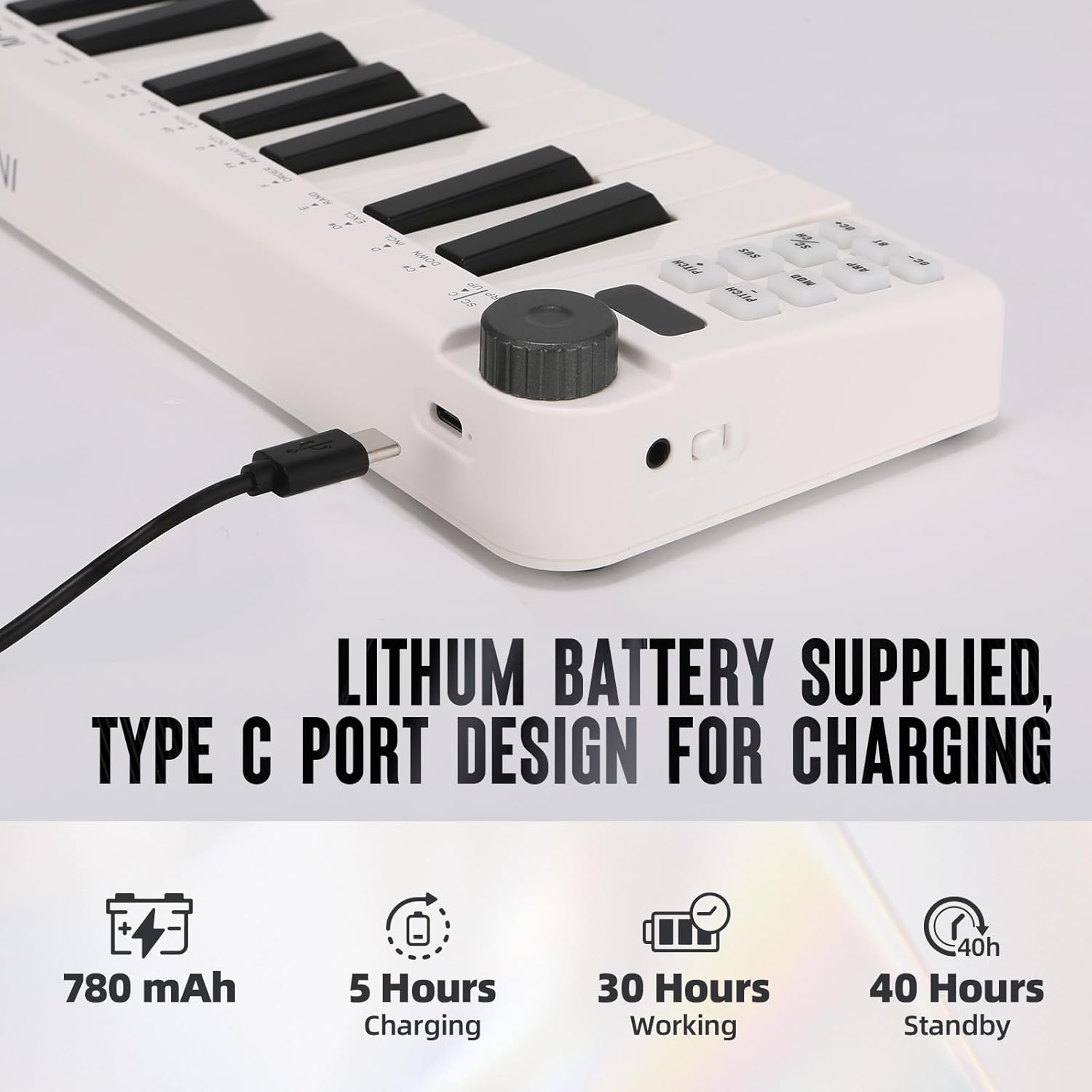
Image: Visual representation of the M-VAVE SMK-25 MINI's battery capacity, charging time, working time, and standby time.
Кепилдик жана колдоо
M-VAVE products are designed for reliability and performance. For warranty information, technical support, or service inquiries, please refer to the official M-VAVE webсайтка же түздөн-түз кардарларды колдоо менен байланышыңыз. Сатып алуу квитанциясын кепилдик дооматтары үчүн сатып алуунун далили катары сактаңыз.
M-VAVE aims to provide high-quality audio equipment and instruments. For assistance, their professional sales support team can address questions within 24 hours.
зыярат кылыңыз M-VAVE Store on Amazon көбүрөөк маалымат алуу үчүн.


