Introduction
This manual provides detailed instructions for the proper use and maintenance of your Baseus 8-in-1 USB C Hub Docking Station and 65W USB C Wall Charger. Please read this manual thoroughly before using the product to ensure optimal performance and safety.
The Baseus 8-in-1 USB C Hub is designed to expand the connectivity of your USB-C enabled devices, offering multiple ports for data transfer, display output, network connection, and power delivery. The accompanying 65W USB C Wall Charger provides fast and efficient charging for a wide range of compatible devices.
Продукт компоненттери
Пакет төмөнкү компоненттерди камтыйт:
- Baseus 8-in-1 USB C Hub Docking Station
- Baseus 65W USB C Wall Charger
- Колдонуучунун Колдонмосу (бул документ)

Сүрөт: бүттүview of the Baseus 8-in-1 USB C Hub and the 65W USB C Wall Charger, along with various cables and accessories.
Орнотуу колдонмосу
Setting up the USB C Hub
- Хост түзмөккө туташуу: Plug the integrated USB-C cable of the 8-in-1 hub into an available USB-C port on your laptop, tablet, or smartphone.
- Электр кубатын жеткирүү (милдеттүү эмес): If your host device requires charging, connect the 65W USB C Wall Charger to the USB-C PD input port on the hub. Then, plug the wall charger into a power outlet.
- Перифериялык түзүлүштөрдү туташтыруу:
- HDMI дисплей: Connect an HDMI cable from your monitor or TV to the 4K HDMI port on the hub.
- USB түзмөктөрү: Plug your USB-A peripherals (e.g., mouse, keyboard, USB flash drives) into the three USB 3.0 ports.
- Ethernet тармагы: For a stable wired internet connection, connect an Ethernet cable from your router/modem to the 1000M Ethernet port on the hub.
- Эстутум карталары: Insert SD or TF (Micro SD) cards into their respective slots for data access.

Image: Diagram showing the various interfaces of the 8-in-1 hub and how they can be used simultaneously.
Setting up the 65W USB C Wall Charger
- Тиштерди жайыңыз: Gently unfold the AC power prongs from the charger body.
- Заряддоо кабелин туташтыруу: Connect a compatible USB-C to USB-C cable (or other appropriate cable) to one of the charger's output ports.
- Розеткага сайыңыз: Кубаттоочу түзүлүштү стандарттуу дубалдагы розеткага сайыңыз.
- Түзмөккө туташуу: Connect the other end of the charging cable to your device (e.g., laptop, smartphone, tablet).

Image: The compact and foldable design of the 65W USB C Wall Charger, highlighting its portability.
Иштөө нускамалары
Using the USB C Hub
- Маалыматтарды өткөрүү: The three USB 3.0 ports support data transfer speeds up to 5 Gbps. Connect USB flash drives, external hard drives, or other USB devices for fast file которуулар.
- Дисплей чыгаруу: The 4K HDMI port supports resolutions up to 4K at 30Hz. Ensure your host device's USB-C port supports DisplayPort Alternate Mode (Alt Mode) for video output.
- Тармак туташуусу: The 1000Mbps RJ45 Ethernet port provides a stable and high-speed wired network connection, ideal for online gaming, streaming, or large file жүктөмөлөр.
- Картаны окуу: The SD and TF card slots allow simultaneous reading and writing of data from compatible memory cards.
- Кубат жеткирүү: The USB-C PD port can deliver up to 100W of power to your host device, ensuring it remains charged while using the hub's other functions.

Image: A laptop connected to an external 4K display via the hub's HDMI output, demonstrating video extension capabilities.

Image: Visual representation of the 5 Gbps data transfer speed supported by the USB 3.0 ports on the hub.

Image: The hub connected to a laptop, highlighting the Gigabit LAN port and its 1 Gbps speed capability.
Using the 65W USB C Wall Charger
- Тез кубаттоо: The charger supports various fast-charging protocols, including PD (Power Delivery) and QC (Quick Charge), delivering up to 65W output.
- Көп түзмөктү кубаттоо: With multiple output ports, the charger can simultaneously charge up to three devices (e.g., laptop, smartphone, earbuds) depending on the model variant.
- Шайкештик: Compatible with a wide range of USB-C laptops (MacBook Pro, Dell, HP, Lenovo, etc.), iPhones (14/Pro Max/15), Samsung Galaxy phones, and other USB-C powered devices.
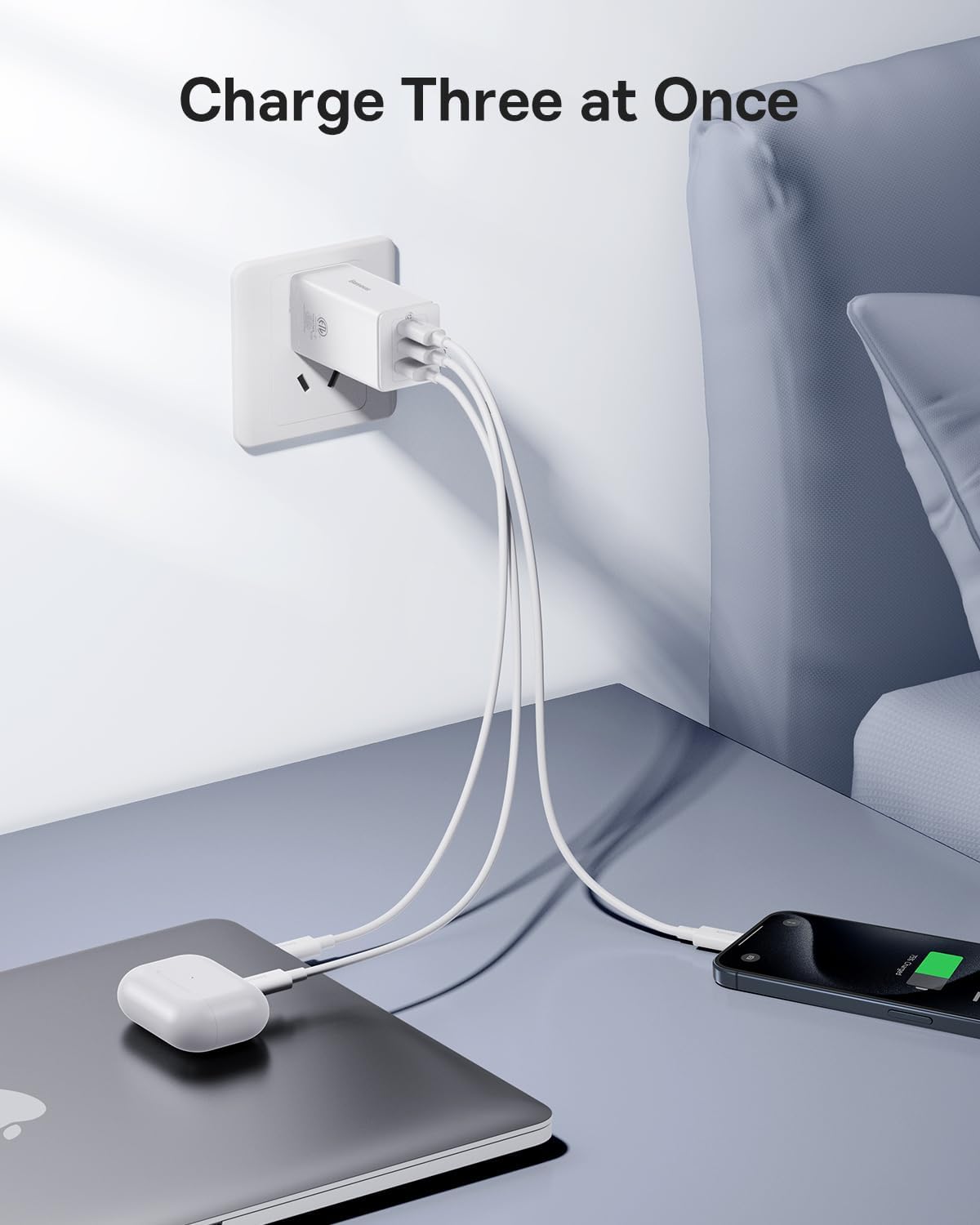
Image: The 65W USB C Wall Charger connected and charging a MacBook Pro 13-inch, indicating a 2-hour full charge time.

Image: The 65W USB C Wall Charger simultaneously charging a laptop, a smartphone, and wireless earbuds, demonstrating its multi-device charging capability.

Image: A chart illustrating the broad compatibility of the 65W USB C Wall Charger with various Apple and Samsung devices, as well as other brands.
Техникалык шарттар
| Өзгөчөлүк | Спецификация |
|---|---|
| Продукт модели | B0D264L8ZV |
| USB-C PD киргизүү | 100 Вт чейин кубаттуулукту жеткирүү |
| HDMI чыгышы | 4K @ 30 Гц |
| USB 3.0 порттору | 3 порт, 5 Гбит/сек чейин маалымат берүү ылдамдыгы |
| Ethernet порту | RJ45, 10/100/1000 Mbps (Gigabit Ethernet) |
| Card Reader | SD and TF (Micro SD) slots, simultaneous read/write |
| Дубал заряддагыч чыгаруу | 65 Вт макс. (USB-C) |
| Материал | Пластик |
| Өзгөчө өзгөчөлүк | Fast Charging (for charger) |
Проблемаларды чечүү
- Дисплей чыгышы жок:
- Хост түзмөгүңүздүн USB-C порту DisplayPort Alt режимин колдой турганын текшериңиз.
- Check the HDMI cable connection at both ends.
- Башка HDMI кабелин же мониторду колдонуп көрүңүз.
- Хост түзмөгүңүздү өчүрүп күйгүзүңүз.
- USB түзмөктөрү таанылбайт:
- Хабдын хост түзмөгүңүзгө коопсуз туташканын текшериңиз.
- Try connecting the USB device to a different port on the hub.
- If it's a high-power device, ensure the hub is connected to external power (PD port).
- Маалыматтарды өткөрүү ылдамдыгы жай:
- Ensure your USB device is USB 3.0 compatible.
- Тышкы кубатсыз бир убакта өтө көп энергияны көп сарптаган түзмөктөрдү туташтыруудан алыс болуңуз.
- Ethernet туташуу маселелери:
- Ethernet кабелинин туташуусун текшериңиз.
- Роутериңиз/модемиңиз туура иштеп жатканын текшериңиз.
- Ensure network drivers are up to date on your host device.
- Заряддагыч заряддалбай жатат:
- Заряддоочу розеткага бекем сайылганын текшериңиз.
- Башка заряддоо кабелин колдонуп көрүңүз.
- Verify your device is compatible with the charger's output.
Техникалык тейлөө
- Тазалоо: Use a soft, dry cloth to clean the surfaces of the hub and charger. Do not use liquid cleaners or aerosols.
- Сактагыч: Продукцияны күн нурунан жана экстремалдык температурадан алыс салкын, кургак жерде сактаңыз.
- Колдонуу: Avoid dropping or subjecting the product to strong impacts. Do not disassemble the product.
- Вентиляция: Ensure proper ventilation around the hub and charger during operation to prevent overheating.
Кепилдик жана колдоо
Baseus products are designed and manufactured to the highest quality standards. For warranty information and technical support, please refer to the official Baseus webсайтка же түздөн-түз кардарларды тейлөөгө кайрылыңыз.
Официалдуу Webсайт: www.baseus.com
Кепилдик дооматтары үчүн сатып алганыңыздын далилин сактап коюңуз.


