1. Introduction and Overview
This manual provides essential information for setting up, operating, and maintaining your Xiaomi POCO F6 Pro smartphone. Please read it carefully to ensure optimal performance and longevity of your device.
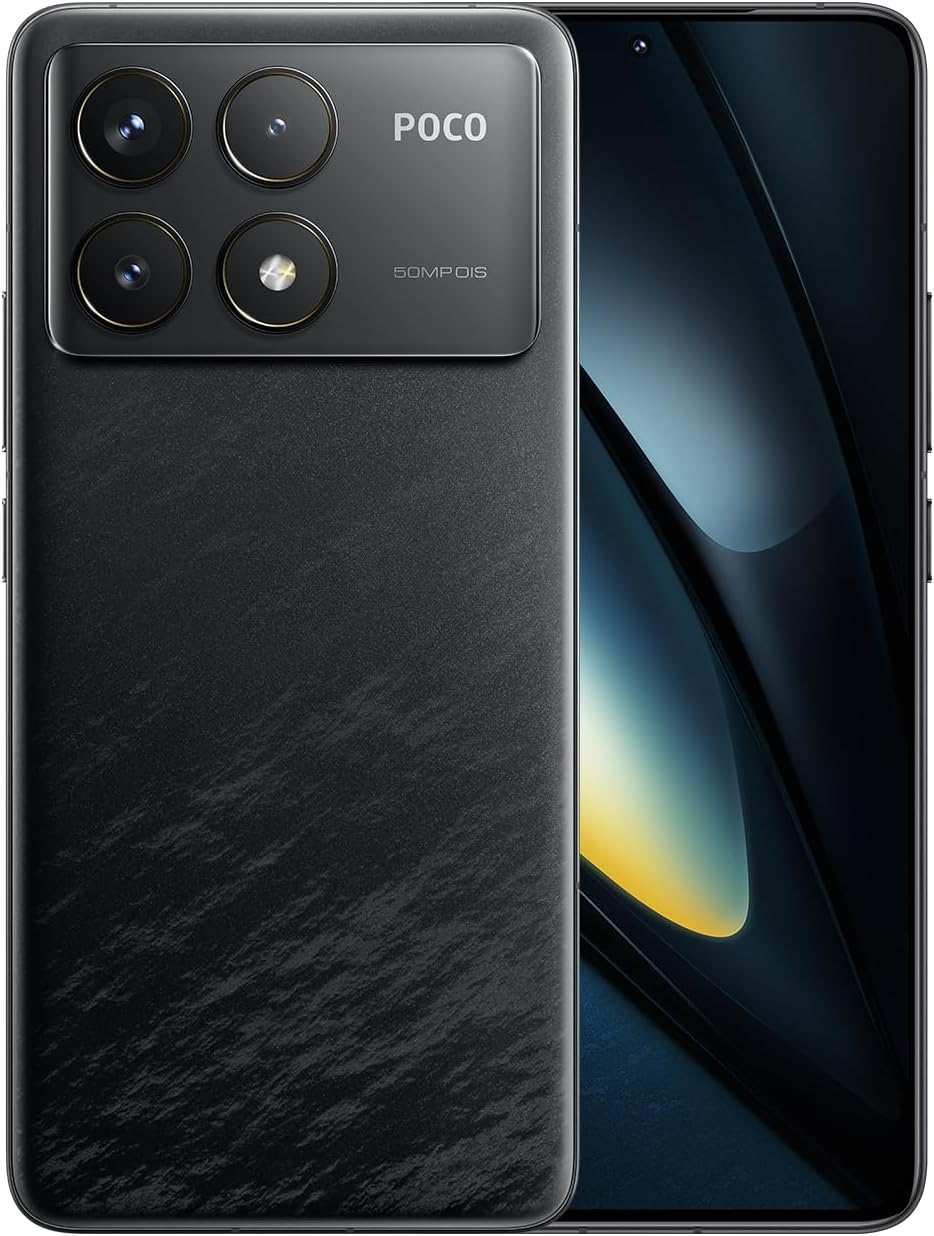
Figure 1.1: Xiaomi POCO F6 Pro device overview.
Негизги өзгөчөлүктөрү:
- Жогорку өндүрүмдүү процессор: Equipped with the Qualcomm Snapdragon 8 Gen 2, a 4nm flagship processor offering approximately 20% improvement in CPU and GPU performance for a superior user experience.
- Өркүндөтүлгөн муздатуу системасы: Features LiquidCool Technology 4.0 with a large stainless steel IceLoop system (approx. 5000mm²) for efficient heat dissipation, maintaining peak performance during intensive tasks.
- Тез кубаттоо жана узак батареянын иштөө мөөнөтү: A 5000mAh battery combined with 120W Xiaomi HyperCharge technology allows for a 100% charge in approximately 19 minutes.
- Кереметтүү дисплей: A WQHD+ (3200x1440) 1-120Hz LTPO C8 OLED display with a peak brightness of 4000 nits, offering high light efficiency, low power consumption, and hardware-level low blue light protection.
- Өркүндөтүлгөн камера системасы: A triple camera setup with a 50MP main sensor, Optical Image Stabilization (OIS), and Light Fusion 800 image sensor for professional-quality photos in various lighting conditions.
2. Орнотуу колдонмосу
2.1 Пакеттин мазмуну
Before starting, verify that all items are present in the package:
- Xiaomi POCO F6 Pro смартфону
- AC Adapter (120W HyperCharge)
- USB Type-C кабели
- SIM чыгаруу куралы
- Soft Case
- Quick Start Guide
2.2 SIM картаны салуу
- Түзмөгүңүздүн капталындагы SIM карта салгычын табыңыз.
- SIM картаны чыгаруу куралын лотоктун жанындагы кичинекей тешикке салып, лоток чыгып кеткенче акырын басыңыз.
- Nano-SIM картаңызды алтын түстүү контакттары ылдый каратып, лотокко салыңыз. Алардын туура орнотулганын текшериңиз.
- Аспап менен бирдей болмоюнча, лотокту кылдаттык менен кайра оюкка түртүңүз.
2.3 Баштапкы күйгүзүү жана орнотуу
- Xiaomi логотиби пайда болгонго чейин Кубат баскычын басып, кармап туруңуз.
- Тилди, аймакты тандоо жана Wi-Fi тармагына туташуу үчүн экрандагы нускамаларды аткарыңыз.
- Google аккаунтуңуз менен кириңиз же жаңысын түзүңүз.
- Экранды кулпулоо ыкмасын жөндөңүз (PIN код, графикалык ачкыч, сырсөз, манжа изи же жүзүнөн таануу).
- Review жана шарттарды кабыл алуу.
- Сиздин түзмөк азыр колдонууга даяр.
3. Иштөө нускамалары
3.1 Дисплей жана навигация
The POCO F6 Pro features a WQHD+ 120Hz LTPO OLED display. Navigate the interface using gestures or traditional navigation buttons, configurable in the settings.

Figure 3.1: Display specifications and features.
- Жаңыртуу ылдамдыгы: The adaptive refresh rate (1-120Hz) optimizes smoothness and power consumption.
- Жарыктык: Adjust brightness manually or enable adaptive brightness for automatic adjustment based on ambient light.
- Көздүн жайлуулугу: The hardware-level low blue light design helps reduce eye strain. Enable Reading Mode in settings for a more comfortable viewтажрыйбасы.
- Манжа сенсор: The in-display fingerprint sensor provides quick and secure unlocking. Ensure your finger is clean and dry for optimal performance.
3.2 Аткаруу жана оюн
The Snapdragon 8 Gen 2 processor and LiquidCool Technology 4.0 ensure high performance, especially for gaming.

Figure 3.2: WildBoost Optimization 3.0 for enhanced gaming.
- Game Turbo: Access Game Turbo by swiping from the left edge during gameplay to optimize performance, manage notifications, and record screen.
- WildBoost оптималдаштыруу 3.0: This feature enhances performance scheduling and game control for an improved overall gaming experience.
3.3 Камеранын өзгөчөлүктөрү
The POCO F6 Pro features a versatile triple camera system for high-quality photography.

Figure 3.3: POCO F6 Pro triple camera system.
- Негизги камера: 50MP with OIS for stable, high-resolution photos.
- Ультра кең камера: Кеңири көрүнүштөрдү тартуу үчүн 8 мегапиксел.
- Макро камера: 2MP for detailed close-up shots.
- AI өзгөчөлүктөрү: Utilize AI for image enhancement, object removal, and smart search within your gallery.
3.4 Батарея жана заряддоо
The device is equipped with a 5000mAh battery and supports 120W Xiaomi HyperCharge.

Figure 3.4: 120W HyperCharge technology.
- Тез кубаттоо: Use the provided 120W charger and cable for optimal charging speeds.
- Батареяны оптималдаштыруу: The POCO battery management system, featuring Surge P2 charging chipset and Surge G1 battery chipset, provides smart and safe management.
- Күтүү режими: The device can enter hibernation mode to conserve battery when not in use for extended periods.
3.5 Байланыш
The POCO F6 Pro offers various connectivity options.

Figure 3.5: Connectivity and audio features.
- Wi-Fi 7: Supports the latest Wi-Fi standard for faster and more reliable wireless connections.
- Bluetooth 5.3: Наушник жана динамиктер сыяктуу зымсыз аксессуарларды туташтыруу үчүн.
- NFC: Байланышсыз төлөмдөр жана маалыматтарды берүү үчүн көп функциялуу NFC.
- IR жардыргыч: Телефонуңузду шайкеш келген түзмөктөр үчүн универсалдуу алыстан башкаруу пульту катары колдонуңуз.
- GNSS: High-precision Global Navigation Satellite System for accurate location services.
4. Техникалык тейлөө
Proper maintenance ensures the longevity and optimal performance of your POCO F6 Pro.
- Тазалоо: Экранды жана денени тазалоо үчүн жумшак, түксүз чүпүрөктү колдонуңуз. Абразивдүү материалдардан же катуу химиялык заттардан алыс болуңуз.
- Программалык камсыздоо жаңыртуулары: Түзмөгүңүздө эң акыркы функциялар жана коопсуздук тактары бар экенин текшерүү үчүн системанын жаңыртууларын дайыма текшерип, орнотуп алыңыз.
- Сактагычты башкаруу: Мезгил-мезгили менен ачык-айкын керексиз fileлар жана колдонмолор сактагыч мейкиндигин бошотуп, майнаптуулугун сактайт.
- Батареяга кам көрүү: Avoid exposing the device to extreme temperatures. While fast charging is convenient, occasional slower charging can help prolong battery health.
- Коргоо: Use a screen protector and the provided soft case to guard against scratches and minor impacts.
5. Кыйынчылыктарды
Эгер сиз түзмөгүңүздө көйгөйлөргө туш болсоңуз, төмөнкү жалпы көйгөйлөрдү чечүү кадамдарын караңыз:
- Түзмөк жооп бербейт: Кайра күйгүзүүгө мажбурлоо үчүн кубат баскычын 10-15 секунд басып туруңуз.
- Батареянын бат түгөнүп калышы: Check background app usage in battery settings. Reduce screen brightness or disable unnecessary features like GPS, Bluetooth, or Wi-Fi when not in use.
- Тармакка туташуу маселелери: Toggle Airplane Mode on and off. Restart your device. Check if your SIM card is properly inserted. Contact your network provider if the issue persists.
- Колдонмолор бузулуп/тоңуп жатат: Clear the cache and data for the problematic app in App Info settings. If the issue continues, uninstall and reinstall the app.
- Ашыкча ысып кетүү: Close background applications, reduce screen brightness, and avoid using the device while charging for extended periods. If gaming, ensure the device has adequate ventilation.
- Манжа изинин сенсорунун көйгөйлөрү: Ensure your finger and the sensor area are clean and dry. Re-register your fingerprints if recognition is inconsistent.
For more complex issues, consult the official Xiaomi support webсайтка же кардарларды тейлөөгө кайрылыңыз.
6. Техникалык шарттар
| Өзгөчөлүк | Спецификация |
|---|---|
| Операция системасы | Android 14 |
| Процессор | Qualcomm Snapdragon 8 Gen 2 |
| CPU ылдамдыгы | 3.2 ГГц |
| Орнотулган RAM эстутум көлөмү | 12 ГБ |
| Эстутум сактоо сыйымдуулугу | 256 ГБ |
| Дисплей технологиясы | OLED |
| Окуу резолюциясы | 3200 x 1440 (WQHD+) |
| Батарея кубаттуулугунун рейтинги | 5000 мАч |
| Зымсыз байланыш технологиясы | Cellular, Wi-Fi 7, Bluetooth 5.3 |
| Байланыш технологиясы | USB, NFC, IR Blaster |
| GPS | Ооба |
| Форма фактору | Шифер |
| Түс | Кара |
| Продукт моделинин номери | MZB0HEJJP |
| Элемент Салмагы | 580 г |
| Пакеттин өлчөмдөрү | 18.7 x 9.4 x 6.1 см |
7. Кепилдик жана колдоо
Your Xiaomi POCO F6 Pro is covered by a standard manufacturer's warranty. For detailed warranty terms and conditions, please refer to the warranty card included in your product packaging or visit the official Xiaomi support webсайт.
For technical support, service, or inquiries, please contact Xiaomi customer service through their official channels. Keep your proof of purchase handy when seeking support.
Расмий Xiaomi колдоосу: https://www.mi.com/global/support


