1. Продукт бүтүп калдыview
The Woputne HL-TJ8010A Desk Clip-on Lamp is designed to provide versatile and adjustable lighting for various tasks and environments. Featuring a sturdy clamp, flexible gooseneck, multiple light modes, and dimmable brightness levels, it is ideal for reading, home office work, crafting, and more. This lamp is USB-powered and includes a 5V 2A adapter for convenient use.
2. Маанилүү коопсуздук нускамалары
- Колдонуудан мурун бардык нускамаларды окуп чыгыңыз.
- л-ды ачыкка чыгарбаamp to water or excessive moisture. This product is not waterproof.
- Use only with the provided 5V 2A adapter or a compatible USB power source.
- Avoid looking directly into the LED light source for extended periods to prevent eye strain.
- cl камсыз кылууamp is securely fastened to a stable surface before adjusting the lamp.
- Балдар жетпеген жерде сактаңыз.
- l-ди ажыратууга же оңдоого аракет кылбаңызamp өзүң. Жардам алуу үчүн кардарларды колдоо бөлүмүнө кайрылыңыз.
- lamp from the power source when not in use or before cleaning.
3. Кутуда эмне бар
Your Woputne HL-TJ8010A Desk Clip-on Lamp пакет камтыйт:
- Woputne Desk Clip-on Lamp (2 pieces for 2-pack variant)
- 5V 2A USB Power Adapter (2 pieces for 2-pack variant)
4. Орнотуу колдонмосу
- L тиркөөamp:
Locate a suitable surface (desk, headboard, shelf) for clamping the lamp. The sturdy clamp can open up to 5cm (2 inches) wide. Ensure the surface is stable and the clamp is securely fastened to prevent accidental falls.
Деталдаштырылган view лamp's clamp, demonstrating its secure attachment to a surface. The clamp features scratch-resistant foam for protection.
- Туташуу кубаты:
Plug the USB cable from the lamp into the provided 5V 2A USB power adapter. Then, plug the adapter into a standard wall outlet. Alternatively, you can plug the USB cable directly into a compatible USB port on a computer or power bank.

лamp's USB cable and the included 5V 2A power adapter. The USB cable is approximately 150cm long.
- Жарыкты жайгаштырыңыз:
Utilize the 360° flexible gooseneck to adjust the lamp head to your desired angle and position. The gooseneck is approximately 38cm long, allowing for extensive customization of light direction.
Video demonstrating the flexibility of the gooseneck and how to position the lamp head. This video is provided by Woputne-US.
5. Иштөө нускамалары
The Woputne Desk Clip-on Lamp features an inline control panel for easy adjustment of light settings.

Close-up of the control panel with buttons for power, mode, and brightness adjustment.
- Күйгүзүү/өчүрүү: Кубат баскычын басыңыз (O) буру лamp күйгүзүү же өчүрүү.
- Жарык режимин өзгөртүү: режим баскычын басыңыз (M) to cycle through the 3 available light colors:
- Жылуу жарык
- Табигый жарык
- Ак жарык

Visual representation of the three distinct color temperatures offered by the lamp.
- Жарыктыкты жөндөө: Use the '+' and '-' buttons to adjust the brightness level. There are 10 dimmable brightness levels, from 10% to 100%.
- Auto Turn Off Function: The reading light can be set to turn off automatically after 1 minute. This feature allows you to settle into bed under illumination before it switches off.
- Эстутум функциясы: лamp remembers the last used brightness and mode settings until the power supply is disconnected.
6. Негизги өзгөчөлүктөрү
- 3 Light Colors & 10 Brightness Levels: Offers cool light, warm light, and natural light with 10 adjustable brightness levels (10% to 100%) for various activities like painting, reading, or studying.
- Sturdy Clip & 360° Flexible Gooseneck: бекем clamp securely attaches to surfaces up to 5cm thick. The 360° flexible gooseneck (approx. 38cm long) allows for precise light positioning.
- Auto Turn Off & Memory Function: Includes a 1-minute auto-off timer and remembers the last brightness and mode settings.
- Компакттуу жана ар тараптуу дизайн: Small, round lamp head (8.8cm diameter) provides uniform light. The compact clamp design saves desktop space.
- USB-Powered with Adapter: Comes with a 5V 2A mains plug for convenient power.
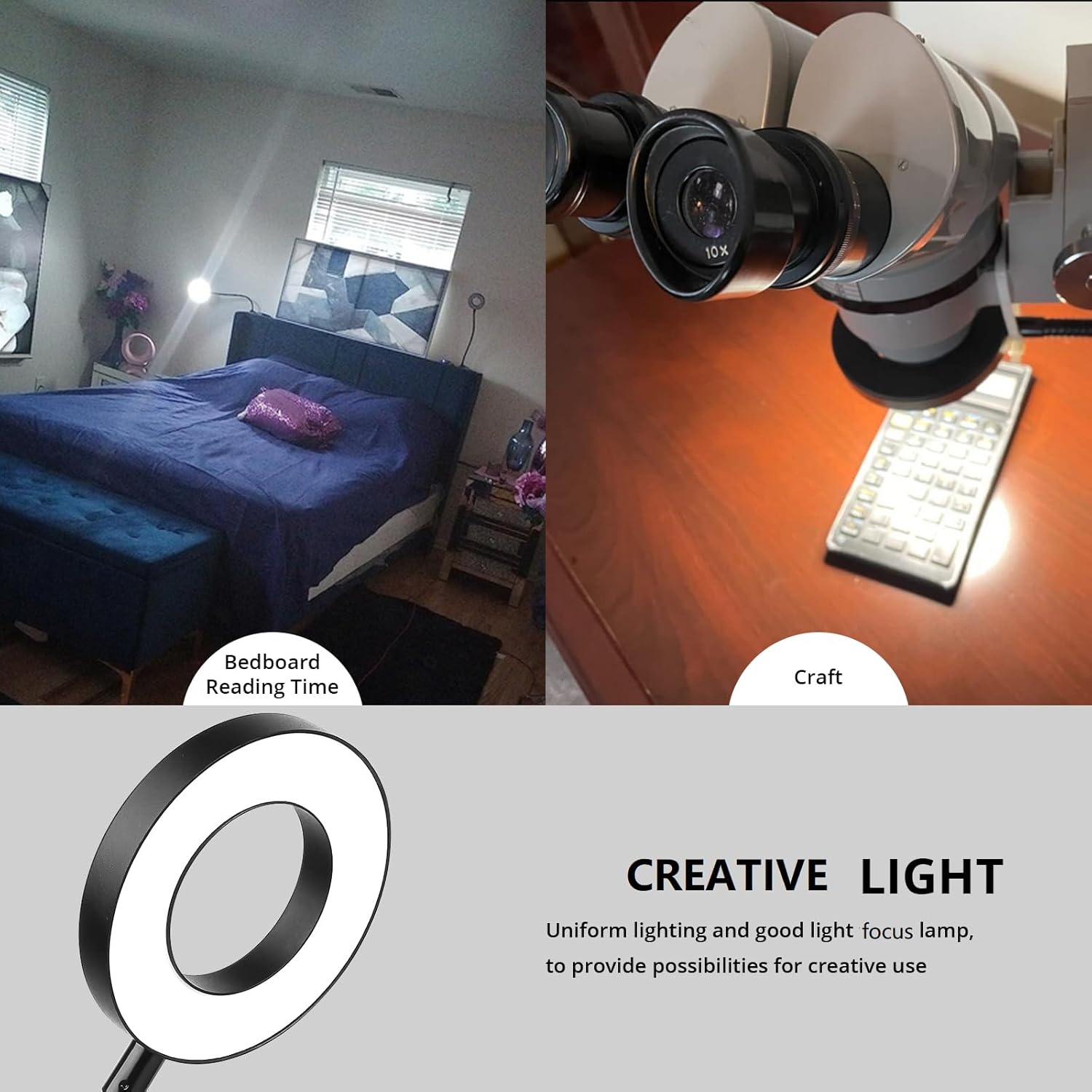
- Көп тиркеме: Suitable for bedside reading, college dorm study, painting, sewing, nail art, makeup, crafts, and baby night care.

лamp in use, highlighting its adaptability for different environments and tasks.
7. Кароо жана тейлөө
- Тазалоо: Тазалоодон мурун электрди өчүрүңүз. л сүртүү үчүн жумшак, кургак чүпүрөктү колдонуңузampСуюк тазалоочу каражаттарды же абразивдүү материалдарды колдонбоңуз.
- Сактагыч: Узак мөөнөткө колдонулбаганда, лamp күн нурунан алыс салкын, кургак жерде.
- Колдонуу: Avoid excessive force when adjusting the gooseneck to prevent damage.
8. Кыйынчылыктарды
| Көйгөй | Мүмкүн себеп | Чечим |
|---|---|---|
| Lamp күйбөйт. | Not properly plugged in; power outage; faulty adapter/cable. |
|
| Жарык бүлбүлдөп же күңүрт. | Insufficient power supply; loose connection. |
|
| Lamp күтүүсүздөн өчүп калат. | Auto-off timer activated; power interruption. |
|
| Cannot change light mode or brightness. | Башкаруу панелинин бузулушу. |
|
9. Продукттун спецификациялары
| Өзгөчөлүк | Деталь |
|---|---|
| Бренд | Вопутне |
| Модель аты | HL-TJ8010A |
| Жарык булагы түрү | LED |
| Power Source | USB-Powered (5V 2A Adapter included) |
| Ватtage | 5 ватт |
| Жарыктык | 400 люмен (максималдуу) |
| Ачык түстөр | Warm White, Natural Light, Cool White (3 Modes) |
| Жарыктык деңгээли | 10 (10% to 100% dimmable) |
| Башкаруу ыкмасы | Touch (Inline Control Panel) |
| Монтаж түрү | Clip On (Clamp монтаждоо) |
| Clamp Ачылышы | 5 см (2 дюйм) чейин |
| Gooseck Length | Болжол менен 38см |
| USB кабелинин узундугу | Болжол менен 150см |
| Lamp Баштын диаметри | Болжол менен 8.8см |
| Материал | Акрилонитрил бутадиен стирол, алюминий |
| Элемент Салмагы | 1.26 фунт |
| Продукциянын өлчөмдөрү | 8"D x 13"W x 17"H |
| Ички/тышкы колдонуу | Indoor |
| Өзгөчөлүктөр | Dimmable, Auto Turn Off, Memory Function |
10. Кепилдик жана колдоо
Woputne products are designed for quality and reliability. For any questions, concerns, or warranty claims, please contact Woputne customer support through your original purchase platform or visit the official Woputne store.
Сураныч, кепилдик максаттары үчүн сатып алганыңыздын далилин сактап коюңуз.
Woputne Store: Visit the Woputne Store on Amazon


