1. Коопсуздук маалыматы
Please read this manual carefully before operating the device and retain it for future reference. Improper use may result in damage to the product or personal injury.
- Камера кулап калбашы үчүн туруктуу жерге орнотулганын текшериңиз.
- Зыян келтирбөө үчүн берилген кубат адаптерин гана колдонуңуз.
- Камераны экстремалдык температурага же түз күн нуруна узак убакытка калтырбаңыз.
- Keep the device away from strong electromagnetic interference sources like refrigerators or microwave ovens to prevent audio distortion.
- Avoid opening the camera casing; бардык тейлөөлөрдү квалификациялуу кызматкерлерге тапшырыңыз.
2. Пакеттин мазмуну
Пакетте бардык буюмдар бар экенин текшериңиз:
- 1x JOOAN S-3MP A6M-U Security Camera
- 1x 3M Type-C Cable
- 1x Power адаптер
- 1x Pack of Screws (for mounting)
- 1x Product Manual

Image: Contents of the JOOAN S-3MP A6M-U Security Camera package.
3. Продукт бүтүп калдыview
3.1 Камеранын компоненттери

Сүрөт: Төмөнкү view of the camera, displaying the model number A6M-U and regulatory information.
The camera features a lens, two LED lights for night vision, a microphone, and a speaker. The base includes a reset button and a Micro SD card slot.
3.2 Негизги өзгөчөлүктөрү
- HD1296P Resolution: Так жана деталдуу видео foo камсыз кылатtage.
- WiFi байланышы: Үй тармагыңызга оңой зымсыз туташуу.
- Сыртта/Ич ичинде колдонуу: IP65 weatherproof rating ensures durability in various conditions.
- Кыймылды аныктоо жана эскертүүлөр: Sends instant notifications to your smartphone upon detecting movement.
- Эки тараптуу аудио: Коноктор менен алыстан байланышыңыз же баскынчыларды токтотуңуз.
- Түнкү көрүнүш: Offers clear, full-color video even in low-light conditions.
- Alexa менен иштейт: Integrates with Amazon Alexa for voice control and smart home automation.
- Бир нече сактагыч параметрлери: Supports Micro SD card (up to 256GB) and cloud storage (30-day trial available).
4. Орнотуу колдонмосу
4.1 Камераны күйгүзүү
- Connect the provided 3M Type-C cable to the camera and the power adapter.
- Кубат адаптерин стандарттуу электр розеткасына сайыңыз.
- Камера күйөт, бул LED жарыгы менен көрсөтүлөт.

Image: The camera connected to a power source using the 3M Type-C cable.
4.2 Колдонмону жүктөп алуу жана каттоо эсебин түзүү
- Scan the QR code in the manual or search for the recommended app (e.g., 'Cam720' or similar as indicated in the manual) on your smartphone's app store (App Store for iOS, Google Play Store for Android).
- Колдонмону жүктөп алып, орнотуңуз.
- Каттоо эсебин түзүү жана кирүү үчүн колдонмону ачып, экрандагы нускамаларды аткарыңыз.
4.3 Connecting the Camera to WiFi
- Колдонмодо жаңы түзмөк кошуу үчүн "+" сүрөтчөсүн таптаңыз.
- Select your camera model or choose the 'Scan QR code' option if available on the camera.
- Follow the app's instructions to connect the camera to your 2.4GHz WiFi network. Ensure your phone is also connected to the same WiFi network during setup.
- If prompted, reset the camera by pressing the reset button on the bottom of the device for 5 seconds until you hear a prompt or see a change in the LED indicator.

Image: A finger pressing the reset button located on the camera's base.
4.4 Физикалык орнотуу
The camera can be placed on a flat surface or mounted to a wall or ceiling. The adjustable base allows for flexible positioning.
- Беттик жайгаштыруу: Simply place the camera on a stable surface like a shelf or table.
- Дубалга/Шыпка орнотуу: Use the provided screws to secure the mounting plate to your desired location. Attach the camera to the mounting plate.

Сүрөт: Мисamples of the camera mounted on a wall, ceiling, and placed on a table, demonstrating versatile installation options.

Image: The camera's base allows for manual adjustment of the viewing angle (Pan 360°, Tilt 90°).
5. Иштөө нускамалары
5.1 Live View
Once connected, open the app to access the live video feed from your camera. You can view it on your smartphone or tablet.
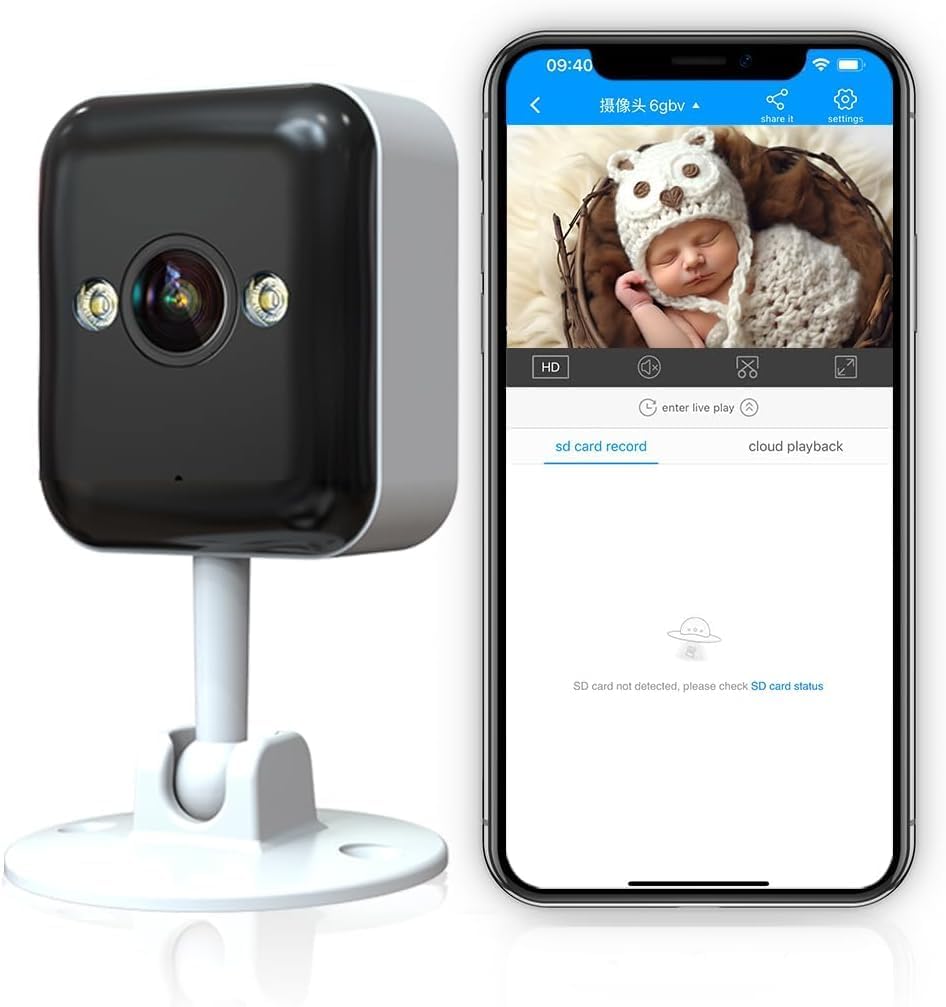
Image: The camera's live feed displayed on a smartphone, showing a baby in a basket.
5.2 Эки тараптуу аудио
Камерада орнотулган микрофон жана динамик бар, бул эки тараптуу байланышты камсыз кылат.
- Камеранын динамиги аркылуу сүйлөшүү үчүн колдонмодогу микрофон сүрөтчөсүн таптаңыз.
- The camera's microphone will pick up audio from its surroundings.

Image: A girl communicating with her mother via the camera's two-way audio feature.

Image: Visual representation of the camera's two-way audio capability, showing a baby and audio waves.
5.3 Кыймылды аныктоо жана эскертүүлөр
The camera can detect motion and send instant notifications to your phone.
- Колдонмонун жөндөөлөрүнөн кыймылды аныктоону иштетиңиз.
- Adjust sensitivity levels and define detection areas to minimize false alarms.
- Кыймыл аныкталганда смартфонуңузга push эскертмелерин алыңыз.

Image: A smartphone showing an instant notification from the camera after detecting motion, with a kitten in the background.

Image: The camera's advanced chip enables both motion and sound detection, sending alerts for events like a baby crying.
5.4 Түнкү көрүү режимдери
The camera offers multiple night vision options for clear monitoring in the dark.
- Full Color Light: Utilizes built-in white lights for full-color night vision.
- Infrared Normal Light: Стандарттуу ак-кара инфракызыл түнкү көрүү.
- Smart Color Light: Automatically switches to color night vision when motion is detected in dark environments.

Image: Comparison of the three night vision modes: Full Color Light, Infrared Normal Light, and Smart Color Light, showing how the camera adapts to different lighting conditions.

Image: A split screen on a smartphone showing the difference between traditional IR night vision and enhanced color night vision.
5.5 Видеону сактоо жана ойнотуу
The camera supports both local and cloud storage options for recorded footage.
- Micro SD картасы: Insert a Micro SD card (up to 256GB, not included) into the designated slot for 24/7 continuous recording.
- Булуттагы сактагыч: A 30-day trial is available. Subscribe to cloud services for secure, remote storage and access to your video history.
- Ойнотуу: Access recorded videos through the app's playback feature, allowing you to review events by date and time.

Image: Icons representing cloud storage, Micro SD card storage, and video playback features.

Image: A timeline showing 24/7 local recording capability, with a child playing in the background.
5.6 Multi-person Sharing
Share access to your camera's live feed and recordings with family and friends through the app.
- Navigate to the sharing options within the camera settings in the app.
- Invite other users by entering their account details.
- Ар бир бөлүшүлгөн колдонуучу үчүн уруксаттарды башкарыңыз.
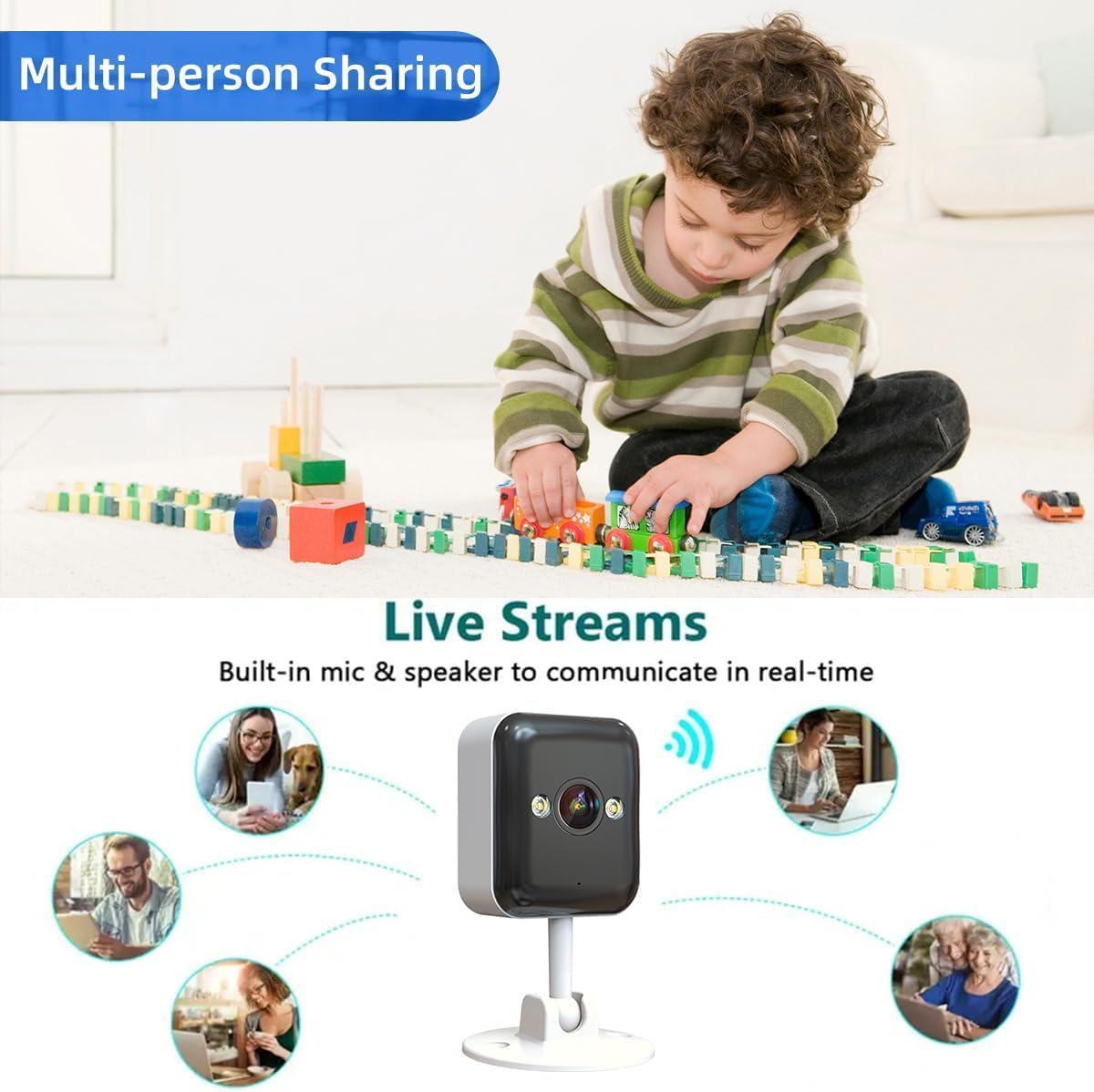
Image: The camera surrounded by icons of people, illustrating the multi-person sharing feature.
6. Техникалык тейлөө
- Тазалоо: Use a soft, dry cloth to clean the camera lens and body. Avoid harsh chemicals.
- Программалык камсыздоонун жаңыртуулары: Оптималдуу аткарууну жана коопсуздукту камсыз кылуу үчүн колдонмону такай текшерип туруңуз.
- Электр камсыздоо: Ensure the power cable is securely connected and not damaged.
- Тармак туташуусу: Periodically check your WiFi signal strength to ensure a stable connection for the camera.
7. Кыйынчылыктарды
| Көйгөй | Мүмкүн себеп | Чечим |
|---|---|---|
| Камера оффлайн | No power; WiFi disconnected; Router issue | Check power connection; Reconnect WiFi in app; Restart router. |
| Кыймыл эскертүүлөрү алынган жок | Motion detection off; App notifications disabled; Incorrect sensitivity | Enable motion detection in app; Allow app notifications in phone settings; Adjust sensitivity. |
| Видеонун сапаты начар | Weak WiFi signal; Dirty lens | Move camera closer to router or use a WiFi extender; Clean the lens. |
| Two-way audio echo/noise | Camera too close to phone; Electromagnetic interference | Maintain distance (>8m) between phone and camera during intercom; Move camera away from interference sources. |
8. Техникалык шарттар
| Өзгөчөлүк | Деталь |
|---|---|
| Модель номери | A6M-U |
| Резолюция | HD1296P (3MP) |
| Байланыш | Зымсыз (Wi-Fi) |
| Ички/тышкы колдонуу | Ачык асман алдында (IP65 аба ырайына туруктуу) |
| Түнкү көрүү диапазону | 30 Feet (Color Night Vision available) |
| Эки тараптуу аудио | Ооба |
| Motion Detection | Ооба |
| Сактагыч параметрлери | Микро SD карта (256 ГБ чейин), Cloud Storage |
| Шайкеш түзмөктөр | Smartphone, Tablet (Works with Alexa) |
| Өлчөмдөрү (L x W x Y) | 12.7 x 8.8 x 8 Сантиметр |
| Элемент Салмагы | 210 г |
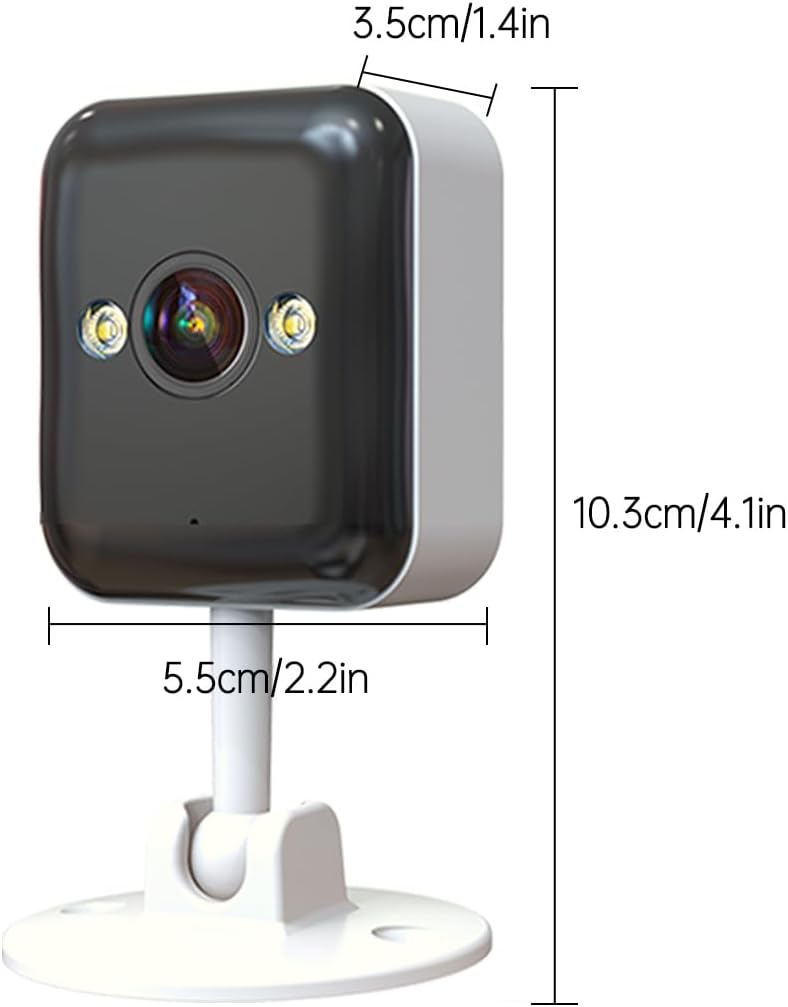
Image: Detailed dimensions of the JOOAN S-3MP A6M-U Security Camera.

Image: The camera is shown with water droplets, illustrating its IP65 weatherproof rating for outdoor use.
9. Кепилдик жана колдоо
For warranty information and technical support, please refer to the contact details provided in the product packaging or visit the official JOOAN webсайт. Сатып алуу квитанциясын кепилдик дооматтары үчүн сатып алуунун далили катары сактаңыз.
Онлайн колдоо: Check the JOOAN webКөп берилүүчү суроолор, көйгөйлөрдү чечүү боюнча колдонмолор жана программалык камсыздоону жүктөп алуу үчүн сайт.
Кардарларды тейлөө: Contact JOOAN customer service for further assistance.


