1. Киришүү
Thank you for choosing the GOOJODOQ Portable Handheld Turbo Fan. This manual provides essential information for the safe and efficient operation, maintenance, and troubleshooting of your device. Please read it thoroughly before use and retain it for future reference.
2. Коопсуздук нускамалары
- Желдеткичти сууга же башка суюктуктарга батырбаңыз.
- Keep the fan away from open flames, heat sources, and direct sunlight to prevent battery damage or overheating.
- Вентилятор торчосуна манжаларды же бөтөн нерселерди киргизбеңиз.
- Бул шайман оюнчук эмес. Балдар жетпеген жерде сактаңыз.
- Заряддоо үчүн берилген кубаттоо кабелин же тастыкталган USB-C кабелин гана колдонуңуз.
- Do not attempt to disassemble, repair, or modify the fan. Contact customer support if service is required.
- Dispose of the fan and its battery according to local regulations.
3. Пакеттин мазмуну
Сураныч, пакетте төмөнкү нерселерди текшериңиз:
- GOOJODOQ Portable Handheld Turbo Fan
- USB-C заряддоо кабели
- User Manual
- Hand Strap (may be pre-attached or included separately)
4. Продукт бүтүп калдыview
4.1 Вентилятордун компоненттери
The GOOJODOQ Portable Handheld Turbo Fan features a compact design with a powerful motor and intuitive controls.

1-сүрөт: Фронт view of the GOOJODOQ Portable Handheld Turbo Fan, showing the digital display and airflow.
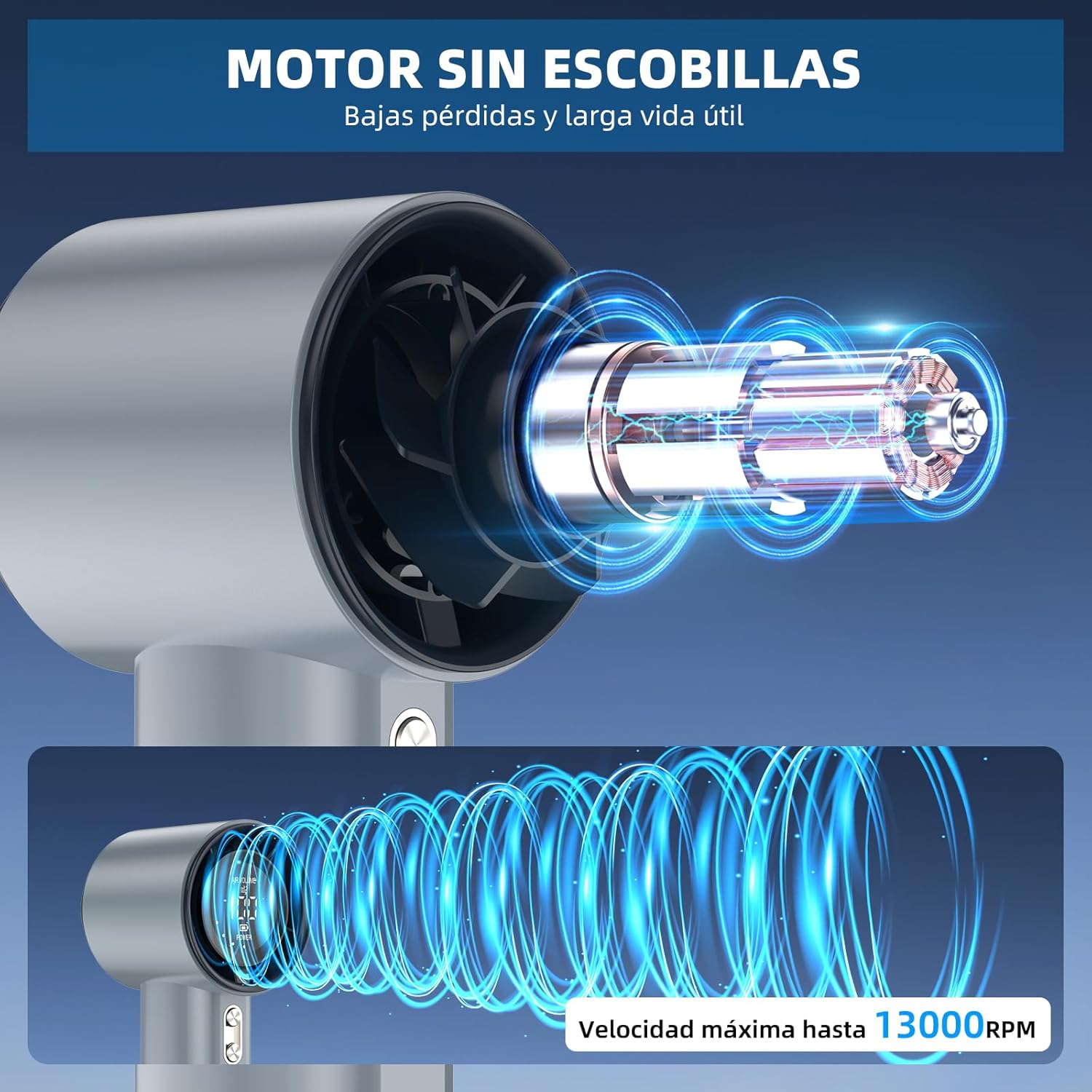
2-сүрөт: Internal structure illustrating the brushless motor and optimized airflow design, capable of up to 13000 RPM.
4.2 Башкаруу баскычтары
The fan is equipped with two control buttons for easy operation.
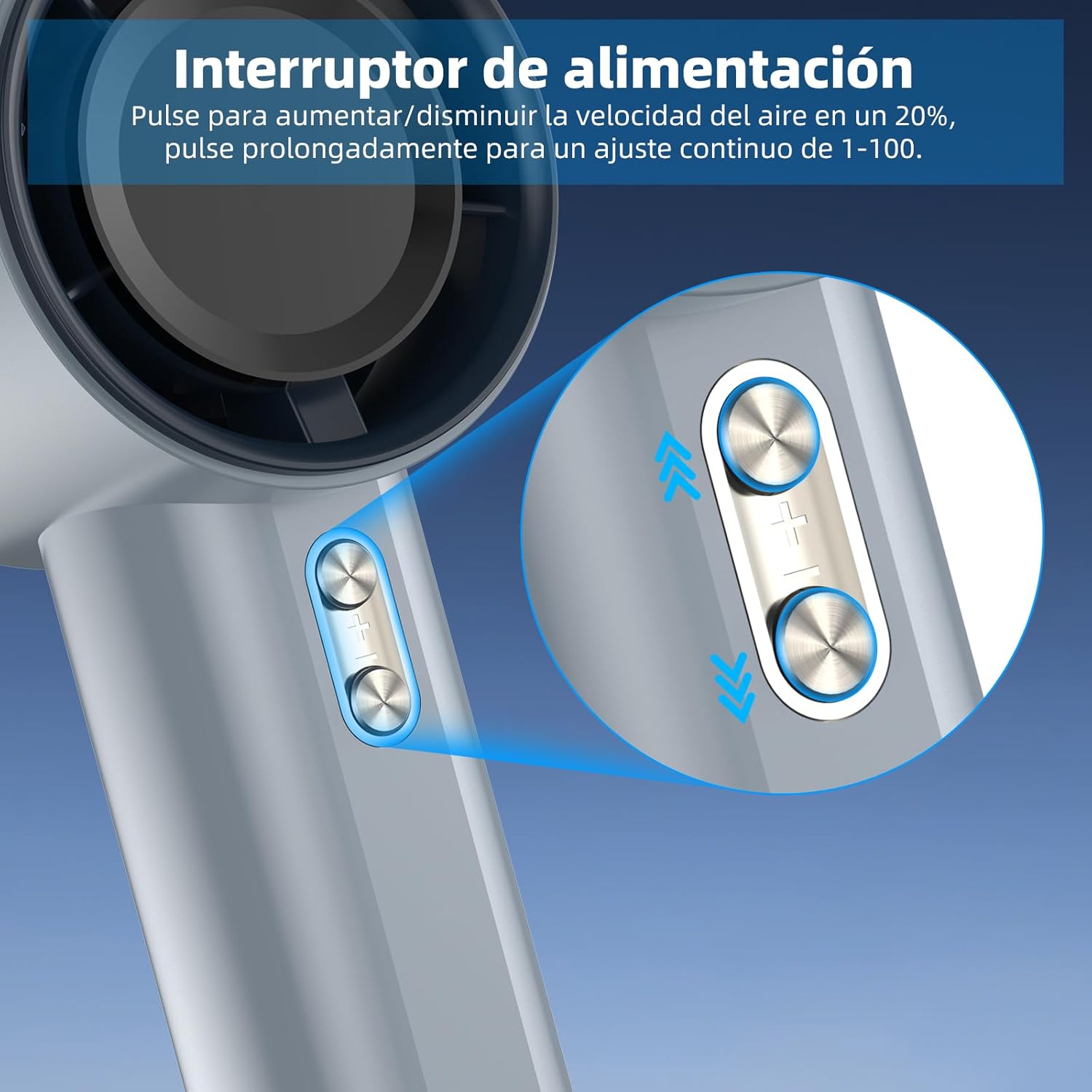
3-сүрөт: Detail of the power/speed adjustment buttons. Short press to adjust speed by 20%, long press for continuous 1-100 speed adjustment.
4.3 Санарип дисплей
The integrated digital display provides real-time information about the fan's status.

4-сүрөт: The digital display indicates the current air volume (speed level from 1-100) and battery power level.
дисплей көрсөтөт:
- АБА Көлөмү: Indicates the current fan speed level (1-100).
- КҮЧ: Калган батарея зарядын көрсөтөт.
5. Орнотуу
5.1 Алгачкы заряддоо
Before first use, fully charge the fan. The fan is equipped with a 4000mAh battery.
- Connect the provided USB-C charging cable to the charging port on the fan.
- Connect the other end of the USB-C cable to a compatible USB power adapter (e.g., phone charger, computer USB port) or power bank.
- The digital display will show the charging status. A full charge typically takes approximately 2.5 hours.
- Толук заряддалгандан кийин, заряддоо кабелин ажыратыңыз.

5-сүрөт: The fan's USB-C charging port and internal 4000mAh battery, indicating a 2.5-hour charging time for up to 12 hours of operation.
A full charge can provide up to 12 hours of working time, depending on the speed setting.
5.2 Кол боону бекитүү
For added security and portability, attach the hand strap to the designated loop on the fan handle.
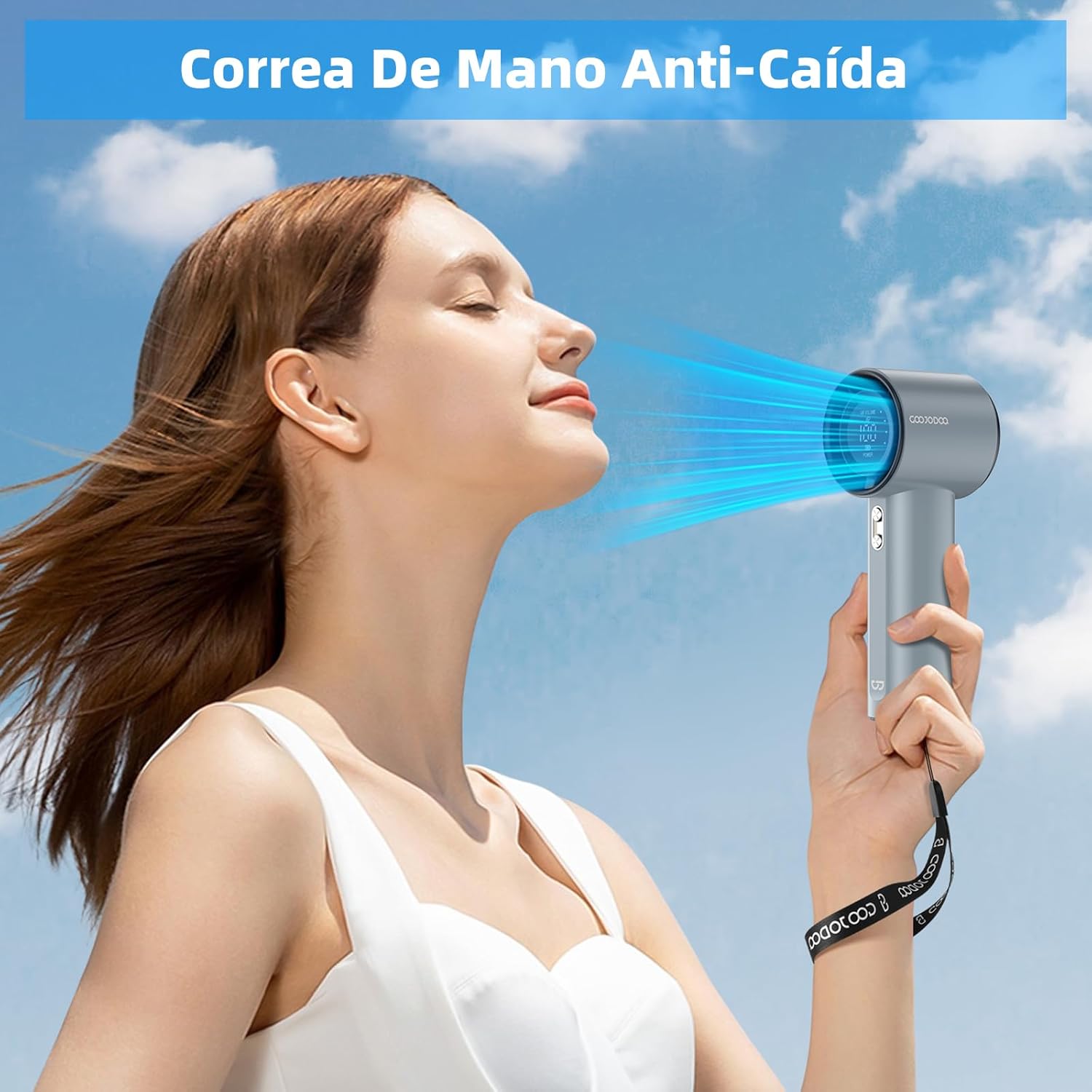
6-сүрөт: The fan with an attached hand strap, demonstrating its use for secure carrying.
6. Иштөө нускамалары
6.1 Күйгүзүү/өчүрүү
- To turn on the fan: Press and hold either the '+' or '-' button for a few seconds until the display illuminates and the fan starts.
- To turn off the fan: Press and hold either the '+' or '-' button for a few seconds until the display turns off.
6.2 Желдетүүчү ылдамдыгын жөндөө
The fan offers 100 adjustable speed levels.
- Кошумча тууралоо: Short press the '+' button to increase the fan speed by 20 levels. Short press the '-' button to decrease the fan speed by 20 levels.
- Үзгүлтүксүз тууралоо: Press and hold the '+' button to continuously increase the fan speed. Press and hold the '-' button to continuously decrease the fan speed. Release the button when the desired speed is reached.
The current speed level (AIR VOLUME) will be displayed on the digital screen.
7. Техникалык тейлөө
7.1 Тазалоо
- Тазалоодон мурун желдеткичтин өчүрүлгөнүн жана ар кандай кубат булагынан ажыратылганын текшериңиз.
- Вентилятордун сыртын жумшак, кургак чүпүрөк менен сүртүңүз.
- Use a soft brush or cotton swab to gently remove dust from the air inlet and outlet grilles. Do not use water or harsh cleaning agents.
7.2 Сактоо
- Вентиляторду салкын, кургак жерде, күндүн түз нурунан жана өтө жогорку температурадан алыс сактаңыз.
- Узак мөөнөткө сактасаңыз, батареянын иштөө мөөнөтүн узартуу үчүн ар бир үч ай сайын батареяны болжол менен 50% га чейин заряддаңыз.
8. Кыйынчылыктарды
| Көйгөй | Мүмкүн себеп | Чечим |
|---|---|---|
| Желдеткич күйбөйт. | Батарея түгөнүп калды. | Charge the fan fully using the USB-C cable. |
| Желдеткич күйбөйт. | Кубат баскычы туура басылган жок. | Press and hold either the '+' or '-' button for a few seconds to power on. |
| Желдеткичтин ылдамдыгын жөнгө салуу мүмкүн эмес. | Баскычтар жооп бербейт. | Ensure the fan is on. If issue persists, try charging the fan. |
| Кыскартылган аба агымы. | Air inlets/outlets are blocked by dust. | Clean the air grilles as described in the Maintenance section. |
| Күтүүсүздөн күйөрман токтойт. | Батарея аз. | Желдеткичти кайра заряддаңыз. |
If you encounter issues not listed here or if problems persist, please contact GOOJODOQ customer support.
9. Техникалык шарттар
| Бренд | GOOJODOQ |
| Модел | Портативдик турбо желдеткич |
| Power/Wattage | 5 Ватт |
| Материал | Пластик |
| Ылдамдыктын саны | 100 (Жөнгө салынуучу) |
| Батарея сыйымдуулугу | 4000mAh (болжол менен) |
| Заряддоо убактысы | Болжол менен 2.5 саат |
| Иштөө убактысы | 12 саатка чейин (тездигине жараша) |
| Элемент Салмагы | 400 г |
| Продукциянын өлчөмдөрү | 6.1D x 5.9W x 16H Сантиметр |
| Power Source | USB-C |
| Башкаруу түрү | Touch Panel Control (Buttons) |

7-сүрөт: The compact and portable design of the fan, shown being placed into a small bag. While the image indicates 225g, the product specifications state an item weight of 400g.
Эскертүү: Техникалык мүнөздөмөлөр алдын ала эскертүүсүз өзгөртүлүшү мүмкүн.
10. Кепилдик жана колдоо
For warranty information, technical support, or customer service inquiries, please refer to the contact details provided on the product packaging or visit the official GOOJODOQ webсайт. Колдоо кызматына кайрылганда өнүмүңүздүн моделин жана сатып алынган күнүн көрсөтүңүз.