Introduction
Thank you for choosing the WOLFANG WT03 Solar Wildlife Camera. This advanced trail camera is designed for wildlife monitoring, outdoor security, and nature observation, offering high-resolution imaging, robust features, and sustainable power solutions. Please read this manual carefully before operating the camera to ensure optimal performance and longevity.
Пакеттин мазмуну

Image: The WOLFANG WT03 Solar Wildlife Camera, user manual, mounting strap, USB cable, and mounting hardware.
Ensure all items are present and in good condition. If any items are missing or damaged, please contact WOLFANG customer support.
- WOLFANG WT03 Wildlife Camera
- Монтаждоо боосу
- USB кабели
- Монтаждоочу жабдуулар (буроолор, дубал анкерлери)
- User Manual
- 32 ГБ Micro SD карта (алдын ала орнотулган)
Продукт бүттүview

Сүрөт: алдыңкы view of the WOLFANG WT03 camera, highlighting the integrated solar panel, main lens, and motion sensor.
The WOLFANG WT03 features an integrated solar panel for continuous power, a high-resolution camera for capturing 4K video and 46MP images, and advanced night vision capabilities. Its robust IP66 waterproof design ensures reliable operation in various outdoor conditions.
Негизги өзгөчөлүктөрү:
- 4K@30FPS Video & 46MP Image Resolution: Так жана деталдуу фоону тартатtagд жана сүрөттөр.
- Integrated Solar Panel & 4400mAh Battery: Provides sustainable power and extended battery life.
- WiFi & Bluetooth Connectivity: Allows for easy app control, live viewing, жана file transfer to your smartphone (within 33 feet).
- 0.1s Trigger Speed: Ensures rapid capture of motion-activated events.
- 120° Night Vision: Equipped with 850nm low-luminescence LEDs for clear nighttime images up to 65 feet.
- IP66 суу өткөрбөйт рейтинги: Designed to withstand harsh weather conditions.
- Цикл жаздыруу: Automatically overwrites older fileSD карта толгондо.
Жайгашуу
1. Батареяны орнотуу
The camera has a built-in 4400mAh lithium battery. For extended operation, especially in low temperatures, it is recommended to install 4 AA batteries (not included) as backup power.
- Open the camera's side latch and swing open the housing.
- Батарея бөлүкчөсүн табыңыз.
- Туура полярдуулукту (+/-) камсыз кылуу менен 4 AA батарейкасын салыңыз.
- Close the battery compartment and secure the housing latch.
Эскертүү: The built-in lithium battery is the priority power source. AA batteries serve as backup. Ensure the built-in battery is charged via the solar panel or USB-C before first use.
2. SD картаны орнотуу
A 32GB Micro SD card is pre-installed. The camera supports Micro SD cards up to 128GB.
- With the camera powered off, open the housing.
- Micro SD карта уячасын табыңыз.
- Micro SD картаны алтын түстүү контакттары ылдый каратып, ордуна чыкылдаганча салыңыз.
- Алып салуу үчүн, картаны чыкылдаган үн чыкканча басып, андан кийин коё бериңиз.
Маанилүү: Format the SD card in the camera's settings menu before first use to ensure compatibility and optimal performance.
3. Камераны орнотуу
The camera can be mounted using the included strap or mounting hardware.

Image: The WOLFANG WT03 camera mounted on a tree, illustrating its integrated solar panel technology for power supply.
- Боону орнотуу: Берилген боону камеранын арткы жагындагы оюктардан өткөрүп, даракка же мамыга бекитиңиз.
- Бурама орнотуу: Use the included mounting bracket and screws to attach the camera to a wall or flat surface.
Жайгаштыруу боюнча кеңештер:
- Mount the camera at a height of 3-6 feet (1-2 meters) for optimal detection.
- Максималдуу кубаттоо эффективдүүлүгү үчүн күн панелинин түздөн-түз күн нуруна дуушар болушун камсыз кылыңыз.
- Avoid placing the camera directly facing the sun or strong light sources to prevent overexposure.
- Clear any obstacles (branches, tall grass) that might trigger false detections or obstruct the view.
Операция
1. Күйгүзүү / Өчүрүү
- To power on, slide the mode switch from OFF to SETUP or ON.
- To power off, slide the mode switch to OFF.
2. Basic Settings (SETUP Mode)
In SETUP mode, you can access the camera's menu and adjust various parameters using the control buttons.
- Режим: Сүрөт, Видео же Сүрөт+Видео тандаңыз.
- Сүрөттүн чечими: Choose from various MP settings (e.g., 46MP, 30MP, 20MP).
- Видеонун чечилиши: Select 4K, 2.7K, 1080P, etc. (4K 30fps recommended).
- PIR аралыгы: Аныктоолордун ортосундагы кечигүүнү коюңуз.
- Триггер ылдамдыгы: Fixed at 0.1s for fast capture.
- Убакыттын өтүшү: Set intervals for continuous recording without motion detection.
- SD картасын форматтоо: SD картадагы бардык маалыматтарды өчүрүңүз.
- Дата жана убакыт: Учурдагы күн менен убакытты коюңуз.
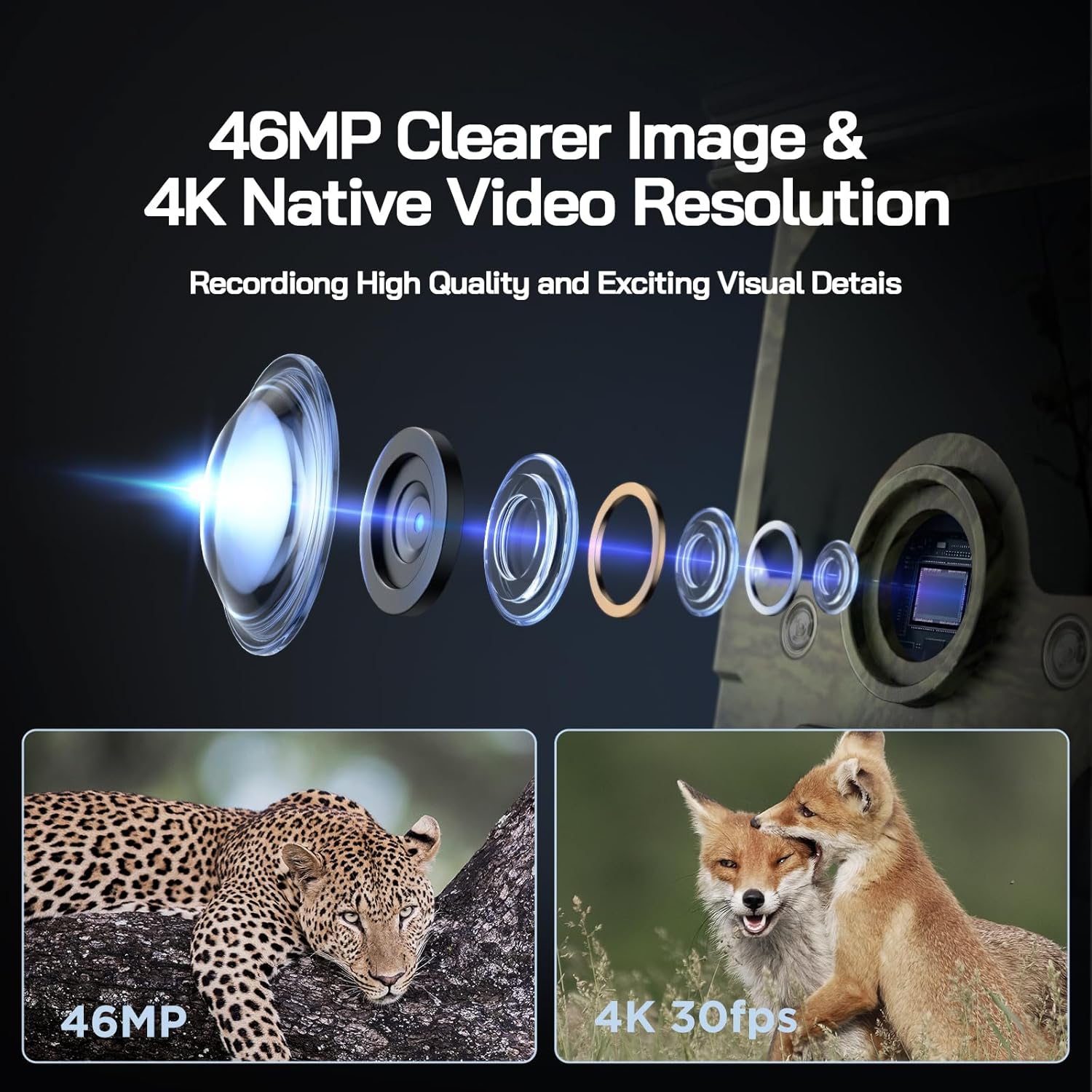
Image: Visual representation of the camera's 46MP image and 4K 30fps video resolution capabilities.

Image: A squirrel captured mid-air, illustrating the camera's ultra-fast 0.1s trigger speed.

Image: A side-by-side comparison demonstrating the superior night vision quality of the WOLFANG camera using 850nm IR lamps.
3. WiFi & App Connection
The WOLFANG WT03 can be controlled and monitored via a smartphone app. The WiFi connection range is limited to 33 feet (10 meters).

Image: A smartphone showing the camera's app interface with a live view of deer, demonstrating WiFi connection and app control.
- Download the "WOLFANG Wildlife" app from your smartphone's app store or scan the QR code provided in the camera's interface (usually in SETUP mode). A relevant link for the app is бул жерде.
- Turn the camera's mode switch to SETUP.
- Open the WOLFANG Wildlife app on your phone.
- Follow the in-app instructions to connect to the camera's WiFi network. You may need to enable Bluetooth on your phone first to discover the camera.
- Туташкандан кийин, мүмкүн view жаша фооtage, жөндөөлөрдү тууралоо жана жүктөп алуу fileтүздөн-түз телефонуңузга.
Туташуу көйгөйүн чечүү: If connection issues occur, try plugging in the charging cable to the camera and setting the app to manual connection. Reconnecting might require re-plugging the charging cable.
4. Viewing/Downloading Files
- Колдонмо аркылуу: Connect to the camera via WiFi using the app. Navigate to the album/gallery section to view and download photos/videos.
- USB кабели аркылуу: Connect the camera to a computer using the provided USB cable. The camera will appear as a removable disk, allowing you to access files.
- Directly on Camera: In SETUP mode, use the navigation buttons to browse captured photos and videos on the camera's screen.
- SD картаны окугуч: Remove the Micro SD card from the camera and insert it into a compatible card reader connected to a computer.

Image: A visual explanation of the loop recording function, showing how the camera overwrites the oldest footage when the SD card reaches full capacity.
Техникалык тейлөө
- Тазалоо: Use a soft, dry cloth to clean the camera lens and solar panel. Avoid abrasive cleaners.
- Батареяга кам көрүү: For optimal battery life, ensure the solar panel is regularly exposed to sunlight. If storing the camera for extended periods, fully charge the built-in battery and remove any AA batteries.
- Сактагыч: Камераны колдонбогондо салкын, кургак жерде сактаңыз.
- Программалык камсыздоонун жаңыртуулары: Check the official WOLFANG website periodically for any available firmware updates to improve performance and add features.

Image: The WOLFANG WT03 camera shown in rainy conditions, emphasizing its IP66 super waterproof rating and protective eave design.
Проблемаларды чечүү
| Көйгөй | Мүмкүн чечим |
|---|---|
| Камера күйбөй жатат. |
|
| Сүрөт/видео сапаты начар. |
|
| WiFi туташуу маселелери. |
|
| Камера кыймылды байкабай жатат. |
|
| SD карта катасы. |
|
Техникалык шарттар
| Өзгөчөлүк | Деталь |
|---|---|
| Модель аты | WT03 |
| Видео тартуунун резолюциясы | 4K (30 кадр/сек) |
| Натыйжалуу дагы эле чечим | 46 депутат |
| Power Source | Solar Powered (Built-in 4400mAh battery), 4x AA batteries (backup, not included) |
| Байланыш технологиясы | WiFi, Bluetooth |
| Сууга туруктуулук деңгээли | IP66 суу өткөрбөйт |
| Триггер ылдамдыгы | 0.1 секунд |
| Түнкү көрүү диапазону | 65 фут (20 метр) чейин |
| PIR аныктоо бурчу | 120° |
| Сактоо сыйымдуулугу | Supports Micro SD card up to 128GB (32GB included) |
| Өлчөмдөрү (L x W x Y) | 14.3 x 10.7 x 9.5 см |
| Салмагы | 730 грамм |
Кепилдик жана колдоо
WOLFANG камсыз кылат 2 жылдык кепилдик кызматы for the WT03 Solar Wildlife Camera. Additionally, a 1-month free return & exchange саясаты жеткиликтүү.
For any support needs, questions, or accessory package upgrades, please contact WOLFANG customer service directly.
Электрондук почта: support.vc@wolfang.co
WOLFANG is committed to providing high-quality imaging products and prompt customer support.


